Your last Zoom call ended. You typed three bullet points before the next meeting started. Meanwhile, your colleague with an AI note taker already has a full transcript, seven action items pushed to Slack, and a shareable recording link sitting in their CRM.
Same one-hour meeting. Completely different outcomes.
The best AI meeting note takers in 2026: Otter.ai for versatility, Fathom for a genuinely free option, Fireflies.ai for deep integrations, Grain for growing teams, Avoma for sales intelligence, and Read.ai for rich analytics.
We tested all six across accuracy, integrations, pricing, and real-world usability. Here’s exactly who should use what.
Quick Comparison: Best AI Meeting Note Takers
| Tool | Best For | Free Plan | Starting Price | Transcription Accuracy |
|---|---|---|---|---|
| Otter.ai | Teams needing real-time transcription | Yes (300 min/month) | $16.99/month | ★★★★★ |
| Fathom | Budget-conscious teams | Yes (unlimited) | $19/user/month | ★★★★★ |
| Fireflies.ai | CRM & app integrations | Yes (800 min storage) | $10/seat/month | ★★★★☆ |
| Grain | Growing revenue teams | Yes (3 seats, limited) | $15/seat/month | ★★★★★ |
| Avoma | Enterprise sales coaching | No | $19/user/month | ★★★★★ |
| Read.ai | Meeting engagement analytics | Yes (5 meetings/month) | $19.75/month | ★★★★☆ |
1. Otter.ai — Best Overall for Real-Time Transcription
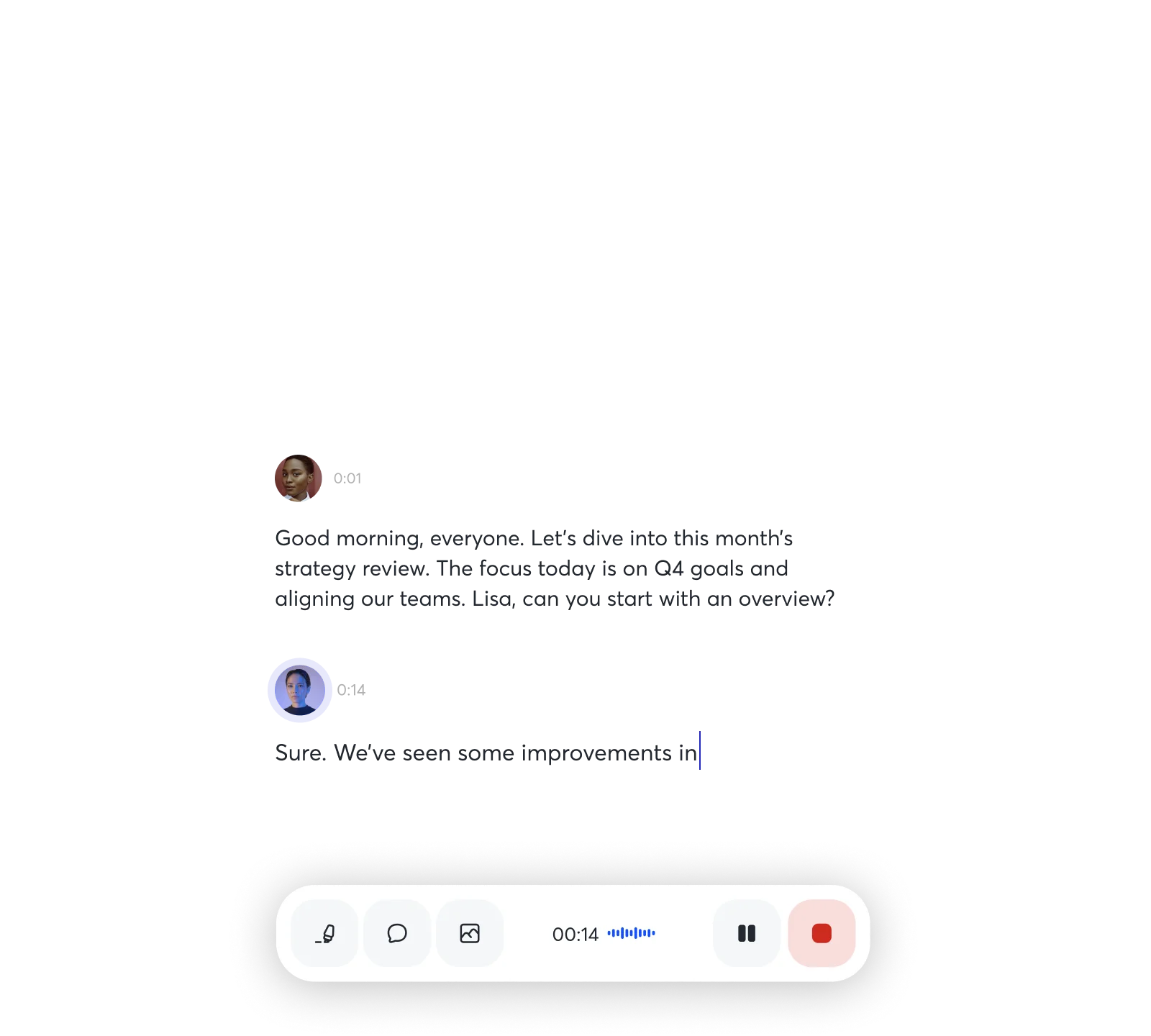
Otter.ai has been around the longest in this space, and in 2026 it still leads on raw transcription quality and real-time usability. The live caption feature works across Zoom, Teams, and Google Meet simultaneously — you can watch the transcript populate as people speak.
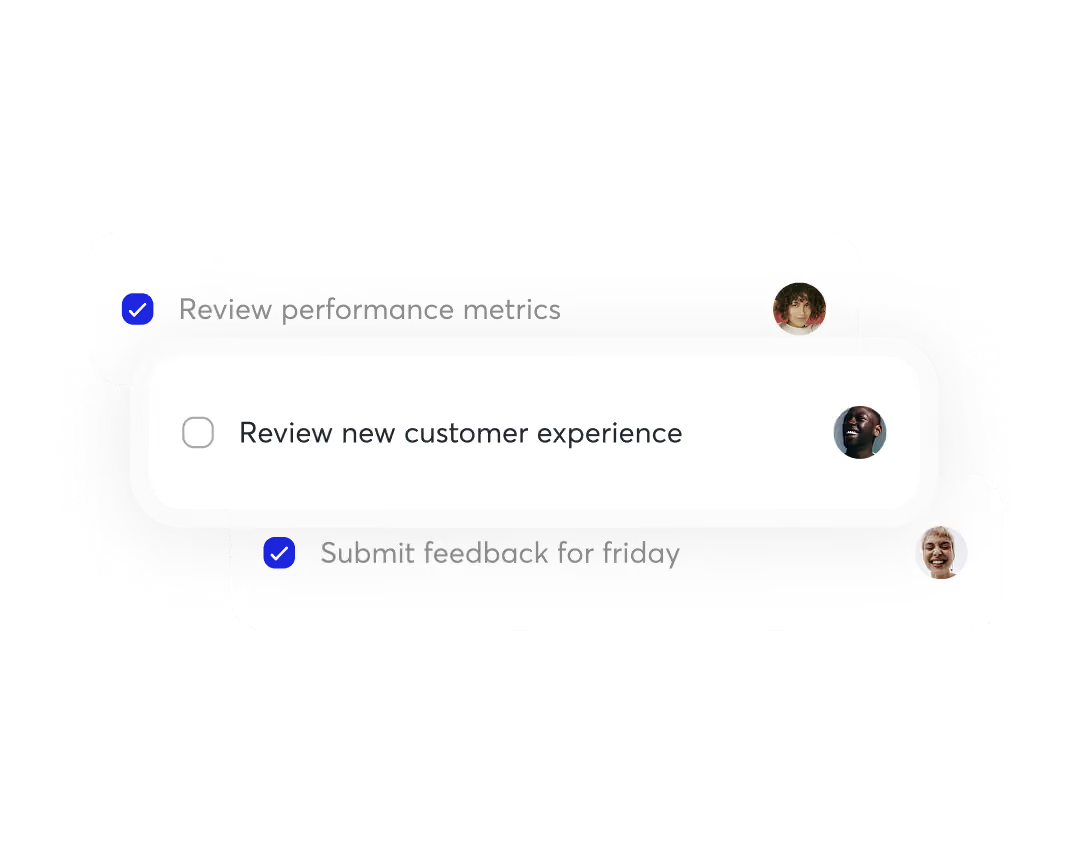
The killer feature: OtterPilot. It joins your meetings as a bot, generates a summary while the call is still happening, and auto-pushes action items to Slack or HubSpot when the meeting ends. No post-processing delay.
Key features:
- Real-time live transcription with speaker identification
- AI summary generated mid-meeting, not after
- OtterPilot bot joins calls automatically
- Integrations with Salesforce, HubSpot, Slack, Zoom, and Google Meet
- Searchable transcript library across all past meetings
- Action item extraction and assignment
Pricing:
- Free: 300 minutes of AI transcription per month, 3 meeting imports
- Pro: $16.99/month — 1,200 minutes, advanced search, custom vocabulary
- Business: $30/user/month — unlimited transcription, Salesforce/HubSpot sync, admin controls
- Enterprise: Custom pricing — SSO, compliance, dedicated support
Pros: Best-in-class live transcription; works across all major meeting platforms; strong free tier; solid mobile app
Cons: Business plan gets expensive at scale; some users report bot occasionally joining wrong meetings; speaker ID can slip on heavy accents
Bottom line: If your team runs back-to-back Zoom or Teams calls and needs transcription that happens in real time — not after the fact — Otter.ai is the benchmark.
2. Fathom — Best Free Option (Genuinely Free)
Fathom’s free plan is the most generous in this space, and it’s not close. Unlimited recordings, unlimited AI summaries, unlimited highlights — forever, no credit card. Most “free forever” plans are trip wires. Fathom’s is a real product.
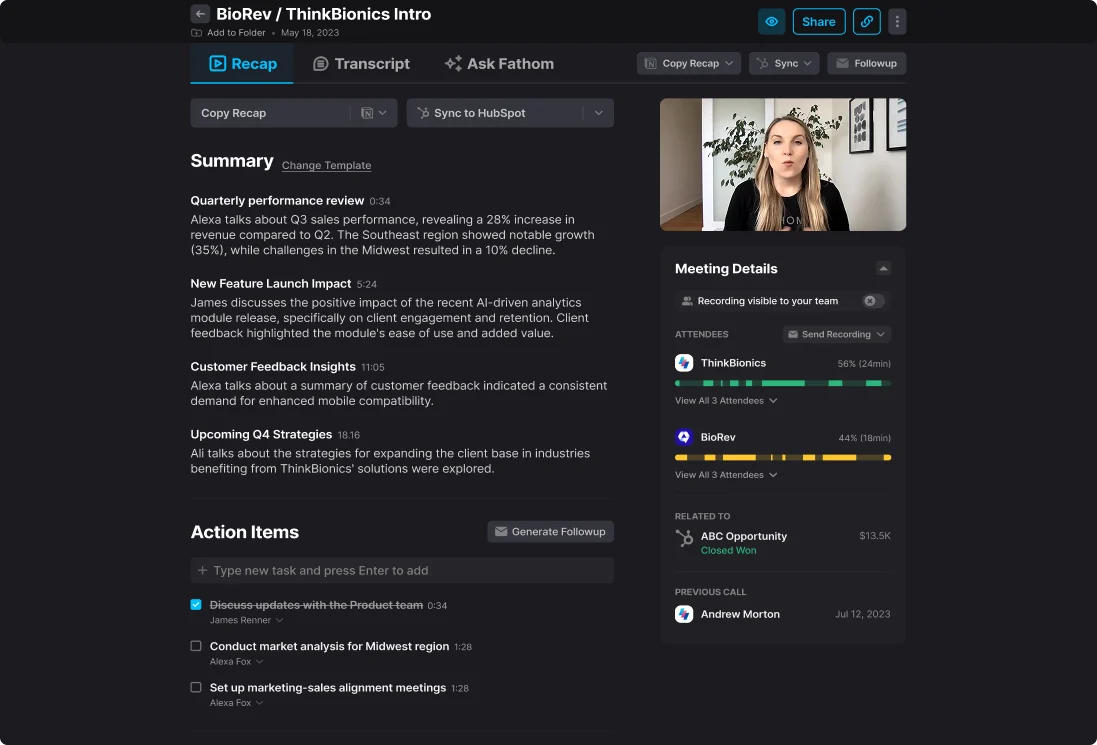
It’s also fast. Within 30 seconds of a call ending, you have a formatted summary broken down by topic, a full transcript, and shareable highlight clips. The speed here is noticeably better than Otter.ai and Fireflies.
Key features:
- Unlimited recordings and AI summaries on free plan
- Highlight clips — bookmark moments during the call with one click
- Summary in 30 seconds after call ends
- Native Zoom, Google Meet, and Teams integration
- Push summaries to Notion, Slack, or Gmail with one click
- Ask Fathom questions about past meetings (AI Q&A)
Pricing:
- Free: Unlimited recordings and AI summaries — one user only
- Team Edition: $19/user/month — team sharing, collaborative workspaces, admin dashboard
- Team Edition Plus: $29/user/month — CRM integrations, advanced analytics, custom templates
Pros: Best free tier in the category; fast post-meeting summaries; excellent highlight clipping; clean, simple interface
Cons: Free plan is solo use only — sharing requires paid; fewer CRM integrations than Fireflies; no live transcription during the call
Bottom line: Solo professionals, freelancers, and small teams who want zero cost to start should use Fathom. The free plan alone will make you wonder why you were taking notes manually.
3. Fireflies.ai — Best for Integrations
Fireflies.ai wins the integrations battle. It connects to over 40 apps natively — Salesforce, HubSpot, Pipedrive, Monday.com, Asana, Notion, Slack, Zapier, and more. If your workflow involves syncing meeting intel across multiple tools, no other note taker comes close.
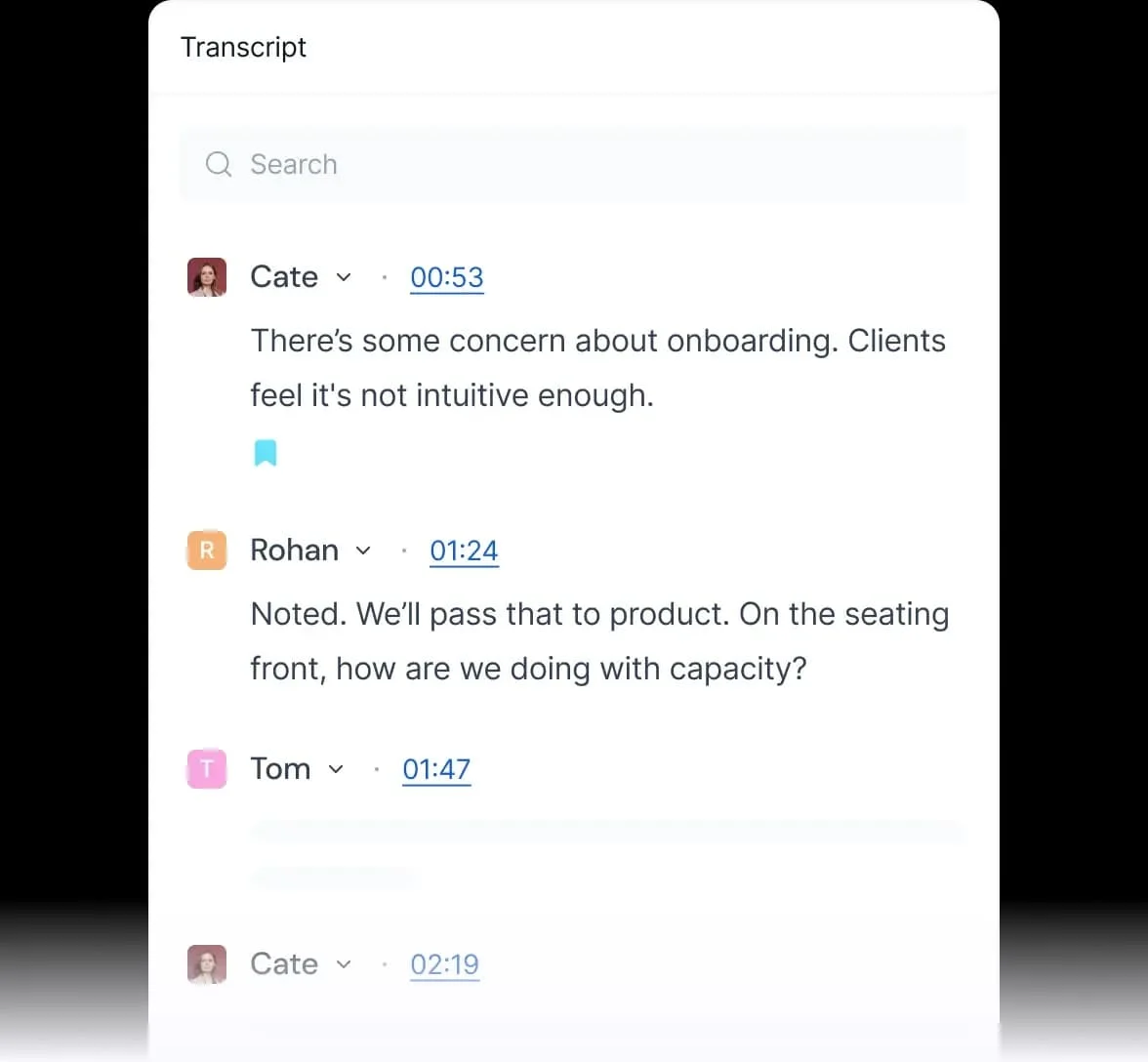
The standout feature: Ask Fred. Fred is Fireflies’ conversational AI — you can ask it questions about any past meeting in plain English. “What commitments did John make in last Tuesday’s call?” pulls an answer from the transcript in seconds.
Key features:
- 40+ native integrations including all major CRMs
- Ask Fred — conversational AI Q&A across all meetings
- Sentiment analysis on conversations
- Meeting score and talk-time analytics
- Custom topic trackers (track competitor mentions, objections, etc.)
- Team-level meeting analytics dashboard
Pricing:
- Free: 800 minutes of storage, limited AI summaries
- Pro: $10/seat/month — unlimited storage, full AI features, all integrations
- Business: $19/seat/month — conversation intelligence, team analytics, video recording
- Enterprise: Custom — SSO, advanced security, private storage
Pros: Cheapest paid tier at $10/seat; widest integration library; strong conversation analytics; great for sales teams tracking topics across calls
Cons: Free plan storage limits feel restrictive; UI feels busier than Fathom or Grain; transcription accuracy slightly behind Otter.ai on complex calls
Bottom line: If your team lives in Salesforce or HubSpot and wants meeting intel automatically synced without manual copy-paste, Fireflies.ai at $10/seat is the obvious choice.
4. Grain — Best for Growing Revenue Teams
Grain is built for teams that need more than a transcript — they need shareable moments. The product is built around “story clips”: short highlight reels from meetings that you can share to Slack, embed in Notion, or push into a Salesforce account page. It turns your most important meeting moments into assets.
The differentiator: account intelligence. Grain automatically tags customer conversations by account, pulls in CRM context, and surfaces patterns across multiple calls with the same customer. It’s not just note-taking — it’s conversation memory for your whole revenue team.
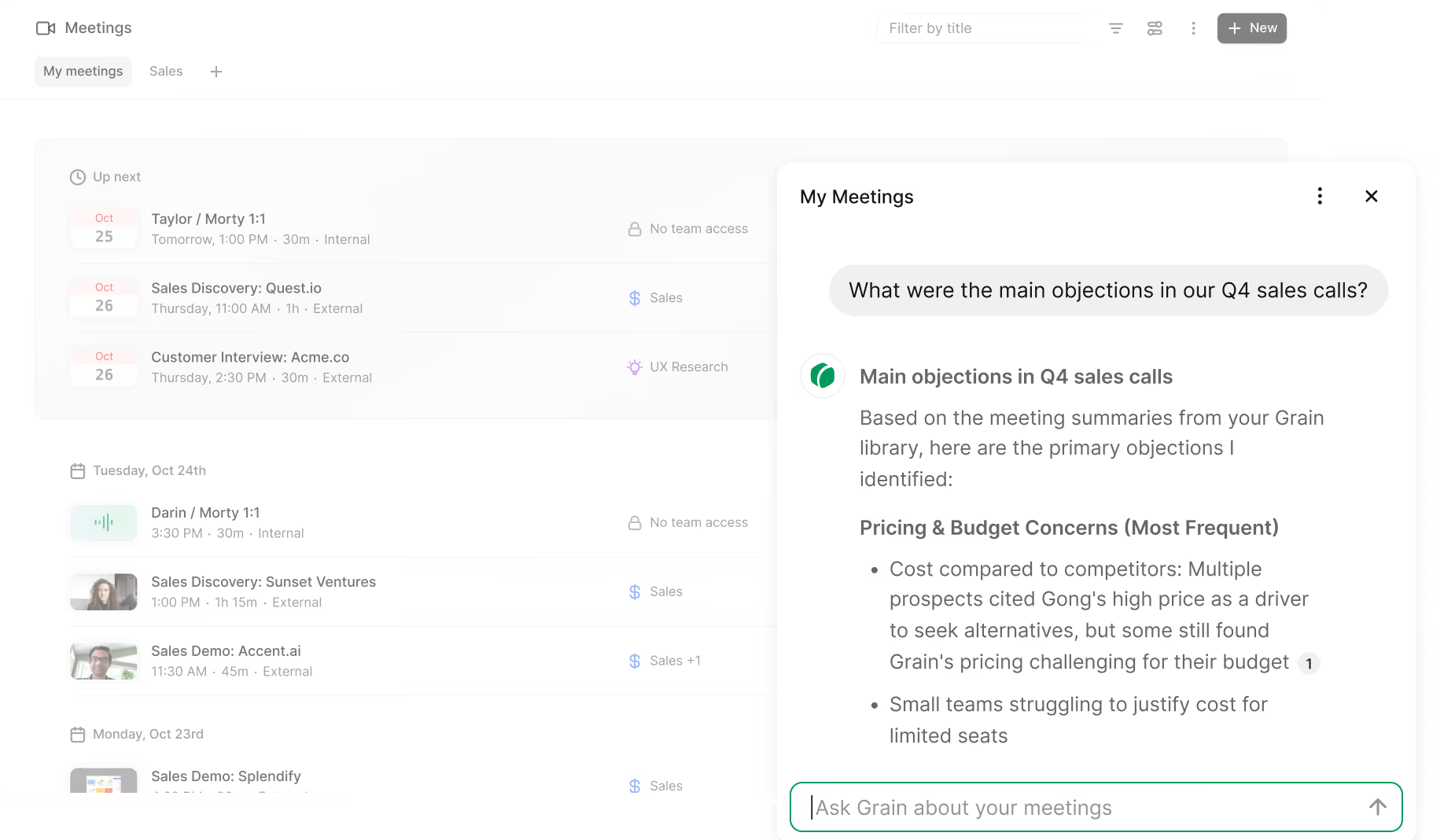
Key features:
- Story clips — shareable highlight snippets from any meeting moment
- Account intelligence — aggregate insights across all calls with one customer
- AI note templates by meeting type (discovery, demo, QBR)
- Salesforce and HubSpot automatic sync
- Coaching playlists — curate call moments for onboarding and training
- Botless recording option (no bot joins the call)
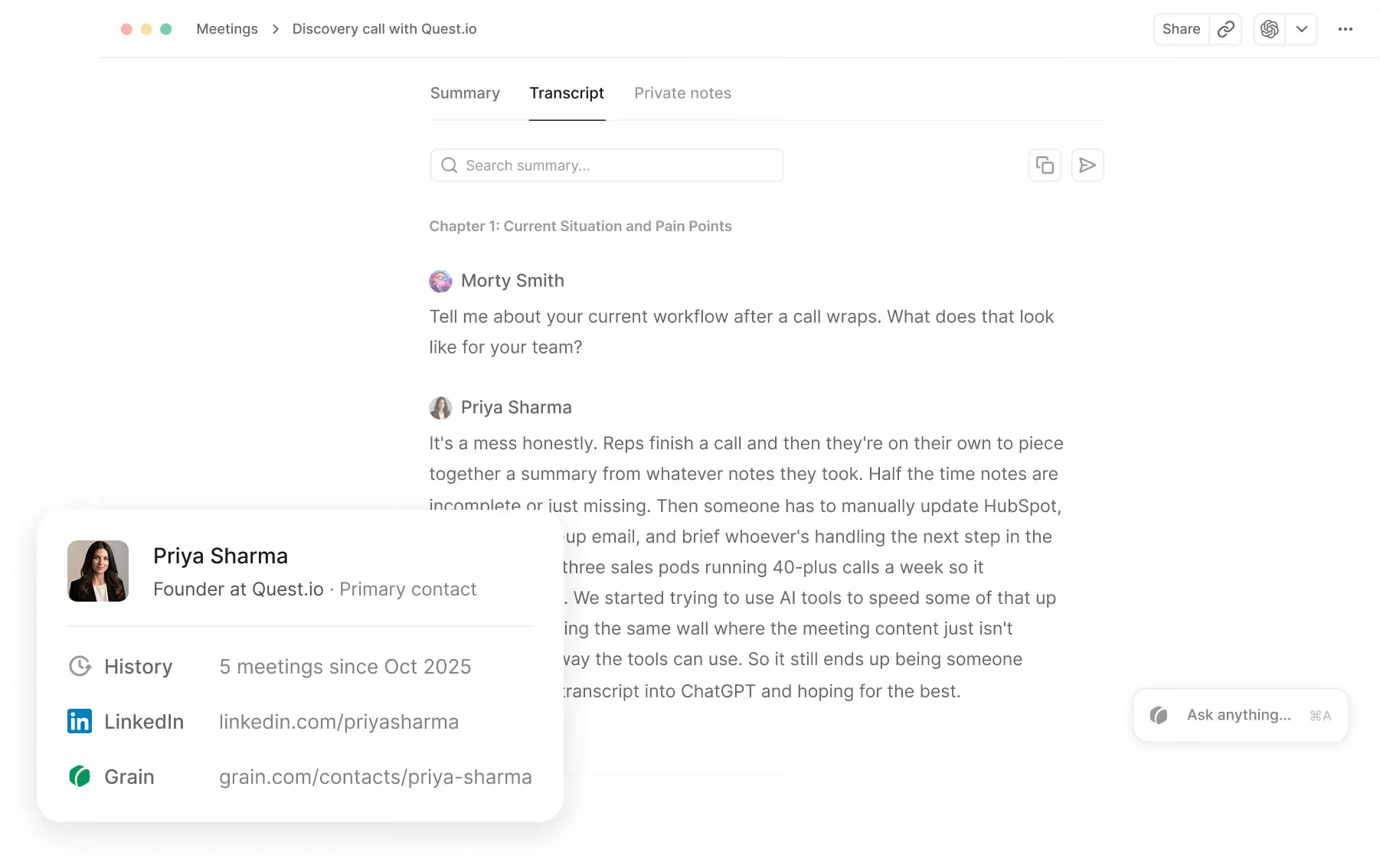
Pricing:
- Free: 3 seats, limited recordings per month
- Starter: $15/seat/month — unlimited recordings, AI notes, basic CRM sync
- Business: $39/seat/month — advanced analytics, coaching tools, full Salesforce/HubSpot integration, account intelligence
Pros: Best clip-sharing workflow; account intelligence is genuinely useful for sales teams; botless recording is a nice option; strong Salesforce integration
Cons: Free plan is limited; Business tier pricing adds up at scale; coaching features require the top tier
Bottom line: Sales and customer success teams that want to turn meeting recordings into shareable assets and CRM intelligence — not just transcripts — will find Grain worth the extra cost over Fireflies.
5. Avoma — Best for Enterprise Sales Coaching
Avoma goes the deepest on conversation intelligence of any tool in this list. It doesn’t just transcribe — it scores calls, tracks talk ratios, identifies winning vs. losing patterns, and coaches reps based on what’s actually working in your own call library.
This is the tool revenue operations teams buy when they’re serious about improving win rates, not just capturing notes. It’s also the most expensive option here, and that’s expected.
Key features:
- AI-powered call scoring against custom frameworks
- Talk time analysis and monologue detection
- Filler word tracking (um, uh, “basically”)
- Deal intelligence — aggregate insights across all calls in a deal
- Coaching playlists for onboarding new sales reps
- Meeting scheduler built in (replaces Calendly for some use cases)
- Full CRM sync with Salesforce, HubSpot, and Pipedrive
Pricing:
- Starter: $19/user/month — AI notes and transcription, basic integrations
- Plus: $39/user/month — conversation intelligence, deal intelligence, coaching
- Business: $79/user/month — advanced coaching, scorecards, team analytics, custom integrations
Pros: Most sophisticated coaching and analytics features; excellent for scaling sales teams; meeting scheduler integration is a workflow win; deal-level intelligence
Cons: No free plan; expensive at the top tier; more features than most small teams will use; setup takes time
Bottom line: Avoma is overkill for a 10-person team. For a sales org with 15+ reps and a RevOps function that wants data-driven coaching, it’s the strongest option in the market.
6. Read.ai — Best for Meeting Analytics and Engagement Scoring
Read.ai takes a different angle than the other tools. Yes, it transcribes and summarizes — but it also scores your meeting on a 10-point “meeting quality” scale, tracks engagement levels for each participant, and flags when meeting dynamics suggest low participation or wasted time.
If you run a lot of internal meetings and want to understand which ones are actually efficient versus just habitual calendar blocks, Read.ai gives you data nobody else collects.
Key features:
- Meeting quality score (1–10) after every call
- Participant engagement tracking (who was checked out)
- Sentiment analysis per speaker
- Talking speed and clarity metrics
- Smart chapter breakdown with topic timestamps
- AI email drafts based on meeting content
- Integration with Zoom, Teams, Google Meet, Webex
Pricing:
- Free: 5 meetings per month, basic summary
- Pro: $19.75/month — unlimited meetings, full analytics, all integrations
- Enterprise: Custom — team dashboards, SSO, advanced admin
Pros: Unique engagement and meeting quality analytics; great for HR and managers tracking meeting efficiency; works across all major video platforms including Webex
Cons: Heavily limited free tier (5 meetings only); some teams find the engagement scoring uncomfortable; not as deep on CRM integrations as Fireflies
Bottom line: If you’re trying to reduce meeting bloat and make the ones you do keep more effective, Read.ai’s engagement analytics add a dimension no other tool here provides.
Full Comparison: AI Meeting Note Takers in 2026
| Tool | Free Plan | Paid Starts At | Integrations | Live Transcription | CRM Sync | Coaching |
|---|---|---|---|---|---|---|
| Otter.ai | 300 min/month | $16.99/month | Zoom, Slack, HubSpot | ✅ Yes | Business tier | Basic |
| Fathom | Unlimited (solo) | $19/user/month | Zoom, Meet, Teams, Slack | ❌ No | Plus tier | No |
| Fireflies.ai | 800 min storage | $10/seat/month | 40+ apps | ❌ No | All tiers | Basic |
| Grain | 3 seats, limited | $15/seat/month | Salesforce, HubSpot | ❌ No | All tiers | Business tier |
| Avoma | None | $19/user/month | SF, HubSpot, Pipedrive | ❌ No | All tiers | ✅ Advanced |
| Read.ai | 5 meetings/month | $19.75/month | Zoom, Teams, Webex | ❌ No | Limited | No |
Which AI Meeting Note Taker Should You Choose?
Choose Otter.ai if you need real-time live transcription during the meeting itself — especially useful for accessibility, live captioning, or teams that reference notes while the call is still happening.
Choose Fathom if you’re an individual or small team that wants the best free option with no strings attached. The unlimited free tier is genuinely hard to beat.
Choose Fireflies.ai if integrations are your top priority. At $10/seat it’s the cheapest paid option, and its connection library covers more tools than any competitor.
Choose Grain if you’re a sales or customer success team that wants to turn meeting recordings into shareable assets and account-level intelligence — not just text files.
Choose Avoma if you’re scaling a sales team and want coaching, deal intelligence, and call scoring baked into your workflow. It’s the most expensive but the most complete for revenue teams.
Choose Read.ai if you run a lot of internal meetings and want data on meeting effectiveness, participant engagement, and whether your team is actually paying attention.
Frequently Asked Questions
What is an AI meeting note taker?
An AI meeting note taker is software that joins video calls (Zoom, Teams, Google Meet) as a bot or via browser extension, records the conversation, transcribes it with speaker labels, and generates an AI summary with action items. Most connect to your calendar and join meetings automatically.
Are AI meeting note takers accurate?
Top tools like Otter.ai, Fathom, and Grain achieve 90–95% accuracy in clear English. Accuracy drops with heavy accents, multiple simultaneous speakers, or heavy technical jargon. All allow you to correct transcripts after the fact.
Do participants know when an AI note taker is recording?
Most tools use a visible bot that joins the call as a participant — all attendees can see it. Some tools (including Grain) offer a botless mode that records without a visible participant. Laws on call recording consent vary by state and country; check your local requirements before recording external calls.
What is the best free AI meeting note taker?
Fathom offers the best free plan with unlimited recordings and AI summaries at no cost — for individual use. Otter.ai’s free tier gives 300 minutes per month, which covers roughly three to four one-hour meetings. Fireflies.ai’s free plan offers 800 minutes of storage.
Can AI meeting note takers integrate with my CRM?
Yes — most paid tiers include CRM integrations. Fireflies.ai has the broadest library (Salesforce, HubSpot, Pipedrive, Zoho). Grain and Avoma go deepest on Salesforce/HubSpot with automated field updates and account-level intelligence.
Are AI meeting note takers secure?
Enterprise-tier tools (Otter Business, Fireflies Enterprise, Avoma Business) offer SOC 2 Type II compliance, SSO, and data residency options. For healthcare or financial services, verify HIPAA/FINRA compliance directly with the vendor before deploying.
{ “@context”: “https://schema.org”, “@graph”: [ { “@type”: “Article”, “headline”: “7 Best AI Meeting Note Takers in 2026 (Tested & Ranked)”, “description”: “We tested the top AI meeting note takers in 2026. Here’s which ones actually save time — and which teams each one is built for.”, “author”: { “@type”: “Organization”, “name”: “SoftwareReviewHQ”, “url”: “https://softwarereviewhq.com” }, “publisher”: { “@type”: “Organization”, “name”: “SoftwareReviewHQ”, “url”: “https://softwarereviewhq.com” }, “datePublished”: “2026-10-17”, “dateModified”: “2026-10-17” }, { “@type”: “FAQPage”, “mainEntity”: [ { “@type”: “Question”, “name”: “What is an AI meeting note taker?”, “acceptedAnswer”: { “@type”: “Answer”, “text”: “An AI meeting note taker is software that joins video calls as a bot or browser extension, records and transcribes the conversation with speaker labels, and generates AI summaries with action items automatically.” } }, { “@type”: “Question”, “name”: “What is the best free AI meeting note taker?”, “acceptedAnswer”: { “@type”: “Answer”, “text”: “Fathom offers the best free plan with unlimited recordings and AI summaries at no cost for individual use. Otter.ai’s free tier gives 300 minutes per month.” } }, { “@type”: “Question”, “name”: “Are AI meeting note takers accurate?”, “acceptedAnswer”: { “@type”: “Answer”, “text”: “Top tools like Otter.ai, Fathom, and Grain achieve 90-95% accuracy in clear English. Accuracy drops with heavy accents or multiple simultaneous speakers.” } }, { “@type”: “Question”, “name”: “Can AI meeting note takers integrate with my CRM?”, “acceptedAnswer”: { “@type”: “Answer”, “text”: “Yes. Most paid tiers include CRM integrations. Fireflies.ai has the broadest library (Salesforce, HubSpot, Pipedrive, Zoho). Grain and Avoma go deepest on automated CRM field updates.” } } ] }, { “@type”: “BreadcrumbList”, “itemListElement”: [ { “@type”: “ListItem”, “position”: 1, “name”: “Home”, “item”: “https://softwarereviewhq.com/” }, { “@type”: “ListItem”, “position”: 2, “name”: “Best Lists”, “item”: “https://softwarereviewhq.com/best-lists/” }, { “@type”: “ListItem”, “position”: 3, “name”: “Best AI Meeting Note Takers”, “item”: “https://softwarereviewhq.com/best-lists/best-ai-meeting-note-takers/” } ] } ] }