You need a website up this week. You’ve got a business to run, not a computer science degree to earn.
Here’s the honest answer: Wix is the best website builder for most small businesses. It’s fast to launch, genuinely flexible, and won’t require you to hire a developer six months in. But it’s not the right pick for every situation — and choosing wrong costs real money.
We tested all six of the builders below. We built pages, broke things, checked mobile output, and dug into pricing. Here’s what actually matters.
Quick Comparison: Best Website Builders for Small Business
| Builder | Best For | Starting Price | Free Plan | Our Verdict |
|---|---|---|---|---|
| Wix | Most small businesses | $17/mo | ✅ Yes | ⭐ Top Pick |
| Squarespace | Design-focused businesses | $16/mo | ❌ No (trial only) | ⭐⭐⭐⭐½ |
| Shopify | E-commerce first | $29/mo | ❌ No (trial only) | ⭐⭐⭐⭐½ |
| WordPress.com | Content-heavy sites | $4/mo | ✅ Yes | ⭐⭐⭐⭐ |
| Webflow | Agencies & advanced users | $15/mo | ✅ Yes (webflow.io) | ⭐⭐⭐⭐ |
| GoDaddy | Speed over everything | $9.99/mo | ❌ No (trial only) | ⭐⭐⭐½ |
What to Look For in a Small Business Website Builder
Before we get into the tools: here’s the short list of criteria that actually matter for a small business.
Time to launch. Every week without a website is a week of lost credibility. Pick something you can publish in a weekend.
Mobile quality. Over 60% of web traffic is now mobile. If your site looks great on desktop and broken on a phone, you’re losing customers you never even knew were interested.
SEO controls. Can you edit page titles, meta descriptions, alt text, and URLs? These aren’t advanced features — they’re the basics that determine whether Google sends you traffic at all.
E-commerce readiness. Even if you’re not selling online today, make sure the platform can grow with you. Migrating between builders is painful.
Price transparency. Several builders advertise a low starting price that doesn’t include custom domains, e-commerce, or basic SEO. We flag those below.
The 6 Best Website Builders for Small Business
1. Wix — Best Overall for Small Business

Verdict: The most versatile beginner-friendly builder that doesn’t box you in.
Wix gives you 900+ templates, a drag-and-drop editor that actually works the way you think it should, and enough depth to handle anything from a one-page service business to a bookings-driven salon with online payments.
The editor is what sets Wix apart from competitors at this price point. You can move any element anywhere on the page — none of the rigid column constraints you’ll hit in Squarespace or GoDaddy. That freedom can be a double-edged sword (you can break your mobile layout if you’re not careful), but Wix has added smart guides and mobile-specific editing to address this.
Where Wix wins:
- Huge template library across every industry
- Built-in booking, payments, and forms without third-party apps
- Wix ADI (AI-powered site creator) can generate a basic site in under 10 minutes
- App Market with 300+ integrations
- Solid SEO controls including structured data and sitemaps
Where Wix falls short:
- You can’t change templates after publishing without rebuilding
- Page speed scores can lag without optimization
- E-commerce is capable but not as deep as Shopify
Wix pricing (billed annually): Free (Wix subdomain + ads), Light $17/mo, Core $29/mo, Business $39/mo, Business Elite $159/mo. The Core plan removes Wix branding and adds e-commerce; it’s where most small businesses should start.
2. Squarespace — Best for Design-Driven Businesses
Verdict: The cleanest output of any builder in this list — at a price.
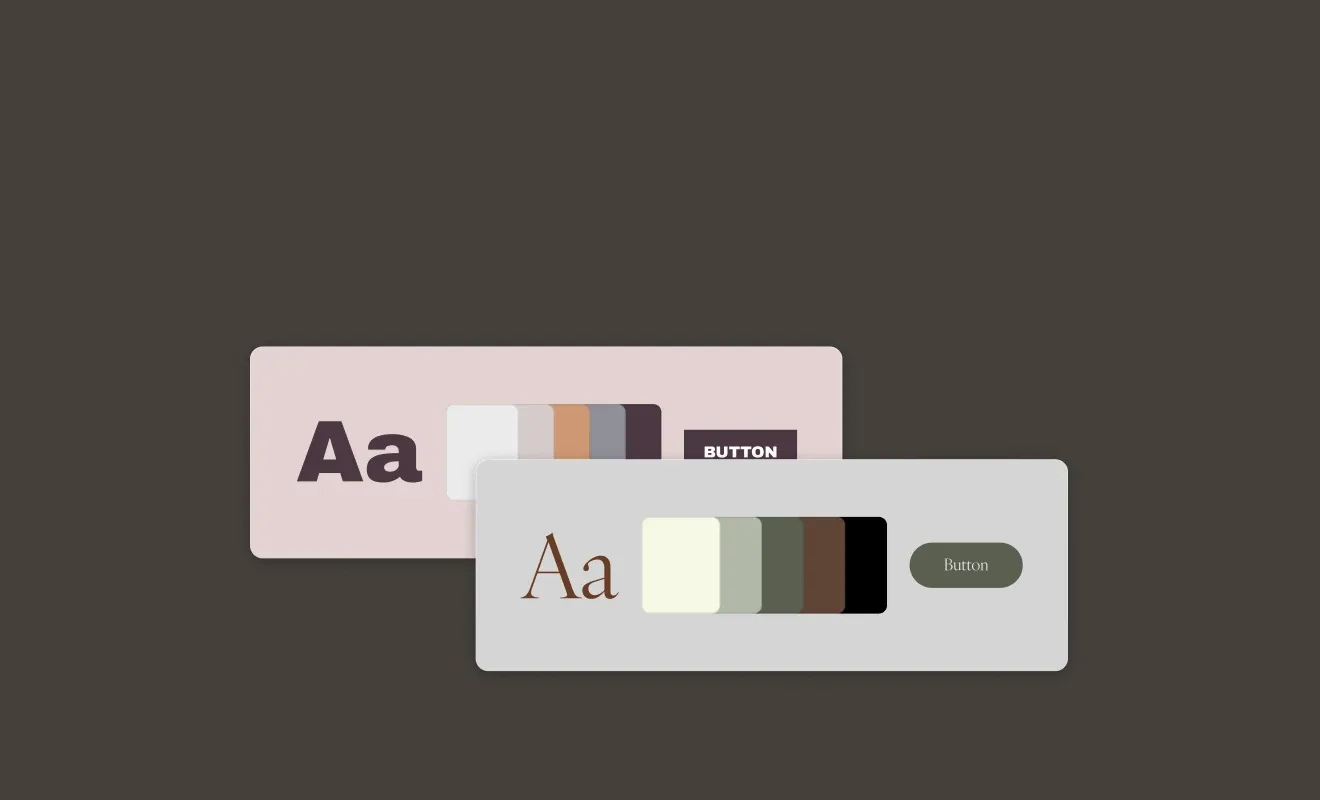
If your brand lives or dies by aesthetics — you’re a photographer, an architect, a high-end restaurant, a creative agency — Squarespace is the answer. The templates aren’t just attractive; they’re carefully crafted so even non-designers can produce something that looks professionally built.
What Squarespace sacrifices is flexibility. The editor is more constrained than Wix, which means fewer ways to accidentally make your site ugly — but also fewer ways to make it exactly what you want. If you need a niche layout or a complex interactive element, you’ll hit walls.
Where Squarespace wins:
- Best-looking templates of any builder, period
- Fluid Engine editor with a near-Figma level of layout control on newer templates
- Strong blogging capabilities with scheduled posts and subscriber management
- Built-in scheduling via Acuity (now Squarespace Scheduling)
- E-commerce solid for small catalogs
Where Squarespace falls short:
- No free plan — 14-day trial only
- Transaction fees on the Business plan (waived on Commerce)
- Less third-party integrations than Wix
- Can feel slow to load on image-heavy pages
Squarespace pricing (billed annually): Personal $16/mo, Business $23/mo, Commerce Basic $28/mo, Commerce Advanced $52/mo. The Personal plan excludes e-commerce; most small businesses need at least Business.
3. Shopify — Best for E-Commerce-First Businesses
Verdict: If selling products is your primary goal, nothing else comes close.
Shopify is the most powerful e-commerce platform in this list — and the most expensive for businesses that just want a website. But if you’re running an online store with more than 10 SKUs, it’s the right call: you get inventory management, multi-channel selling (Instagram, Amazon, TikTok Shop), abandoned cart recovery, and a checkout that converts better than almost anything else on the market.
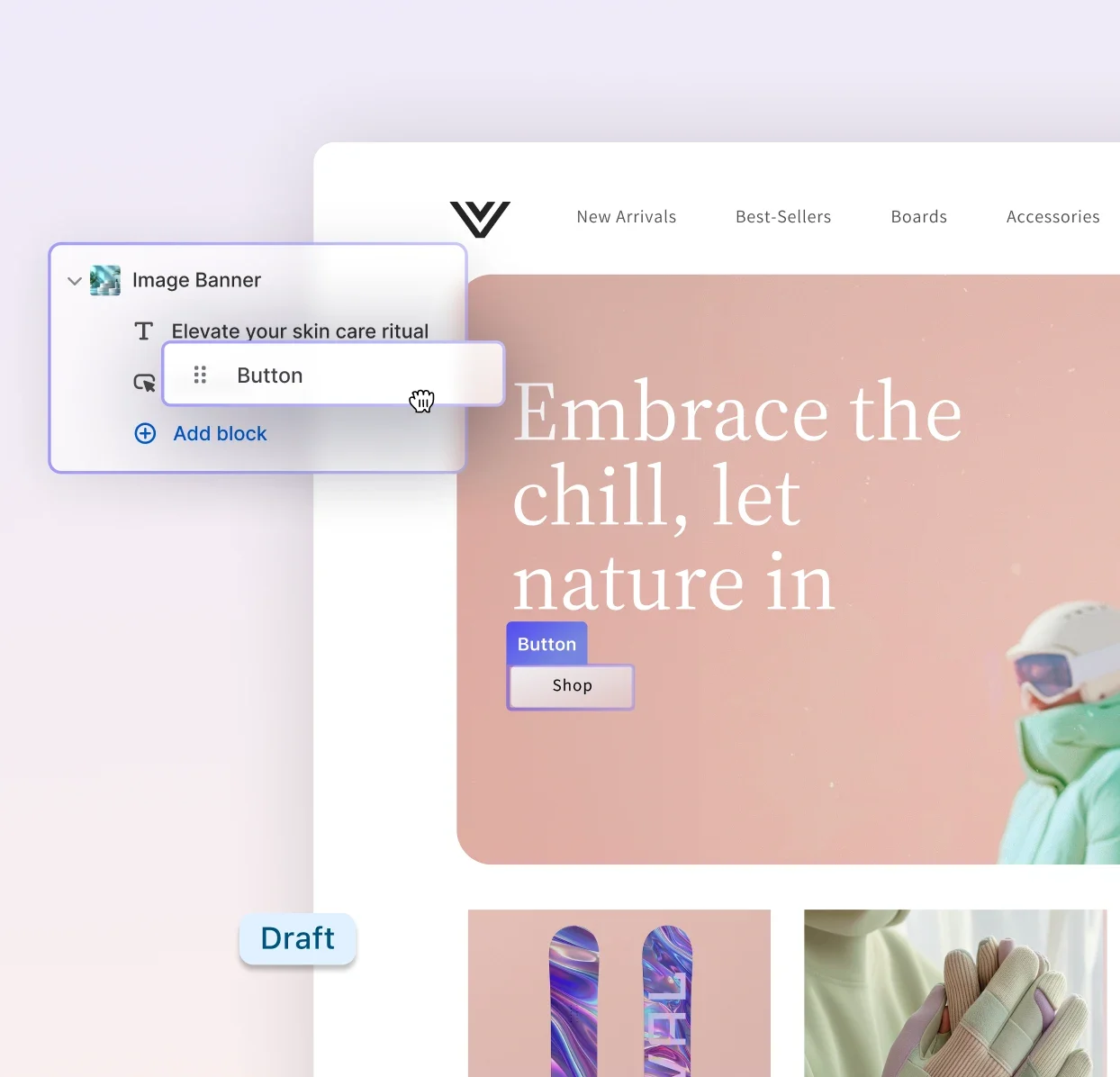
The website builder side has improved significantly. Shopify’s Online Store 2.0 themes let you customize layout without touching code, and the drag-and-drop editor has matured into something non-developers can use confidently.
Where Shopify wins:
- Best e-commerce infrastructure for product-based businesses
- Multi-channel selling across social, marketplaces, and point of sale
- 1,200+ apps in the Shopify App Store
- Shopify Payments eliminates third-party processing fees
- Built-in analytics with conversion tracking
Where Shopify falls short:
- Expensive for businesses that don’t need full e-commerce
- Transaction fees (0.5–2%) if you don’t use Shopify Payments
- Blog is functional but not a content-marketing powerhouse
- Theme customization requires learning Liquid if you go deep
Shopify pricing (billed annually): Starter $5/mo (buy button only, no website), Basic $29/mo, Shopify $79/mo, Advanced $299/mo. Most product-based small businesses start on Basic; Shopify plan unlocks better shipping rates and reporting.
4. WordPress.com — Best for Content-Heavy Sites

Verdict: Unmatched for blogs and content marketing — steep learning curve included.
WordPress.com runs on the world’s most popular CMS (powering 43% of all websites), and it shows. The content management capabilities — custom post types, taxonomies, editorial workflows, scheduled publishing — go deeper than any other builder here. If content marketing is your primary growth strategy, WordPress.com is built for it.
Note the distinction: WordPress.com (hosted, managed) is what we’re covering here. WordPress.org (self-hosted) offers even more power but requires you to handle your own hosting, updates, and security — a different conversation.
Where WordPress.com wins:
- Best-in-class blogging and content management
- Block editor (Gutenberg) handles complex layouts without plugins
- Thousands of themes, including premium designs
- Built-in SEO tools and Jetpack integration
- Free plan available (with wordpress.com subdomain)
Where WordPress.com falls short:
- Plugin access only on Creator plan ($25/mo) and above
- E-commerce requires WooCommerce, which needs the right plan
- More complex than Wix or Squarespace for pure beginners
- Free and Starter plans have limited storage and customization
WordPress.com pricing (billed annually): Free (wordpress.com subdomain), Starter $4/mo, Explorer $8/mo, Creator $25/mo, Entrepreneur $45/mo. The Creator plan is the sweet spot for small businesses — it unlocks plugins, which are essential for advanced SEO and e-commerce.
5. Webflow — Best for Agencies and Advanced Users
Verdict: The most powerful no-code builder — but “no-code” still requires a learning curve.
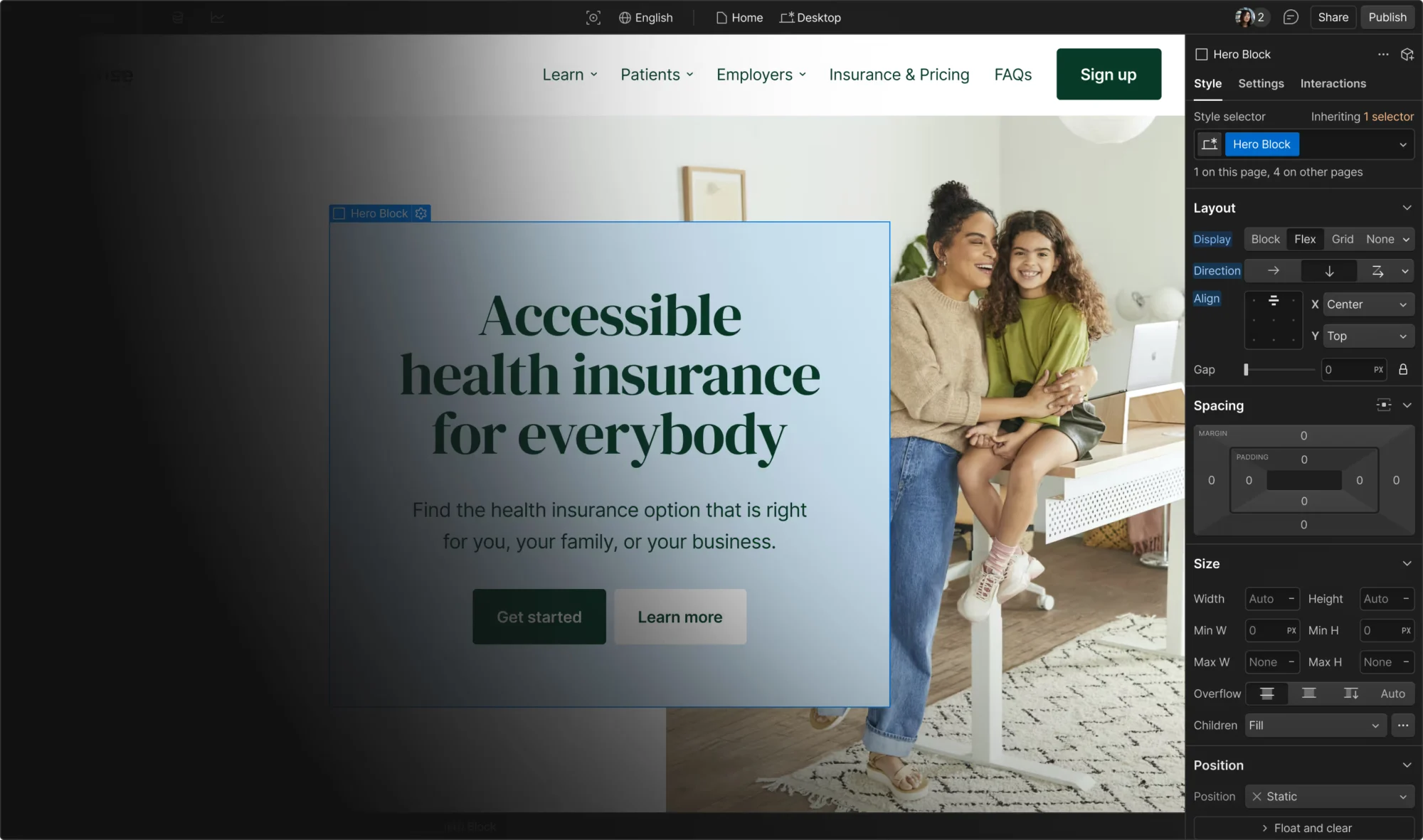
Webflow occupies a different position than the other builders here. It’s not drag-and-drop in the consumer sense; it’s a visual development environment where you’re actually setting CSS properties, managing flexbox layouts, and building CMS structures. That power is enormous. The sites that come out of Webflow can be pixel-perfect and performant in ways that Wix and Squarespace can’t match.
The problem: Webflow has a real learning curve. Most small business owners shouldn’t start here. But if you’re a marketing professional, a designer, or an agency building client sites, Webflow rewards the investment with capabilities no other tool in this list can match.
Where Webflow wins:
- Pixel-precise control over every design element
- Built-in CMS that developers and designers actually love
- Clean, semantic HTML output with excellent performance scores
- Interactions and animations without JavaScript
- Webflow Hosting is among the fastest on CDN benchmarks
Where Webflow falls short:
- Steep learning curve — expect 10–20 hours before feeling productive
- Not built for e-commerce at the same depth as Shopify
- Free plan is limited to webflow.io subdomain with Webflow badge
- Not the right choice for business owners who want to edit content themselves
Webflow pricing (billed annually): Starter free (webflow.io subdomain), Basic $15/mo (custom domain), CMS $23/mo, Business $39/mo, Enterprise custom. Most business use cases land on CMS for the blog/dynamic content engine.
6. GoDaddy — Best When You Need a Website By Tomorrow
Verdict: The fastest to publish — but you’ll outgrow it.
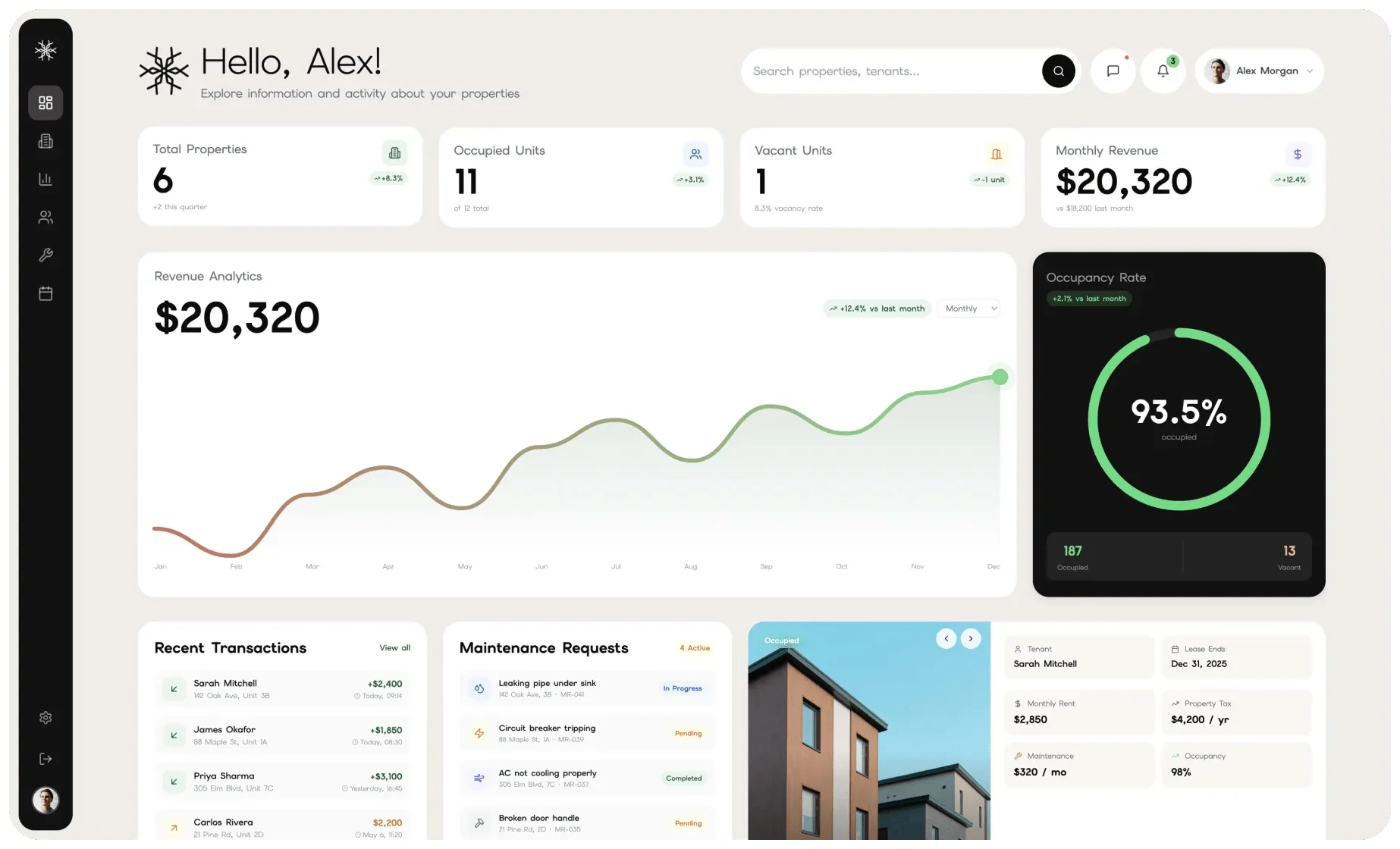
GoDaddy’s AI website builder is legitimately impressive at getting you online fast. Give it your business name and type, and it generates a full site with relevant copy, imagery, and structure in under a minute. If you need something live before a trade show on Friday, GoDaddy delivers.
The limitation is depth. Compared to Wix or Squarespace, GoDaddy’s builder offers fewer design controls, less template variety, and a thinner app ecosystem. For a simple local service business — plumber, electrician, landscaper — it’s often enough. For anything more complex, you’ll run into ceilings quickly.
Where GoDaddy wins:
- Fastest time-to-publish of any builder here (under 10 minutes)
- AI-generated content and images built into the setup flow
- Good integration with GoDaddy’s domain and email products
- Simple enough for truly non-technical users
- Reasonable pricing for basic needs
Where GoDaddy falls short:
- Less design flexibility than competitors
- E-commerce is basic compared to Shopify or even Wix
- SEO controls are limited on lower plans
- AI-generated sites can feel generic without significant manual editing
GoDaddy pricing (billed annually): Basic $9.99/mo, Standard $14.99/mo, Premium $20.99/mo, eCommerce $24.99/mo. The most affordable entry point of any paid plan in this list.
Full Comparison: Website Builders for Small Business
| Feature | Wix | Squarespace | Shopify | WordPress.com | Webflow | GoDaddy |
|---|---|---|---|---|---|---|
| Free plan | ✅ | ❌ (trial) | ❌ (trial) | ✅ | ✅ (subdomain) | ❌ (trial) |
| Ease of use | ⭐⭐⭐⭐⭐ | ⭐⭐⭐⭐ | ⭐⭐⭐⭐ | ⭐⭐⭐ | ⭐⭐ | ⭐⭐⭐⭐⭐ |
| Design quality | ⭐⭐⭐⭐ | ⭐⭐⭐⭐⭐ | ⭐⭐⭐⭐ | ⭐⭐⭐⭐ | ⭐⭐⭐⭐⭐ | ⭐⭐⭐ |
| E-commerce | ⭐⭐⭐⭐ | ⭐⭐⭐⭐ | ⭐⭐⭐⭐⭐ | ⭐⭐⭐⭐ | ⭐⭐⭐ | ⭐⭐⭐ |
| SEO tools | ⭐⭐⭐⭐ | ⭐⭐⭐⭐ | ⭐⭐⭐⭐ | ⭐⭐⭐⭐⭐ | ⭐⭐⭐⭐⭐ | ⭐⭐⭐ |
| Blogging | ⭐⭐⭐⭐ | ⭐⭐⭐⭐ | ⭐⭐⭐ | ⭐⭐⭐⭐⭐ | ⭐⭐⭐⭐ | ⭐⭐⭐ |
| Starting price | $17/mo | $16/mo | $29/mo | $4/mo | $15/mo | $9.99/mo |
| Best for | Most SMBs | Creatives | Stores | Content/blogs | Agencies | Speed |
Which Website Builder Should You Choose?
The right answer depends on your situation. Here’s how to think about it:
Choose Wix if you want maximum flexibility without a learning curve, or if you run any service business (salon, law firm, consultant, restaurant) that needs bookings, forms, and payments in one place.
Choose Squarespace if you’re a photographer, designer, restaurant, or any business where visual impression is your primary sales tool.
Choose Shopify if you’re primarily selling physical or digital products. The moment your catalog exceeds 20–30 items, Shopify’s inventory management, shipping integrations, and checkout conversion rate justify its higher price.
Choose WordPress.com if you’re building a content-marketing machine — a blog, a media site, a knowledge base — or if you already know WordPress and don’t want the maintenance overhead of self-hosting.
Choose Webflow if you’re a designer, developer, or marketer who wants complete design control and is willing to invest in the learning curve. Not for first-time site builders.
Choose GoDaddy if you need a simple local service site with minimal features and you want to spend as little time as possible setting it up. A placeholder site that you can build out later is a legitimate use case.
Frequently Asked Questions
What is the easiest website builder for a small business?
Wix and GoDaddy are the easiest to get started with. GoDaddy wins on raw speed-to-publish (under 10 minutes with AI), while Wix gives you more creative control once you’re in the editor. For most small businesses, Wix’s ease-of-use paired with its depth makes it the better long-term choice.
Can I build a website for free?
Yes — Wix and WordPress.com both have permanent free plans, and Webflow offers a free plan on a webflow.io subdomain. The catch: free plans include platform branding (ads or the builder’s domain) and limited features. For a professional business presence, you’ll want to invest in at least the entry paid plan, which gets you a custom domain and removes ads.
Which website builder is best for SEO?
WordPress.com and Webflow lead on raw SEO capability — you get granular control over meta tags, schema markup, URL structure, and site speed. Wix and Squarespace have solid SEO tools that cover everything most small businesses need. GoDaddy has the weakest SEO controls. If SEO is your primary growth channel, lean toward WordPress.com or Webflow.
Do I need a website builder or should I hire someone?
If your site is primarily informational (services, about, contact, blog), a website builder handles it well. If you need complex custom functionality — a booking system with complex rules, a customer portal, a marketplace — a developer will get you there faster and with fewer workarounds. The builders in this list all support custom code embeds, which can bridge the gap.
What’s the difference between WordPress.com and WordPress.org?
WordPress.com is a hosted service — Automattic manages the servers, security, and updates for you. WordPress.org is open-source software you install on your own hosting. WordPress.org gives you unlimited plugin access and complete control; WordPress.com gives you convenience and managed infrastructure. For small businesses new to building sites, WordPress.com is the practical starting point.
{ “@context”: “https://schema.org”, “@graph”: [ { “@type”: “Article”, “@id”: “https://softwarereviewhq.com/best/best-website-builders-for-small-business/#article”, “headline”: “6 Best Website Builders for Small Business in 2026 (Tested & Ranked)”, “description”: “We tested the top website builders for small business in 2026. Here’s which ones actually deliver — and which one is right for your type of business.”, “datePublished”: “2026-10-17”, “dateModified”: “2026-10-17”, “author”: { “@type”: “Organization”, “name”: “SoftwareReviewHQ”, “url”: “https://softwarereviewhq.com” }, “publisher”: { “@type”: “Organization”, “name”: “SoftwareReviewHQ”, “url”: “https://softwarereviewhq.com” }, “mainEntityOfPage”: { “@type”: “WebPage”, “@id”: “https://softwarereviewhq.com/best/best-website-builders-for-small-business/” } }, { “@type”: “BreadcrumbList”, “itemListElement”: [ { “@type”: “ListItem”, “position”: 1, “name”: “Home”, “item”: “https://softwarereviewhq.com” }, { “@type”: “ListItem”, “position”: 2, “name”: “Best Lists”, “item”: “https://softwarereviewhq.com/best/” }, { “@type”: “ListItem”, “position”: 3, “name”: “Best Website Builders for Small Business”, “item”: “https://softwarereviewhq.com/best/best-website-builders-for-small-business/” } ] }, { “@type”: “FAQPage”, “mainEntity”: [ { “@type”: “Question”, “name”: “What is the easiest website builder for a small business?”, “acceptedAnswer”: { “@type”: “Answer”, “text”: “Wix and GoDaddy are the easiest to get started with. GoDaddy wins on raw speed-to-publish (under 10 minutes with AI), while Wix gives you more creative control once you’re in the editor. For most small businesses, Wix’s ease-of-use paired with its depth makes it the better long-term choice.” } }, { “@type”: “Question”, “name”: “Can I build a website for free?”, “acceptedAnswer”: { “@type”: “Answer”, “text”: “Yes — Wix and WordPress.com both have permanent free plans, and Webflow offers a free plan on a webflow.io subdomain. The catch: free plans include platform branding and limited features. For a professional business presence, you’ll want at least the entry paid plan.” } }, { “@type”: “Question”, “name”: “Which website builder is best for SEO?”, “acceptedAnswer”: { “@type”: “Answer”, “text”: “WordPress.com and Webflow lead on raw SEO capability. Wix and Squarespace have solid SEO tools that cover everything most small businesses need. GoDaddy has the weakest SEO controls. If SEO is your primary growth channel, lean toward WordPress.com or Webflow.” } }, { “@type”: “Question”, “name”: “Do I need a website builder or should I hire someone?”, “acceptedAnswer”: { “@type”: “Answer”, “text”: “If your site is primarily informational (services, about, contact, blog), a website builder handles it well. If you need complex custom functionality, a developer will get you there faster. The builders in this list all support custom code embeds, which can bridge the gap.” } }, { “@type”: “Question”, “name”: “What’s the difference between WordPress.com and WordPress.org?”, “acceptedAnswer”: { “@type”: “Answer”, “text”: “WordPress.com is a hosted service where Automattic manages servers, security, and updates for you. WordPress.org is open-source software you install on your own hosting. WordPress.org gives unlimited plugin access and complete control; WordPress.com gives you convenience and managed infrastructure.” } } ] } ] }