Bottom line: Midjourney wins for artistic quality. Adobe Firefly wins for commercial-safe images. Ideogram wins for generating text inside images. And if you want to run unlimited images locally for free forever — Stable Diffusion is your answer. I tested all seven against real creative tasks in 2026, and here’s exactly who each one is for.
I’ve generated thousands of images across these tools — product mockups, blog thumbnails, social content, and straight artistic experiments. The output quality gap between 2024 and 2026 is wild. These tools are genuinely good now.
Last updated: October 2026
Best AI Image Generators in 2026: At a Glance
| Tool | Best For | Free Tier | Paid From | Output Style |
|---|---|---|---|---|
| Midjourney V8.2 | Artistic quality | No | $10/mo | Painterly, cinematic |
| Adobe Firefly | Commercial-safe images | Yes (daily credits) | $9.99/mo | Clean, professional |
| GPT Image (ChatGPT) | Instruction-following, editing | Yes (limited) | $20/mo (ChatGPT Plus) | Precise, versatile |
| FLUX.2 | API / developer use | Pay-per-use | ~$0.014/megapixel | Photorealistic |
| Ideogram 4.5 | Text in images | Yes (~40 images/day) | ~$7–8/mo | Clean, text-accurate |
| Stable Diffusion 3.5 | Self-hosting, unlimited | Yes (local only) | Free (hardware) | Fully customizable |
| Canva AI | Non-designers, quick content | Yes (limited) | $12.99–15/mo | Design-friendly |
Pricing Breakdown (2026)
| Tool | Free | Starter | Pro/Standard | Notes |
|---|---|---|---|---|
| Midjourney | None | $10/mo (200 fast jobs) | $30/mo (Standard) · $60/mo (Pro) | Mega $120/mo; annual saves 20% |
| Adobe Firefly | Free daily credits (limited) | $9.99/mo (2,000 credits) | $19.99/mo (4,000 credits) | Pro Plus $49.99/mo (10,000 credits); included in Creative Cloud |
| GPT Image | Limited (ChatGPT Free) | $20/mo (ChatGPT Plus) | $200/mo (ChatGPT Pro) | API: $0.005–$0.041/image depending on size/quality |
| FLUX.2 | Open weights available | ~$0.014–$0.03/megapixel (API) | Usage-based | Some models non-commercial license; check terms |
| Ideogram 4.5 | ~40 images/day | ~$7–8/mo | Higher tiers available | API: $0.03–$0.10/image; open weights for non-commercial use |
| Stable Diffusion 3.5 | Free (local hardware) | Free | Free (under $1M revenue cap) | Hardware investment required; no cloud cost |
| Canva AI | Free (limited images) | $12.99–15/mo (Canva Pro) | Custom (Teams/Enterprise) | Image generation included in Canva Pro subscription |
1. Midjourney V8.2 — Best for Artistic Quality
If you care about gorgeous — Midjourney is the answer. V8.2 added smarter prompt interpretation, improved consistency on complex scenes, and better control over lighting and composition. The community gallery at midjourney.com is still the best way to understand what the model can do.
The catch is that Midjourney has no free tier. You’re paying $10/month minimum from day one. And it’s entirely web-based — there’s no API for developers, and no Photoshop integration. What you get is an image generation tool that consistently produces the highest-quality artistic outputs of any model in this list.
Who should use it: graphic designers, content creators, photographers who need artistic references or mood boards, anyone who’s seen Midjourney output and wanted to make that. If the goal is to create a specific photorealistic product shot or insert accurate text — look elsewhere.
Pricing: Basic $10/mo · Standard $30/mo · Pro $60/mo · Mega $120/mo. Annual billing saves 20%.
2. Adobe Firefly Image Model 5 — Best for Commercial Safety
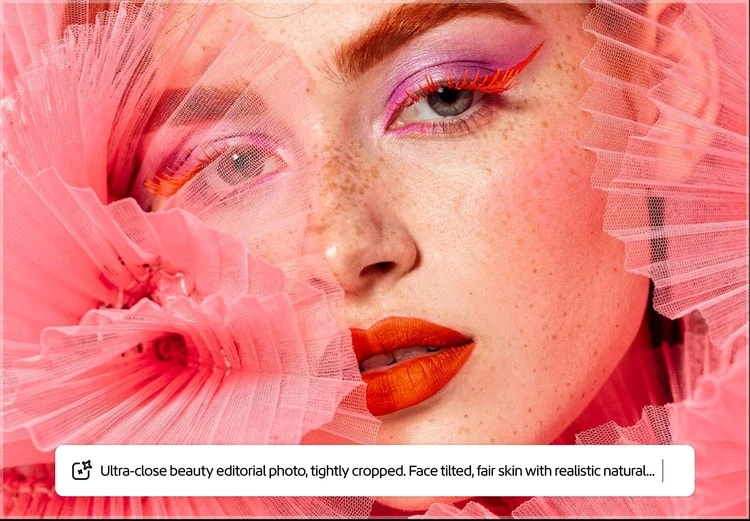
Here’s what makes Firefly different from every other tool on this list: Adobe trained it exclusively on licensed Adobe Stock content and public domain material. That means every image you generate is commercially safe — no copyright disputes, no licensing gray areas. For brands and agencies creating marketing assets, that matters.
Firefly Image Model 5 also integrated partner models directly into the app. You can now access GPT Image 1.5, Gemini with Nano Banana 2, and FLUX.2 [pro] all inside Firefly’s interface — which is genuinely useful if you want to try multiple models without switching platforms.
The free tier gives you limited daily generations to try it out. The $9.99/month Standard plan gets you 2,000 credits — enough for real work. The Generative Fill and Expand features inside Photoshop (via Creative Cloud) remain best-in-class for editing existing photos with AI.
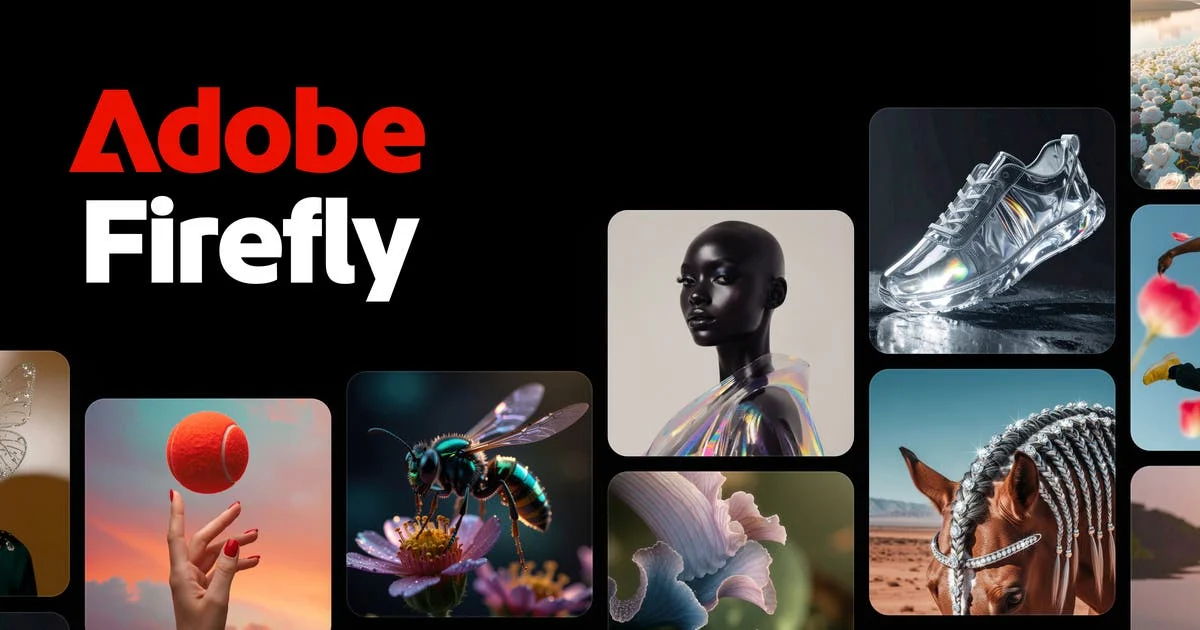
Who should use it: marketers, agencies, Creative Cloud users, anyone producing commercial content where IP safety isn’t optional. If you’re already paying for Photoshop, Firefly’s tools are already there.
Pricing: Free (daily credits) · Standard $9.99/mo (2,000 credits) · Pro $19.99/mo (4,000 credits) · Pro Plus $49.99/mo (10,000 credits, currently 30% off through Oct 21)
3. GPT Image (gpt-image-2) — Best for Instruction-Following and Editing
OpenAI replaced DALL-E 3 in May 2026 with gpt-image-2, and the instruction-following ability is noticeably better. Ask it to generate a specific scene with precise object placement, consistent characters, or text in specific positions — and it delivers more reliably than Midjourney or Firefly.
The killer use case is in-context editing: describe changes to an existing image in plain English, and GPT Image modifies it accurately. The workflow inside ChatGPT is friction-free — generate, refine, and export without leaving the chat interface.
For developers, the API gives you programmatic access at $0.005/image for low quality to $0.041/image for portrait medium resolution. The pricing is usage-based, which works well for batch workflows. ChatGPT Plus at $20/month is the easiest on-ramp for non-developers.
Who should use it: anyone who already uses ChatGPT (it’s included), developers building image-generation apps, users who need precise control over image content and editing workflows.
Pricing: Free (limited, ChatGPT Free) · ChatGPT Plus $20/mo · API from $0.005/image
4. FLUX.2 (Black Forest Labs) — Best for Developers and Photorealism

FLUX.2 is what the developer community uses when they need a fast, high-quality model they can integrate via API without a subscription. Black Forest Labs — founded by the original Stable Diffusion team — built FLUX.2 to be the most photorealistic open model available.
The model is available through multiple API providers (fal.ai, Replicate, Together AI) at roughly $0.014–$0.03 per megapixel. Open weights are available for some models, with licensing that allows commercial use in many cases — check the specific model license.
You’ll also find FLUX.2 [pro] inside Adobe Firefly and other platforms as a partner model — which is the easiest way to access it if you’re not a developer. The quality on photorealistic product shots and human portraits is legitimately impressive.
Who should use it: developers building image apps, anyone who wants the best photorealistic quality without a subscription, teams running high-volume generation pipelines.
Pricing: Pay-per-use, typically $0.014–$0.03/megapixel depending on provider. No monthly subscription required.
5. Ideogram 4.5 — Best for Text in Images

This is Ideogram’s entire identity, and it’s genuinely solved a problem every other model struggles with. Version 4.5 hits 90–95% text accuracy inside generated images. Midjourney? 30–40% on a good day. For designers who need posters, social cards, book covers, or any image with legible text — Ideogram isn’t just better, it’s in a completely different category.
The free tier is legitimately generous: roughly 40 images per day, which is enough to use as your primary tool without paying. The Basic plan at ~$7–8/month expands limits significantly.
Ideogram 4.5 also added open weights for non-commercial use — which means researchers and developers can experiment with the model locally. The API is available at $0.03–$0.10/image depending on tier and resolution.

Who should use it: graphic designers, social media managers, anyone making thumbnails, book covers, posters, or any content where text in the image must be readable. This is the one tool where Ideogram wins unambiguously.
Pricing: Free (~40 images/day) · Basic ~$7–8/mo · API from $0.03/image
6. Stable Diffusion 3.5 — Best for Self-Hosting and Unlimited Generation
If your use case is “generate unlimited images forever without paying per image” — Stable Diffusion is the answer. The model runs locally on your GPU. Once downloaded, the only cost is electricity. For studios, developers, and power users running hundreds of generations per day, the economics are unbeatable.
SD 3.5 significantly improved coherence and prompt adherence compared to earlier versions. It’s no longer the obvious artistic underdog against proprietary models. And because it’s open source, the community has built thousands of fine-tuned models, LoRAs, and custom workflows for specific use cases — anime, product photography, architecture visualization, and more.
The commercial use license allows revenue up to $1M annually without additional fees. Beyond that, you’ll need to negotiate with Stability AI. The setup requires a compatible GPU (NVIDIA with 8GB+ VRAM recommended) and some technical comfort — it’s not a one-click app.
Who should use it: developers, researchers, studios running high-volume workflows, privacy-conscious users who don’t want to send images to the cloud, anyone experimenting with fine-tuning and custom model training.
Pricing: Free (open source). Hardware cost varies — a capable local GPU runs $400–$1,000+.
7. Canva AI — Best for Non-Designers and Integrated Workflows
Canva’s AI image generation — powered by Stable Diffusion variants and integrated directly into the design canvas — is the most accessible option on this list. You don’t need to understand prompting. You don’t need to post-process the output. You generate, resize, add text, and publish, all inside the same tool.
It’s not going to produce Midjourney-level artistry. But for social media managers, small business owners, and content teams who are already living in Canva — it removes the friction of switching tools entirely. Canva Pro at $12.99–$15/month includes AI image generation, Magic Edit, background removal, and the rest of the suite.
Who should use it: small businesses, social media managers, non-designers, marketing teams already using Canva. If your goal is to produce clean, usable visual content without a learning curve — this is the most practical entry point.
Pricing: Free (limited) · Canva Pro $12.99–15/mo
Use-Case Verdicts
| Situation | Best Pick | Why |
|---|---|---|
| Best overall artistic quality | Midjourney V8.2 | Consistently produces the most visually impressive images of any model in 2026 |
| Commercial/marketing content (IP-safe) | Adobe Firefly | Trained exclusively on licensed data; safe for brand campaigns without copyright risk |
| Creating images with readable text | Ideogram 4.5 | 90–95% text accuracy — the only model that reliably generates legible text in images |
| Developer/API integration | FLUX.2 | Best photorealism + pay-per-use pricing + open weights; no subscription required |
| Unlimited local generation | Stable Diffusion 3.5 | Open source; run locally for free; thousands of community fine-tunes available |
| Already using ChatGPT | GPT Image | Included in ChatGPT Plus; best instruction-following for specific, complex scenes |
| Non-designer creating social content | Canva AI | Generates directly in the design canvas; zero context-switching; integrated publishing |
| Budget-conscious with daily needs | Ideogram 4.5 | ~40 free images/day is genuinely usable as a primary tool; no credit card required |
Frequently Asked Questions
What is the best AI image generator in 2026?
It depends on your use case. Midjourney V8.2 produces the highest artistic quality. Adobe Firefly is best if you need commercially safe images. Ideogram 4.5 is unmatched for generating readable text inside images. FLUX.2 leads for photorealism via API. There’s no single “best” — the right answer depends on whether you prioritize art quality, commercial safety, text accuracy, or cost.
Which AI image generator is free to use?
Ideogram 4.5 has the most generous free tier — roughly 40 images per day with no credit card required. Adobe Firefly has a free plan with limited daily credits. GPT Image is available in limited quantities on ChatGPT Free. Stable Diffusion is free to download and run locally (hardware required). Midjourney has no free tier.
Can AI-generated images be used commercially?
It varies by tool. Adobe Firefly outputs are explicitly commercially safe — Adobe indemnifies users against IP claims on Firefly-generated content. Midjourney’s Terms of Service permit commercial use on paid plans. FLUX.2 varies by model version (check each model’s license). Stable Diffusion allows commercial use under $1M annual revenue without a separate license. Always verify the current terms before using AI-generated images in commercial contexts.
Is Midjourney still the best in 2026?
For pure artistic quality — yes. Midjourney V8.2 still produces the most visually compelling images of any model. But it’s lost ground in specific categories: Ideogram is better for text rendering, Adobe Firefly is better for commercial safety, and FLUX.2 is often better for photorealism. “Best” now depends heavily on the use case.
How does Stable Diffusion compare to paid tools?
Stable Diffusion 3.5 is competitive with mid-tier paid tools, especially when combined with community fine-tunes and LoRAs. It’s not quite at Midjourney’s artistic ceiling, but for everyday generation tasks it’s capable. The real advantage is cost: unlimited generation for free (after hardware). The disadvantage is setup complexity and the requirement for a capable GPU.
Which AI image generator has the best API?
FLUX.2 is the developer community’s current preference — available through multiple providers (fal.ai, Replicate, Together AI) with pay-per-use pricing and open weights. OpenAI’s gpt-image-2 API is competitive and has the best instruction-following. Stability AI’s API covers Stable Diffusion 3.5 for enterprise integrations. Adobe Firefly has an API but it’s primarily designed for Creative Cloud integrations rather than standalone developer use.