Your business is growing. Leads are slipping through cracks. Someone said “we need a CRM” and now you’re staring at 20 options, all promising to transform your sales process.
Here’s the short answer: HubSpot CRM is the best starting point for most small businesses. It’s free to start, takes about an hour to set up, and has everything you need to stop losing deals. But if you have a sales team focused on closing, Pipedrive is better. And if you want the most features per dollar, Zoho CRM wins.
Here are the six best CRMs for small businesses in 2026, tested and compared.
Best CRM for small business: quick comparison
| CRM | Best for | Free plan | Starting price |
|---|---|---|---|
| HubSpot CRM | Most small businesses | Yes (unlimited users) | $15/user/mo (annual) |
| Pipedrive | Sales-focused teams | No (14-day trial) | $14/user/mo (annual) |
| Zoho CRM | Feature-rich on a budget | Yes (3 users) | $14/user/mo (annual) |
| Freshsales | AI-assisted selling | Yes | $9/user/mo (annual) |
| Salesforce | Teams planning to scale | No (30-day trial) | $25/user/mo |
| Monday.com CRM | Visual workflow teams | No (14-day trial) | $12/user/mo |
Video: Best CRM for small business — feature comparison and walkthrough (third-party review).

1. HubSpot CRM — best overall for small businesses
The short verdict: If you’re starting from scratch, HubSpot is where you begin. The free plan is genuinely useful — not a stripped trial — and the upgrade path is clear.

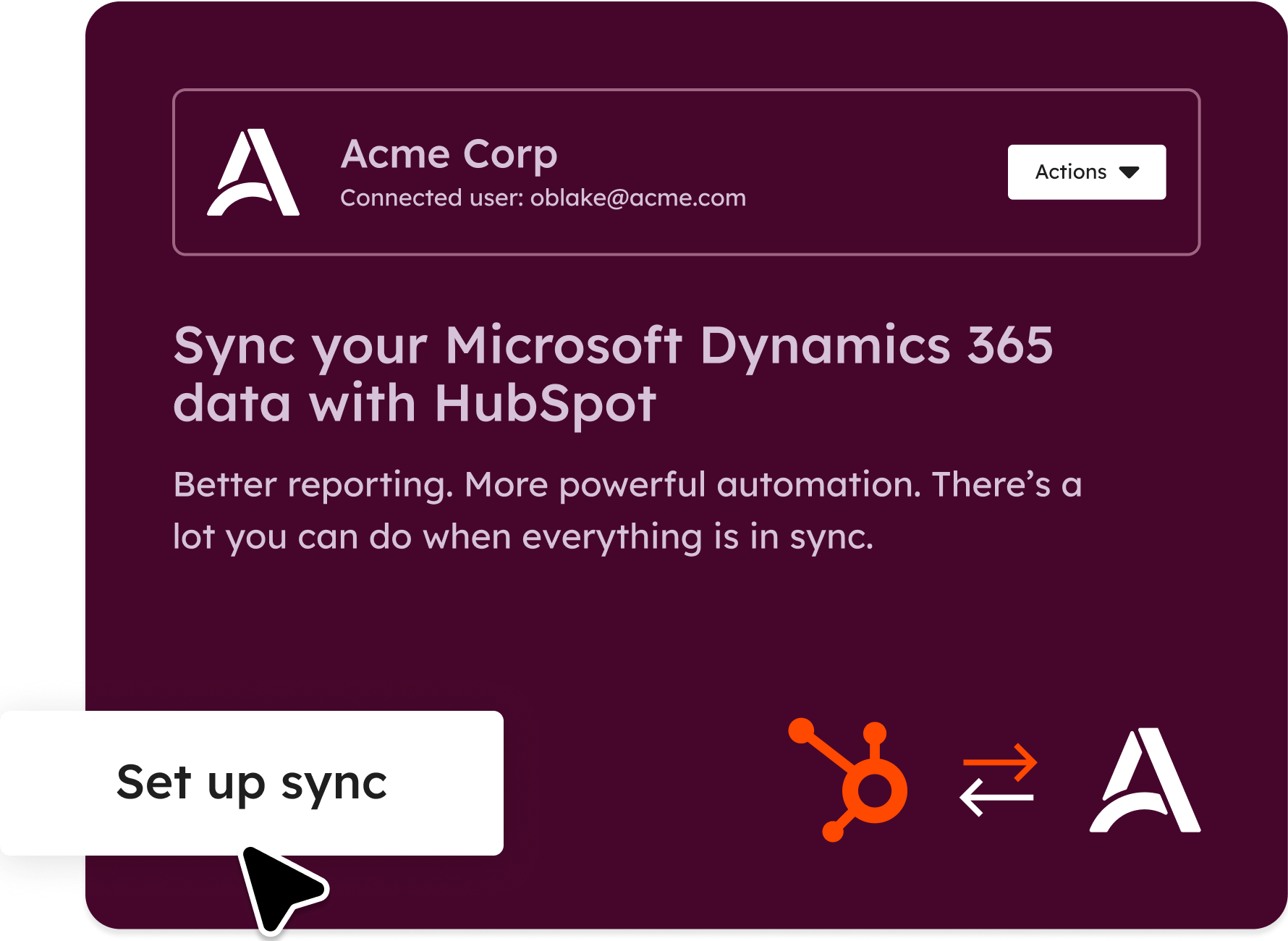
HubSpot CRM is free forever for unlimited users. That’s unusual. Most tools hide their free plan behind user limits or time constraints. HubSpot doesn’t — you can run a team of 10 on the free plan and never pay a cent, as long as you stay within its limits.
The free plan includes contact management, deal tracking, email integration, and basic reporting. It connects to Gmail, Outlook, and most tools your team already uses.
Where HubSpot starts charging: marketing automation, advanced reporting, and Sales Hub features (sequences, meeting scheduling, and deal forecasting). Sales Hub Starter at $15/user/month (annual) is where most small businesses land when they start hitting limits.
Pricing:
- CRM Free: $0 (unlimited users)
- Sales Hub Starter: $15/user/mo (annual) · $20/user/mo monthly
- Sales Hub Professional: $90/user/mo (annual)
What’s good: Setup takes an afternoon. The interface is clean. The free plan is genuinely useful. Integration library is massive.
What’s not: Once you start adding hubs (Marketing Hub, Service Hub), the costs stack fast. Excellent value at the free tier, then jumps significantly at higher tiers.
2. Pipedrive — best for sales-focused teams
The short verdict: Pipedrive is built by salespeople, for salespeople. The pipeline view is the clearest in the industry. If your entire business revolves around closing deals, this is your tool.
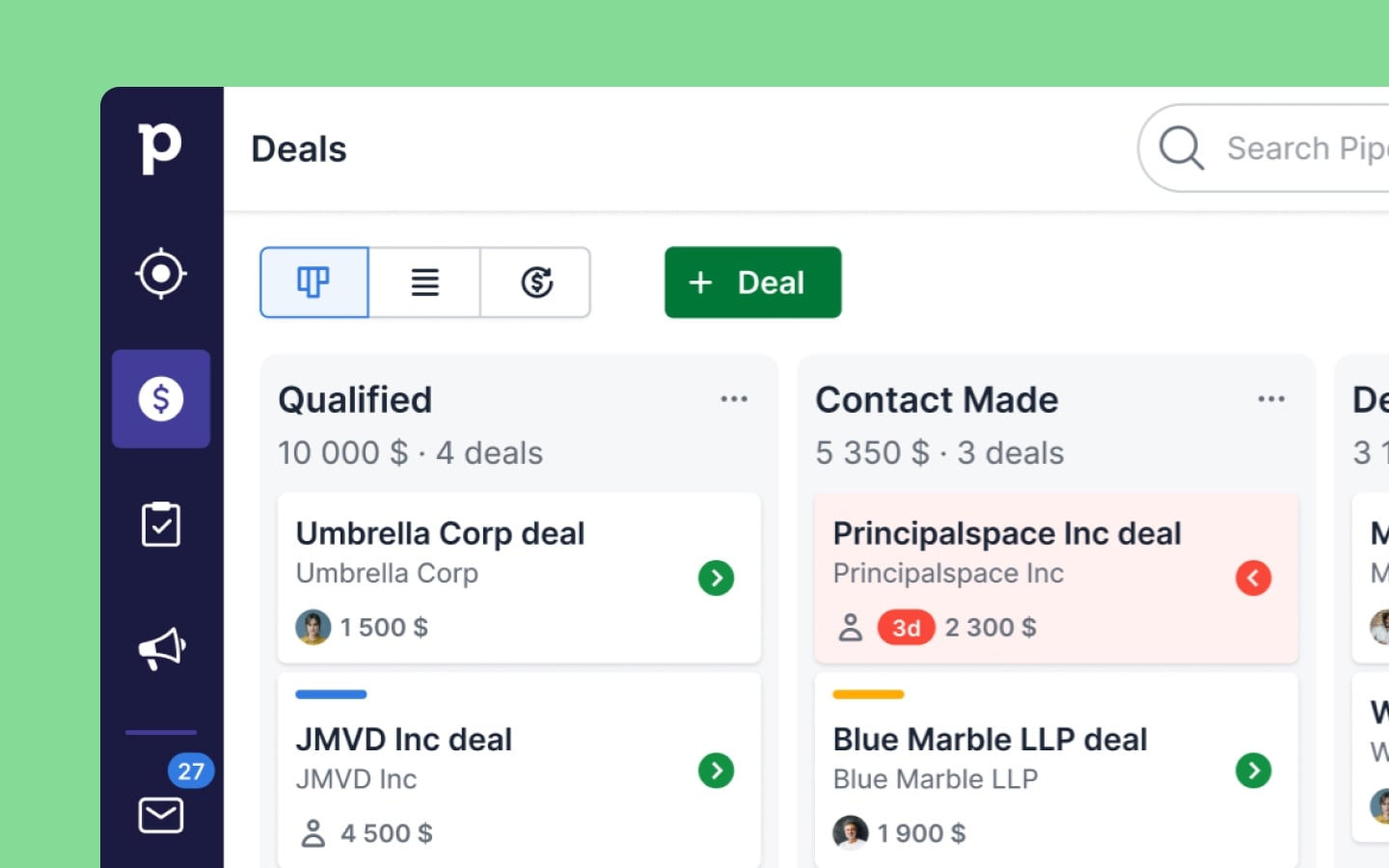
Pipedrive focuses on one thing: helping salespeople move deals through a pipeline. The kanban-style deal board is best in class. You see every deal, every stage, and every pending activity in one view. The activity-based selling philosophy keeps reps focused on what actually closes deals.
Where Pipedrive wins: activity reminders, email integration, and a visual pipeline that makes it genuinely hard to let deals slip. Where it loses: there’s no free plan, and it doesn’t have the broader marketing or customer service features HubSpot does.
Pricing:
- Essential: $14/user/mo (annual) · $24/user/mo monthly
- Advanced: $29/user/mo (annual) · $44/user/mo monthly
- Professional: $59/user/mo (annual) · $79/user/mo monthly
- Power: $69/user/mo (annual)
What’s good: Unbeatable pipeline visualization. Activity-based selling keeps teams focused. Easy to learn.
What’s not: No free plan. Limited marketing features. Not ideal if you need a full customer relationship platform beyond sales.
3. Zoho CRM — best value for money
The short verdict: Zoho CRM gives you enterprise-level features at small business prices. The learning curve is steeper than HubSpot, but you get significantly more functionality per dollar.

Zoho CRM’s free plan covers up to 3 users and includes lead management, contact management, and basic workflow automation. That’s meaningful functionality for a solo operator or micro-team.
The Standard plan at $14/user/month gives you scoring rules, email insights, bulk email, and custom dashboards. The Professional plan adds workflow automation, inventory management, and Signals — a real-time notification system for customer activity.
Pricing:
- Free: $0 (up to 3 users)
- Standard: $14/user/mo (annual) · $20/user/mo monthly
- Professional: $23/user/mo (annual) · $35/user/mo monthly
- Enterprise: $40/user/mo (annual) · $50/user/mo monthly
What’s good: Enormous feature set for the price. AI assistant Zia is built in. Part of the broader Zoho ecosystem (Zoho Books, Zoho Desk, etc.).
What’s not: Interface feels dated compared to HubSpot. Initial setup takes longer. Support quality can be inconsistent.
4. Freshsales — best for AI-assisted selling
The short verdict: Freshsales has the most capable AI features in this price range. Freddy AI scores leads, suggests next actions, and forecasts deals — features you’d normally pay enterprise prices for.
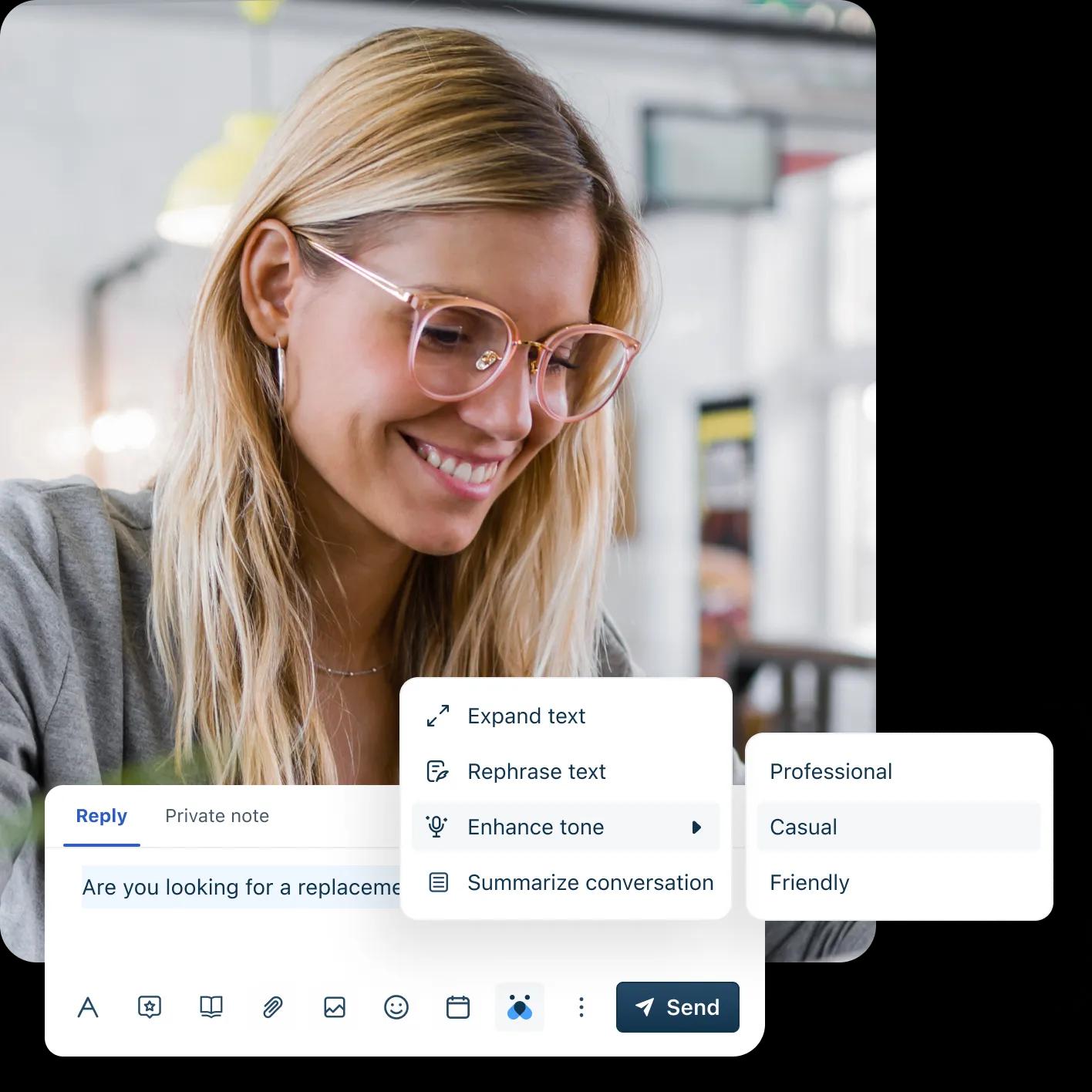
Freshsales starts at $9/user/month (annual) for the Growth plan — the lowest paid entry point of any major CRM on this list. The free plan includes contact management, a 360-degree customer view, and built-in phone and email.
Freddy AI is the standout feature: it analyzes your pipeline and tells you which deals are most likely to close, which leads need attention, and what actions to take next. On Salesforce, this kind of predictive scoring starts at much higher price tiers.
Pricing:
- Free: $0 (up to 3 users)
- Growth: $9/user/mo (annual) · $11/user/mo monthly
- Pro: $39/user/mo (annual) · $47/user/mo monthly
- Enterprise: $59/user/mo (annual)
What’s good: Best AI features at entry-level pricing. Built-in phone system. Generous free plan.
What’s not: Fewer native integrations than HubSpot or Salesforce. AI features are most useful once you have enough deal history to train them on.
5. Salesforce — best for teams planning to scale
The short verdict: Salesforce is more expensive and complex than the alternatives, but it’s the industry standard for a reason. If your small business will become a mid-market company within 2–3 years, starting on Salesforce avoids a painful migration later.

Salesforce Starter Suite is the entry-level product, priced at $25/user/month with a 30-day free trial. It’s noticeably more expensive than the competition, but you’re paying for the Salesforce ecosystem: AppExchange (thousands of integrations), Trailhead training, and a support community larger than most tools’ entire user bases.
Pricing:
- Starter Suite: $25/user/mo (annual)
- Pro Suite: $100/user/mo (annual)
- Enterprise: $165/user/mo (annual)
- Unlimited: $330/user/mo (annual)
What’s good: Industry standard. Massive integration ecosystem. Scales to any company size. Best-in-class reporting.
What’s not: Expensive for small teams. Complex setup. Training costs should be factored in.
6. Monday.com CRM — best for visual thinkers
The short verdict: If your team already uses Monday.com for project management, its CRM is the easiest upgrade — you get a visual, flexible pipeline without switching to a new tool.
.avif)
Monday.com CRM starts at $12/user/month (minimum 3 users) and is built on Monday.com’s visual board system. Unlike purpose-built CRMs, it’s highly customizable — you can build almost any workflow you want. But this flexibility also means it requires more setup to feel like a proper CRM out of the box.
Pricing:
- Basic: $12/user/mo (3-user minimum)
- Standard: $17/user/mo
- Pro: $28/user/mo
- Enterprise: Custom
What’s good: Extremely visual and customizable. Great if your team already uses Monday.com. No per-feature paywalls at lower tiers.
What’s not: Not a purpose-built CRM — lacks some native features like email sequences. Minimum user counts make it expensive for solo users.
Feature comparison: all six CRMs

| Feature | HubSpot | Pipedrive | Zoho CRM | Freshsales | Salesforce | Monday CRM |
|---|---|---|---|---|---|---|
| Free plan | Yes | No | Yes (3 users) | Yes | No | No |
| Entry price/user/mo | $15 | $14 | $14 | $9 | $25 | $12 |
| Pipeline management | Yes | Excellent | Yes | Yes | Yes | Yes (visual) |
| Email integration | Yes | Yes | Yes | Built-in | Yes | Limited |
| AI features | Limited free | Basic | Zia AI | Freddy AI | Einstein AI | Limited |
| Mobile app | Yes | Yes | Yes | Yes | Yes | Yes |
| Reporting | Good | Good | Advanced | Good | Best in class | Good |
| Setup complexity | Low | Low | Medium | Low | High | Medium |
| G2 rating | 4.4/5 | 4.3/5 | 4.1/5 | 4.5/5 | 4.3/5 | 4.6/5 |
Verdict: which CRM should you choose?
For most small businesses: start with HubSpot CRM’s free plan. Set it up, connect your email, import your contacts, and actually use it for 30 days. At that point, you’ll know exactly which paid features you need — and you’ll know whether HubSpot is the right fit for how you sell.
If you’re a sales-led business with a real pipeline: Pipedrive at $14/user/month annual is hard to beat. It does one thing — help you close deals — and does it better than anything else at this price point.
If budget is the primary constraint: Freshsales at $9/user/month is the lowest paid entry point of any major CRM and the AI features are genuinely useful. Start there.
Frequently asked questions
What is the best free CRM for a small business?
HubSpot CRM is the best free CRM for small businesses. Its free plan includes unlimited users, contact management, deal tracking, and email integration — features that competing tools put behind paid plans. Zoho CRM and Freshsales also offer genuine free plans, though both limit users to 3 on the free tier. Pipedrive, Salesforce, and Monday.com CRM do not have permanent free plans.
Is HubSpot CRM really free?
Yes, HubSpot CRM is permanently free for the core CRM features. The free tier includes unlimited users and contacts (with limits on some features like email sends per day), deal tracking, and basic reporting. You start paying when you need Sales Hub features: email sequences, meeting scheduling, deal forecasting, and advanced automation. The Sales Hub Starter is $15/user/month on annual billing.
HubSpot vs Salesforce for small business: which should I choose?
For most small businesses, HubSpot is the better starting point. It’s easier to set up, has a free plan, and provides excellent value up to $90/user/month. Choose Salesforce if you know you’ll be a mid-market or enterprise company within 2–3 years, since migrating from HubSpot to Salesforce later has real costs in time, data cleanup, and retraining. Salesforce’s entry plan starts at $25/user/month.
What CRM integrates with Gmail?
All six CRMs on this list integrate with Gmail. HubSpot’s Gmail integration is the most seamless — it adds a sidebar to Gmail that lets you log emails, view contact records, and access templates without leaving your inbox. Pipedrive, Zoho CRM, Freshsales, and Salesforce all have Gmail integrations, though they work as separate browser extensions rather than native sidebar integrations.
Is Pipedrive good for small businesses?
Yes, Pipedrive is excellent for small businesses that are sales-focused. The pipeline visualization is the best in the industry for this price range, and the activity-based selling system keeps reps focused on the right actions. The main limitation: there’s no free plan (14-day trial only), and Pipedrive doesn’t do much beyond sales — if you need marketing automation or customer service features, you’d need to add other tools.