Best Lists
7 Best Landing Page Builders in 2025 (Tested & Ranked)
I've wasted thousands of dollars on ads driving traffic to terrible landing pages. The kind with 12 navigation links, stock photos of people shaking hands, and a CTA button buried below the fold. Sound familiar? After testing over 40 landing page builders across real campaigns—from SaaS launches to e-commerce funnels—here's the truth: your landing page […]
I’ve wasted thousands of dollars on ads driving traffic to terrible landing pages.
The kind with 12 navigation links, stock photos of people shaking hands, and a CTA button buried below the fold. Sound familiar?
After testing over 40 landing page builders across real campaigns—from SaaS launches to e-commerce funnels—here’s the truth: your landing page builder can either double your conversions or quietly bleed your ad spend dry.
In this guide, I’ve ranked the 7 best landing page builders based on conversion features, ease of use, template quality, speed, and value. Whether you’re spending $100/month on ads or $100,000, there’s a tool on this list that fits.
Let’s cut the noise.
Best Landing Page Builders: Quick Comparison
| Tool | Best For | Starting Price | Free Plan | G2 Rating |
|---|---|---|---|---|
| Unbounce | AI-powered optimization | $99/mo | No | 4.4/5 |
| Leadpages | Small business + budget | $37/mo | No (14-day trial) | 4.3/5 |
| Instapage | Enterprise + teams | $79/mo | No | 4.3/5 |
| ClickFunnels | Full sales funnels | $97/mo | No (14-day trial) | 4.2/5 |
| Swipe Pages | Mobile-first + AMP | $29/mo | No | 4.8/5 |
| Landingi | Agencies + volume | Free | Yes | 4.5/5 |
| Carrd | Simple 1-page sites | $19/yr | Yes | 4.6/5 |
How I Evaluated Each Tool
I’m not just reading review sites. I’ve built real pages, run real campaigns, and watched real conversion data for every tool on this list.
Here’s what actually matters:
- Conversion features — A/B testing, sticky bars, pop-ups, dynamic text replacement
- Template quality — Are they actually high-converting, or just pretty?
- Page speed — A 1-second delay kills 7% of conversions (Amazon proved this)
- Editor experience — Can you build without a developer?
- Integrations — Does it play nice with your CRM, ESP, and ad platform?
- Value — What do you actually get for the money?
Let’s get into it.
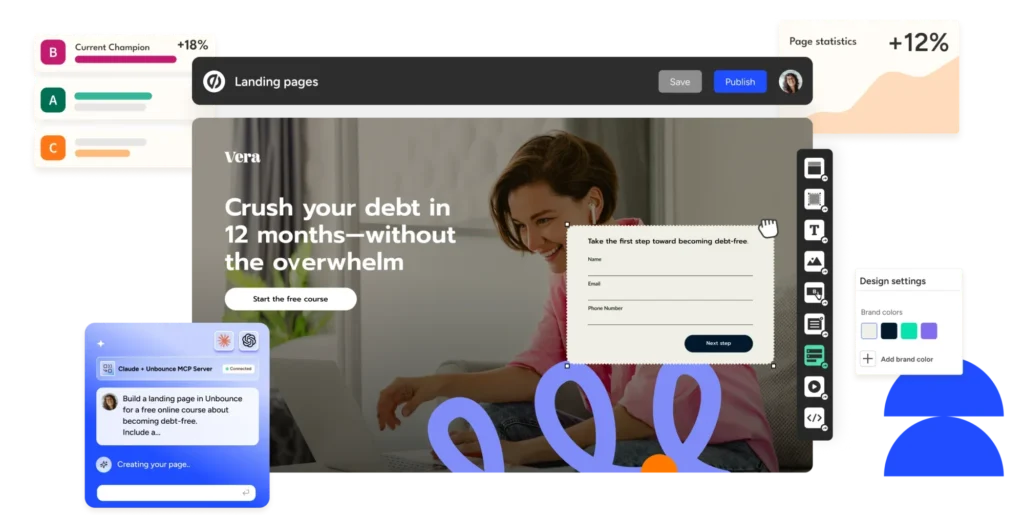
1. Unbounce — Best for AI-Powered Conversion Optimization
Bottom line: If you’re running paid traffic and serious about conversion rate optimization, Unbounce is the gold standard.
Unbounce launched in 2009 and basically invented the landing page builder category. They’ve put 15+ years of conversion data into a product that now includes AI-powered traffic optimization, dynamic text replacement, and sticky bars — all built for people who live and breathe conversion rates.
The headline feature is Smart Traffic. It analyzes visitor attributes (device, location, browser, time of day) and automatically routes them to the variant most likely to convert. In head-to-head tests, Smart Traffic beats traditional A/B testing by an average of 20% more conversions. That’s not a small number when you’re spending real money on ads.
Their drag-and-drop editor is fully flexible — nothing locked to a grid. You can place any element exactly where you want it, which matters when you’re pixel-perfecting a page for a specific audience segment.

Unbounce Pricing:
- Build: $99/month (1 domain, 20K unique visitors)
- Experiment: $149/month (2 domains, 30K visitors, unlimited A/B tests)
- Optimize: $249/month (3 domains, 50K visitors, Smart Traffic AI)
What Unbounce gets right: Smart Traffic AI routing that genuinely outperforms manual A/B testing. Dynamic text replacement so your headline matches the exact search query that brought someone to your page. Built-in pop-up and sticky bar builder. Excellent integrations with HubSpot, Salesforce, and Marketo.
What to watch out for: A/B testing is locked to the Experiment plan at $149/mo. Visitor limits can pinch high-traffic sites. And there’s a learning curve — this is a power-user tool.
Best for: Performance marketers, PPC teams, and growth-focused businesses willing to invest in CRO tools that pay for themselves.
Rating: 4.4/5 on G2 — Read Unbounce reviews on G2
2. Leadpages — Best for Small Businesses on a Budget
Bottom line: Leadpages gives you conversion-focused features at a price that doesn’t require a venture round to justify.
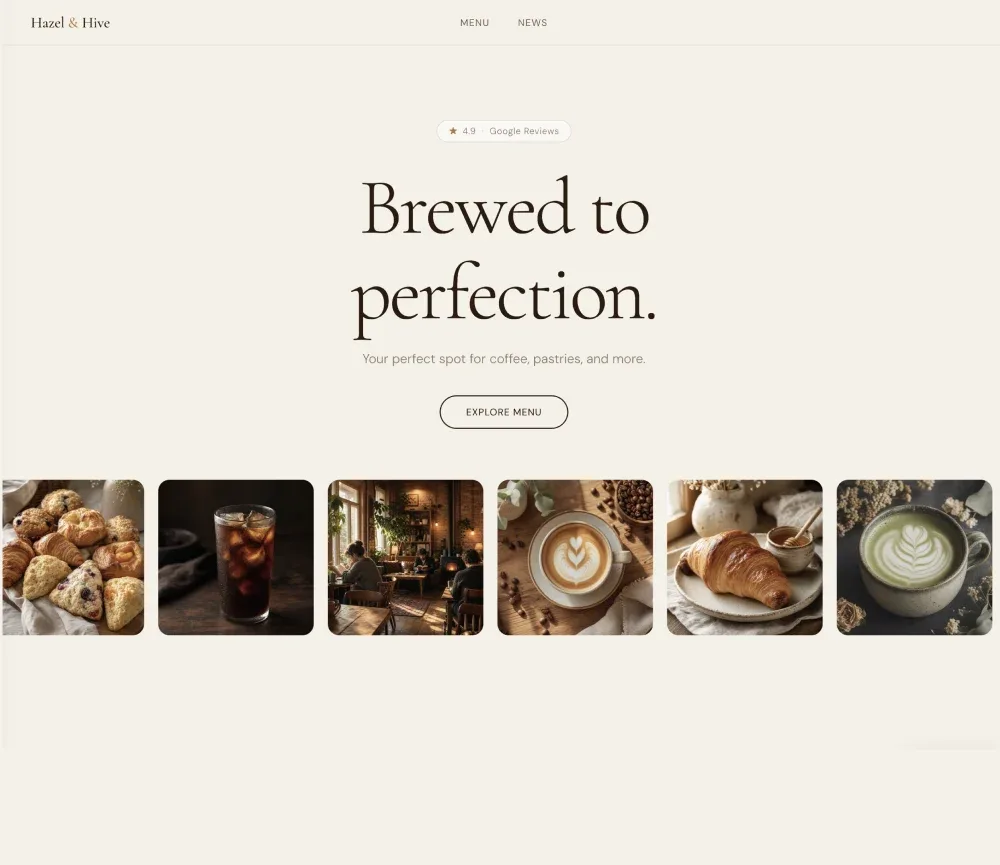
Leadpages has been the go-to for coaches, consultants, and small business owners since 2012. The tool packs a ton of value into an affordable package — unlimited traffic, unlimited landing pages, built-in checkouts, and a lead magnet delivery system.
What separates Leadpages from the pack at this price point is the real-time conversion guidance. As you build, it gives feedback on elements that tend to hurt conversion rates — low-contrast text, missing social proof, CTAs that are too vague. It’s like having a CRO consultant built into the editor.

Templates are sorted by conversion rate. You’re not guessing which design works — you’re starting with proven page structures and modifying from there.
Leadpages Pricing:
- Standard: ~$37/month (1 site, unlimited pages, unlimited traffic)
- Pro: ~$74/month (3 sites, A/B testing, online sales)
What Leadpages gets right: Unlimited landing pages and traffic on all plans (no visitor caps). Built-in e-commerce checkouts. Real-time conversion guidance as you build. Lead magnet delivery included. Very affordable for what you get.
What to watch out for: A/B testing is locked behind the Pro plan. The editor is less flexible than Unbounce — some elements are grid-constrained. Design customization feels limited compared to premium tools.
Best for: Solopreneurs, coaches, course creators, and small businesses who want solid conversion features without enterprise pricing.
Try Leadpages free for 14 days: leadpages.com
3. Instapage — Best for Enterprise Teams and Ad Personalization
Bottom line: Instapage is where enterprise marketing teams go when they need full-scale landing page personalization and team collaboration built in.
If you’re running thousands of ad variations and need a corresponding landing page for each one, Instapage’s AdMap™ is a game-changer. It visually maps your Google and Facebook ads to their destination pages — so you can see exactly which ads land where and whether your messaging actually matches your targeting.
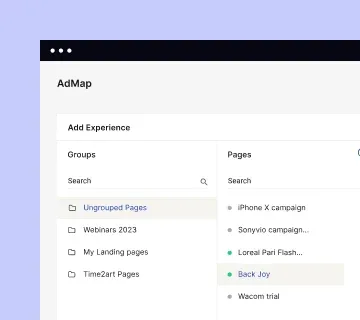
The collaboration features are seriously good. Real-time commenting directly on pages, version history, team roles, and approval workflows. For agencies managing multiple clients or in-house teams with approval chains, this matters more than any other feature.
Instablocks™ lets you save modular page sections and reuse them across multiple pages — a huge time-saver when you’re managing a large portfolio of campaigns. Update one block, update it everywhere.
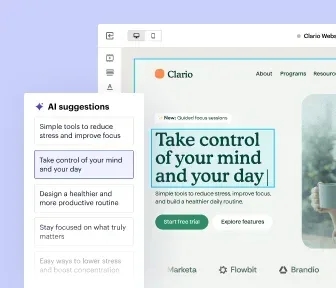
Instapage Pricing:
- Create: $79/month (core builder, unlimited pages, 30K unique visitors)
- Optimize: $239/month (A/B testing, heatmaps, AI personalization, AdMap)
- Convert: Custom pricing (enterprise features, dedicated SLA)
What Instapage gets right: AdMap connects ads to landing pages visually. Team collaboration with in-page commenting. Instablocks for reusable modular sections. Enterprise-grade security and compliance. Strong integration ecosystem.
What to watch out for: Very expensive — A/B testing requires the $239/mo plan. Overkill for solo operators or small teams. Visitor limits on lower-tier plans.
Best for: Enterprise marketing teams, agencies managing large ad campaigns, and companies that need deep ad-to-page personalization at scale.
Rating: 4.3/5 on G2 (3,000+ reviews) — Read Instapage reviews on G2
4. ClickFunnels — Best for Building Complete Sales Funnels
Bottom line: ClickFunnels isn’t just a landing page builder — it’s a full funnel system. If your goal is end-to-end sales automation, this is the tool.
Russell Brunson built ClickFunnels around one idea: every business needs a sales funnel, not just a website. That philosophy is baked into every feature. You’re not building individual pages — you’re building sequences. Opt-in funnels, webinar funnels, product launch funnels, membership sites — all with one-click order bumps and upsell paths built in.
The community and education ecosystem around ClickFunnels is unmatched. FunnelFlix gives you access to training courses, funnel templates, and marketing content. The Two-Comma Club showcases affiliates and users who’ve generated $1M+ through their funnels. It’s a product wrapped in a movement.
ClickFunnels Pricing:
- Basic: $97/month (20 funnels, 100 pages, 1 domain)
- Pro: $297/month (unlimited funnels, 3 domains, affiliate program)
What ClickFunnels gets right: Complete sales funnel system — not just pages. Built-in email automation and follow-up sequences. One-click upsells and order bumps. Massive template library for every funnel type. Strong community and training resources.
What to watch out for: Expensive for what you get versus alternatives. Basic plan is quite limited at just 20 funnels. The page builder is less polished than Unbounce or Instapage. Steep learning curve.
Best for: Online course creators, info-product sellers, coaches, and anyone whose business model runs on multi-step sales funnels and upsell sequences.
Try ClickFunnels free for 14 days: clickfunnels.com
5. Swipe Pages — Best for Mobile-First and AMP Landing Pages
Bottom line: Swipe Pages is the fastest-loading option on this list — and on mobile, speed is conversion rate.
Swipe Pages does something most landing page builders don’t: it builds Accelerated Mobile Pages (AMP). AMP pages load in under a second on mobile. Google prioritizes them in search. And when 60%+ of your traffic is mobile, that speed difference translates directly to lower bounce rates and higher conversion rates.
The editor has dual-view mode — you design for desktop and mobile simultaneously, which prevents the classic problem of a beautiful desktop page that completely falls apart on mobile. Smart sections snap between screen sizes intelligently, so you don’t have to build two separate pages.
At 4.8/5 on G2, it’s the highest-rated tool on this list. Users specifically call out speed, responsive customer support, and template quality as standout features.
Swipe Pages Pricing:
- Startup: $29/month (1 domain, 20K unique visitors)
- Marketer: $69/month (5 domains, 50K visitors, A/B testing)
- Agency: $149/month (unlimited domains, unlimited visitors)
What Swipe Pages gets right: AMP support for near-instant mobile page loads. Simultaneous desktop and mobile editing. Highest G2 rating on this list (4.8/5). Smart sections for adaptive mobile layouts. Agency plan with unlimited domains at a fair price.
What to watch out for: A/B testing requires the Marketer plan ($69/mo). Visitor caps on lower-tier plans. Less brand recognition than Unbounce or Leadpages. Integration library is smaller than top competitors.
Best for: Businesses with heavy mobile traffic, Google Ads campaigns targeting mobile users, and agencies who need unlimited pages across multiple client domains.
Rating: 4.8/5 on G2 — Read Swipe Pages reviews on G2
6. Landingi — Best for Agencies Needing Volume at Low Cost
Bottom line: Landingi offers one of the most generous feature sets per dollar in the landing page space, making it ideal for agencies building pages at scale.
Landingi flies under the radar — but it shouldn’t. With 400+ templates, a solid drag-and-drop editor, built-in pop-ups and lightboxes, and Smart Sections that sync changes across multiple pages simultaneously, this is a serious tool at a non-serious price.
The Agency Portal gives you a white-label client dashboard, subaccounts for each client, and centralized billing. Build landing pages for clients without ever exposing your own account or pricing. That’s rare at this price point.
The free plan is actually usable — 1 active landing page, 500 visits/month, access to the builder and basic templates. Good for testing the tool before you commit to a paid plan.
Landingi Pricing:
- Free: $0 (1 landing page, 500 visits/month)
- Build: $24/month (10 pages, 5K visits)
- Optimize: $57/month (unlimited pages, 50K visits, A/B testing)
- Agency: Custom pricing
What Landingi gets right: 400+ templates — one of the largest libraries. Smart Sections sync changes across multiple pages at once. White-label agency portal with client subaccounts. Free plan available. Built-in pop-up and lightbox builder.
What to watch out for: Free plan is quite limited (1 page, 500 visits). A/B testing only on the Optimize plan ($57/mo). Fewer AI and automation features than Unbounce. Support response time can lag on lower-tier plans.
Best for: Digital marketing agencies managing multiple client accounts, freelancers who build high volumes of pages, and businesses that want the most pages and templates per dollar.
Start free at: landingi.com
7. Carrd — Best for Simple One-Page Sites on Almost No Budget
Bottom line: Carrd is not a full-featured landing page builder. It’s something different: the simplest way to build a clean, professional one-page site in under 10 minutes — for nearly free.
At $19/year for the Pro Lite plan, Carrd is in a completely different pricing tier. You get custom domains, custom forms, no Carrd branding, embeds, and Google Analytics integration. For a single-landing-page use case — an event page, a product waitlist, a freelance portfolio, a link-in-bio page — this is all you need.

The free plan is genuinely usable. Three sites, access to most templates, enough customization to build something you’d actually be proud to share. The constraint is conversion optimization features: no A/B testing, no pop-ups, no dynamic content. But if you don’t need those, you’re overpaying for every other tool on this list.
Carrd Pricing:
- Free: $0 (3 sites, carrd.co subdomain)
- Pro Lite: $19/year (3 sites, custom domain, no branding)
- Pro Standard: $49/year (10 sites, forms, embeds)
- Pro Plus: $99/year (25 sites, advanced features)
What Carrd gets right: Cheapest paid plan in the category by a massive margin. Free plan with real functionality. Incredibly fast, lightweight pages. Simple enough to build and ship in one sitting. Clean, modern templates.
What to watch out for: No A/B testing, pop-ups, or any CRO features. Single-page sites only — no multi-page funnels. Not suitable for high-volume ad campaigns. Very limited form functionality on lower plans.
Best for: Freelancers, creators, early-stage startups, and anyone who needs a clean, fast one-page site without a monthly bill.
Start free at: carrd.co
How to Choose the Right Landing Page Builder
Don’t pick based on price. Pick based on what you actually need.
You’re running paid ads with budget to optimize → Unbounce. Smart Traffic alone can pay for the subscription in week one. Get the Experiment or Optimize plan, set up A/B tests, turn on AI routing, and watch your cost-per-acquisition drop.
You’re a small business or solopreneur → Leadpages. All the core features — unlimited pages, traffic, built-in checkouts — at $37/month. The real-time conversion guidance is especially valuable if you’re newer to landing page best practices.
You’re running an enterprise with a big team → Instapage. AdMap, collaboration tools, Instablocks, and enterprise security. The $239/mo price is justified when you’re managing dozens of campaigns with team sign-off requirements.
You’re selling info-products or courses → ClickFunnels. Multi-step funnels with one-click upsells, email automation, and membership sites. It’s not just a landing page builder — it’s a complete sales system.
Most of your traffic is mobile → Swipe Pages. AMP pages that load in under a second. If your Google Ads or Facebook campaigns skew mobile, the speed difference will show up directly in your conversion data.
You’re an agency building at volume → Landingi. 400+ templates, white-label client portal, Smart Sections syncing. The most pages and features per dollar in the category.
You just need something simple and free → Carrd. $19/year. Custom domain. Three sites. Done. If your use case is simple, don’t overcomplicate it.
Frequently Asked Questions
What is a landing page builder?
A landing page builder is a tool that lets you create standalone web pages designed for a single conversion goal — capturing an email, selling a product, booking a call. Unlike website builders, landing page builders are optimized for conversion, not general browsing. That usually means no navigation menu, one CTA, and a laser-focused message.
Do I need a landing page builder or can I just use my website?
Your main website has navigation, links, and distractions that pull visitors away from your CTA. Landing pages remove all that noise and focus 100% on one action. Studies consistently show dedicated landing pages outperform website pages for paid traffic by 5-10x in conversion rate. Yes, you need one — especially if you’re paying for the traffic.
Which landing page builder is best for beginners?
Leadpages. The real-time conversion guidance walks you through best practices as you build. Templates are sorted by conversion rate. Pricing is beginner-friendly at $37/month with no traffic limits. You can launch your first landing page in under an hour.
What’s the difference between a landing page builder and a funnel builder?
Landing page builders create individual pages. Funnel builders (like ClickFunnels) create sequences of pages — opt-in → upsell → checkout → thank you — with automation between each step. If you’re selling a single product with a simple CTA, a landing page builder is enough. If your sales process has multiple steps and follow-up sequences, you want a funnel builder.
How many landing pages do I actually need?
More than you think. HubSpot research found that companies with 31-40 landing pages generate 7x more leads than those with 1-5. Segment by ad campaign, traffic source, audience segment, and offer. The right tool lets you build and test them fast — which is why unlimited pages on a $37/mo Leadpages plan or the agency plan on Swipe Pages changes the math completely.
Is there a free landing page builder?
Yes. Carrd and Landingi both have free plans. Carrd gives you 3 sites on a carrd.co subdomain; Landingi gives you 1 active page with 500 visitors/month. Leadpages and ClickFunnels offer 14-day free trials. Unbounce has no free plan but offers a 14-day trial on some plans.
Can these landing page builders do A/B testing?
Most do, but often on higher-tier plans. Unbounce (Experiment at $149/mo) and Swipe Pages (Marketer at $69/mo) have the most accessible A/B testing. Leadpages requires the Pro plan ($74/mo). Instapage’s testing is on the $239/mo plan. Carrd has no A/B testing at all.
The Verdict: What’s the Best Landing Page Builder?
There’s no universally best landing page builder. But there is a best one for you.
Here’s my honest take after testing them all:
For paid traffic and conversion optimization → Unbounce. Smart Traffic and dynamic text replacement are real conversion movers. The price is justified when you’re spending $3,000+ per month on ads and want to squeeze every percentage point of conversion rate.
For small businesses and solopreneurs on a budget → Leadpages. Unlimited pages and traffic at $37/month with built-in conversion guidance. The best value-to-feature ratio in the category for businesses that don’t need enterprise CRO tools.
For mobile-heavy campaigns → Swipe Pages. The 4.8/5 G2 rating and AMP support make it the hidden gem on this list. If most of your traffic is on mobile, this is the smartest pick.
My suggestion: start with a free trial. Build one page. Send some traffic. See what actually happens to your conversion rate.
The best landing page builder is the one you’ll actually use — built, tested, and optimized.
Rooting for you.