AI Tools
6 Best AI Presentation Makers in 2025 (I Tested Them So You Don’t Have To)
Last month, I had to put together a 20-slide deck for a product launch.
Last month, I had to put together a 20-slide deck for a product launch.
Old me: four hours in PowerPoint, crying internally.
New me: typed a prompt, got 18 slides in 30 seconds, tweaked for 10 minutes, done.
That’s what a good AI presentation maker does. The problem? There are dozens of these tools now, and most are genuinely mediocre.
So I spent two weeks testing the six most talked-about AI presentation makers head-to-head. Same use cases. Same content. Real evaluation.
Here’s everything I found — including the one tool I’d recommend to almost everyone.
Quick Picks: Best AI Presentation Makers
- 🏆 Best overall: Gamma — fastest from idea to polished deck
- 💼 Best for business teams: Beautiful.ai — brand consistency on autopilot
- 🎨 Best for design: Canva AI — unbeatable template library + Magic Design
- 📊 Best for Google Slides users: Plus AI — AI inside Slides, no tool switch needed
- 👥 Best for collaboration: Pitch — built for teams from day one
- 🎭 Best for storytelling: Prezi AI — breaks the tired slide-by-slide format
How I Evaluated These Tools
For each tool, I ran the same test: create a 10-slide sales deck for a fictional SaaS product. I evaluated each one on speed from prompt to first draft, AI content and design quality, editing experience, collaboration features, export options, and price-to-value ratio.
Here’s what I found.
Comparison Table: AI Presentation Makers at a Glance
| Tool | Best For | Free Plan | Starting Price | AI Generation |
|---|---|---|---|---|
| Gamma | Best overall | ✅ Yes (400 AI credits) | ~$8/month | Full deck from prompt in ~30s |
| Beautiful.ai | Business teams | ❌ No free plan | $12/month | Smart auto-layout slides |
| Canva AI | Design-first users | ✅ Generous free plan | ~$9.99/month | Magic Design + text-to-slide |
| Plus AI | Google Slides users | 🔄 Trial only | ~$10/month | In-Slides AI generation |
| Pitch | Teams & collaboration | ✅ Yes | $8/seat/month | AI-assisted content |
| Prezi AI | Storytelling & keynotes | ✅ Yes (limited) | $7/month | AI topic & structure map |
1. Gamma — Best AI Presentation Maker Overall
Gamma is the tool I recommend to literally everyone who asks me about AI presentations.
Here’s why: you type a topic, hit generate, and get a fully designed, content-filled presentation in about 30 seconds. Not a blank template. An actual deck with real copy, real images, icons, and layouts — something you’d actually present.
I typed “DataFlow SaaS sales deck, 10 slides” and got something I would have spent three hours building. Was it perfect? No. Did it get me 80% of the way there in under a minute? Absolutely.
What separates Gamma from the rest is visual output quality. The AI doesn’t dump bullet points onto slides — it creates cards with hierarchy, images, and layouts that look professional from the jump. Themes are clean and modern. Editing is intuitive: click any element and change it without fighting the AI.
Export to PDF, PowerPoint, or share as a live web link. For teams that share decks via URL rather than file attachment, that last option alone is a time saver.
What Gamma does well:
- Fastest generation speed of any tool I tested
- Genuinely beautiful default designs — no design skill required
- Easy inline editing that doesn’t fight the AI
- Solid free plan with 400 AI credits
- Export to PDF, PPTX, or shareable web link
Where Gamma falls short:
- Less template variety than Canva
- Limited granular design control for pixel-perfect work
- Free AI credits run out faster than you’d hope
Gamma pricing: Free plan with 400 AI credits. Plus plan starts at ~$8/month for unlimited AI generation.
Bottom line: If you want the fastest path from idea to polished deck, Gamma wins. It’s the default recommendation for most people, most of the time.
2. Beautiful.ai — Best for Business Teams
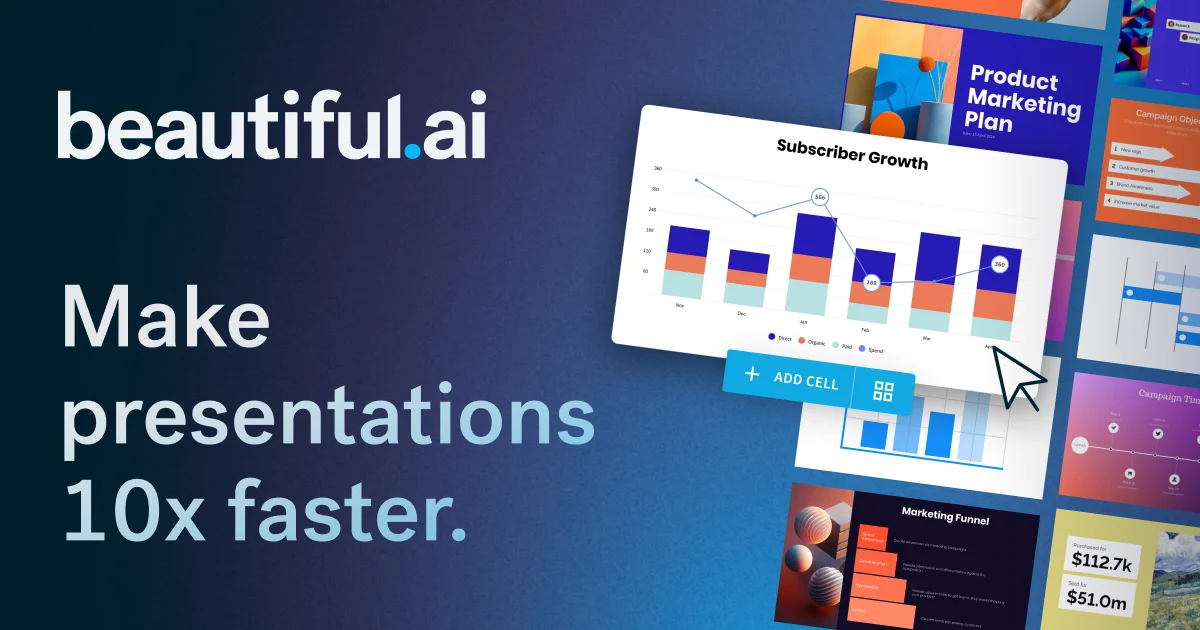
Beautiful.ai takes a different approach to AI presentations: instead of generating full decks from prompts, it focuses on making every individual slide look professional automatically.
The signature feature is Smart Slide technology. Add a bullet point? The layout adjusts. Swap an image? Everything reflows cleanly. For business teams where multiple people edit the same deck, this matters enormously. Consistent formatting usually falls apart with five hands on one file. Beautiful.ai makes it almost impossible to create an ugly slide regardless of who’s editing.
The DesignerBot feature handles full deck generation from a prompt, but the real draw for teams is the brand kit. Lock in your fonts, colors, and logo placement — even if someone junior builds a deck, it comes out on-brand. That’s worth a lot for companies where every external presentation carries weight.
What Beautiful.ai does well:
- Smart Slides maintain consistent formatting automatically
- Excellent brand kit enforcement for teams
- Collaboration tools built for multi-person editing
- Professional-looking output by default
Where Beautiful.ai falls short:
- No free plan — you’re paying from day one
- Less creative freedom than Canva for custom designs
- DesignerBot AI generation is slower than Gamma
Beautiful.ai pricing: Pro at $12/month. Team plan at $40/user/month with full brand controls and admin features.
Bottom line: Beautiful.ai is the right call for business teams who need automatic brand consistency without hiring a designer. Skip it if you’re a solo user or if you need a free option.
3. Canva AI — Best for Design-First Users
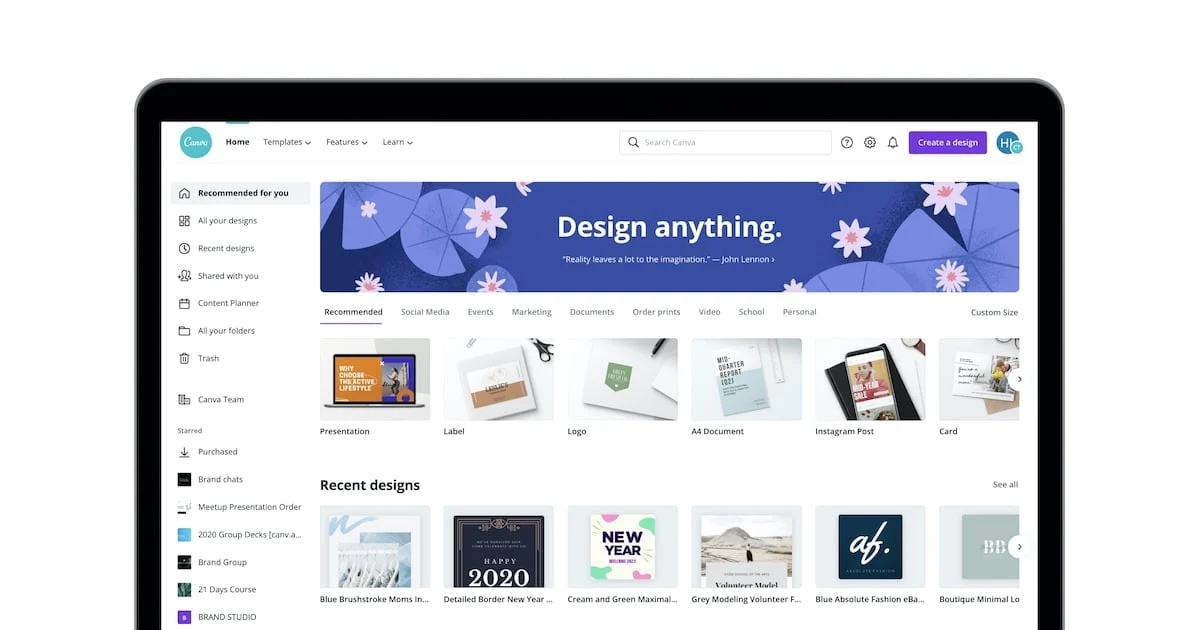
If you already live in Canva, the AI presentation tools they’ve added are a no-brainer upgrade.
Magic Design is the headline feature. Type a topic, and Canva generates a multi-slide presentation using its massive template library. The output leans on Canva’s biggest strength: an unmatched library of templates, stock photos, icons, and design elements. When it comes to visual variety, nothing else on this list comes close.
The AI writing assistant (Magic Write) is built throughout the product. Highlight any text and you can rewrite it, expand it, shorten it, or change the tone with one click. Combined with the template library and Magic Design, Canva gives you more creative starting points and more customization options than any other tool here.
The catch: the AI-generated presentation structure isn’t as smart as Gamma. Canva leans on its design library rather than AI reasoning about what your deck should say. You’re getting excellent visual scaffolding, not end-to-end intelligent content creation.
What Canva AI does well:
- Best template variety and visual flexibility of any tool tested
- Generous free plan with real usable features
- Magic Write for AI text editing throughout the deck
- Huge stock image and design element library
- Exports to PPTX, PDF, MP4, GIF, and more
Where Canva AI falls short:
- AI content generation isn’t as intelligent as Gamma
- Can feel overwhelming for simple one-off decks
- Best AI features locked behind the paid plan
Canva AI pricing: Generous free plan. Canva Pro at ~$9.99/month unlocks more AI credits, premium templates, and the full Magic Design capability.
Bottom line: If design quality and visual flexibility matter most — or if you already use Canva for other work — this is your tool. Best creative output on this list.
4. Plus AI — Best for Google Slides Users
Here’s the thing about switching to a new presentation tool: it’s disruptive. You have existing templates, existing workflows, existing teammates who know Google Slides. Migrating is a pain nobody wants.
Plus AI solves this by bringing AI directly into Google Slides as an add-on. No new tool to learn. No file migration. Just AI features inside the tool your team already uses.
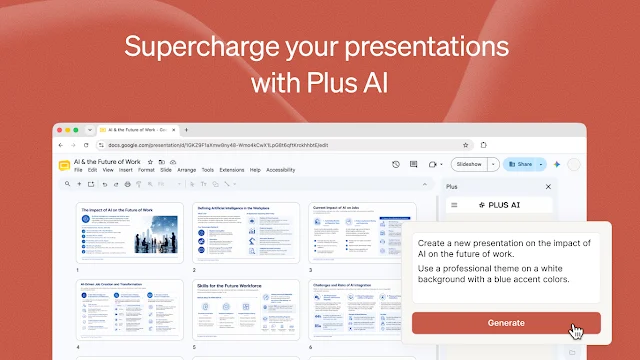
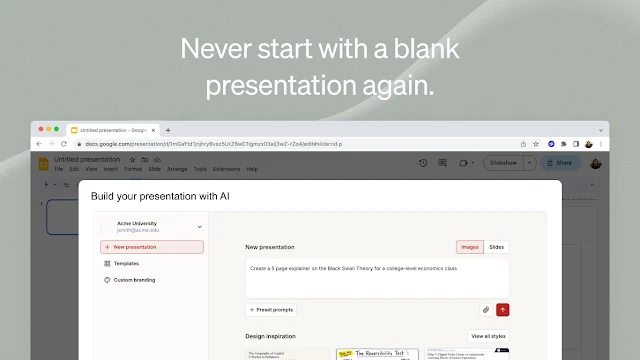
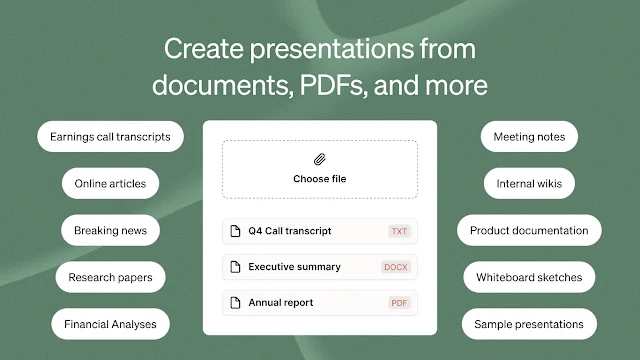
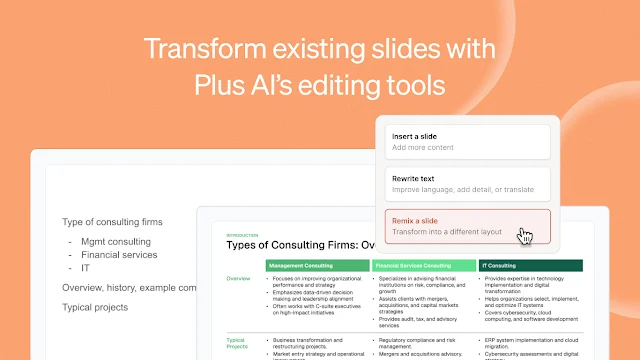
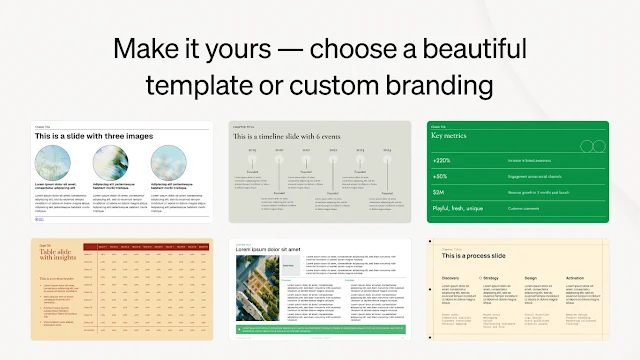
The workflow is clean. Install the add-on, open a new Slides deck, click “Create presentation with Plus AI,” type your topic, and watch slides generate directly in your file. The output is native Google Slides — no exporting, no conversion, no format weirdness.
The “Rewrite slide” feature is genuinely useful. Select any slide and ask the AI to make the content more concise, more detailed, or change the tone entirely. Works great for tightening up decks before important presentations.
What Plus AI does well:
- Works inside Google Slides — zero tool switching required
- Generated slides are native Google Slides files
- Excellent AI slide-editing features (rewrite, expand, change tone)
- Team templates and brand control options
Where Plus AI falls short:
- No real free plan — trial only before you pay
- Limited to the Google Slides ecosystem
- Design output quality trails Gamma and Beautiful.ai
Plus AI pricing: Trial available, then ~$10/month for the individual plan. Team plans available with shared templates and admin controls.
Bottom line: If your team is all-in on Google Slides and switching tools isn’t happening, Plus AI is the obvious choice. For everyone else, better options exist.
5. Pitch — Best for Team Collaboration
Most presentation tools treat collaboration as an afterthought. Pitch built it from day one.
The product is designed around team workflows: real-time co-editing like Google Docs, slide-level commenting, version history, and a shared workspace where your team’s decks all live together. It’s essentially the Notion of presentation software.
The AI features are solid but secondary. You can generate slides from a prompt, get AI suggestions for content, and use templates from their growing library. But the real draw is how well the product handles multiple people working on the same deck simultaneously without chaos.
For startups building investor decks with input from 10 stakeholders, or agencies managing multiple client presentations, or any team that treats their slide tools as a real workspace, Pitch is worth a serious look.
What Pitch does well:
- Best real-time collaboration features of any tool on this list
- Clean, modern interface that doesn’t feel dated
- Good free plan for individual users
- Slide commenting and full version history
Where Pitch falls short:
- AI generation isn’t as fast or capable as Gamma
- Smaller template library than Canva
- Less design flexibility for custom layouts
Pitch pricing: Free for individuals. Pro at $8/seat/month. Business plan available with more collaboration controls.
Bottom line: If collaboration is your biggest pain point with presentations — people editing on top of each other, version confusion, scattered feedback — Pitch is built exactly for that problem. If you’re working solo, look elsewhere.
6. Prezi AI — Best for Storytelling
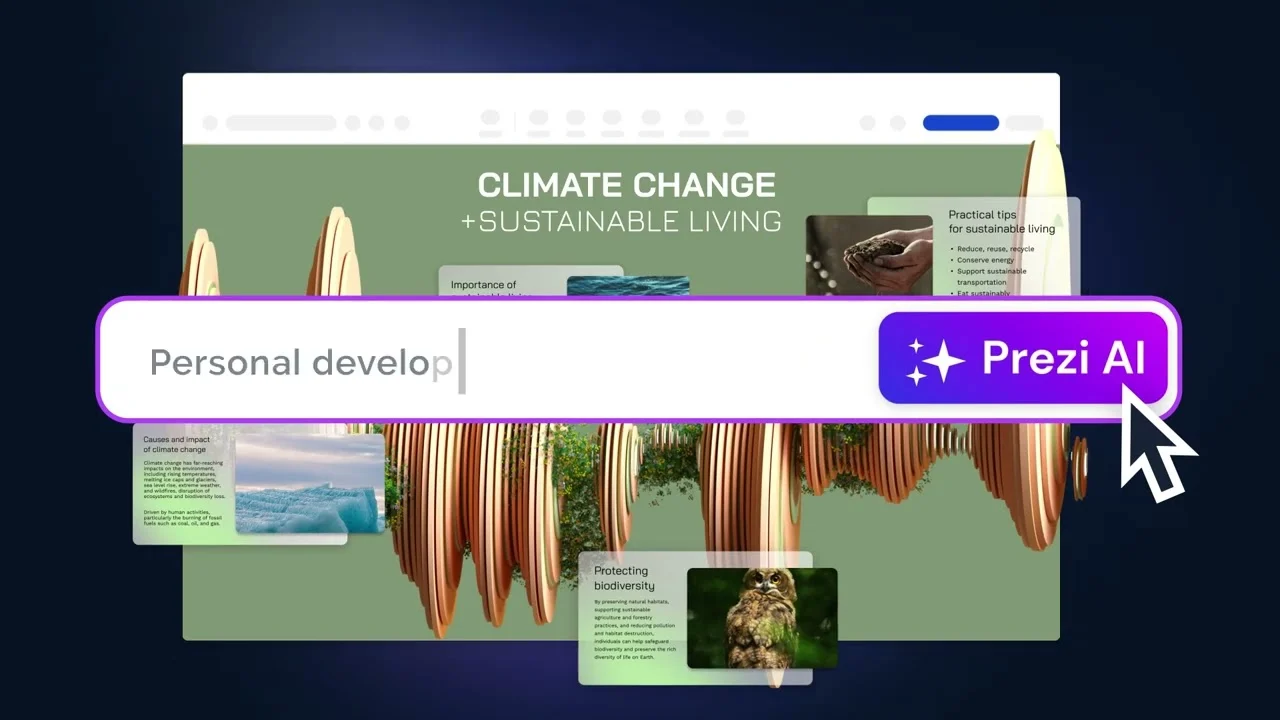
Every other tool on this list creates linear slide decks. Prezi does something completely different.
Instead of slide-by-slide, Prezi uses a zoomable canvas where you map your content spatially. You zoom in and out of topics during the presentation, which creates a visual flow that feels like a guided tour rather than a slide show. For big-picture strategy sessions, keynotes, or educational content, this format is genuinely compelling.
The AI features in Prezi are focused on structure and narrative: describe your topic, and the AI builds a topic map with suggested content for each section. Then you zoom through it live. Audiences see the whole picture and where you are within it — which is more engaging than slide 14 of 22.
Fair warning: the learning curve is steeper than anything else here. Prezi’s interface is genuinely different from any presentation tool you’ve used. But once you get it, the presentations you create are unlike anything your audience typically sees — which is either a bug or a feature depending on your situation.
What Prezi AI does well:
- Completely unique presentation format that stands out
- More engaging and memorable for audiences
- AI helps map content structure and narrative flow
- Affordable entry price relative to competitors
Where Prezi AI falls short:
- Steeper learning curve than any linear slide tool
- Not appropriate for every presentation context
- Exporting to PPTX is clunky and loses the format
Prezi AI pricing: Free plan available with limits. Standard at $7/month. Plus at $12/month with more AI features and privacy controls.
Bottom line: Prezi AI is for presenters who give high-stakes presentations and are willing to invest time learning something different. For standard business decks, stick with one of the other five options.
How to Pick the Right AI Presentation Maker
Here’s the simple decision framework I’d give a friend:
Choose Gamma if you want the fastest, most impressive output from a single prompt. Best all-around pick for the vast majority of use cases.
Choose Beautiful.ai if you’re managing a business team and need brand consistency enforced automatically across every deck anyone on your team creates.
Choose Canva AI if design quality and visual flexibility matter most to you — or if you already live in the Canva ecosystem for other work.
Choose Plus AI if your team is committed to Google Slides and you want AI capabilities without disrupting your existing workflow.
Choose Pitch if team collaboration is your number-one priority. Best product for co-editing decks with multiple stakeholders in real time.
Choose Prezi AI if you give keynotes or high-stakes presentations where standing out from the typical slide deck actually matters.
Final Verdict
If I had to pick just one tool? Gamma.
The combination of generation speed, design quality, and ease of editing is unmatched. You can go from zero to a presentation you’d genuinely be proud to show in under 10 minutes. That’s remarkable, and nothing else on this list comes that close.
But “best” is always relative to your situation. If you’re running a 50-person sales team, Beautiful.ai’s brand controls might be worth more to you than speed. If your whole company runs on Google Slides, Plus AI is the pragmatic no-disruption choice. If you give big keynotes to live audiences, Prezi AI’s format might be worth the learning curve.
The good news: most of these tools have free plans or trials. Pick two that sound interesting, test them with a real project, and you’ll figure out which one fits how you actually work in under an hour.
Because the best AI presentation maker is always the one you’ll actually use.