Best Lists
Best HR Software for Small Teams in 2026: 8 Honest Picks
The 8 best HR software options for small teams in 2026, with real pricing, honest trade-offs, and a clear decision guide to help you pick the right tool.
Here’s the thing about HR software: most of it is built for HR departments at 500-person companies.
If you’re running a 10-person team and doing everything yourself, you don’t need the enterprise feature menu. You need something that handles payroll, keeps you compliant, and doesn’t require three training sessions before anyone can log in.
I went through what the top sources actually recommend for small teams in 2026. Here are the 8 best picks — ranked honestly, with real pricing included.
At a glance: 8 best HR tools for small teams
| Tool | Best for | Starting price |
|---|---|---|
| Gusto | Overall best for US teams | $49/mo + $6/person |
| BambooHR | Core HR management | $10/employee/mo |
| Rippling | HR + IT automation | $8/employee/mo |
| Zoho People | Best budget pick | Free (up to 5 users) |
| Homebase | Hourly and shift-based teams | Free (1 location) |
| Justworks | PEO with transparent pricing | $59/employee/mo |
| Deel | Remote and global teams | $49/contractor/mo |
| Paycor | Growing businesses (20–100 people) | Custom quote |
What to look for in HR software for small teams
Before diving in: small teams have different needs than enterprises. Here’s what actually matters at your size.
Payroll automation: Manually filing payroll taxes is a liability. The right software handles W-2s, quarterly filings, and direct deposit automatically. This alone is worth the monthly cost.
Easy onboarding: New hire paperwork shouldn’t take two days. Good HR software lets employees complete I-9 forms, tax withholding, and direct deposit setup before their first day.
Transparent pricing: Several tools on this list require a “call sales” step to get a quote. That’s a yellow flag. The best small-team tools show you what you’ll pay before you commit.
Compliance coverage: Labor laws, overtime rules, state-specific requirements — these change constantly. HR software that monitors compliance and sends alerts is far cheaper than a compliance mistake.
Support that actually responds: When something goes wrong with payroll, you need help today, not in three business days.
1. Gusto — Best Overall for Small Teams

If you’re a US-based team and you want one tool that handles payroll, benefits, and onboarding without hiring an HR person — Gusto is it. It’s the one most small business owners actually recommend to other small business owners.
Pricing:
- Simple: $49/month + $6/employee
- Plus: $80/month + $12/employee
- Premium: $180/month + $22/employee
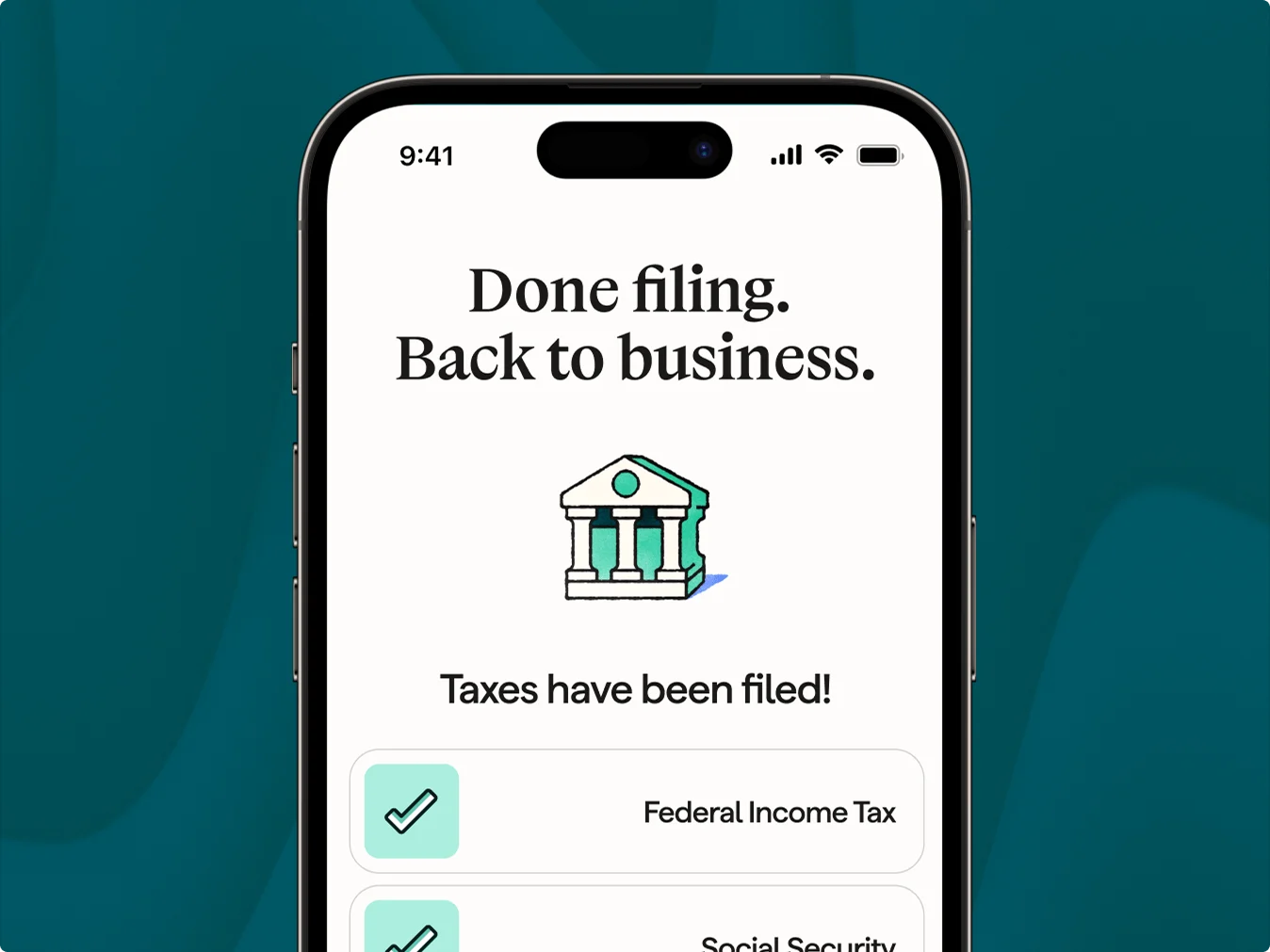
What Gusto does well: Automated payroll with tax filings (W-2s, 1099s, quarterly filings — all handled). Benefits administration including health, dental, vision, and 401(k). Onboarding that new hires can complete on their phone. And transparent pricing you can actually calculate before you sign up.
Where it falls short: No shift scheduling — if your team works hourly shifts, look at Homebase instead. Customer support can be slow when you have a real problem. Per-person fees stack up as you grow past 30 employees.
Who it’s for: Startups and small businesses doing payroll for the first time. Teams moving away from “I email the accountant every two weeks.” Gusto is the most painless transition in this space.
G2: 4.6/5 (8,335 reviews) | Capterra: 4.6/5
2. BambooHR — Best Core HR Management
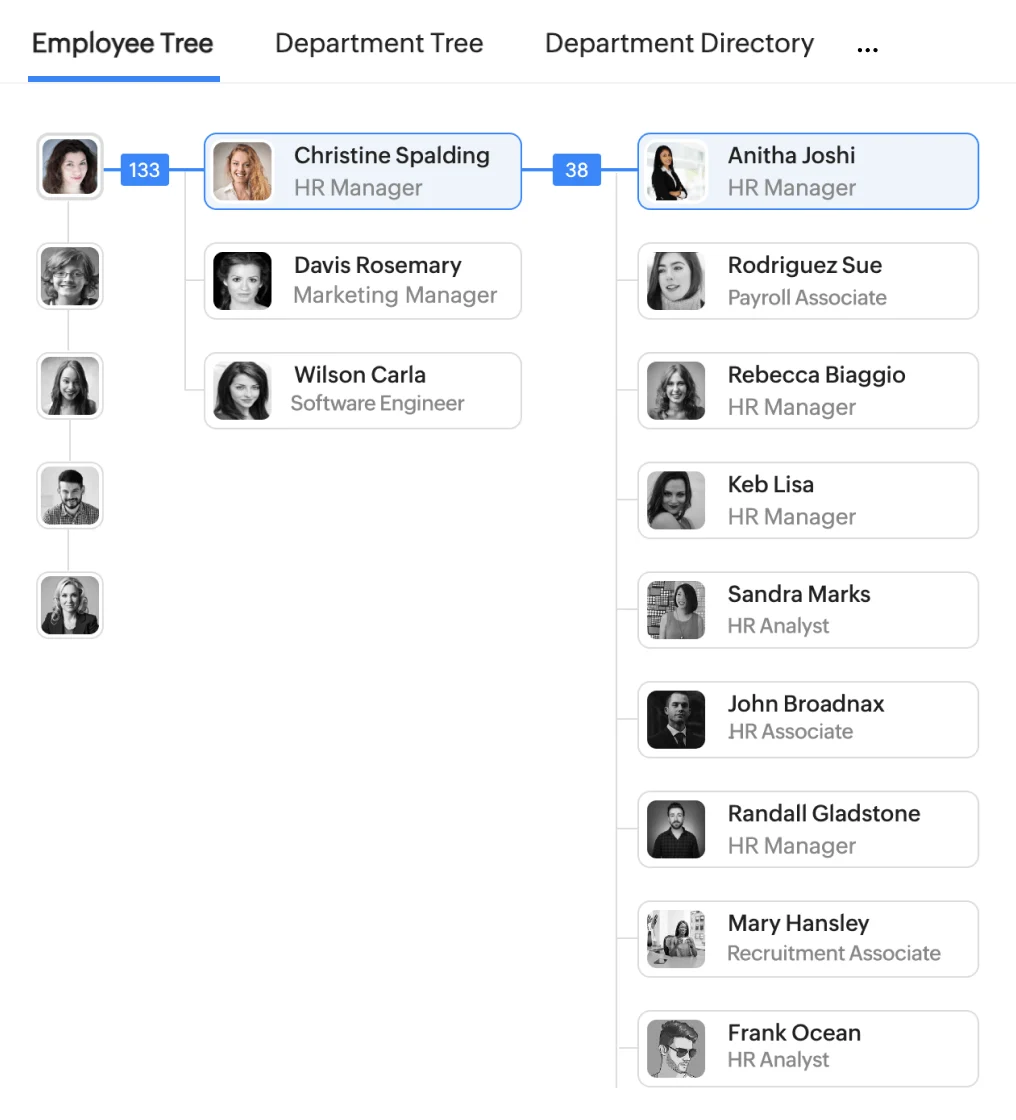
BambooHR is what people mean when they say “we just need a proper HR system.” It’s not trying to replace your payroll processor — it’s your central employee database, and it’s genuinely good at that job.
Pricing:
- Core: $10/employee/month
- Pro: $17/employee/month
- Elite: $25/employee/month
- Payroll and time tracking are add-ons
What BambooHR does well: Clean, organized employee records with self-service — employees update their own info instead of emailing HR. Solid applicant tracking system built in. Easy onboarding workflows. One of the cleanest interfaces in the category, with a homepage that shows you what you actually need to see each day.
Where it falls short: No native payroll — you’ll pay extra for that. Pricing requires a sales call for teams over a certain size. Some reporting features are locked to higher tiers. Payroll and benefits support is US-only.
Who it’s for: Growing teams that hire regularly and need a clean central record system. If you’re tired of spreadsheets for employee data and onboarding documents, BambooHR fixes that problem cleanly.
G2: 4.4/5 (4,313 reviews) | Capterra: 4.6/5
3. Rippling — Best for HR + IT Automation
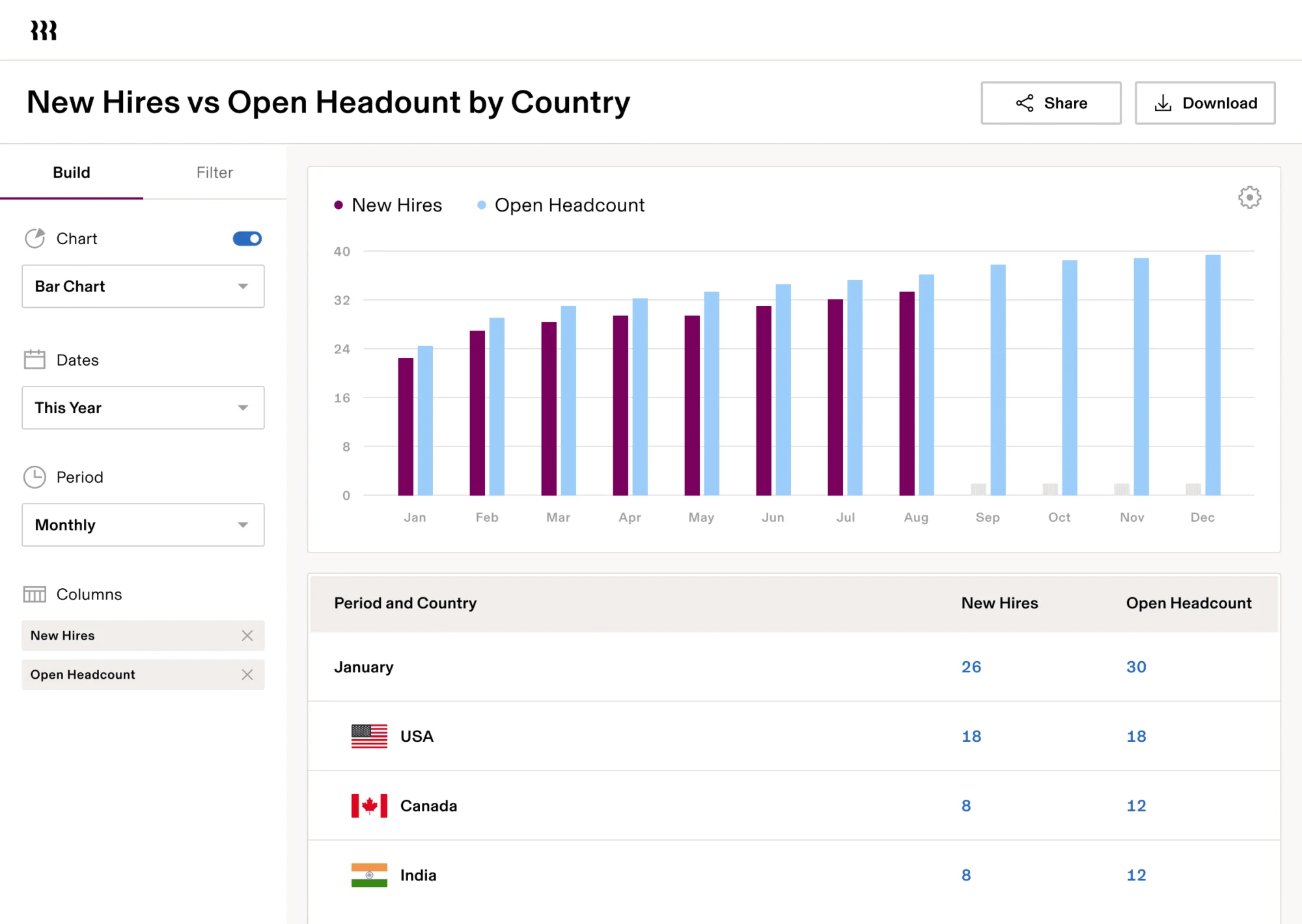
Rippling is the most technically impressive HR platform for small teams that are growing fast. When you hire someone, you can automatically provision their laptop, set up app access (Slack, Google Workspace, GitHub), add them to payroll, and trigger onboarding — all from one workflow. When they leave, it all reverses automatically.
Pricing:
- Core HR from $8/employee/month + ~$40 base fee
- Payroll, IT, and benefits modules priced separately
- No free tier; custom quote required for full setup
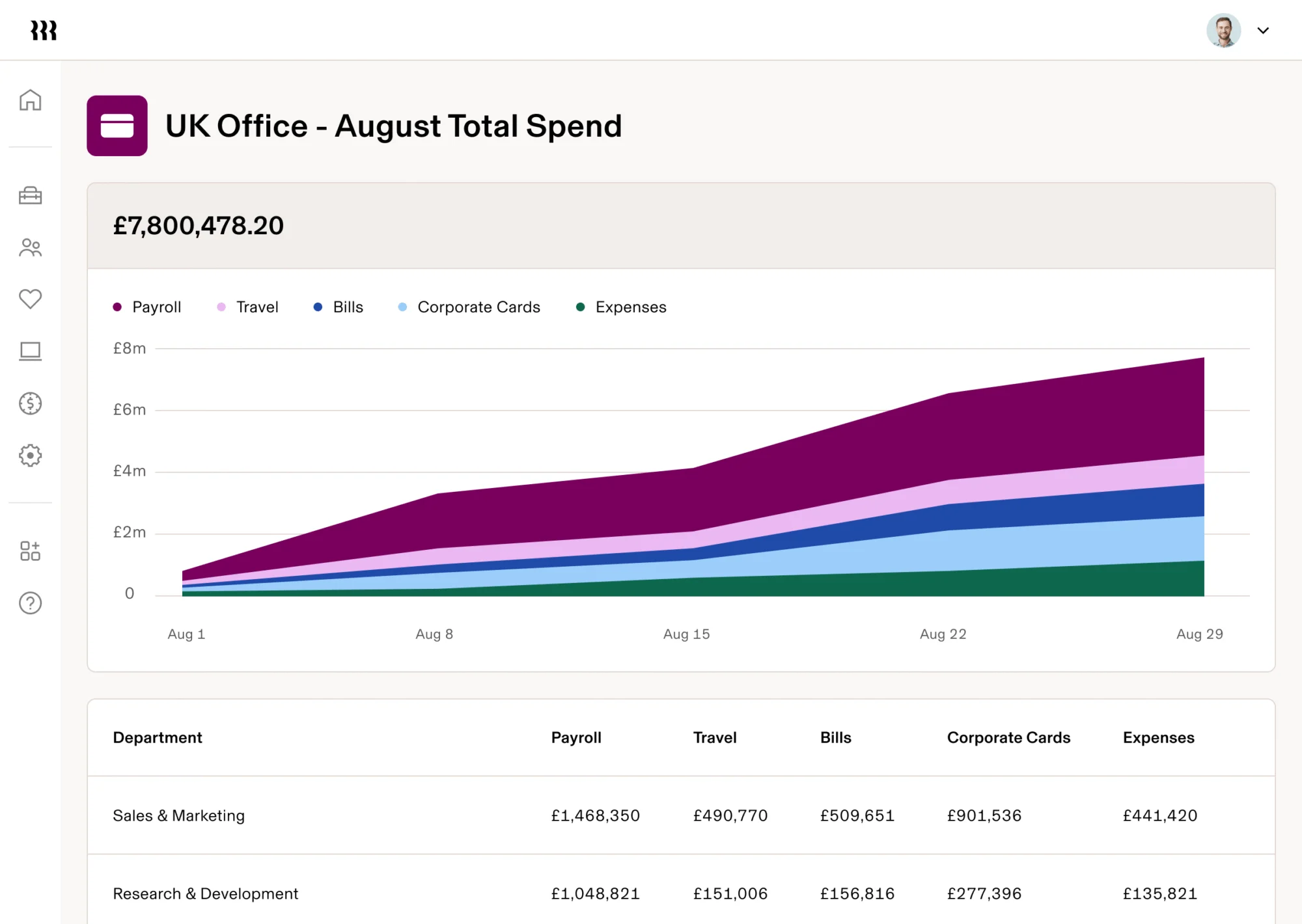
What Rippling does well: Connects HR, payroll, and IT in one system. 500+ app integrations. Device management built in. Global payroll in 180+ countries. Workflow automation that reduces repetitive admin work significantly.
Where it falls short: Setup takes 3–8 weeks for full implementation. Pricing gets complicated once you add modules — hard to calculate upfront without a sales call. Phone support only kicks in at 150+ employees. For a 5-person team, it’s probably overkill.
Who it’s for: Teams growing fast that are tired of manually onboarding and offboarding employees across multiple tools. Also great if you have remote employees in multiple states or countries and need everything managed together.
G2: 4.8/5 | Capterra: 4.9/5
4. Zoho People — Best Budget Pick
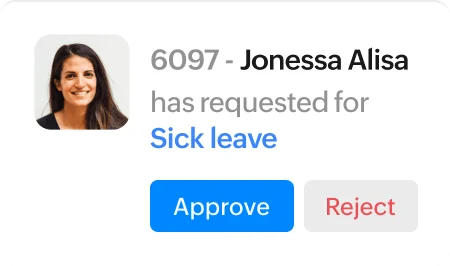
Zoho People is the only HR platform on this list with a genuinely useful free tier (up to 5 users). If you’re a tiny team that needs leave tracking, performance reviews, and employee records without a monthly bill, it’s surprisingly capable for the price.
Pricing:
- Free: up to 5 users
- Essential HR: $1.50/user/month
- Professional: $2.50/user/month
- Premium: $3.50/user/month
- Enterprise: $5/user/month
- Payroll is a separate add-on
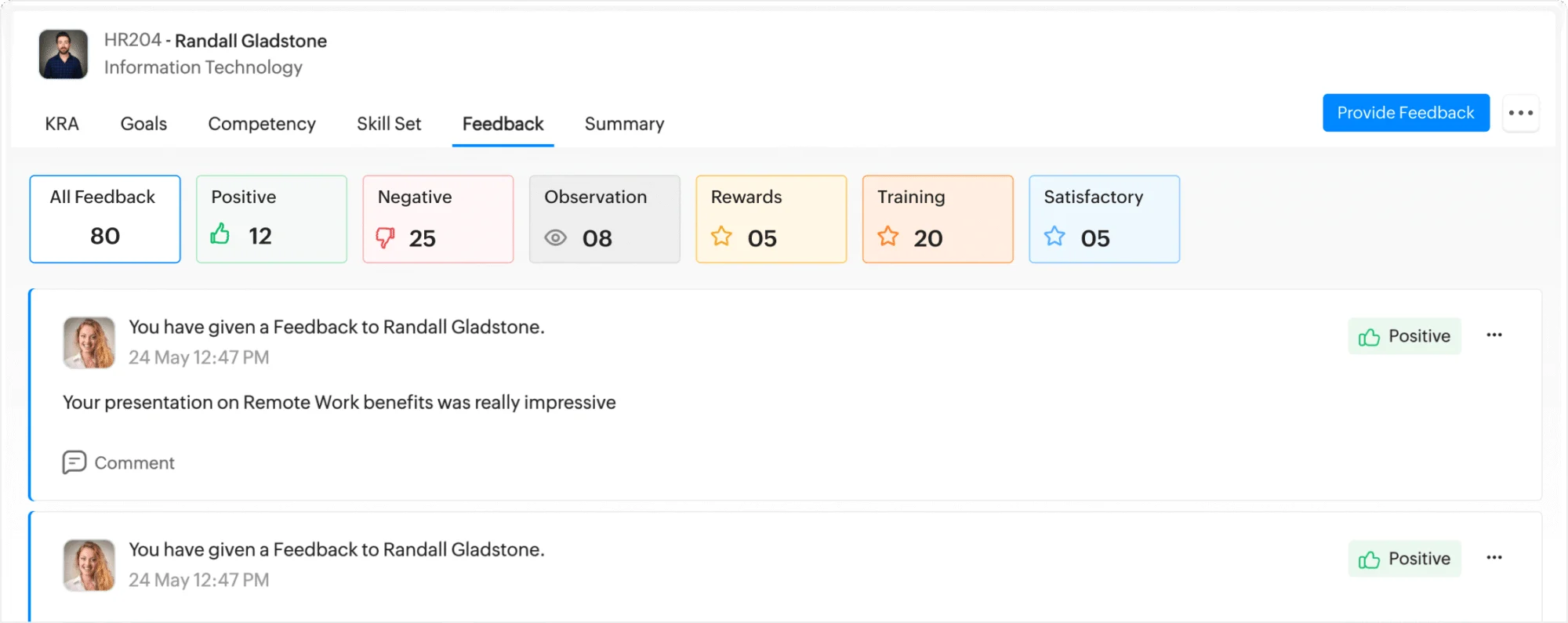
What Zoho People does well: Most affordable HR tool on this list by a wide margin. Solid leave and attendance management out of the box. Performance reviews and goal tracking. 1,000+ integrations, including the full Zoho ecosystem — if you’re already on Zoho CRM, this is a natural add-on.
Where it falls short: The interface can feel cluttered compared to Gusto or BambooHR. US payroll doesn’t support 1099 contractor payments. Customer support is often slow. Expect more setup time than with simpler tools.
Who it’s for: Bootstrapped teams under 25 people who need employee records and basic HR workflows without a big monthly bill. Also makes sense if you’re already deep in the Zoho ecosystem and want everything connected.
G2: 4.4/5 | Capterra: 4.4/5
5. Homebase — Best for Hourly and Shift-Based Teams
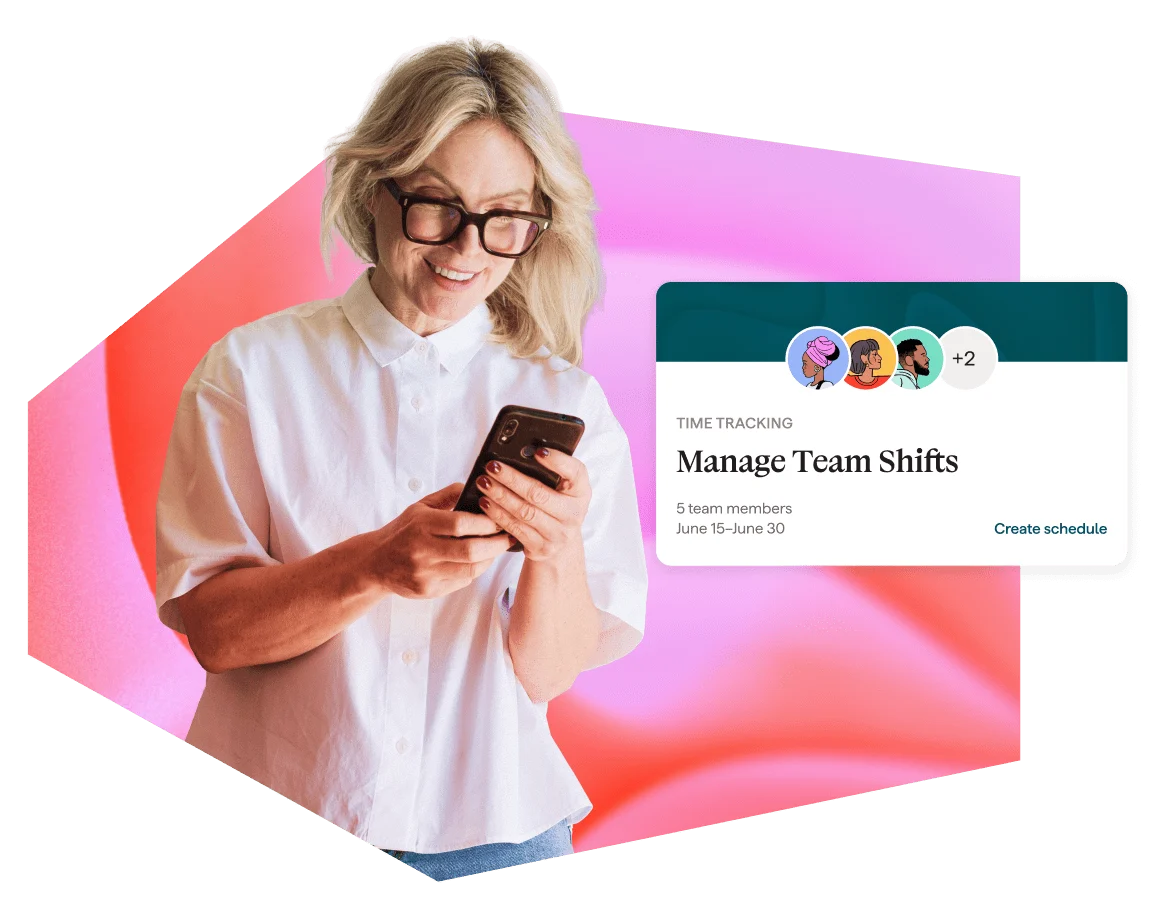
Homebase solves one specific problem really well: managing hourly and shift-based workers. If you run a restaurant, retail store, or service business where you’re scheduling shifts and tracking hours by the minute, Homebase was built for exactly this workflow.
Pricing:
- Free: one location, up to 20 employees
- Essentials: ~$24/location/month
- Plus: ~$30/location/month
- All-in-One: $96/location/month (annual billing)
- Payroll add-on: $39/month + $6/employee
What Homebase does well: A free plan that’s actually useful — rare in HR software. Drag-and-drop shift scheduling. GPS time clock on mobile. Paperless onboarding with e-signed tax and I-9 forms. Labor law compliance alerts that tell you when you’re about to violate overtime rules.
Where it falls short: Most advanced HR features require the expensive All-in-One plan. Payroll isn’t included in base plans — it’s a separate add-on. Per-location pricing gets expensive for multi-location businesses. Reporting is weak compared to other tools here.
Who it’s for: Restaurants, retail, and service businesses with hourly employees. If your main HR pain points are scheduling shifts and tracking time cards, Homebase is purpose-built for this. Salaried knowledge workers should look at Gusto or BambooHR instead.
G2: 4.6/5 | Capterra: 4.6/5
6. Justworks — Best PEO With Transparent Pricing

Justworks is a Professional Employer Organization (PEO), which means they technically co-employ your workers. The practical benefit: your 8-person team gets access to large-group health insurance rates that only Fortune 500 companies normally can negotiate. And unlike most PEOs, Justworks actually publishes their prices.
Pricing:
- Payroll only: $50/month + $8/employee
- PEO Basic: $59/employee/month
- PEO Plus: $109/employee/month
What Justworks does well: Access to large-group health insurance plans at rates small teams normally can’t get. Automated payroll and tax compliance. Workers’ comp handled for you. 24/7 support included. One of the very few PEOs that publishes per-employee rates online before you talk to anyone.
Where it falls short: Co-employment limits your control over some HR policies — you’re operating under Justworks’s employer umbrella. Not available in all US states. Fewer advanced HR features than BambooHR or Rippling. Can feel less flexible for non-standard needs.
Who it’s for: US small businesses whose main HR pain point is “I can’t afford good health insurance for my team.” Justworks solves that directly, often at a total cost that beats hiring a benefits administrator separately.
G2: 4.6/5 | Capterra: 4.6/5
7. Deel — Best for Remote and International Teams
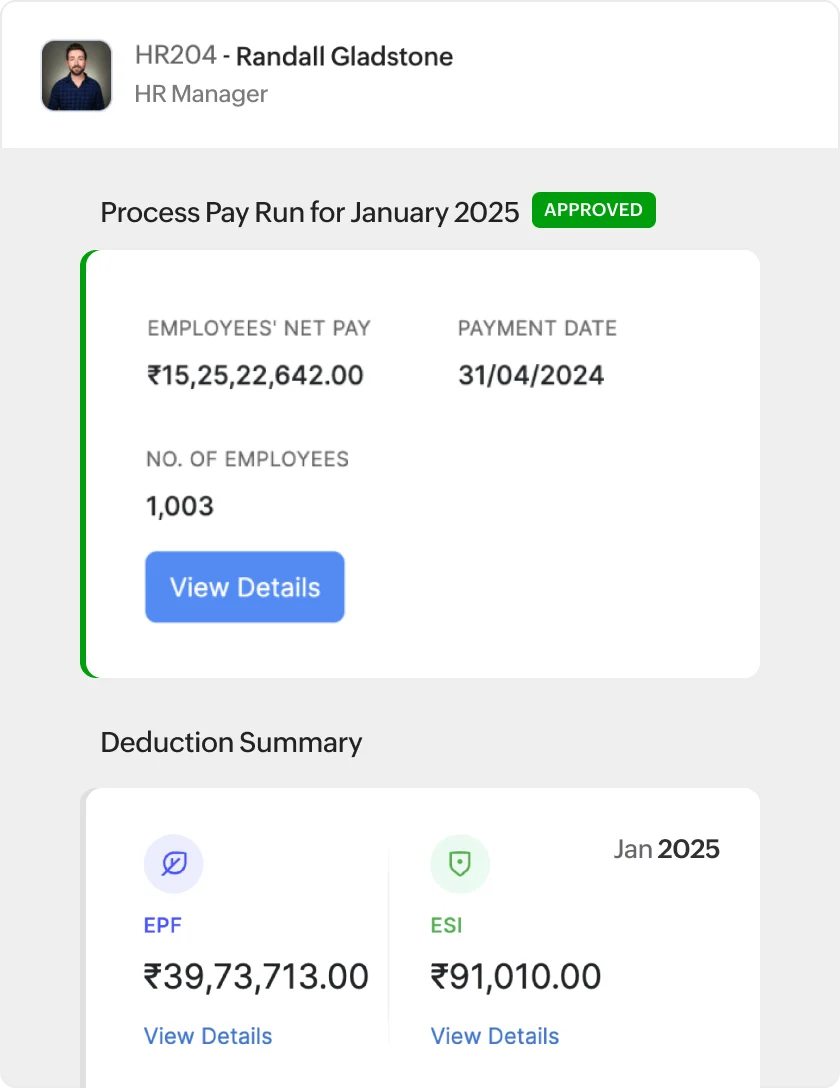
Hiring someone in Germany used to require a local legal entity, international lawyers, and a lot of hoping nothing went wrong. Deel handles the entire compliance layer for you. If your team is remote-first and spans multiple countries, Deel is the only tool on this list built specifically for that problem at scale.
Pricing:
- Contractor management: $49/contractor/month
- Global payroll: from $29/employee/month
- Employer of Record (EOR): $599/employee/month
- US PEO: $125/employee/month
- Deel HR (core features): Free for teams under 200 employees
What Deel does well: Handles employment compliance in 150+ countries. Multi-currency payments. Contractor and full-time employee management in one platform. Deel HR is free for small teams — worth using for core HR features even before you need global payroll.
Where it falls short: EOR pricing ($599/employee/month) is expensive, even though it’s a specialized compliance service. Currency conversion fees add up over time. Complete overkill if your entire team is in one country. Sign-up can be convoluted for first-time users.
Who it’s for: Remote-first companies with employees or contractors across multiple countries. Also worth considering for US companies that heavily use international contractors — the $49/contractor/month is competitive with alternatives.
G2: 4.8/5 | Capterra: 4.9/5
8. Paycor — Best for Growing Businesses

Paycor covers more of the employee lifecycle than Gusto or BambooHR — earned wage access, AI-powered analytics, frontline workforce tools, and manager development. If you’re scaling past 30 people and know you’ll need these things eventually, it’s worth looking at before you’re forced to switch systems mid-growth.
Pricing:
- Custom quote only
- Four small-business plan tiers for teams under 50 employees
What Paycor does well: Earned wage access — employees can draw pay before payday, which is a real retention tool. AI-powered workforce analytics and reporting. Full talent management including performance and learning. Strong compliance tools for complex industries like healthcare and manufacturing.
Where it falls short: No public pricing — you’ll need to talk to sales to find out what you’ll pay. The admin mobile experience is clunky. Several core features are locked to higher-priced plans. The interface feels heavier than Gusto or BambooHR for teams that want something simple.
Who it’s for: Teams in the 20–100 employee range that have outgrown basic payroll tools but aren’t ready for full enterprise software. If earned wage access or manager development matters to your retention strategy, Paycor is worth putting on your shortlist.
How to choose the right HR software for your team
Here’s the honest decision guide based on your specific situation:
- You just need payroll and basic HR (US team): → Start with Gusto
- You want clean employee records and onboarding workflows: → BambooHR
- Your team works hourly shifts in a restaurant, retail, or service business: → Homebase
- You want HR and IT managed as one system: → Rippling
- You’re on a tight budget with under 25 people: → Zoho People (free tier is real)
- You want better health insurance than a small team can normally access: → Justworks
- You have employees or contractors in multiple countries: → Deel
- You’re scaling past 30 people and need the full employee lifecycle: → Paycor
One more thing worth noting: most of these tools offer free trials or free plans. Gusto, BambooHR, and Rippling offer trials. Zoho People and Homebase have permanent free tiers. There’s no good reason not to test your top pick before committing.
The bottom line
For most small teams, Gusto is the safe default. It handles payroll, taxes, and benefits in one place, has pricing you can calculate before you sign up, and doesn’t require an HR background to operate. Most people who try it stick with it.
If you’re hourly-heavy, Homebase is the better fit. Remote-first with international workers? Start with Deel. Want deep HR automation from day one? Go straight to Rippling — just budget time for the setup.
The worst outcome isn’t picking the wrong tool. It’s staying on spreadsheets and hoping nothing goes wrong on tax day.