Software Reviews
Best Payroll Software for Small Business in 2026
The best payroll software for small business in 2026, reviewed and ranked. Compare Gusto, OnPay, Patriot, QuickBooks Payroll, Square, and more with real pricing and pros & cons.
The Short Version
Most small business owners either overpay for payroll or use the wrong tool for their situation. I’ve reviewed 10+ payroll platforms so you don’t have to.
My verdict: Gusto is the best payroll software for most small businesses in 2026. If you’re budget-conscious and willing to do a bit more yourself, Patriot Payroll is the best deal in the market at just $17/month to start.
Here’s what I evaluated: pricing, ease of use, tax filing accuracy, contractor support, HR features, and real user reviews across G2, Capterra, and Trustpilot. Let’s get into it.
Quick Comparison: Best Payroll Software for Small Business 2026
| Tool | Best For | Base Price/mo | Per Employee/mo | Tax Filing |
|---|---|---|---|---|
| Gusto | Most small businesses | $49 | $6 | ✓ Included |
| OnPay | Transparent pricing | $49 | $6 | ✓ Included |
| Patriot Payroll | Budget-conscious businesses | $17 | $4 | Add-on ($37+) |
| QuickBooks Payroll | QuickBooks users | $50 | $7 | ✓ Included |
| ADP Run | Scaling businesses | Custom | Custom | ✓ Included |
| Square Payroll | Retail & food service | $35 | $6 | ✓ Included |
| SurePayroll | Household employers | $20 | $4 | Add-on ($29+) |
| Rippling | All-in-one HR + IT | Custom | Custom | ✓ Included |
1. Gusto — Best Overall Payroll Software for Small Business
If you run a small business with employees — hourly, salaried, or both — Gusto is the clearest winner in 2026. It handles payroll in minutes, files your federal and state taxes automatically, and bundles HR tools that would cost you extra elsewhere.
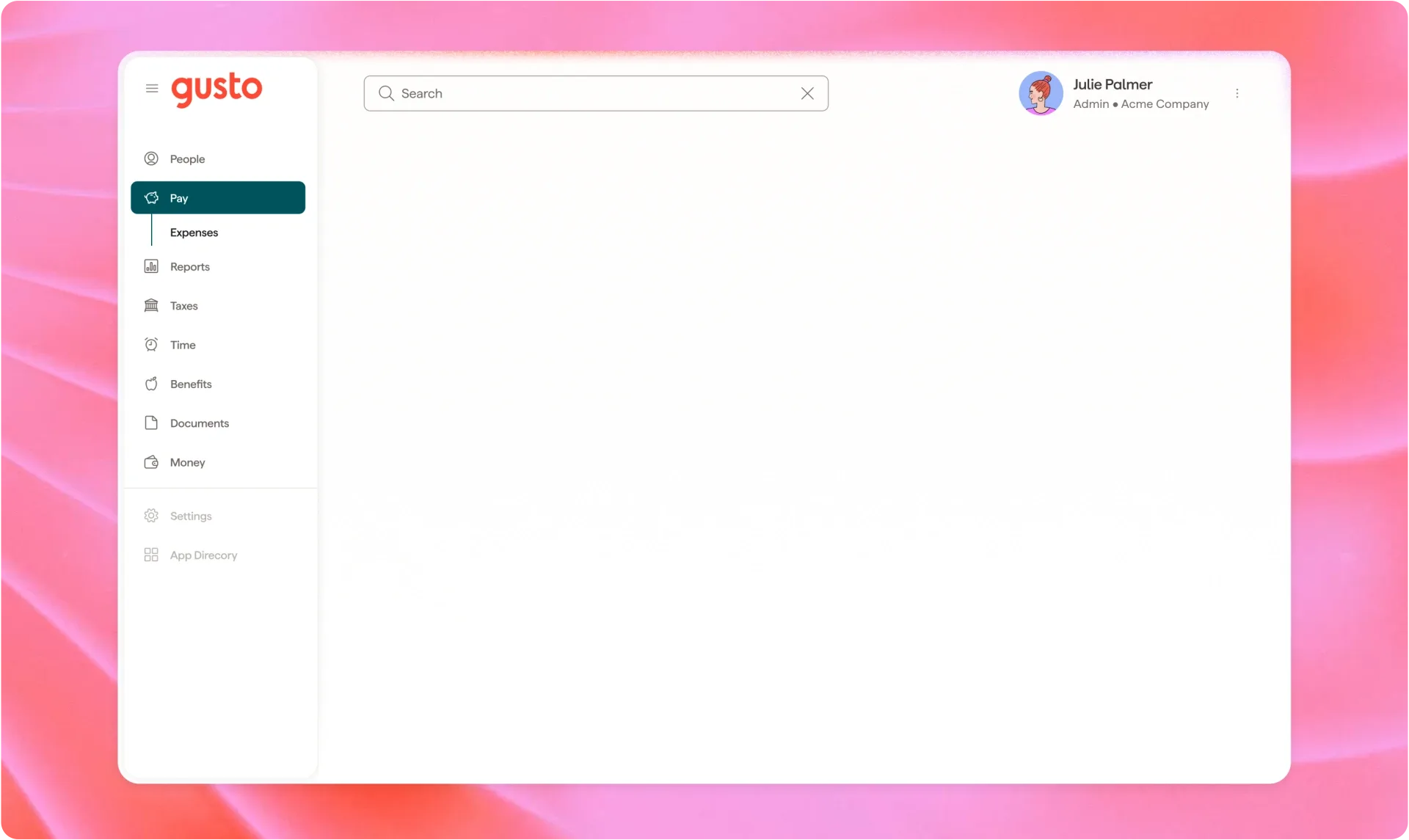
The Simple plan starts at $49/month + $6 per employee. For a 5-person team, that’s $79/month. Not the cheapest option out there, but the included features — automatic tax filing, new-hire reporting, direct deposit, and employee self-onboarding — make it worth the price.
Gusto Plans & Pricing
- Simple: $49/mo + $6/employee — unlimited payrolls, basic HR tools, tax filing
- Plus: $80/mo + $12/employee — adds time tracking, PTO management, team management
- Premium: $180/mo + $22/employee — dedicated support, compliance alerts, HR resource center
What Gusto Does Well

- Runs payroll in under 10 minutes once you’re set up
- Handles W-2s, 1099s, and contractor payments in one place
- The employee-facing experience is excellent — workers can onboard themselves, access pay stubs, and set up direct deposit without calling you
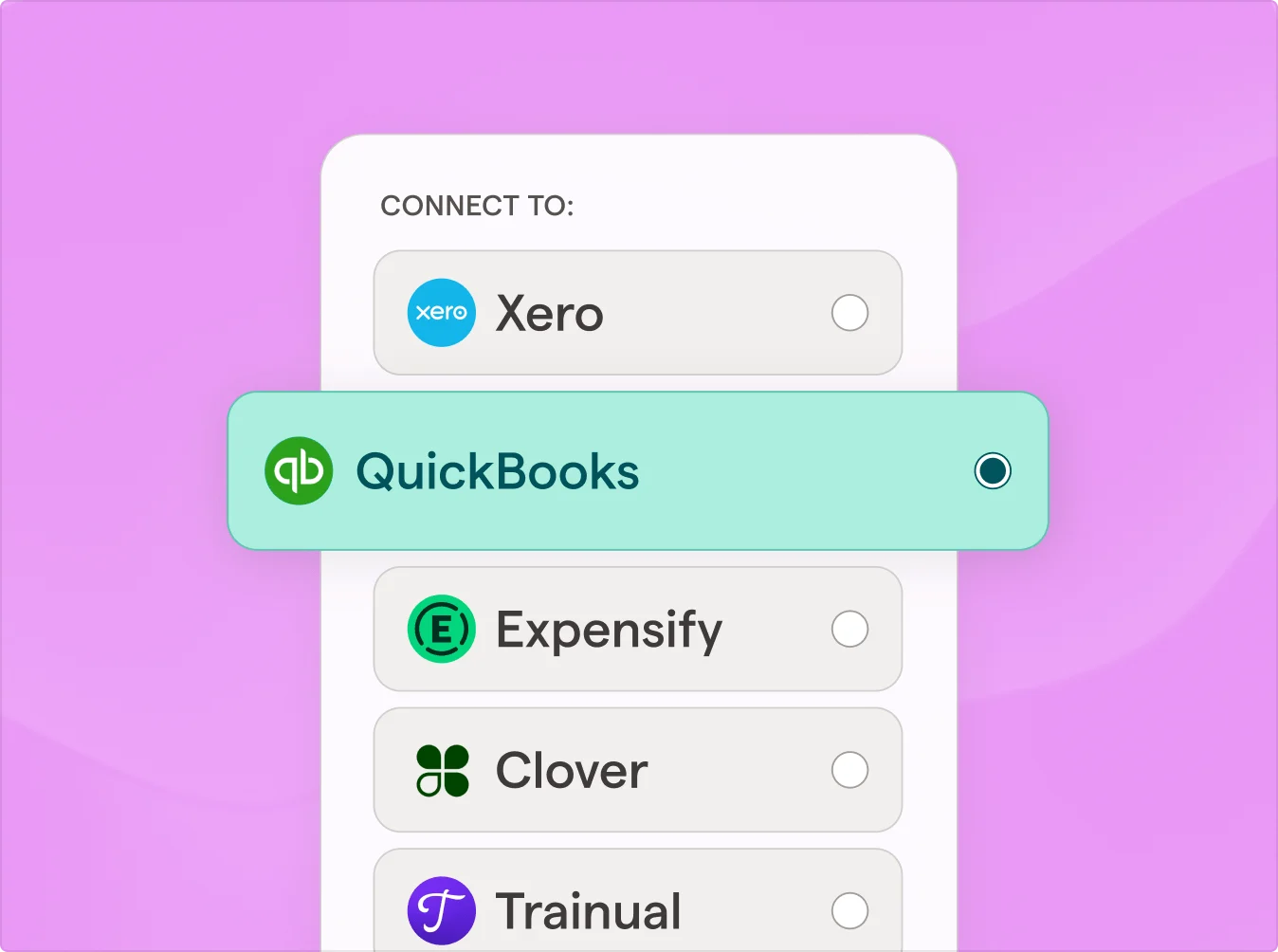
- Integrates with 100+ accounting and HR tools including QuickBooks, Xero, and Time Tracking apps
Where Gusto Falls Short
- Live phone support is only available on Premium; chat and email support on Simple can be slow
- No support for businesses outside the US
- Pricing adds up quickly if you have seasonal or fluctuating employee headcount
Tax Filing With Gusto
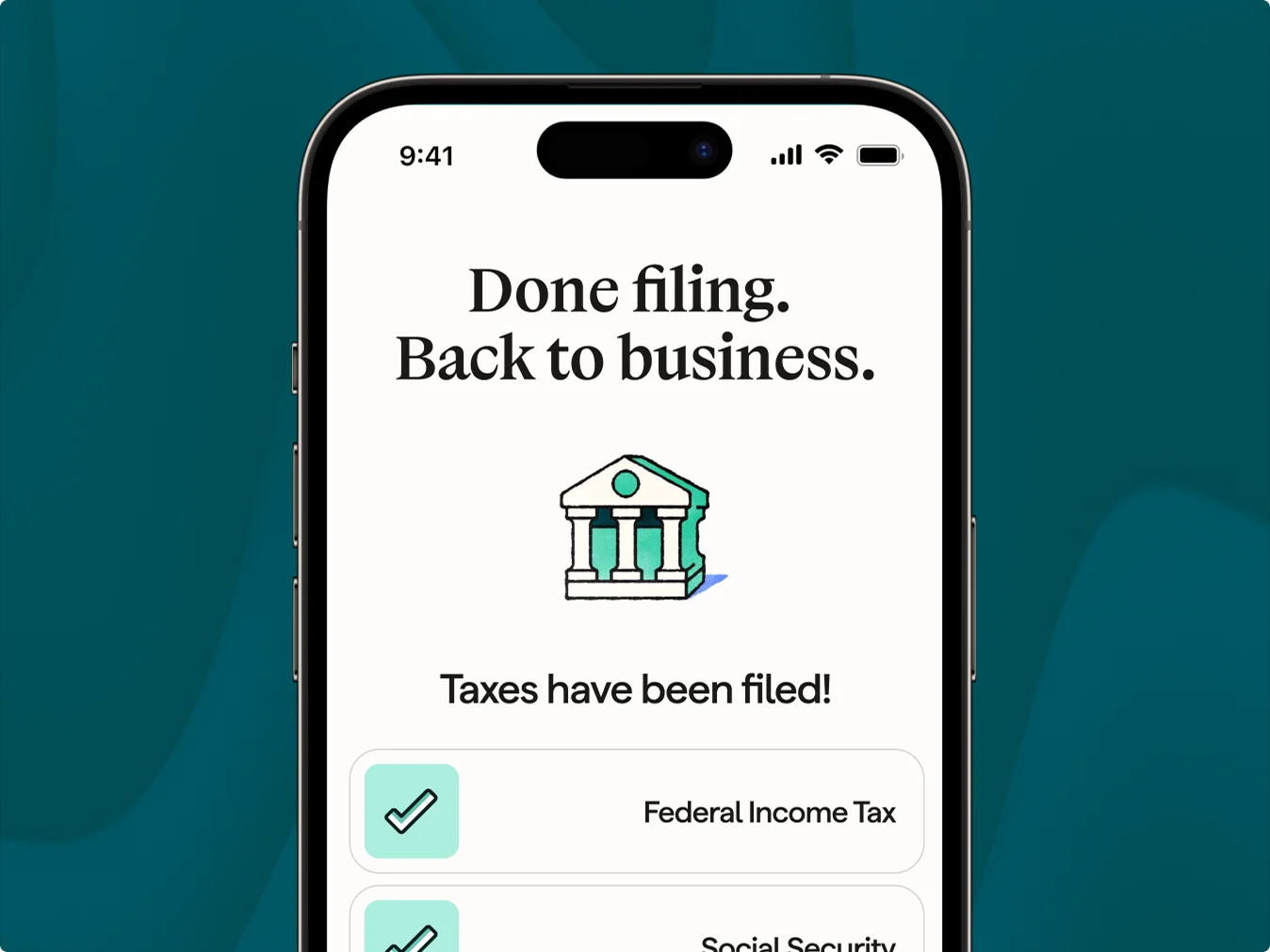
All Gusto plans include automatic tax filing. Gusto calculates, withholds, and remits federal and state payroll taxes. At year-end, it generates and files your W-2s and 1099s. This alone saves most small business owners 10+ hours annually.
Best for: Small businesses with 1–50 employees who want payroll, HR, and taxes handled in one clean product.
2. OnPay — Best for Transparent, All-In Pricing
OnPay is Gusto’s closest competitor, and in one important way it’s actually better: one plan, everything included, no upgrade surprises.
Pricing is simple: $49/month + $6 per employee. That’s it. There’s no “Basic” tier that locks you out of multi-state payroll or contractor payments. You get everything from day one.
OnPay Key Features
- Unlimited payroll runs, including off-cycle payrolls
- Multi-state payroll tax filing included
- Built-in HR tools: offer letters, org charts, e-signatures
- Supports W-2 employees, 1099 contractors, and agricultural workers
- Benefits administration for health insurance, 401(k), and more
OnPay Pros & Cons
- Pro: No tiers — every feature is available at one price
- Pro: Responsive customer support included
- Pro: Easy migration from other payroll providers
- Con: No native mobile app for employees
- Con: No native time tracking — requires an integration
- Con: Limited third-party integrations compared to Gusto
Best for: Business owners who want payroll simplicity without being nickel-and-dimed for features as they grow.
3. Patriot Payroll — Most Affordable Payroll Software
If your budget is tight and you’re comfortable doing some of the tax work yourself, Patriot Payroll is a remarkable deal. At $17/month + $4 per employee, it’s the most affordable full-featured payroll software I’ve tested.
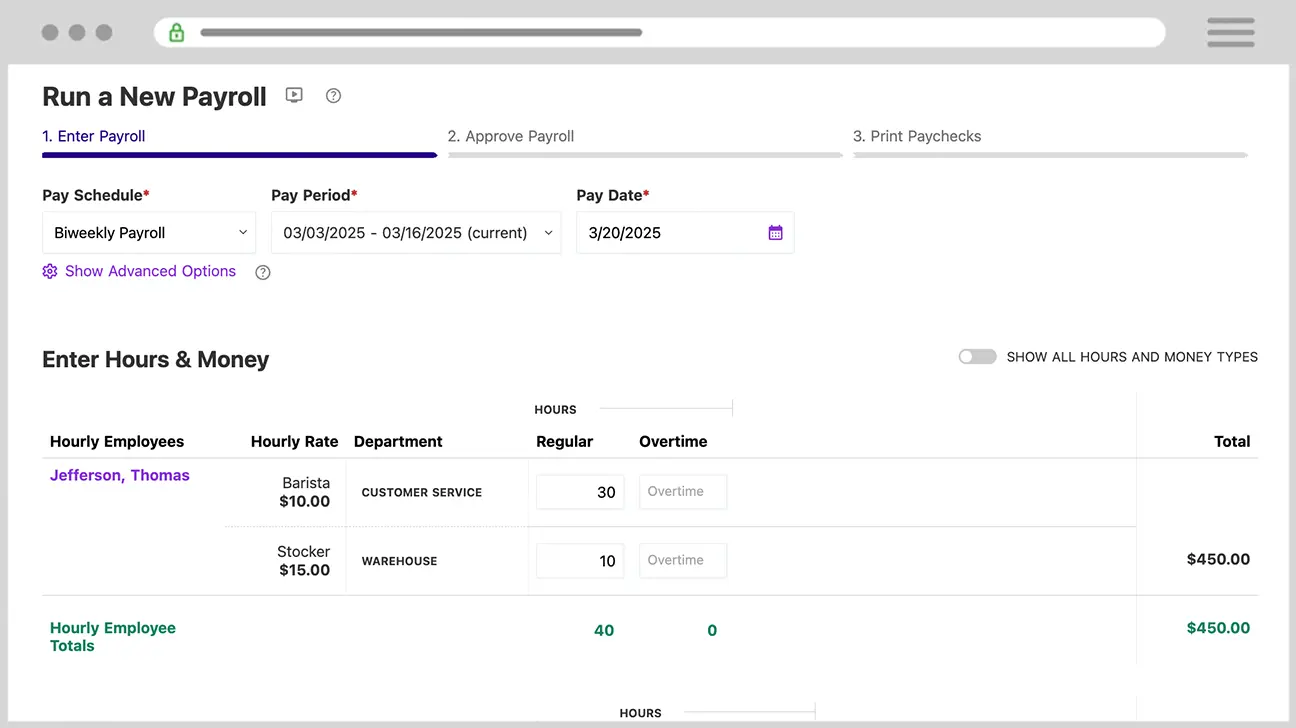
The Basic plan at $17/mo handles payroll calculations, direct deposit, and unlimited payrolls. You handle your own tax filings. If you’d rather have Patriot handle taxes, step up to the Full Service plan at $37/month + $5 per employee.
Patriot Plans & Pricing
- Basic Payroll: $17/mo + $4/employee — unlimited payrolls, direct deposit, contractor pay
- Full Service Payroll: $37/mo + $5/employee — everything in Basic + tax filing and deposits
Running Payroll in Patriot
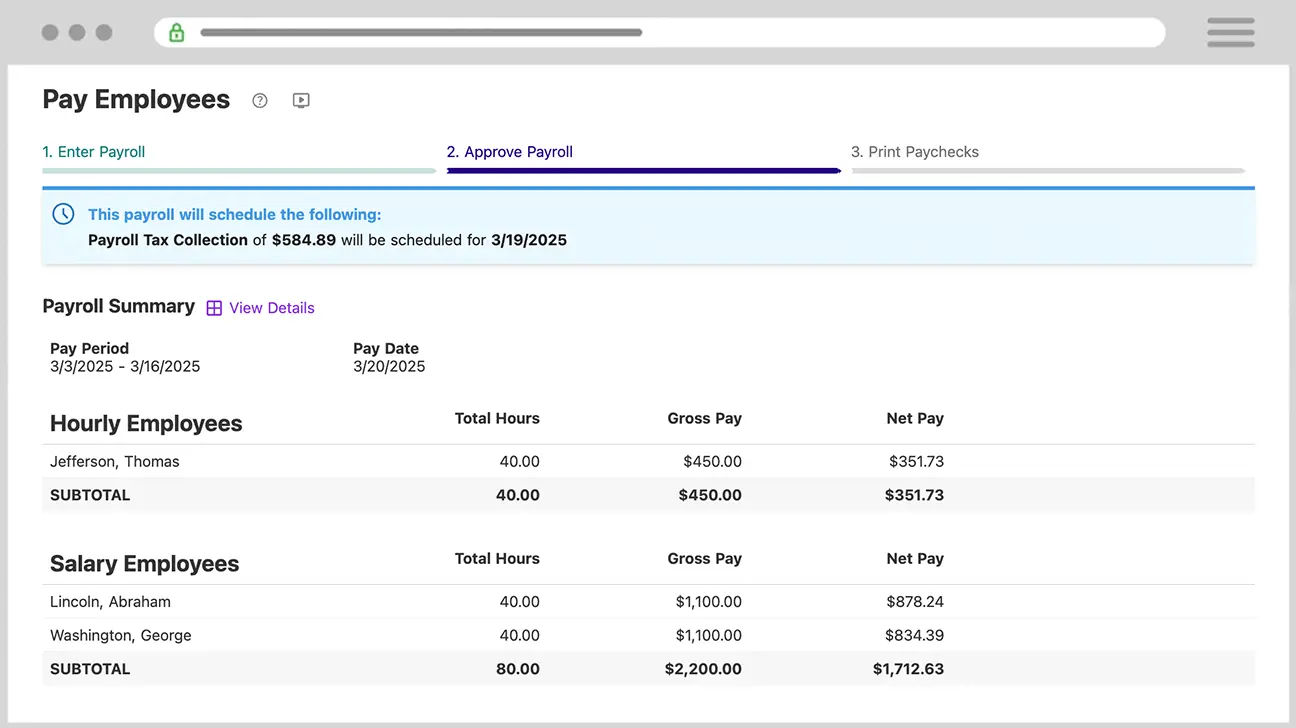
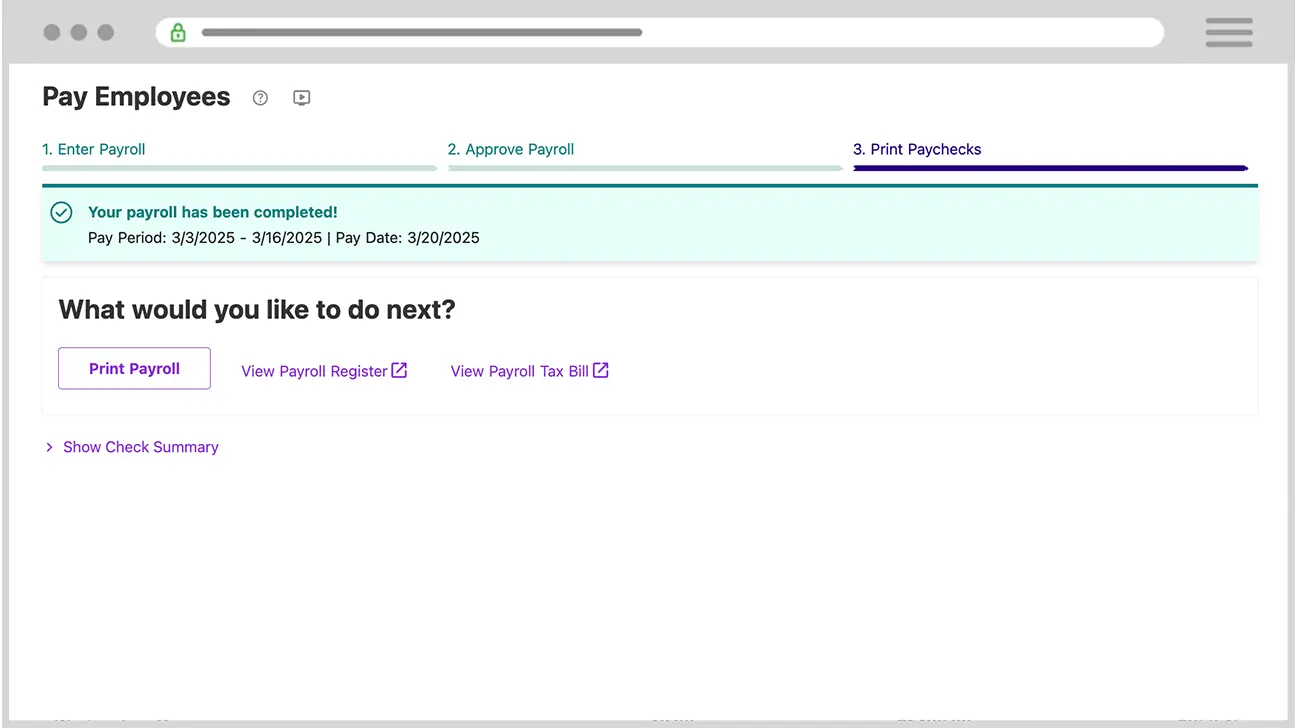
Patriot’s payroll process is genuinely simple. Enter hours, review the run, approve, and pay. Most runs take under five minutes once you’ve done it a couple of times.
Patriot’s Reporting
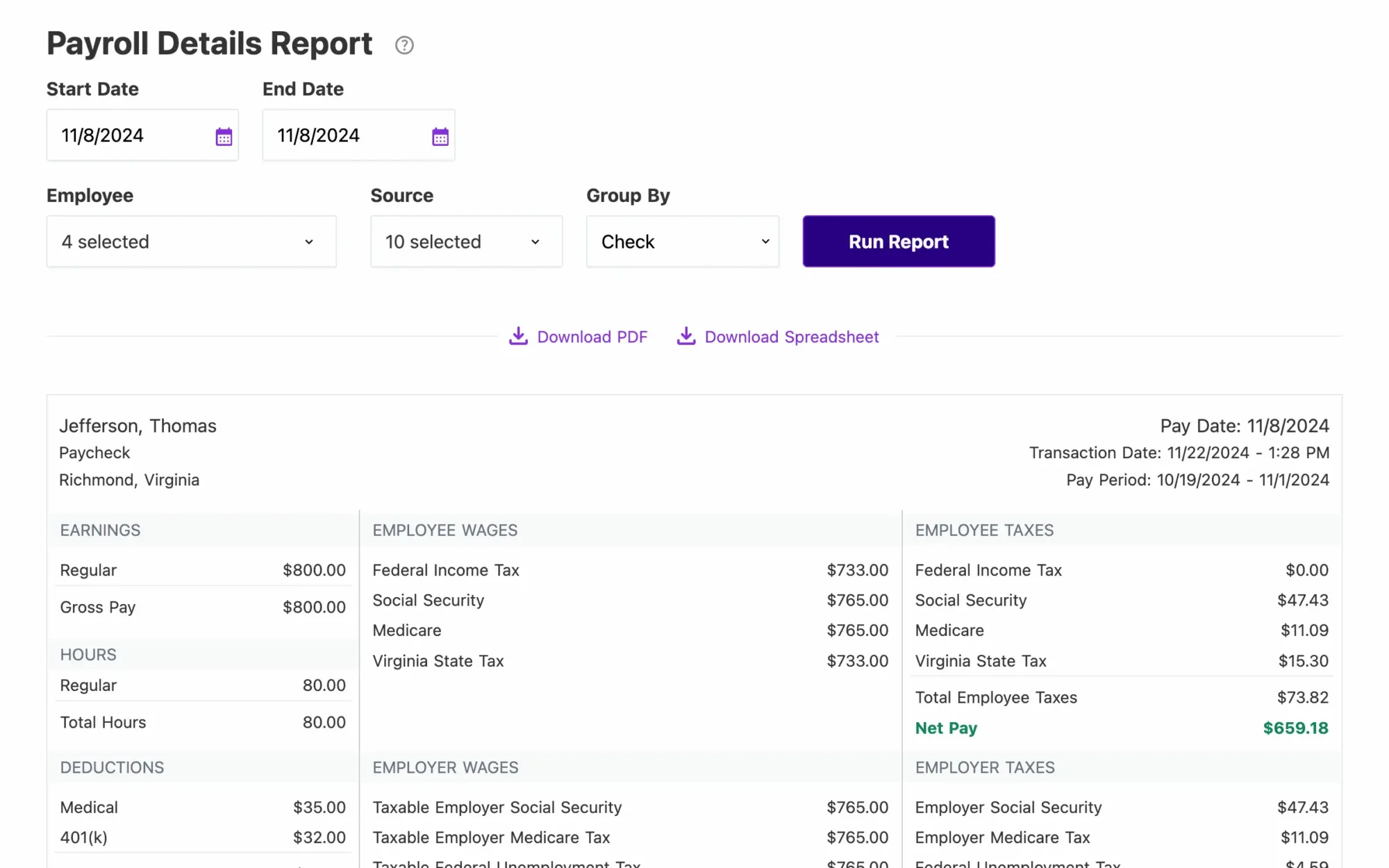
The reporting suite covers everything a small business typically needs: payroll summaries, tax liability reports, year-to-date earnings, and contractor payment history. Not flashy, but complete.
Patriot Pros & Cons
- Pro: Cheapest legitimate payroll software on the market
- Pro: Excellent US-based customer support
- Pro: Free 30-day trial
- Con: US payroll only, no international support
- Con: No mobile app
- Con: Fewer integrations than Gusto or QuickBooks
Best for: Budget-sensitive small businesses, solopreneurs with a few employees, and business owners who want control over their own tax filings.
4. QuickBooks Payroll — Best for Existing QuickBooks Users
If you’re already running QuickBooks Online for your accounting, QuickBooks Payroll is the obvious choice. The native integration means payroll data flows directly into your books — no exports, no manual reconciliation.
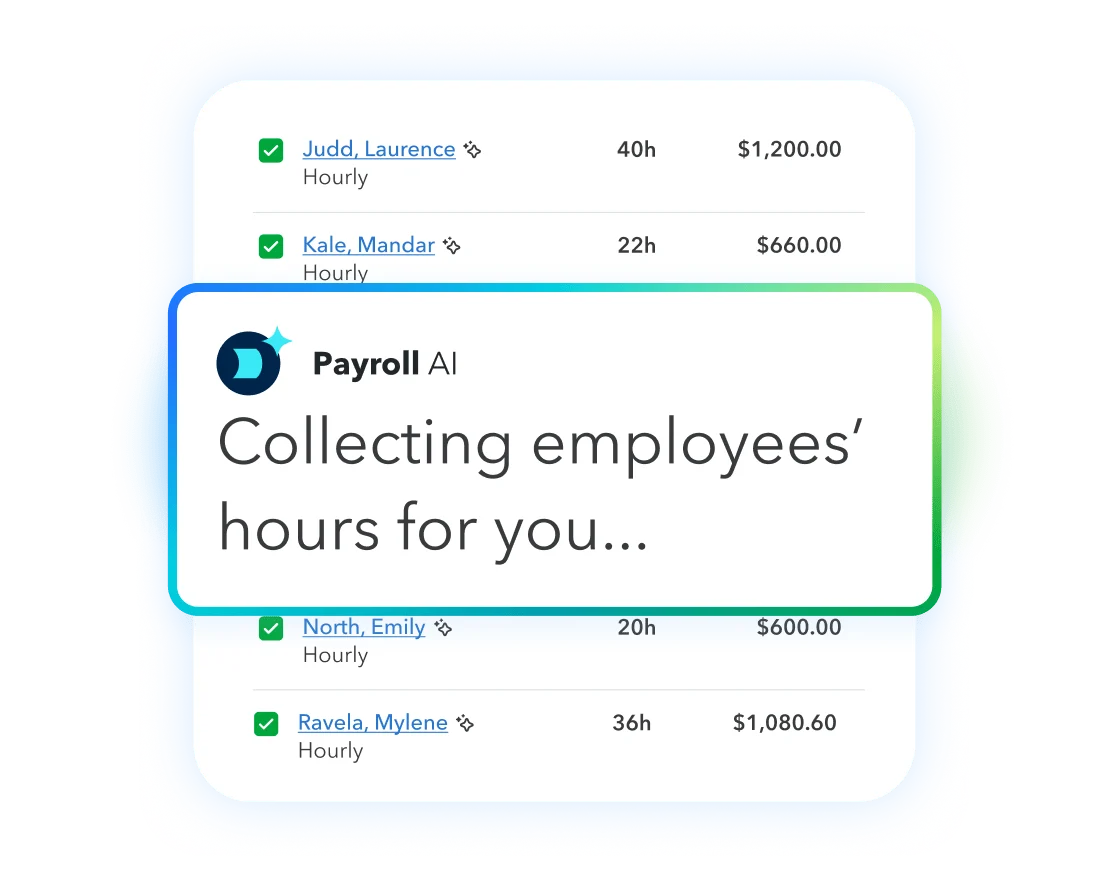
Pricing starts at $50/month + $7 per employee for the Core plan, stepping up to $88/mo + $13/employee (Premium) and $134/mo + $17/employee (Elite). QuickBooks is not cheap — especially compared to Gusto and OnPay — but the time savings from seamless accounting integration can justify the cost for existing QB users.
QuickBooks Payroll Plans
- Core: $50/mo + $7/employee — unlimited payroll, tax filing, next-day direct deposit
- Premium: $88/mo + $13/employee — same-day direct deposit, time tracking, HR support center
- Elite: $134/mo + $17/employee — dedicated expert, tax penalty protection, personal HR advisor
QuickBooks Payroll Pros & Cons
- Pro: Native sync with QuickBooks Online saves hours of reconciliation
- Pro: Strong mobile app for both employers and employees
- Pro: Tax penalty protection on Elite — they’ll pay any penalties from their mistakes
- Con: Most expensive mainstream option when you add per-employee fees
- Con: Interface can feel cluttered for payroll-only users
- Con: Customer support quality varies widely — reviews cite long wait times
Best for: Small businesses already using QuickBooks Online who want their payroll and accounting in one ecosystem.
5. ADP Run — Best for Businesses Ready to Scale
ADP is the name everyone knows in payroll, and for good reason. ADP Run is built for businesses that start small but expect to grow. It handles everything from basic payroll to workers’ comp, unemployment insurance, and full HR compliance support.
The catch: ADP doesn’t publish its prices. You have to get a custom quote, which almost always means paying more than the alternatives. Most small businesses report paying $80–$120/month for a team of 5–10.
ADP Run Features Worth Noting
- Automatic tax filing in all 50 states
- New-hire reporting
- Workers’ comp and benefits add-ons
- Compliance support library
- Solid mobile app for both employers and employees
- HR Pro add-on for live HR advisory access
ADP Run Pros & Cons
- Pro: Highly scalable — works from 1 employee to thousands
- Pro: Strong compliance tools for businesses in regulated industries
- Pro: 24/7 customer support
- Con: Opaque pricing — always request multiple quotes before signing
- Con: Harder to set up than Gusto or Patriot
- Con: W-2 filing and some reports cost extra
Best for: Growing businesses (10+ employees) that prioritize compliance support and want a platform that scales with them.
6. Square Payroll — Best for Retail and Food Service
If you’re running a restaurant, retail shop, or any business with hourly workers clocking in and out on Square POS, Square Payroll is a no-brainer. It pulls hours directly from Square’s time clock — no manual entry, no errors.
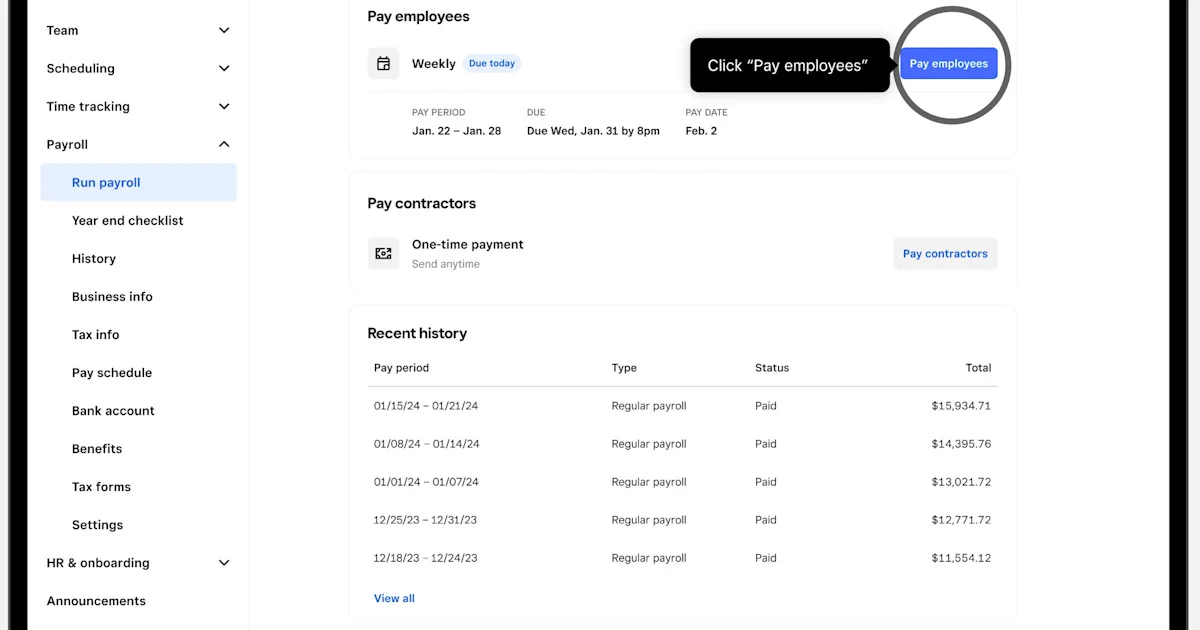
Pricing: $35/month + $6 per employee/contractor. If you only pay contractors (no W-2 employees), it’s just $6/contractor/month with no base fee.
Square Payroll Key Features
- Direct sync with Square POS and Square Time Clock
- Automatic tax filing included
- Same-day or next-day direct deposit (for eligible accounts)
- Tip reporting and split-shift support built in
- Mileage reimbursements and expense tracking
Square Payroll Pros & Cons
- Pro: Seamless with Square POS ecosystem
- Pro: Lower base price than Gusto
- Pro: Contractor-only plan is extremely affordable
- Con: Adds value mainly if you’re already using Square
- Con: Limited HR features compared to Gusto or OnPay
- Con: Less useful for professional services or remote teams
Best for: Restaurants, cafes, retail shops, and service businesses that already run on the Square ecosystem.
7. SurePayroll — Best for Household Employers
SurePayroll (a Paychex company) is the go-to for a specific but underserved segment: household employers — people who pay nannies, housekeepers, home health aides, or personal assistants. It has a dedicated household payroll plan designed for exactly this use case.
For standard small businesses, its Full Service plan runs $29/month + $7 per employee and includes tax filing. The No Tax Filing plan starts at $20/month + $4/employee.
SurePayroll Pros & Cons
- Pro: Best-in-class household payroll (nanny payroll, caregiver payments)
- Pro: Simple, three-step payroll process
- Pro: Lower overall cost than Gusto for small headcounts
- Con: Year-end W-2/1099 filing costs extra
- Con: No native time tracking
- Con: Support quality reviews are mixed
Best for: Household employers and very small businesses that want affordable payroll with optional tax filing.
8. Rippling — Best All-in-One HR, Payroll, and IT Platform
Rippling is in a different category from the other tools here. It’s not just payroll software — it’s a full workforce management platform that handles payroll, HR, benefits, time tracking, expense management, AND IT (device management, app provisioning). Think of it as the command center for your entire business infrastructure.
The trade-off: Rippling doesn’t publish prices. You get a custom quote, and it’s typically more expensive than standalone payroll tools. Most small businesses report paying $30–$50 per employee per month when bundling multiple modules.
Rippling Pros & Cons
- Pro: One platform for payroll, HR, benefits, and IT
- Pro: Global payroll support for international teams
- Pro: Powerful automation workflows (e.g., auto-provision apps when a new hire joins)
- Con: Overkill (and overpriced) for businesses under 15 employees
- Con: Complex implementation process
- Con: Annual contracts typically required
Best for: Tech-forward small businesses and startups with 15+ employees that want to consolidate HR, payroll, and IT in a single system.
How to Choose the Right Payroll Software
The right payroll software depends on four things:
1. How Many Employees Do You Have?
For 1–5 employees: Patriot Payroll or SurePayroll will save you the most money. For 5–50 employees, Gusto or OnPay offer the best balance of features and cost. For 50+ employees who need HR and compliance support, look at ADP Run or Rippling.
2. Do You Need Tax Filing or Will You Handle It Yourself?
Handling your own payroll taxes isn’t complicated if you’re organized, but most business owners prefer to outsource it. Gusto, OnPay, QuickBooks Payroll, and Square Payroll all include full-service tax filing. Patriot’s basic plan doesn’t — you’ll pay extra for their Full Service tier.
3. What’s Your Existing Software Stack?
Already on QuickBooks? Pay the premium for QuickBooks Payroll and enjoy native sync. On Square POS? Square Payroll is the obvious choice. Using Xero for accounting? Gusto integrates with Xero out of the box. If you’re running a lot of other time tracking tools, check that your payroll platform integrates cleanly.
4. What’s Your Monthly Budget?
For a 5-person team, here’s what you’d pay monthly in 2026:
| Tool | 5 Employees/mo | 10 Employees/mo |
|---|---|---|
| Patriot (Full Service) | $62 | $87 |
| OnPay | $79 | $109 |
| Gusto (Simple) | $79 | $109 |
| Square Payroll | $65 | $95 |
| QuickBooks Core | $85 | $120 |
The differences look small at 5 employees, but they add up significantly as your headcount grows.
Frequently Asked Questions
What’s the cheapest payroll software for small business?
Patriot Payroll is the most affordable at $17/month base + $4 per employee (Basic plan, no tax filing). For full-service payroll including tax filing, Patriot’s Full Service plan ($37/mo + $5/employee) and SurePayroll ($29/mo + $7/employee) are the budget leaders.
Can payroll software handle 1099 contractors?
Yes — every tool on this list handles 1099 contractor payments. Gusto, OnPay, and QuickBooks Payroll all include contractor payment management and year-end 1099 filing. Square Payroll offers a contractor-only plan at $6/contractor/month with no base fee.
Do I need payroll software if I only have 1 employee?
Yes, especially in the US where payroll tax miscalculations carry real penalties. Even for one employee, payroll software earns its keep by automating federal and state tax withholding, generating pay stubs, and handling year-end W-2s. Patriot or SurePayroll are the most cost-effective options at this scale.
Which payroll software is easiest to use?
Gusto consistently ranks highest for ease of use in third-party reviews. The setup wizard is step-by-step, payroll runs are fast, and the employee self-service experience means your team handles their own onboarding and direct deposit setup. Patriot is the runner-up for simplicity — it does less, but what it does is very straightforward.
Does payroll software integrate with accounting software?
Most do. Gusto integrates with QuickBooks, Xero, and Wave. QuickBooks Payroll integrates natively with QuickBooks Online. OnPay integrates with QuickBooks and Xero. If you’re also looking at your business management tools, our roundup of the best project management software for remote teams covers tools that also sync with payroll and HR platforms.
The Bottom Line
Payroll software is one of those tools where getting it wrong costs you in IRS penalties, employee frustration, and wasted hours. Getting it right takes about an afternoon to set up and then runs on autopilot.
For most small businesses in 2026, the decision comes down to this:
- Best overall: Gusto — the right balance of features, ease of use, and price
- Best budget pick: Patriot Payroll — half the price, still solid
- Best for QB users: QuickBooks Payroll — pays for itself in accounting time saved
- Best for Square shops: Square Payroll — seamless, affordable, purpose-built
- Best all-in-one: Rippling — if you’re ready to pay for it
Whatever you pick, the key is to actually use it consistently. The best payroll software is the one that gets run on time, every time.