Best Lists
Best Appointment Scheduling Software in 2026: 7 Tools Tested and Ranked
I've spent more hours than I'd like to admit watching people fight with their calendars. A coach I know sends 15 emails to book a single 30-minute call. A salon owner loses two clients a week to no-shows because she still texts reminders by hand. There's no reason for any of this. Appointment scheduling software […]
I’ve spent more hours than I’d like to admit watching people fight with their calendars. A coach I know sends 15 emails to book a single 30-minute call. A salon owner loses two clients a week to no-shows because she still texts reminders by hand.
There’s no reason for any of this. Appointment scheduling software exists to kill that friction — permanently.
We tested seven tools across solo use, small teams, and service businesses. Here’s what we found: most people are on the wrong tool for their situation. The best tool for a developer is a terrible choice for a salon owner. The free plan that works for a solopreneur will bottleneck a 10-person team.
This guide cuts through that. You’ll know exactly which tool fits your situation in five minutes.
- Best for teams and enterprise: Calendly (from $10/seat/mo)
- Best for service businesses: Acuity Scheduling (from $16/mo)
- Best for in-person + POS: Square Appointments (free plan available)
- Best free option for small teams: Setmore (free up to 4 users)
- Best for solopreneurs: YouCanBookMe (from $7/mo)
- Best customizable booking: SimplyBook.me (from $11.90/mo)
- Best for developers / open source: Cal.com (free self-hosted)
How We Evaluated These Appointment Scheduling Tools
We looked at seven factors: ease of setup (timed from signup to first live booking link), calendar sync quality, payment collection, reminder effectiveness, pricing transparency, team features, and integration depth. We prioritized tools with publicly listed pricing — if you need a sales call to find out the cost, that’s a red flag for small business users.
1. Calendly — Best for Teams and Enterprise
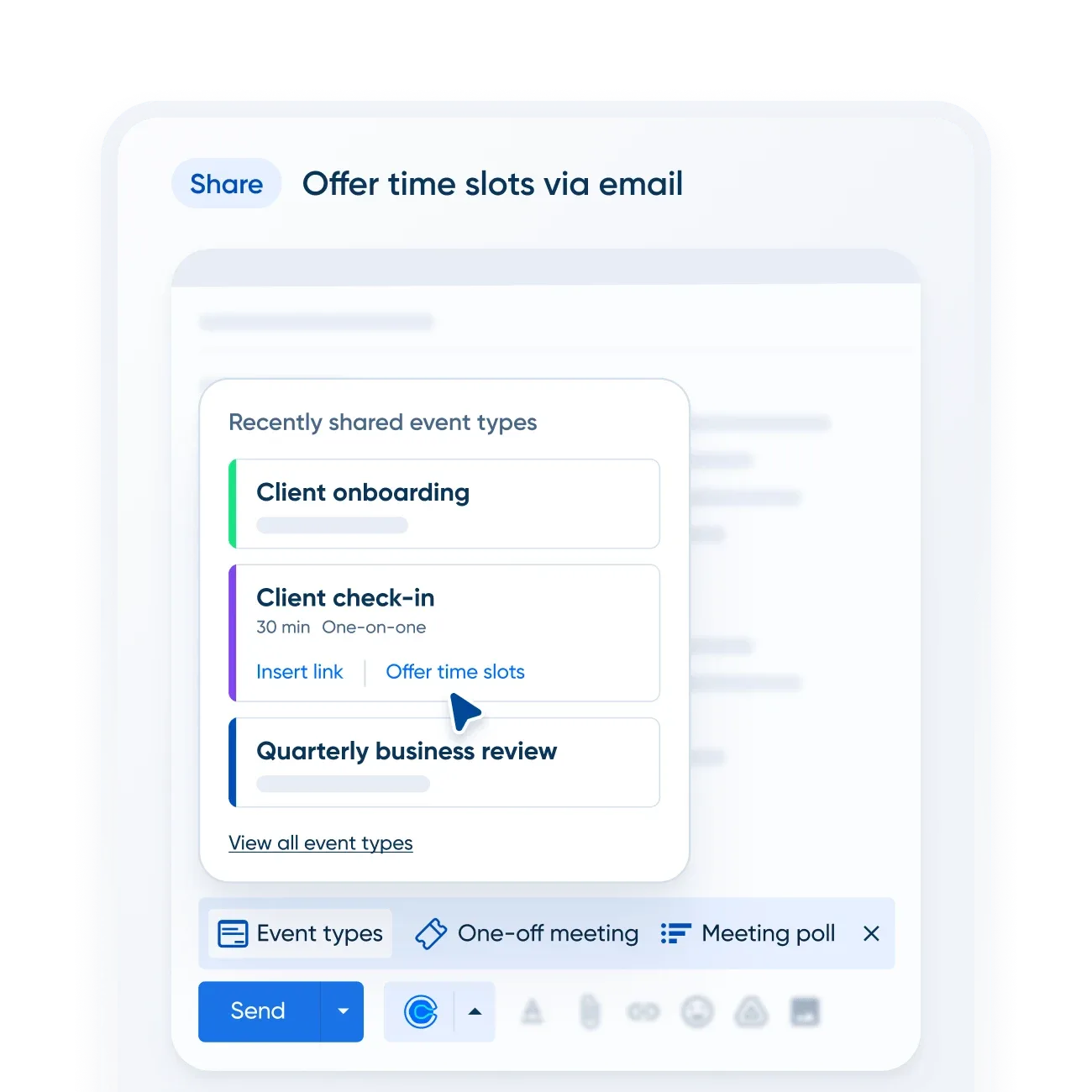
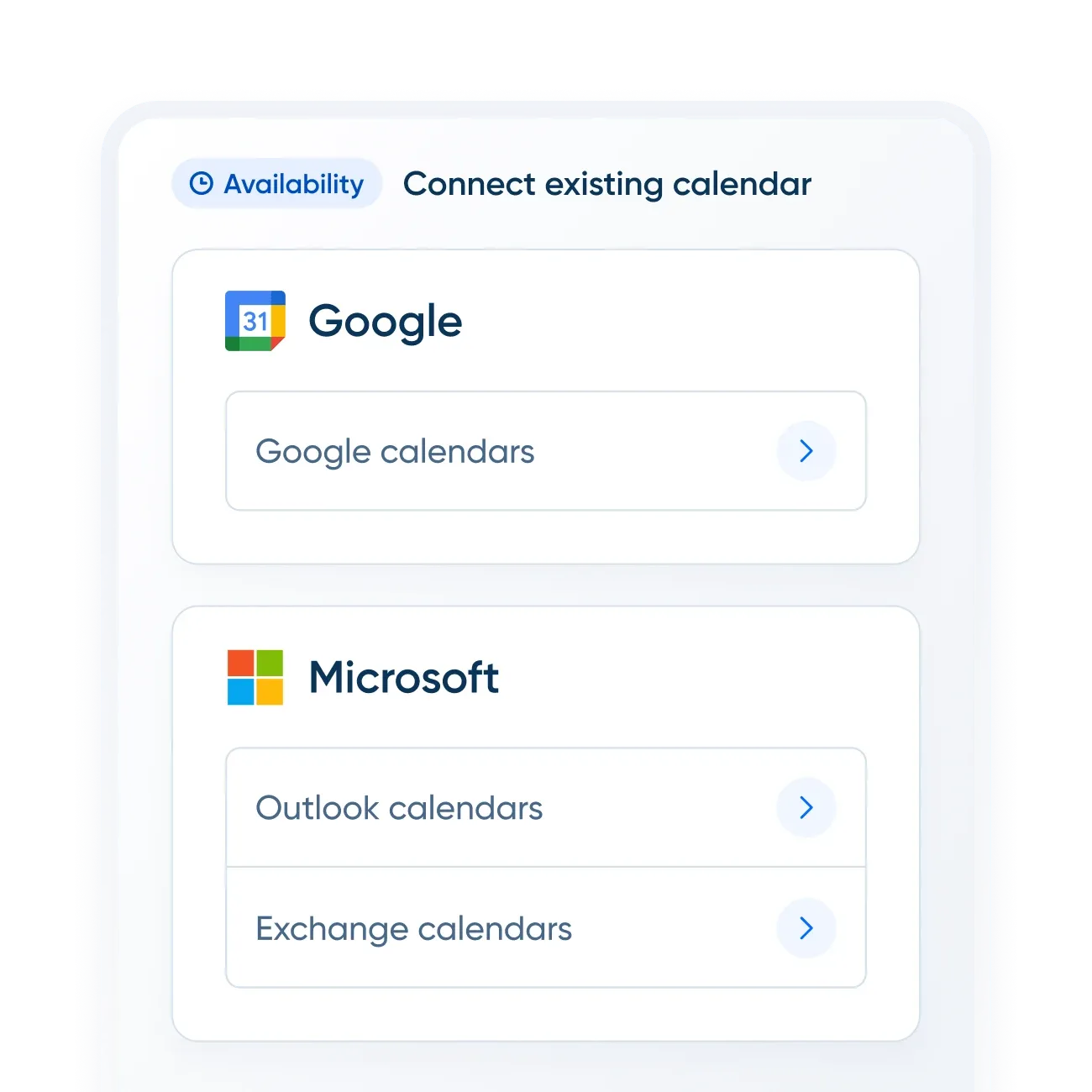
Calendly wins on distribution. It’s the scheduling link almost everyone has seen in a sales email or LinkedIn message. That familiarity matters — invitees trust the interface immediately, which reduces friction and increases booking completion rates.
The free plan is real: one event type, one calendar connection, unlimited bookings. Most solopreneurs can run on it indefinitely. The jump to Standard ($10/seat/mo annual) unlocks unlimited event types, Stripe/PayPal payments, and automations — that’s the sweet spot for most freelancers and small agencies.
Where Calendly really separates itself is Teams. Round-robin scheduling, lead routing, Salesforce meeting sync, and centrally managed event types are features most competitors don’t offer at any price. If you’re a sales team or agency running multiple people on the same scheduling system, Calendly Teams ($16/seat/mo) is the default answer.
The downside: it’s not cheap at scale, and the enterprise tier ($15k+/year, 50-seat minimum) is a significant jump. Solo service providers — hairdressers, coaches, therapists — will find Acuity or Setmore a better fit.
Calendly also integrates with the best video conferencing platforms, including Zoom, Google Meet, and Microsoft Teams, making it seamless for remote consultations.
Calendly Pricing
- Free: $0/mo — 1 event type, 1 calendar
- Standard: $10/seat/mo (annual) — unlimited event types, payments, automations
- Teams: $16/seat/mo (annual) — round-robin, routing, Salesforce sync
- Enterprise: $15k+/year (50-seat minimum)
2. Acuity Scheduling — Best for Service Businesses
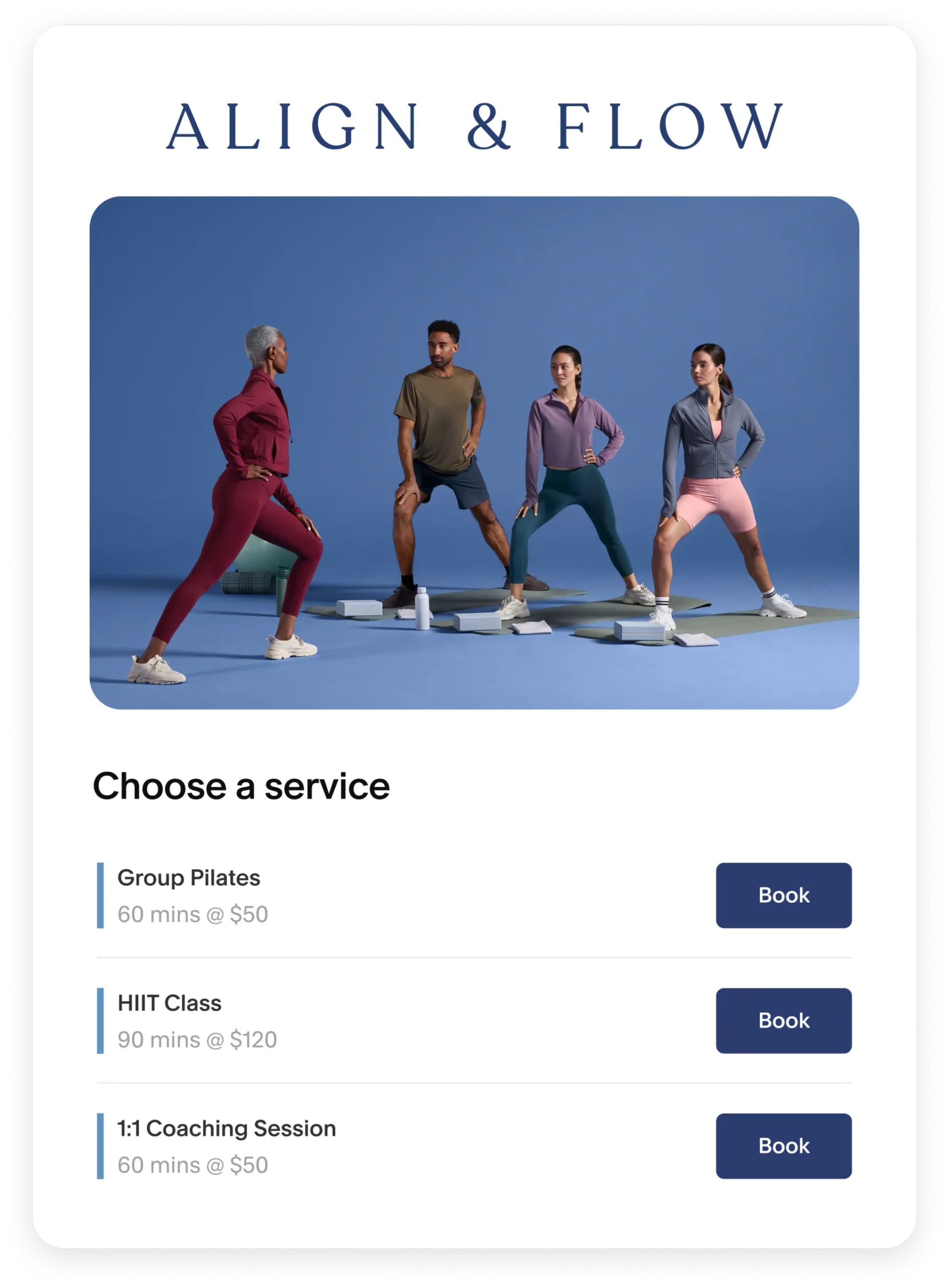
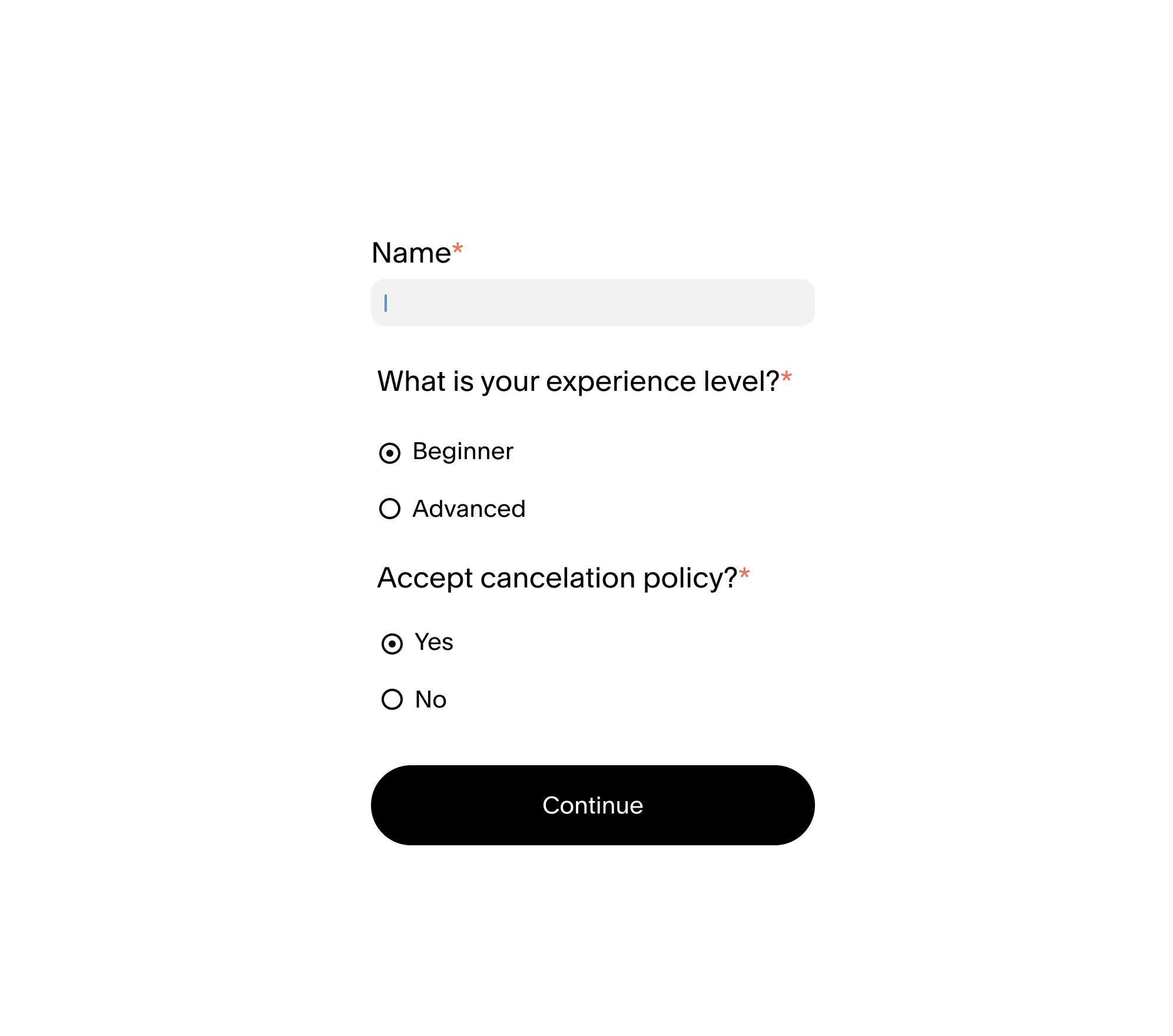
Acuity is built for businesses that sell time as a service. Coaches, therapists, consultants, and wellness practitioners will feel at home immediately. The intake form capability is the standout feature — you can collect detailed client information before the appointment, which eliminates the 10-minute “tell me about yourself” session at the start of every call.
The Starter plan ($16/mo annual) is already feature-rich: unlimited services, payments via Stripe/Square/PayPal, custom branding, and automatic timezone conversion. That last one sounds minor until you’re booking clients across 12 time zones and no one shows up at the wrong hour.
Standard ($27/mo annual) adds SMS reminders, appointment packages, and waitlists. Premium ($55/mo annual) adds HIPAA compliance via a Business Associate Agreement — a must for healthcare providers — plus AI booking assistant and multiple time zones per staff member.
The pricing model is flat per account (not per seat), which makes it cost-efficient for small teams. One account covers up to 6 calendars on Standard and up to 36 on Premium. For a busy salon or therapy practice with multiple practitioners, that’s excellent value.
The one gripe: no permanent free plan. The 7-day trial is real but short. Budget for at least the Starter plan from day one.
Acuity Scheduling Pricing
- Starter: $16/mo annual ($20/mo monthly) — 1 calendar, payments, intake forms
- Standard: $27/mo annual ($34/mo monthly) — up to 6 calendars, SMS reminders, packages
- Premium: $55/mo annual ($69/mo monthly) — up to 36 calendars, HIPAA, AI assistant
- 7-day free trial available
3. Square Appointments — Best for In-Person Businesses
If you take payments in person, Square Appointments is the obvious choice. It’s the only tool on this list where your scheduling and point-of-sale system are the same product. That integration saves hours — no syncing, no double entry, no reconciliation headaches.
The free plan covers solo operators completely: online booking, calendar management, automatic reminders, and payment processing. You pay only Square’s standard processing fees (2.6% + 15¢ for in-person). For a solo hair stylist or massage therapist, this is a full-featured, zero-monthly-cost solution.
When you grow to a team, the Plus plan ($49/location/mo) adds multi-staff booking, cancellation policies, no-show fees, and a waitlist. Premium ($149/location/mo) adds resource management and service cost tracking — relevant for spas, studios, or any business managing both staff and physical resources (rooms, equipment).
The limitation: Square Appointments is deeply tied to the Square ecosystem. If you’re not processing payments through Square, you lose most of the integration value. And it lacks the advanced routing and CRM integrations that sales teams need. This tool solves one specific problem extremely well.
Square Appointments Pricing
- Free: $0/location/mo — solo booking, unlimited appointments, reminder emails
- Plus: $49/location/mo — multi-staff, no-show fees, waitlist
- Premium: $149/location/mo — resource management, advanced reporting
- Payment processing fees apply (2.6% + 15¢ in person)
4. Setmore — Best Free Option for Small Teams
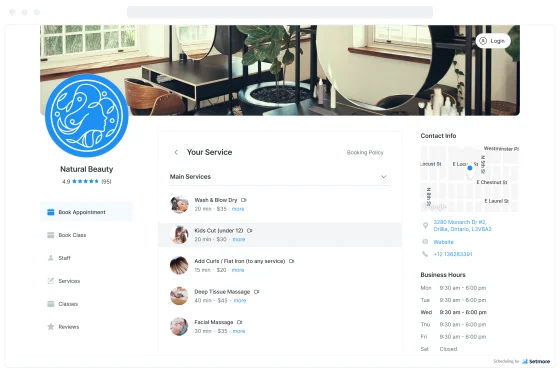
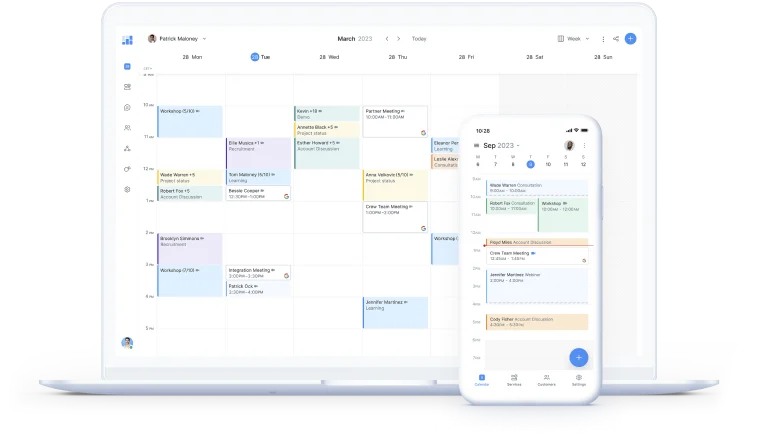
Setmore’s free plan is the most generous on this list. Up to four users, unlimited appointments, online booking, email reminders, and payment processing — all at zero cost. For a startup, small agency, or new service business, there’s no reason not to start here.
The Pro plan at $5/user/month (annual) removes Setmore branding, adds SMS reminders (500 credits/month per team member), enables recurring appointments, adds 2-way calendar sync, and includes HIPAA compliance via BAA. At $5/user/mo, it’s the most affordable paid scheduling tool in this roundup.
One feature worth calling out: Setmore Pro includes priority support, integration setup help, and growth/SEO guidance. That’s unusual — most tools at this price point offer live chat at best. For small business owners who aren’t technical, having hands-on setup assistance included in the plan is worth more than most tools at this price.
The catch: Setmore’s interface feels a generation behind Calendly. It works, but the booking flow isn’t as polished. If brand perception matters for your business (high-end coaching, premium consulting), you might prefer the cleaner look of Calendly or Acuity.
Setmore’s free multi-user plan also makes it a solid complement to a broader HR software stack for small teams — it handles scheduling without adding to your monthly spend.
Setmore Pricing
- Free: $0 — up to 4 users, unlimited appointments, email reminders
- Pro: $5/user/mo (annual) / ~$12/user/mo (monthly) — SMS reminders, HIPAA, recurring appointments
- 30-day free trial of Pro
5. YouCanBookMe — Best for Solopreneurs
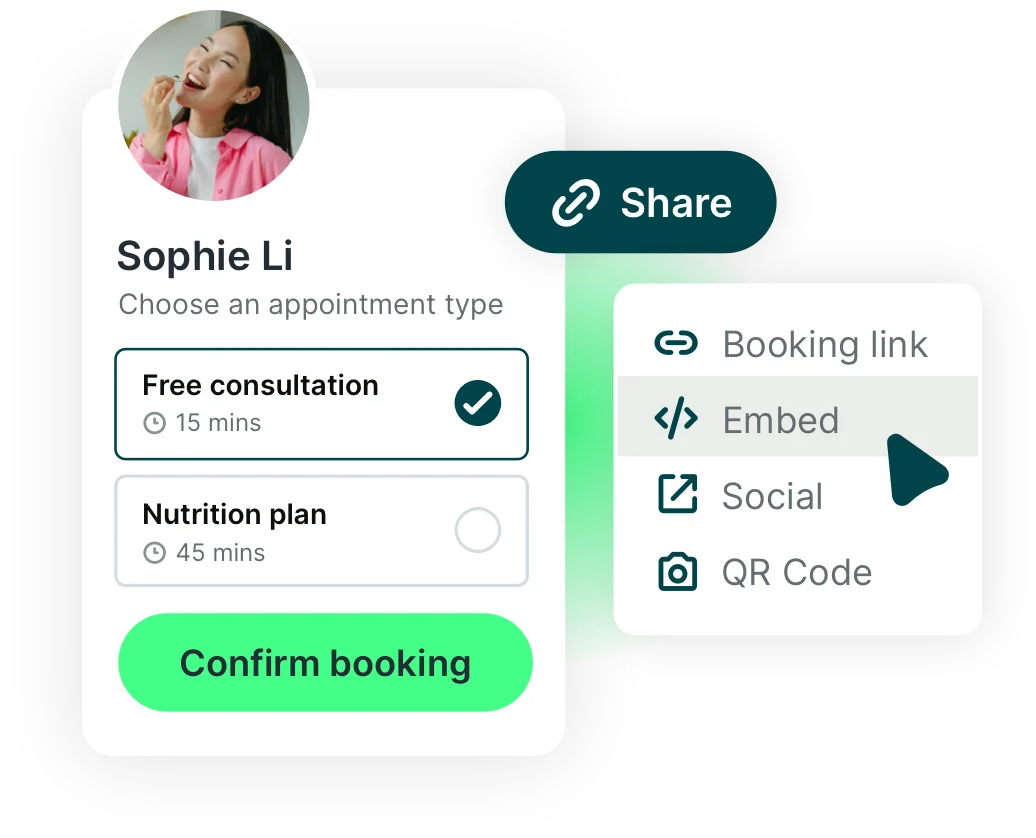
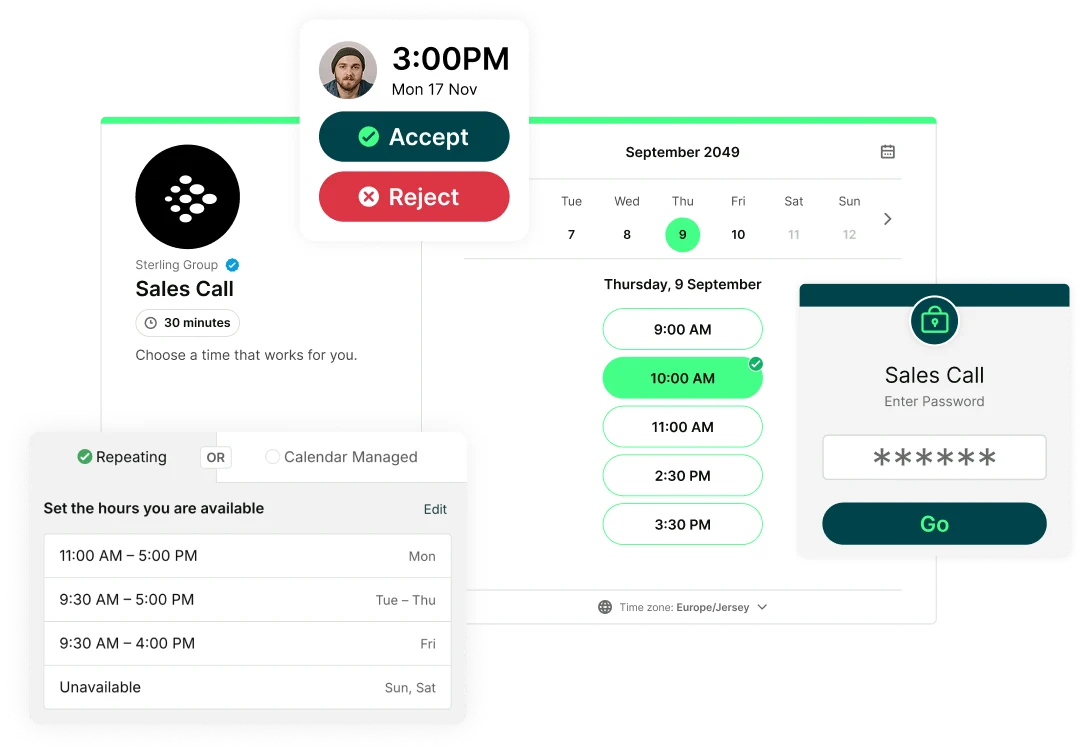
YouCanBookMe’s standout strength is simplicity. Connect your Google Calendar, set your availability, share the link. That’s it. For a solopreneur or freelancer who needs a booking link and nothing else, this is the fastest path from signup to live bookings.
The free plan (1 calendar, 1 booking page, with “Powered for free” branding) handles the basics. Individual ($7/mo annual flat fee) unlocks custom branding, SMS reminders, and advanced availability controls. Professional ($10/mo annual) adds multiple appointment types, automated workflows, and analytics.
The Teams plan ($14/member/mo annual) adds round-robin scheduling, a team dashboard, and centralized billing — at this price point it competes directly with Calendly Teams at $16/seat/mo, with similar functionality.
YouCanBookMe’s pricing is a flat monthly fee (not per-seat) for individual plans, which is a meaningful differentiator. A solo consultant who books 200 meetings a month pays the same $7 as someone who books 5. There are no booking limits.
Where it falls short: the interface hasn’t been refreshed as frequently as Calendly’s, and deep CRM integrations (Salesforce, Marketo) aren’t available. For a sales team, look elsewhere. For a freelance designer booking client calls, it’s perfect.
YouCanBookMe Pricing
- Free: $0 — 1 calendar, 1 booking page (with branding)
- Individual: $7/mo annual flat fee — custom branding, SMS, advanced availability
- Professional: $10/mo annual flat fee — multiple booking types, workflows, analytics
- Teams: $14/member/mo annual — round-robin, team dashboard
- 14-day free trial; 30-day money-back guarantee
6. SimplyBook.me — Best for Customizable Booking

SimplyBook.me has more configuration options than any other tool on this list. Its “custom features” system lets you add modules for exactly what your business needs: memberships, loyalty programs, HIPAA compliance, intake forms, POS, resource management, and 50+ others. No other tool comes close for depth.
The free plan (50 bookings/mo, 1 provider, 1 custom feature) is a real working product, not a bait-and-switch. The Basic plan ($11.90/mo annual) covers 100 bookings and 5 providers — enough for a small service business. Standard ($24.90/mo annual) jumps to 500 bookings, 15 providers, and adds HIPAA compliance and SAML SSO.
The Premium plan ($49.90/mo annual, “Most Popular”) is where most growing businesses land: 2,000 bookings/mo, 30 providers, unlimited custom features, and payment integrations including QuickBooks and Xero. For a spa, fitness studio, or multi-location service business, this covers virtually every use case.
The learning curve is real. The first time you open the admin dashboard, it’s overwhelming. Plan for a couple of hours of setup. Once configured, it’s powerful — but it’s not a 10-minute tool. If you need to be live in an hour, choose Calendly or YouCanBookMe instead.
SimplyBook.me Pricing
- Free: $0 — 50 bookings/mo, 1 provider, 1 custom feature
- Basic: $11.90/mo annual — 100 bookings, 5 providers, 3 custom features
- Standard: $24.90/mo annual — 500 bookings, 15 providers, HIPAA, SAML SSO
- Premium: $49.90/mo annual — 2,000 bookings, 30 providers, unlimited custom features
- 14-day free trial of paid features
7. Cal.com — Best for Developers and Open-Source Users
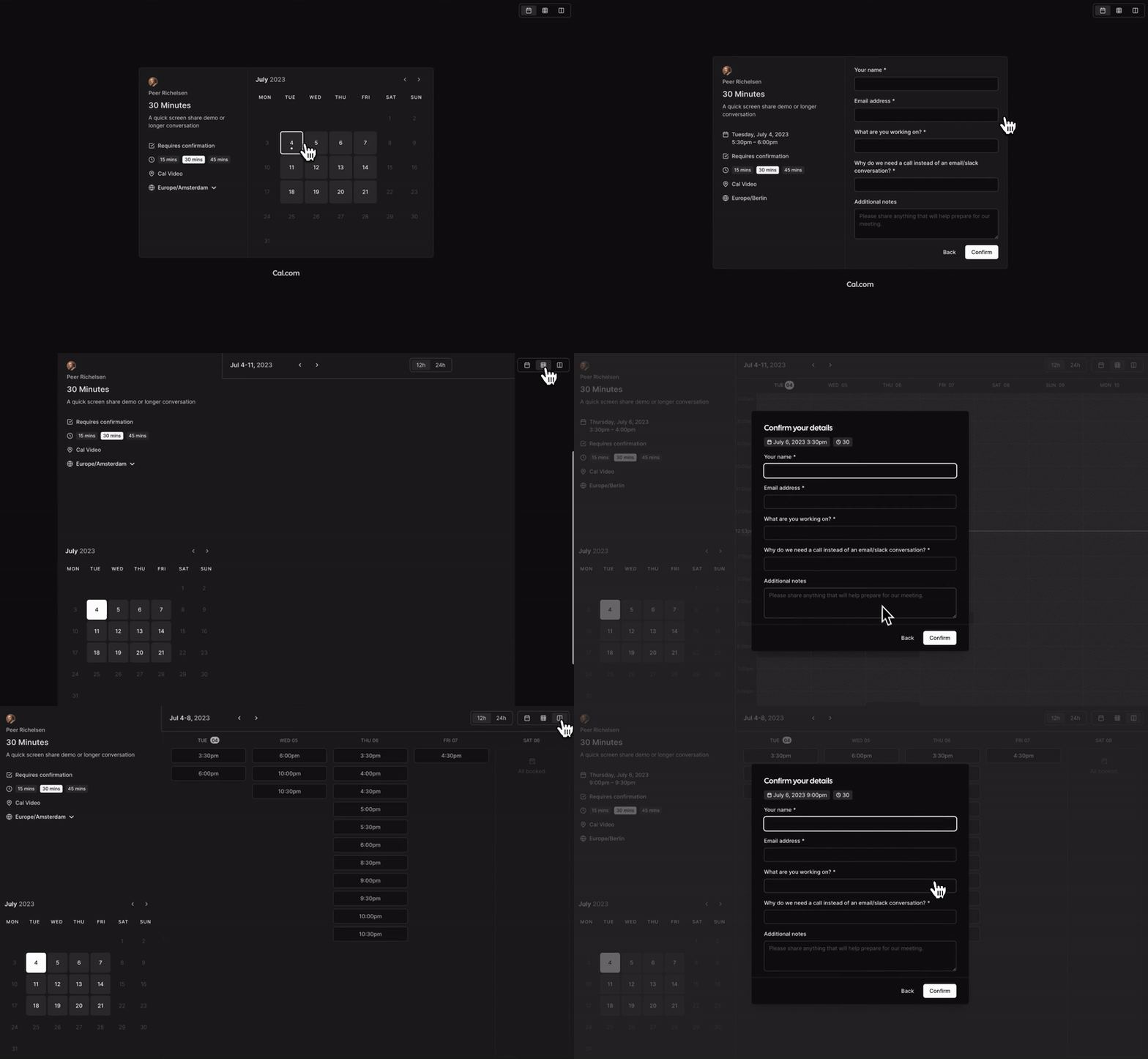
Cal.com is Calendly for people who want to own their infrastructure. It’s open source, self-hostable, and built by a team that publishes their roadmap publicly on GitHub. For a developer or tech-forward startup, that transparency and control is a genuine selling point.
The free individual plan is remarkably generous: unlimited event types, unlimited calendars, 100+ integrations, Stripe and PayPal payments, two-way Salesforce and HubSpot sync, and a mobile app. Compared to Calendly’s free plan (1 event type, 1 calendar), Cal.com’s free tier is substantially more capable for individual use.
The Teams plan ($12/user/mo annual) unlocks round-robin scheduling, team event types, routing forms, and booking analytics. Organizations ($28/user/mo annual) adds SAML SSO, HIPAA, SOC 2, and ISO 27001 compliance — enterprise-grade compliance at a competitive price point.
Self-hosting on Cal.com is free via GitHub and Docker. It requires technical setup, but gives complete control over data and customization. For a company with strong privacy requirements or compliance needs, this is the only fully self-hosted scheduling tool with this feature depth.
The downside: the Teams and Organizations pricing assumes annual billing — there’s no month-to-month option listed. And the self-hosted version requires your team to manage updates, hosting, and maintenance. For non-technical users, stick to Calendly or Acuity.
Cal.com Pricing
- Free: $0 — 1 user, unlimited event types, 100+ integrations, payments
- Teams: $12/user/mo (annual) — round-robin, routing, team events, analytics
- Organizations: $28/user/mo (annual) — SAML SSO, HIPAA, SOC 2, ISO 27001
- Self-hosted (free, open source); 14-day free trial
Best Appointment Scheduling Software: Full Comparison
| Tool | Starting Price | Free Plan | Best For | HIPAA | SMS Reminders |
|---|---|---|---|---|---|
| Calendly | $10/seat/mo | ✅ Yes | Teams & enterprise | ✅ Enterprise | ✅ Standard+ |
| Acuity Scheduling | $16/mo | ❌ No | Service businesses | ✅ Premium | ✅ Standard+ |
| Square Appointments | Free | ✅ Yes | In-person + POS | ❌ No | ✅ Plus+ |
| Setmore | Free / $5/user/mo | ✅ Yes (4 users) | Small teams on budget | ✅ Pro | ✅ Pro |
| YouCanBookMe | Free / $7/mo | ✅ Yes | Solopreneurs | ❌ No | ✅ Individual+ |
| SimplyBook.me | Free / $11.90/mo | ✅ Yes (50 bookings) | Customizable booking | ✅ Standard+ | ✅ Add-on |
| Cal.com | Free / $12/user/mo | ✅ Yes (generous) | Developers / open source | ✅ Organizations | ✅ All plans |
How to Choose Appointment Scheduling Software
Match the tool to your biggest constraint — not your wishlist. Here’s the one-question guide:
Do you take in-person payments? Start with Square Appointments. The POS integration alone saves hours of reconciliation per week.
Do you need HIPAA compliance? Acuity Scheduling Premium, Setmore Pro, SimplyBook.me Standard, Cal.com Organizations, or Calendly Enterprise — all offer BAAs. Note that Square Appointments does not.
Are you running a sales team? Calendly Teams is purpose-built for this. Round-robin, lead routing, and Salesforce sync are table stakes for sales scheduling.
Are you a solo freelancer or consultant on a tight budget? Cal.com free (for the technically comfortable) or YouCanBookMe Individual at $7/mo covers everything you need.
Is setup time a concern? Calendly and YouCanBookMe are the fastest to configure — you can have a live booking link in under 10 minutes. SimplyBook.me and Acuity require more setup time but offer more power.
Do you need deep customization? SimplyBook.me’s custom features system is unmatched. No other tool lets you modularly add exactly the functionality you need without paying for features you don’t use.
Are you building on top of scheduling infrastructure? Cal.com’s open-source codebase and API are built for developers who need to customize scheduling logic, build custom frontends, or self-host for compliance reasons.
Frequently Asked Questions
What is the best free appointment scheduling software?
Cal.com offers the most generous free individual plan — unlimited event types, unlimited calendars, and 100+ integrations. Setmore’s free plan covers up to 4 users, which is unusual for free-tier scheduling tools. Square Appointments is free for solo operators who process payments through Square. Calendly’s free plan is more limited (1 event type) but trusted and widely recognized.
Which appointment scheduling software is best for small businesses?
It depends on the business type. Service businesses (salons, therapists, coaches) typically do best with Acuity Scheduling. Retail or in-person businesses should look at Square Appointments. Teams of 2–4 with budget constraints fit Setmore’s free plan well. For a general-purpose recommendation, Calendly Standard at $10/seat/mo balances features, reliability, and ease of use for most small business use cases.
Does appointment scheduling software work with Google Calendar?
All seven tools on this list integrate with Google Calendar. Calendly, Acuity, Setmore, YouCanBookMe, SimplyBook.me, and Cal.com offer two-way sync — appointments booked through the scheduling software appear on your Google Calendar, and existing Google Calendar events block off your availability automatically.
Which scheduling tools are HIPAA compliant?
Acuity Scheduling Premium, Setmore Pro, SimplyBook.me Standard and above, Cal.com Organizations, and Calendly Enterprise all offer HIPAA compliance via a signed Business Associate Agreement (BAA). Always verify the BAA terms before using any scheduling software with protected health information. Square Appointments does not currently offer HIPAA compliance.
Can I accept payments through appointment scheduling software?
Yes — all seven tools support payment collection. Calendly Standard and above supports Stripe and PayPal. Acuity supports Stripe, Square, PayPal, and Venmo. Square Appointments uses Square’s own payment processing. Setmore supports Square, Stripe, and PayPal. YouCanBookMe uses Stripe. SimplyBook.me integrates with multiple processors. Cal.com free plan supports Stripe and PayPal. Deposits, cancellation fees, and package payments vary by tool and plan.