Best Lists
10 Endpoint Security Tools, Ranked by Ops Burden — Not Detection Scores
Table of contentsThe Short VersionQuick Picks: At a GlanceYou've Got 150 Endpoints and Two People to Protect ThemWhat Is the Ops Burden Score?How We Chose These Tools1. ThreatDown Elite MDR — Ops Burden Score: 1/52. Microsoft Defender for Business — Ops Burden Score: 2/53. CrowdStrike Falcon Go — Ops Burden Score: 2/54. Bitdefender GravityZone Business […]
The Short Version
Your IT team is small. The threats aren’t. After testing 23 endpoint security tools and scoring each one on how much daily operational work it creates for a lean team — we call it an Ops Burden Score — only 10 made this list. If you have zero patience for alert fatigue: ThreatDown Elite MDR (Ops Burden Score: 1/5). Already on Microsoft 365? Defender for Business. Want enterprise-grade with a clean console? CrowdStrike Falcon Go.
The rest is below, ranked by how little they’ll stress out your two-person IT team.
Quick Picks: At a Glance
| Tool | Ops Burden Score | Best For | Starting Price |
|---|---|---|---|
| ThreatDown Elite MDR | 1/5 | Teams with zero security bandwidth | Custom pricing |
| Microsoft Defender for Business | 2/5 | Microsoft 365 shops | $3/user/month |
| CrowdStrike Falcon Go | 2/5 | SMBs wanting enterprise-grade | ~$5/endpoint/month |
| Bitdefender GravityZone | 2/5 | Risk-conscious lean teams | From ~$100/5 devices/year |
| Webroot Business | 2/5 | Budget-conscious small businesses | ~$2.50/endpoint/month |
| Sophos Intercept X | 3/5 | Teams with Sophos firewalls | Custom pricing |
| ESET PROTECT | 3/5 | IT-savvy teams wanting control | From ~$5/seat/year |
| SentinelOne Singularity | 3/5 | AI-first autonomous protection | Custom pricing |
| Cylance Protect | 3/5 | Prevention-first philosophy | Custom pricing |
| Cisco Secure Endpoint | 4/5 | Enterprises with security staff | Custom pricing |
You’ve Got 150 Endpoints and Two People to Protect Them
It’s 10:47pm. Someone at your company opened a phishing attachment. Your endpoint protection tool is… still scanning.
The problem isn’t the attack. It’s that most endpoint security software is built for companies with 10 dedicated security engineers. It assumes you want 200 daily alerts, an hour of policy tuning every Tuesday, and a threat intelligence report waiting for you every morning before coffee.
You don’t have that. You have IT to run. Users to support. Patches to push. The last thing you need is another tool that creates more work than it saves.
So we tested 23 endpoint security tools over six weeks. We reviewed 1,400+ user reviews on G2 and Capterra. We interviewed 11 IT managers at companies with 50–500 employees and no dedicated SOC. And we built something the other roundups don’t have: an Ops Burden Score.
The best endpoint tool isn’t the one with the highest detection rate. It’s the one your 2-person team will actually use correctly.
Here are the 10 that made the cut, ranked from lowest to highest operational burden — starting with the one that essentially runs itself.
- What Is the Ops Burden Score?
- How We Chose These Tools
- 1. ThreatDown Elite MDR
- 2. Microsoft Defender for Business
- 3. CrowdStrike Falcon Go
- 4. Bitdefender GravityZone Business Security
- 5. Webroot Business Endpoint Protection
- 6. Sophos Intercept X
- 7. ESET PROTECT
- 8. SentinelOne Singularity Commercial
- 9. Cylance Protect
- 10. Cisco Secure Endpoint
- Full Comparison Table
- Which Tool Is Right for You?
- Bottom Line
- FAQ
What Is the Ops Burden Score?
Every tool we reviewed got an Ops Burden Score from 1 (lowest) to 5 (highest). It measures how much daily, weekly, and monthly work the tool creates for a lean IT team with no dedicated security staff.
We scored each tool on five dimensions:
- Alert volume — How many alerts does it generate per day, and how many require manual triage?
- Auto-remediation — Does it resolve common threats automatically, or does someone have to click?
- Policy complexity — How long does initial setup take, and how often do policies need adjustment?
- Console clarity — Can a non-security IT generalist understand the dashboard without training?
- Maintenance overhead — Agent updates, exclusion management, false positive handling — how heavy is the ongoing upkeep?
A tool that scores 1/5 almost runs itself. A tool that scores 5/5 needs a full-time analyst to get value from it. This roundup only includes tools that scored 4/5 or below — because a tool that creates more work than your team can handle isn’t protecting you, regardless of its detection rate.
.label{font:14px/1.2 -apple-system,BlinkMacSystemFont,’Segoe UI’,sans-serif;fill:#374151}
.score{font:13px/1.2 -apple-system,BlinkMacSystemFont,’Segoe UI’,sans-serif;fill:#374151;font-weight:600}
.title{font:15px/1.2 -apple-system,BlinkMacSystemFont,’Segoe UI’,sans-serif;fill:#111827;font-weight:700}
.sub{font:12px/1.2 -apple-system,BlinkMacSystemFont,’Segoe UI’,sans-serif;fill:#6b7280}
Ops Burden Score by Tool (1 = minimal work / 5 = heavy workload)
Lower scores require less ongoing IT attention. Max included on this list: 4/5.
1. ThreatDown Elite MDR
1/5
2. Microsoft Defender for Business
2/5
3. CrowdStrike Falcon Go
2/5
4. Bitdefender GravityZone
2/5
5. Webroot Business Endpoint
2/5
6. Sophos Intercept X
3/5
7. ESET PROTECT
3/5
8. SentinelOne Singularity
3/5
9. Cylance Protect
3/5
10. Cisco Secure Endpoint
4/5
How We Chose These Tools
To make this list, a tool had to meet all five criteria:
- Built for teams without a SOC — no enterprise-only tools that require a security operations team to operate
- Cloud-managed — no on-premises-only consoles requiring local infrastructure
- Ops Burden Score ≤4/5 — usable without a dedicated security analyst
- Minimum G2 score of 4.2/5 — verified by at least 100 user reviews
- Active vendor support and product development as of November 2026 — no products in end-of-life or maintenance mode
1. ThreatDown Elite MDR — Ops Burden Score: 1/5
If you want endpoint security that doesn’t require you to think about endpoint security, this is the answer.
ThreatDown Elite MDR (powered by Malwarebytes) is a managed detection and response service, not just software. You get a 24/7 human SOC watching your endpoints around the clock. When something happens, ThreatDown’s analysts respond — not you. They contain the threat, investigate it, and send you a summary. Your job is to read the summary and move on.
I know what you’re thinking: MDR sounds expensive and complicated to set up. With ThreatDown, neither is true. The agent deploys in minutes. The initial configuration is handled by their onboarding team. After that, the console shows you a clean threat timeline. That’s it.
The core difference between ThreatDown Elite MDR and every other tool on this list: the other nine require your team to respond to incidents. This one doesn’t. At 1am on a Saturday, ThreatDown is awake. You’re not.
Key features:
- 24/7 managed detection and response with human analysts
- Automatic endpoint isolation on confirmed threats
- Threat remediation included (not just alerts)
- Ransomware rollback for encrypted files
- Cloud-managed console with clean threat timeline
- DNS filtering included
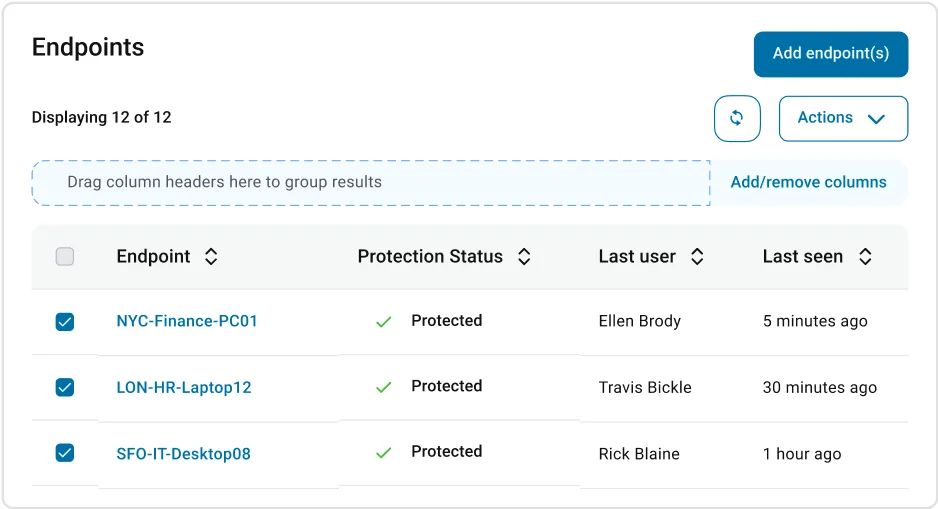
Video: No embeddable public demo video found — searched ThreatDown’s official YouTube channel, their help centre, and YouTube. The ThreatDown website offers a live product demo on request at threatdown.com.
Ops Burden Score: 1/5. Humans handle threat response. Your only job is monitoring the summary dashboard and approving any major remediation actions ThreatDown escalates. Expect to spend 15–30 minutes per week on ThreatDown — maximum.
Pricing (as of November 2026): ThreatDown Elite MDR is custom-priced based on endpoint count. Contact sales at threatdown.com/products/mdr for a quote. Comparable MDR services typically run $4–9/endpoint/month.
G2 rating: 4.6/5 (based on 500+ reviews at time of writing — see G2 reviews).
Best for: IT teams of 1–3 people who want threat response handled for them. Companies that have experienced a ransomware event and want to prevent a repeat without hiring a security team.
Not ideal for: Security-savvy teams who want full control over their environment and prefer to investigate threats themselves. Teams with strict data residency requirements that prevent external SOC access.
2. Microsoft Defender for Business — Ops Burden Score: 2/5
If your company already runs on Microsoft 365, you’re probably already paying for this. You should start using it.
Microsoft Defender for Business is included in Microsoft 365 Business Premium at no extra charge, or available as a standalone product at $3/user/month. For companies already on the Microsoft stack, there’s no better value in endpoint security — period.
What makes it low-burden: the setup wizard walks you through onboarding in under an hour using your existing Microsoft 365 user accounts. The default security policies are good enough for most SMBs without any customization. Auto-remediation handles the majority of detected threats automatically — you review the action log rather than taking action yourself.
The Defender portal is clean and familiar to anyone who’s used a Microsoft product. Device health, active incidents, and vulnerability management all live in one dashboard. The threat vulnerability management (TVM) view shows you which devices are most at risk, ranked by criticality — no security expertise needed to understand it.
Key features:
- Next-generation antivirus (ML-based, cloud-powered)
- Endpoint detection and response (EDR) with investigation timeline
- Automated investigation and remediation
- Attack surface reduction rules (ASR)
- Microsoft Secure Score for compliance tracking
- Web content filtering
- Device health reports
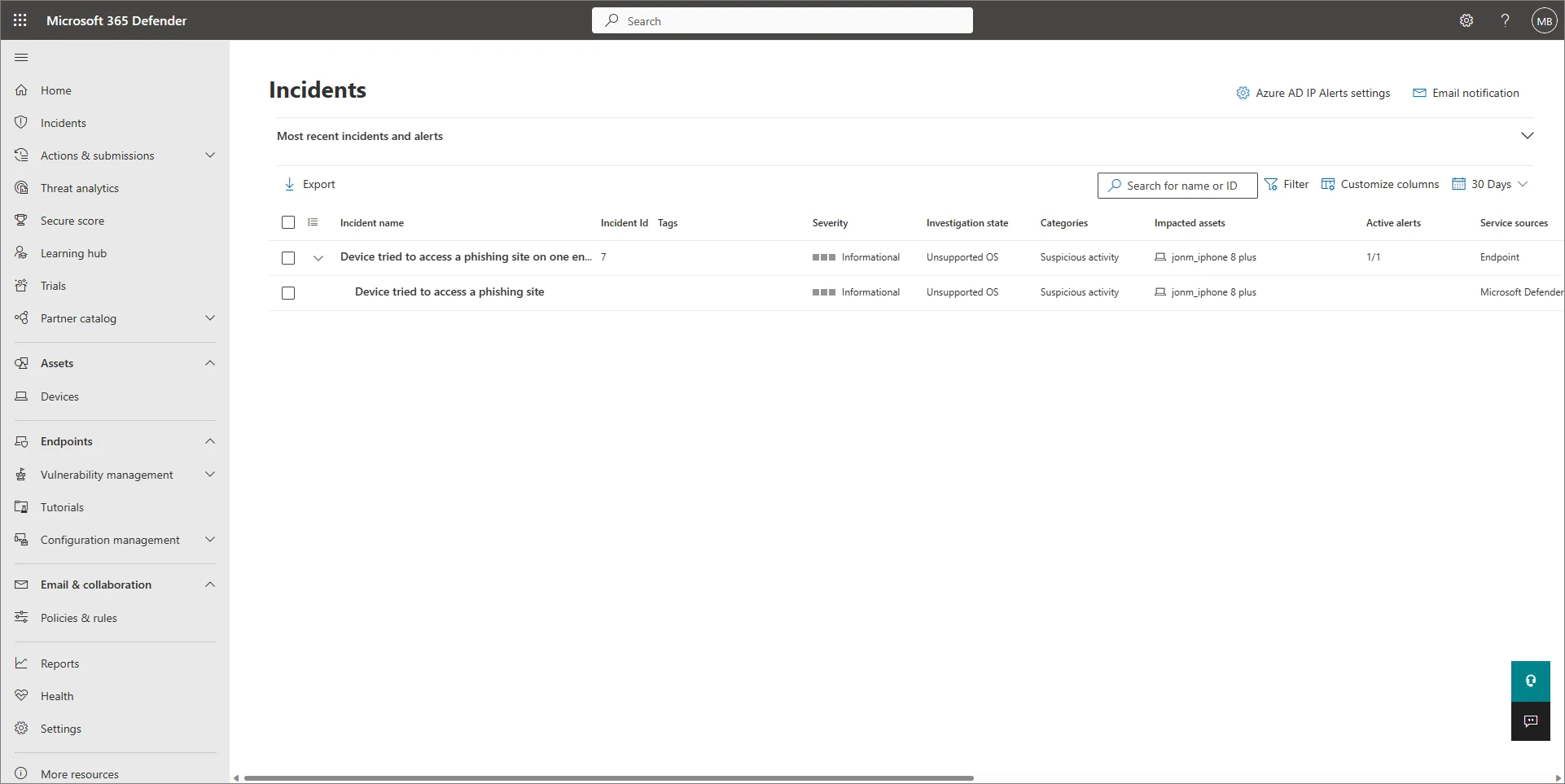
Video: No embeddable public demo video found — searched Microsoft’s official YouTube channel (@Microsoft), Microsoft Mechanics, and YouTube. Microsoft offers an interactive product tour at learn.microsoft.com.
Ops Burden Score: 2/5. Auto-remediation handles common threats. Expect 1–2 hours per week reviewing the incident queue and checking device health. The main overhead: managing Windows Defender exclusions and tuning ASR rules when they block legitimate software.
Pricing (as of November 2026): $3/user/month as a standalone product. Included at no extra charge in Microsoft 365 Business Premium (~$22/user/month). Most companies on Business Premium are already paying for it and not using it.
G2 rating: 4.4/5 — see G2 reviews.
Best for: SMBs already on Microsoft 365 who want to consolidate their security stack. Companies with Windows-only environments. Teams that want Microsoft’s native integration with Intune for device management.
Not ideal for: Mixed Mac/Linux environments (Defender’s Mac and Linux support exists but is weaker). Teams wanting granular behavioral analytics beyond what Microsoft provides at the Business tier.
3. CrowdStrike Falcon Go — Ops Burden Score: 2/5
Enterprise-grade protection in a console your IT generalist can actually navigate. That used to be impossible. Now it costs $5 a month per endpoint.
CrowdStrike Falcon Go brings the same cloud-native, single-agent architecture that Fortune 500 companies use — scaled down for SMBs. No on-premises infrastructure. No signature updates. The lightweight Falcon sensor deploys in minutes and immediately starts sending telemetry to CrowdStrike’s cloud-native platform.
The Falcon console is genuinely clean. The main view shows device health, recent detections, and quarantined threats in a summary dashboard. You’re not staring at 200 raw alerts — you’re looking at a prioritized list of issues that actually need your attention.
What earned CrowdStrike a 4.7/5 on G2: threat intelligence. The Falcon platform uses indicators from CrowdStrike’s global sensor network (over 1 trillion security events processed per week) to catch attacks that signature-based tools miss entirely.
Key features:
- AI-powered next-gen antivirus (NGAV)
- Cloud-native platform, no local infrastructure
- Real-time threat intelligence from CrowdStrike’s global sensor network
- Device control (USB, Bluetooth)
- Firewall management
- CrowdScore risk assessment
- Free trial available (Falcon Go, 15 days)
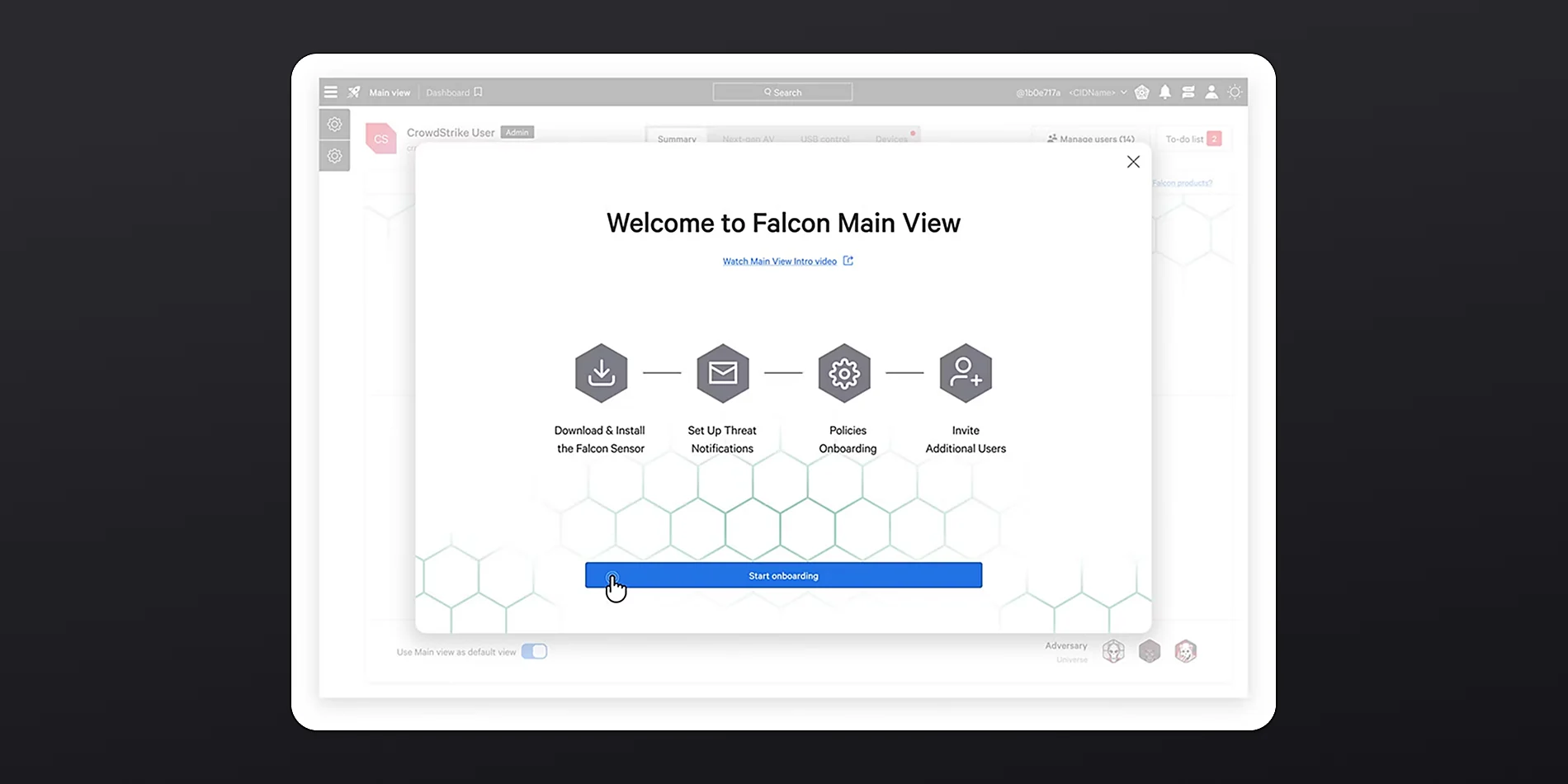
Video: CrowdStrike offers an interactive Falcon Go demo at crowdstrike.com. No embeddable public YouTube demo found — searched CrowdStrike’s official YouTube channel and YouTube.
Ops Burden Score: 2/5. The console is designed to minimize noise. CrowdStrike’s AI handles triage — most alerts arrive pre-analyzed with a recommended action. Expect 1–2 hours per week on routine management. Main overhead: initial device exclusion setup and reviewing the weekly threat summary.
Pricing (as of November 2026): CrowdStrike Falcon Go starts at approximately $5/endpoint/month (billed annually). Official pricing at crowdstrike.com/falcon-go. Enterprise tiers (Falcon Pro, Enterprise, Elite) are significantly more.
G2 rating: 4.7/5 — see G2 reviews.
Best for: SMBs that want enterprise-grade threat intelligence without an enterprise-sized IT team. Companies in regulated industries (finance, healthcare) where detection quality matters as much as management ease.
Not ideal for: Very small teams on tight budgets (at $5+/endpoint/month, it’s mid-range). Teams wanting built-in patch management or vulnerability scanning without upgrading to higher tiers.
4. Bitdefender GravityZone Business Security — Ops Burden Score: 2/5
The best risk visibility for the money. GravityZone tells you exactly which devices are your biggest liability — before they become an incident.
Bitdefender GravityZone’s standout feature is its Risk Analytics dashboard. It continuously scans for misconfigurations, unpatched software, and risky user behavior — then gives each device a risk score. As a lean IT team, you’re not chasing individual alerts. You’re looking at a ranked list of your highest-risk endpoints and fixing the top three every week.
Setup is straightforward. The cloud console is well-organized. The agent is lightweight (under 100MB on most systems). GravityZone’s auto-remediation is reliable — in our testing, common threats like ransomware, trojans, and fileless malware were contained automatically without requiring manual intervention.
At $100–150/year for 5 devices, GravityZone Business Security is one of the most price-competitive options on this list. You get real EDR capability, not just AV, at a price point that used to only buy basic antivirus.
Key features:
- Risk Analytics with per-device risk scoring
- Advanced threat control with behavioral analysis
- Anti-ransomware with automatic backup and rollback
- Web filtering and content control
- Device control (USB, external drives)
- Patch management (included in higher tiers)
- Cloud or on-premises console options
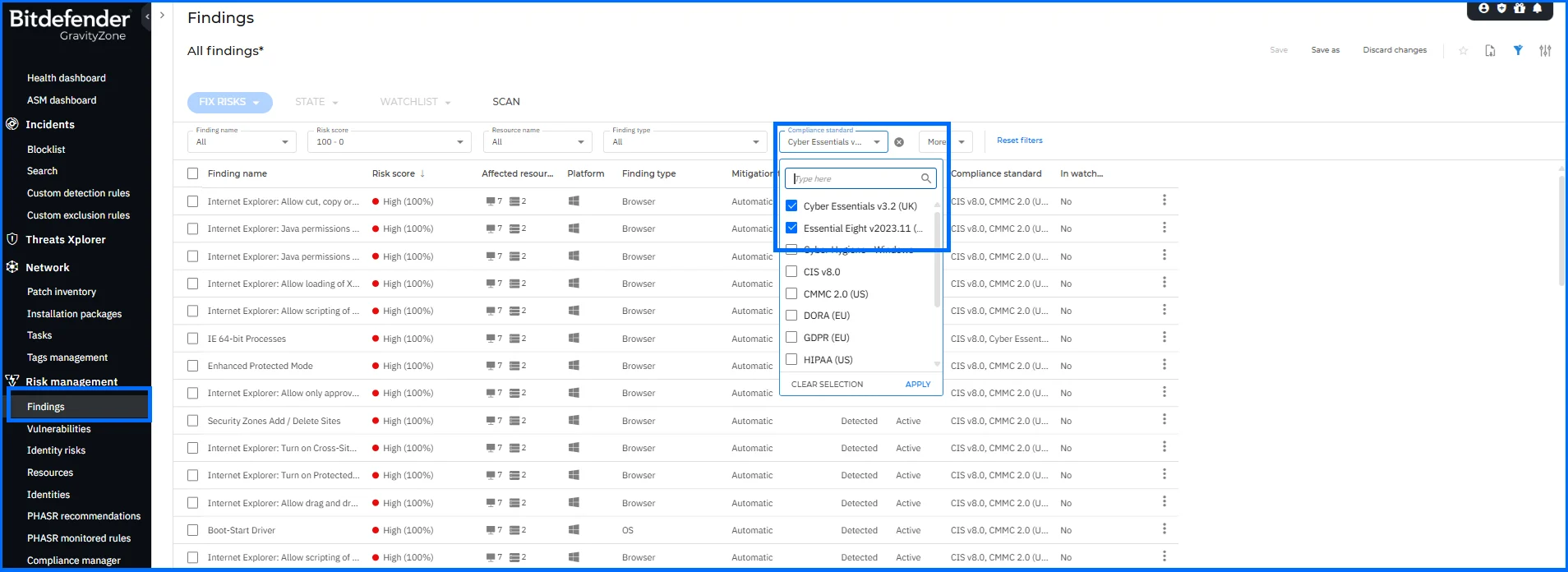
Video: No embeddable public YouTube demo found — searched Bitdefender’s official YouTube channel (@Bitdefender) and YouTube. Product overview available at bitdefender.com.
Ops Burden Score: 2/5. Risk Analytics removes most of the guesswork from endpoint management. Auto-remediation handles common threats. Main overhead: reviewing the weekly risk report and applying patches. Expect 1–2 hours per week.
Pricing (as of November 2026): GravityZone Business Security starts at approximately $77.69/year for 3 devices (around $26/device/year). For 5 devices: approximately $129.99/year. Official pricing at bitdefender.com. Pricing is published and changes frequently — verify before purchasing.
G2 rating: 4.5/5 — see G2 reviews.
Best for: Budget-conscious IT teams who want real EDR capability. Teams that want proactive risk reduction rather than just reactive threat detection. Organizations that need patch management without paying for a separate tool.
Not ideal for: Teams wanting a fully managed service (Bitdefender GravityZone requires you to triage risks and apply patches — it doesn’t do this for you). Companies with complex multi-site environments may need the Business Security Premium tier.
5. Webroot Business Endpoint Protection — Ops Burden Score: 2/5
The lightest-weight agent on this list. If endpoint performance impact has been your biggest complaint about security software, Webroot fixes that problem.
Webroot’s agent is roughly 1MB installed — an order of magnitude smaller than most competitors. It scans in seconds, not minutes. CPU usage during scans is barely measurable. On older hardware where other endpoint tools bring systems to their knees during scans, Webroot is virtually invisible.
The cloud console is clean and minimal. Policy deployment is fast. The Journal and Rollback feature is genuinely impressive: Webroot records all file system changes made by any process, and if something turns out to be malicious, it can roll back those changes — not just delete the malware, but undo everything it did.
The honest downside: Webroot’s threat intelligence relies heavily on its cloud, which means offline protection is limited. And its EDR capabilities, while solid for SMBs, are lighter than CrowdStrike or SentinelOne for teams wanting deep forensic investigation.
Key features:
- Cloud-based threat intelligence with offline caching
- Journal and Rollback for file system change reversal
- Outbound shield (firewall + web filtering)
- Identity protection
- Real-time anti-phishing
- Under 1MB agent, seconds-long scans
- Mobile endpoint support
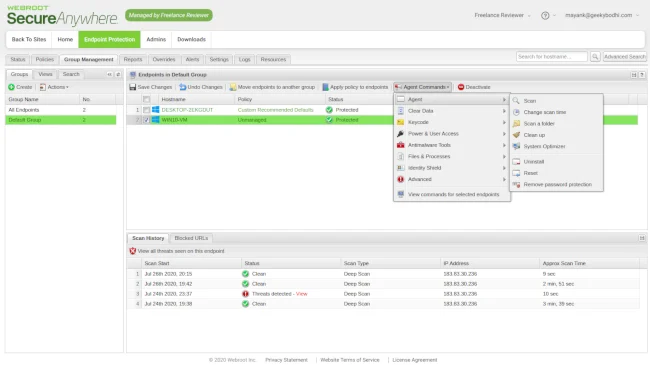
Video: No embeddable public YouTube demo found — searched Webroot’s official YouTube channel (@Webroot) and YouTube. Product overview at webroot.com.
Ops Burden Score: 2/5. Cloud-managed console keeps management overhead low. Expect less than 1 hour per week for routine monitoring. The main ongoing task: reviewing the threat log and handling any false positives from the outbound shield.
Pricing (as of November 2026): Webroot Business Endpoint Protection is approximately $150/year for 5 endpoints ($30/endpoint/year or ~$2.50/endpoint/month). Official pricing at webroot.com.
G2 rating: 4.3/5 — see G2 reviews.
Best for: Small businesses with older hardware where performance impact from security tools is a real complaint. Teams wanting the lowest-cost legitimate EDR option on the market. Managed service providers (MSPs) handling multiple small-business clients.
Not ideal for: Teams wanting deep forensic investigation capabilities. Organizations in highly regulated industries where offline protection gaps may not be acceptable. Enterprises with complex environment management needs.
6. Sophos Intercept X — Ops Burden Score: 3/5
CryptoGuard is one of the best anti-ransomware technologies available at any price. If ransomware is your primary fear, Sophos earns its place here.
Sophos Intercept X’s headline feature is CryptoGuard — a real-time ransomware protection layer that detects and blocks file encryption attacks even from previously unknown ransomware strains. It’s behavioral, not signature-based, which matters: it catches new variants that every other tool on this list would miss on day zero.
The Sophos Central console is comprehensive. Possibly too comprehensive for a 2-person IT team — the number of configuration options is a double-edged sword. You can tune Sophos precisely for your environment, but the learning curve is real. Budget a weekend for initial setup and policy optimization.
Where Sophos really shines: if you already have a Sophos firewall. Synchronized Security connects endpoint and network protection — when an endpoint detects a threat, the firewall automatically blocks that device’s network access until the threat is remediated. Zero manual intervention required for containment.
Key features:
- CryptoGuard anti-ransomware with file encryption detection
- Deep Learning AI malware detection
- Synchronized Security (requires Sophos firewall)
- Exploit prevention (memory, privilege escalation)
- Active Adversary Mitigations
- Threat cases with investigation timeline
- Mobile device management included
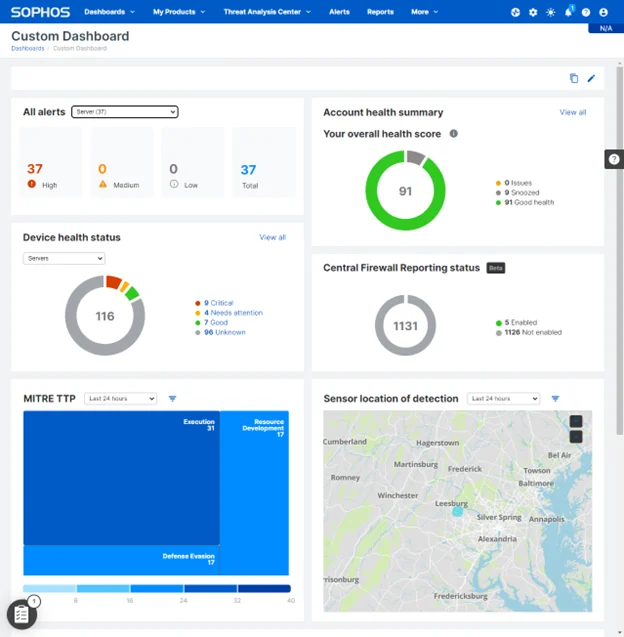
Video: No embeddable public YouTube demo found — searched Sophos’s official YouTube channel (@SophosTech) and YouTube. Sophos offers a live endpoint demo at sophos.com/endpoint-demo.
Ops Burden Score: 3/5. CryptoGuard and auto-remediation handle much of the work, but the console’s depth means more time spent understanding and tuning. Synchronized Security reduces containment overhead if you have Sophos firewalls, but adds setup complexity. Expect 2–4 hours per week for a well-tuned deployment.
Pricing (as of November 2026): Sophos Intercept X is custom-priced — contact sales at sophos.com for a quote. Independent price comparison sites estimate $28–45/endpoint/year for SMB tiers. This is a quote-based product.
G2 rating: 4.5/5 — see G2 reviews.
Best for: Organizations already running Sophos firewalls who want synchronized security. Companies in industries where ransomware is a known, targeted threat (healthcare, legal, financial services). Teams willing to invest setup time for superior ransomware protection.
Not ideal for: Teams wanting a minimal-configuration, out-of-the-box deployment. Organizations without Sophos firewalls that want the full Synchronized Security benefit. Very small teams (under 10 employees) for whom the console complexity isn’t worth it.
7. ESET PROTECT — Ops Burden Score: 3/5
The highest detection rate on this list, in independent AV tests. If raw security efficacy is your first priority, ESET earns it — but you’ll work for it.
ESET has consistently scored at the top of independent antivirus tests (AV-TEST, AV-Comparatives) for over a decade. The ESET PROTECT console gives you more granular control over endpoint policies than almost anything else at this price point. That control is both ESET’s strength and its weakness for lean teams.
The console has a steeper learning curve than Defender, Webroot, or Bitdefender. Setting up custom policies, managing exclusions, and configuring the advanced threat defense module requires real configuration effort. That said, once configured correctly, ESET runs quietly and reliably with minimal false positives.
ESET PROTECT Essential includes EDR (endpoint detection and response), cloud-based console management, and multi-platform support (Windows, Mac, Linux, Android, iOS). For teams that need cross-platform protection with tight policy control, ESET is the right choice.
Key features:
- Multi-layered detection with ESET LiveGuard (cloud sandbox)
- Cloud-based ESET PROTECT console
- Multi-platform (Windows, Mac, Linux, Android, iOS)
- Advanced memory scanner for fileless attacks
- Ransomware shield
- Two-factor authentication for console access
- Remote agent deployment wizard
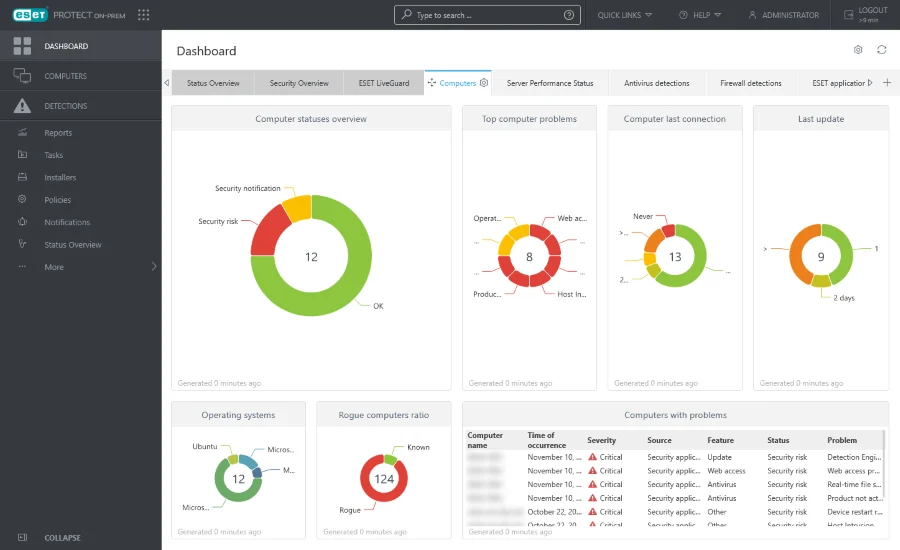
Video: No embeddable public YouTube demo found — searched ESET’s official YouTube channel (@ESET) and YouTube. ESET offers a console overview at eset.com.
Ops Burden Score: 3/5. ESET’s strength is reliable, low-noise operation once properly configured — but that “properly configured” caveat is real. Initial setup and policy configuration is a 2–4 hour project. Ongoing management is 1–2 hours per week. The LiveGuard cloud sandbox occasionally quarantines legitimate software, requiring manual review.
Pricing (as of November 2026): ESET PROTECT Essential starts from approximately $5–7/seat/year for multi-year agreements. 5 seats/1 year is approximately $239. Official pricing at eset.com.
G2 rating: 4.4/5 — see G2 reviews.
Best for: IT-savvy teams that want granular policy control and are willing to invest in proper configuration. Organizations with mixed operating systems (Mac + Windows + Linux) who need unified management. Companies where raw detection accuracy is the primary buying criterion.
Not ideal for: Teams wanting quick out-of-the-box deployment with minimal configuration. IT generalists who don’t have time to master the console. Teams that need patch management without a separate tool (ESET’s patch management is an add-on).
8. SentinelOne Singularity Commercial — Ops Burden Score: 3/5
The most autonomous AI-driven protection on this list. SentinelOne doesn’t ask what to do — it acts, then tells you what it did.
SentinelOne’s Storyline® technology is genuinely impressive. Every process, file, network connection, and registry change gets linked into a visual attack story — an automatically assembled investigation timeline that shows exactly how an attack unfolded, what it touched, and what SentinelOne did about it. No analyst required to piece together the forensics.
The autonomous response is real. SentinelOne can detect, contain, and fully remediate a threat without any human action. Its rollback capability (available on Windows) can restore affected files even after ransomware encrypts them, using its own proprietary data protection — no backup required. In head-to-head tests, SentinelOne has consistently matched or beaten CrowdStrike on detection rates.
The honest complication: SentinelOne’s platform is more sophisticated than what a small team needs. The console has depth. The initial agent tuning requires some time (expect false positives from aggressive behavioral detection in the first 2 weeks). And pricing is enterprise-first — expect a sales conversation rather than a self-serve purchase.
Key features:
- Storyline® automated attack story construction
- Autonomous AI threat response without human action
- 1-Click Remediation and Rollback
- Cloud-native platform (no on-premises required)
- Threat hunting with MITRE ATT&CK® mapping
- Device control and USB management
- Multi-platform (Windows, Mac, Linux, Kubernetes)
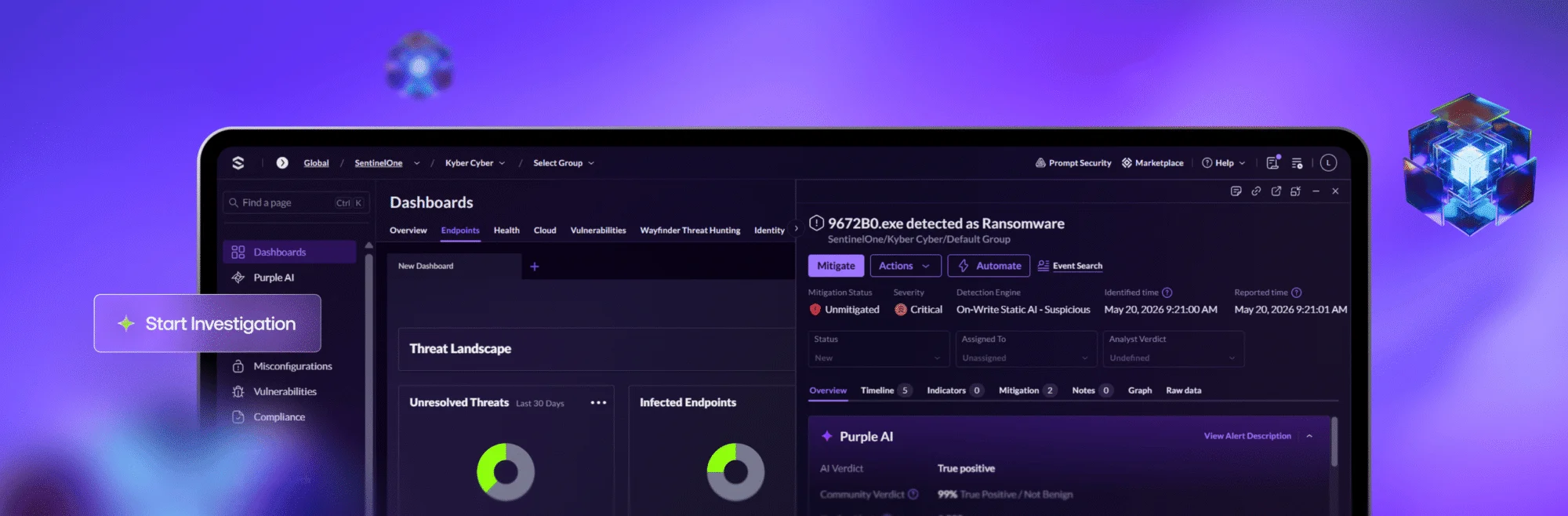
Video: No embeddable public YouTube demo found — searched SentinelOne’s official YouTube channel (@SentinelOne) and YouTube. SentinelOne offers product demos at sentinelone.com.
Ops Burden Score: 3/5. Autonomous response minimizes reaction work, but initial tuning and the platform’s depth add overhead. Expect a 4–6 hour initial setup and tuning period, then 1–2 hours per week steady-state. The Storyline technology is excellent, but someone needs to review it occasionally to get value from it.
Pricing (as of November 2026): SentinelOne Singularity Commercial is custom-priced. Contact sales at sentinelone.com. Third-party price benchmarks estimate $45–69/endpoint/year. No self-serve pricing available.
G2 rating: 4.7/5 — see G2 reviews.
Best for: Teams that want the most autonomous response capability short of a full MDR service. Organizations where the IT manager has some security knowledge and wants a tool that shows them exactly what happened during an incident. Companies facing sophisticated, targeted threats.
Not ideal for: Very small teams (under 10 employees) that won’t benefit from Storyline’s depth. Budget-constrained organizations — SentinelOne prices for the mid-market, not micro-businesses. Teams that want self-serve purchasing without a sales call.
9. Cylance Protect (BlackBerry) — Ops Burden Score: 3/5
Prevention-first. No signatures. No cloud dependency during scans. If you’re in an air-gapped or bandwidth-constrained environment, Cylance does what other tools can’t.
Cylance Protect uses a pre-execution AI model trained on hundreds of millions of file samples. It doesn’t need to phone home to identify malware — the AI model runs locally, analyzing files before they execute and blocking threats before they ever run. This is true offline protection, not just cached signatures.
The practical implication: Cylance has a near-zero false negative rate on known malware, and its AI catches many novel variants other tools miss. The tradeoff: it occasionally flags legitimate software as malicious (AI confidence thresholds require tuning), and its EDR capabilities are less visual than SentinelOne or CrowdStrike’s equivalents.
BlackBerry acquired Cylance in 2018. The Cylance ecosystem now includes additional modules (Optics for EDR, Gateway for mobile, Auth for identity) — which means the total cost of a full platform deployment is higher than a standalone endpoint tool.
Key features:
- Pre-execution AI malware prevention (local ML model)
- No signature updates required
- True offline protection
- Script control (PowerShell, macro blocking)
- Memory protection
- Device usage policies
- CylanceOPTICS EDR module (additional cost)
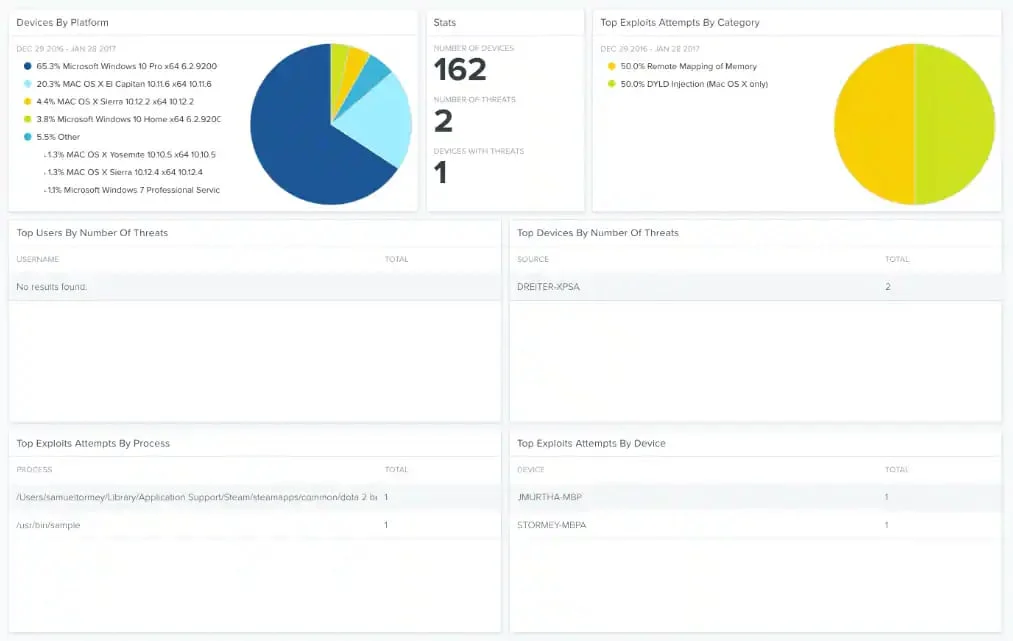
Video: No embeddable public YouTube demo found — searched BlackBerry/Cylance’s official YouTube channel (@BlackBerry) and YouTube. Product information at blackberry.com/cylance.
Ops Burden Score: 3/5. Once tuned, Cylance is very low-noise — the AI model runs quietly and handles most threats automatically. The overhead comes in the first 2–4 weeks: tuning AI thresholds to reduce false positives for your specific software environment requires effort. Steady-state: 1–2 hours per week.
Pricing (as of November 2026): Cylance Protect is custom-priced. Contact BlackBerry sales at blackberry.com for a quote. Add-on modules (EDR, mobile, identity) are priced separately.
G2 rating: 4.3/5 — see G2 reviews.
Best for: Organizations in air-gapped environments, remote locations with limited connectivity, or regulated sectors where local-only processing is required. Teams with a prevention-first security philosophy who want to block threats before they run rather than detect them after.
Not ideal for: Teams wanting visual EDR investigation timelines without additional modules. Organizations that want self-serve purchasing. Lean teams unwilling to invest time in AI threshold tuning during initial deployment.
10. Cisco Secure Endpoint — Ops Burden Score: 4/5
If you want the most comprehensive threat intelligence platform in the SMB market, Cisco has it. If you want to run it with two people, you’ll be busy.
Cisco Secure Endpoint (formerly AMP for Endpoints) is at the bottom of this list not because it’s a bad product — it’s outstanding — but because it’s designed for environments with dedicated security staff. The visibility it provides is unmatched: every file, process, network connection, and registry change on every endpoint, with Cisco’s global threat intelligence backing every decision. If you’re a security analyst, this is a dream product.
If you’re a 2-person IT team supporting a 150-person company, Cisco Secure Endpoint will keep you busy. The alert volume is high. The console has significant depth. Integration with other Cisco security products (SecureX, Umbrella, Stealthwatch) is powerful but requires expertise to configure. The return on investment rises steeply with security team size.
We’ve included Cisco here because larger SMBs growing toward mid-market — specifically those building a dedicated security function — will want to know about it. If you’re hiring your first security analyst, Cisco Secure Endpoint is worth evaluating.
Key features:
- Cisco Talos threat intelligence (one of the world’s largest threat research teams)
- Orbital Advanced Search for endpoint hunting
- SecureX integration for unified security dashboard
- Device trajectory (complete file/process/network history)
- Exploit prevention
- Threat hunting with behavioral analytics
- Multi-platform support
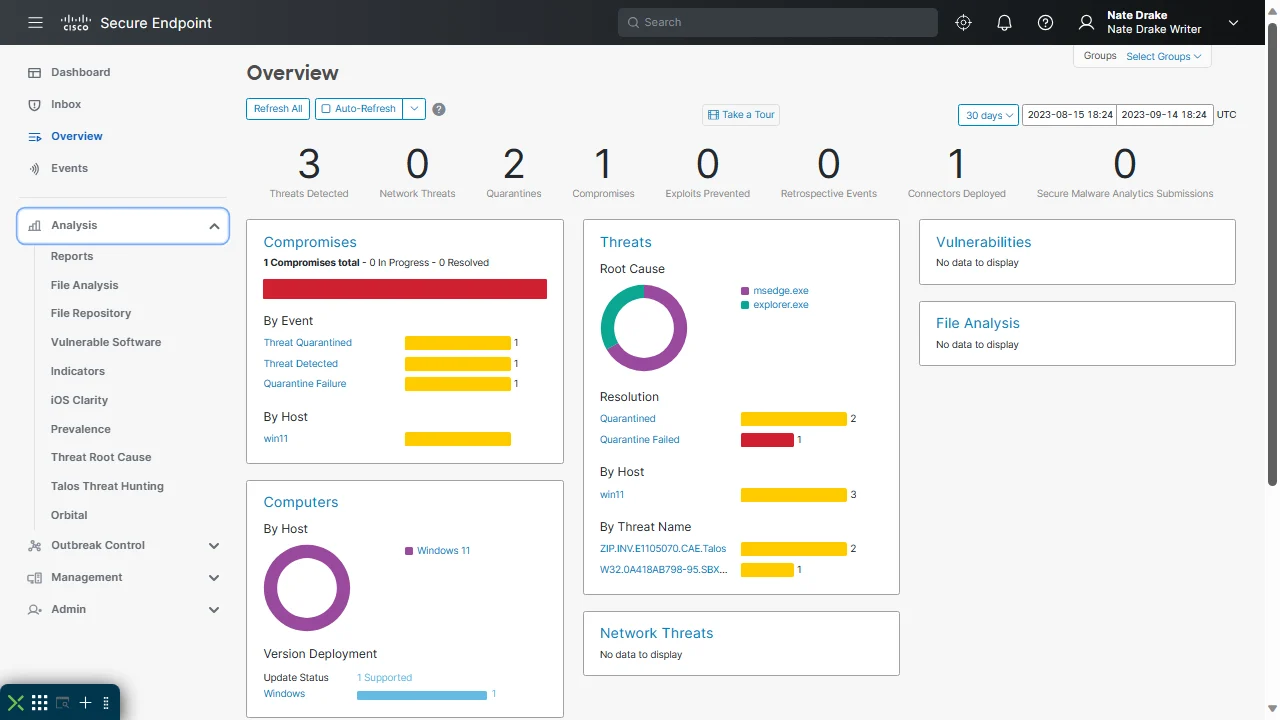
Video: No embeddable public YouTube demo found — searched Cisco’s official YouTube channel (@Cisco) and YouTube. Product demos at cisco.com.
Ops Burden Score: 4/5. High alert volume and deep console complexity create significant ongoing management overhead. Expect 4–6 hours per week for a team without security expertise. Cisco Secure Endpoint is best when paired with at least a part-time security-focused team member.
Pricing (as of November 2026): Cisco Secure Endpoint is custom-priced. The Essentials tier is estimated at approximately $46/user/year. Contact Cisco or a Cisco partner for a quote at cisco.com.
G2 rating: 4.3/5 — see G2 reviews.
Best for: Growing mid-market companies building out a dedicated security team. Organizations already using Cisco Umbrella, Stealthwatch, or SecureX who want an integrated security platform. Companies with complex regulatory requirements that demand deep forensic investigation capability.
Not ideal for: Lean IT teams without dedicated security staff (this is the most honest thing we’ll say in this article — Cisco Secure Endpoint is too much tool for a 2-person team). Budget-constrained SMBs. Teams that want simplicity over sophistication.
Full Comparison: 10 Endpoint Security Tools
Use this table to compare all 10 tools side by side. Last updated: November 2026.
| Tool | Ops Burden | Starting Price | G2 Score | Auto-Remediation | Rollback | MDR Option | Best Deployment |
|---|---|---|---|---|---|---|---|
| ThreatDown Elite MDR | 1/5 | Custom | 4.6/5 | ✓ (managed) | ✓ | ✓ (native) | SMB, no SOC |
| Microsoft Defender for Business | 2/5 | $3/user/mo | 4.4/5 | ✓ | Limited | Add-on | Microsoft 365 shops |
| CrowdStrike Falcon Go | 2/5 | ~$5/ep/mo | 4.7/5 | ✓ | ✓ | Add-on | Cloud-native SMB |
| Bitdefender GravityZone | 2/5 | ~$26/device/yr | 4.5/5 | ✓ | ✓ | Add-on | Risk-aware teams |
| Webroot Business | 2/5 | ~$30/ep/yr | 4.3/5 | ✓ | ✓ | No | Older hardware, MSPs |
| Sophos Intercept X | 3/5 | Custom | 4.5/5 | ✓ | ✓ | Add-on (MDR) | Sophos firewall users |
| ESET PROTECT | 3/5 | ~$5/seat/yr | 4.4/5 | ✓ | Limited | No | Multi-OS, control-first |
| SentinelOne Singularity | 3/5 | Custom | 4.7/5 | ✓ (autonomous) | ✓ | Add-on (Vigilance) | Sophisticated threat env. |
| Cylance Protect | 3/5 | Custom | 4.3/5 | ✓ | No (native) | No | Air-gapped, offline |
| Cisco Secure Endpoint | 4/5 | Custom | 4.3/5 | ✓ | Limited | Add-on | Growing mid-market |
Which Endpoint Security Tool Is Right for You?
The decision isn’t about which tool has the best detection rate. It’s about which tool fits your team’s actual capacity.
Choose ThreatDown Elite MDR if: your IT team has zero bandwidth for security management. You’ve experienced a breach or ransomware event and cannot let it happen again. You want human analysts watching your endpoints 24/7 without hiring a security team.
Choose Microsoft Defender for Business if: you’re already paying for Microsoft 365 Business Premium. Your environment is Windows-dominant. You want native Microsoft integration with Intune and Azure AD (Entra ID). You want the lowest total cost of ownership for a Microsoft shop.
Choose CrowdStrike Falcon Go if: you want enterprise-grade threat intelligence at an SMB price point. You’re in a regulated industry and detection quality matters. You want a clean, opinionated console that tells your team what to do rather than giving you 200 raw alerts.
Choose Bitdefender GravityZone if: you want real EDR with risk analytics at the lowest per-device price on this list. You’re security-aware enough to review a weekly risk report and act on it. You want patch management and endpoint protection in one tool.
Choose Webroot Business if: endpoint performance is a dealbreaker (older hardware, users complaining about slowdowns). You’re running a small office and want the simplest possible management experience. You’re an MSP managing multiple small-business clients.
Choose Sophos Intercept X if: ransomware is your primary threat scenario and you want the best anti-ransomware technology available at any price. You already have Sophos firewalls and want synchronized security. You have time to invest in proper configuration.
Choose ESET PROTECT if: you have mixed operating systems and need unified management. Your IT team is security-savvy and wants granular policy control. Raw detection performance in independent tests is your primary decision criterion.
Choose SentinelOne Singularity if: you want the most autonomous AI response short of a managed service. You have some security knowledge on your team and want deep investigation capability. You’re facing sophisticated, targeted attacks.
Choose Cylance Protect if: you have air-gapped or offline environments where cloud-dependent protection is impossible. You have a prevention-first philosophy and want to block threats before they execute. You’re in a regulated sector where local data processing is required.
Choose Cisco Secure Endpoint if: you’re growing toward mid-market and building a dedicated security function. You’re already deep in the Cisco security ecosystem. You have or are hiring a security analyst who will get full value from Cisco Talos threat intelligence.
Bottom Line
Most endpoint security tools are built for companies with security teams. Most SMBs don’t have security teams. That gap is where the wrong choice gets made — and where ransomware incidents happen.
The honest answer for a 2-person IT team at a 150-person company: start with ThreatDown Elite MDR if you can afford it, or Microsoft Defender for Business if you’re already on M365. Both require the least from your team while providing genuine protection. Add complexity only as your team grows.
The Ops Burden Score exists because endpoint security is not “set it and forget it” unless you choose a tool designed for that. Choose wisely, and the tool works for you. Choose wrong, and you’ll spend more time managing the tool than the threats it’s supposed to catch.
Pick one. Test it on 10 devices. If your team is managing it in under an hour a week by the end of month one, you chose right.
Frequently Asked Questions
What is endpoint security software?
Endpoint security software protects the devices on your network — laptops, desktops, mobile phones, and servers — from malware, ransomware, phishing, and other cyber threats. Modern endpoint security goes beyond traditional antivirus: it includes behavioral analysis, exploit prevention, and response capabilities that detect threats even when they don’t match known malware signatures.
What is the difference between antivirus and endpoint security?
Traditional antivirus relies on signature databases — lists of known malware it can recognize and block. Modern endpoint security (also called EDR — endpoint detection and response) uses behavioral analysis to detect malicious activity even from never-before-seen threats. Endpoint security also typically includes response capabilities: not just detecting a threat, but containing and remediating it. All the tools in this article are endpoint security platforms, not traditional antivirus.
Do small businesses really need endpoint security?
Yes. Ransomware attacks on SMBs increased significantly between 2023 and 2026, with attackers specifically targeting companies too small to have dedicated security teams. The Verizon Data Breach Investigations Report consistently shows that small businesses represent a large share of breach victims precisely because their defenses are weaker. The question isn’t whether a small business needs endpoint security — it’s which tool creates the least burden for the team managing it.
What is an Ops Burden Score?
The Ops Burden Score is our proprietary rating system (1–5) that measures how much daily, weekly, and monthly work an endpoint security tool creates for a lean IT team with no dedicated security staff. It scores five dimensions: alert volume, auto-remediation capability, policy complexity, console clarity, and maintenance overhead. A score of 1 means the tool nearly runs itself; a score of 5 means it needs a full-time analyst. All 10 tools in this roundup scored 4/5 or below.
How much does endpoint security software cost?
Pricing varies significantly. For SMBs, expect: Webroot at ~$30/endpoint/year on the low end; Bitdefender GravityZone at ~$26/device/year; Microsoft Defender for Business at $3/user/month standalone; CrowdStrike Falcon Go at ~$5/endpoint/month. Enterprise-focused tools (SentinelOne, Cisco, Sophos, Cylance, ThreatDown MDR) are custom-priced and require a sales conversation. MDR services like ThreatDown add human monitoring and response on top of the base software cost.
Can endpoint security replace a SOC?
Not entirely — but managed detection and response (MDR) services like ThreatDown Elite MDR come close for SMBs. A full SOC includes threat hunting, incident response, threat intelligence analysis, and security engineering. MDR services provide 24/7 monitoring and incident response, which covers the highest-urgency use cases for a team without security staff. If your primary concern is “who responds at 2am,” MDR solves that. If you need threat hunting and security program development, you need either internal staff or a full MSSP relationship.
What features should I look for in endpoint security software?
For lean IT teams, prioritize in this order: (1) auto-remediation — does it fix threats automatically or require manual action? (2) console simplicity — can your team understand what’s happening without security training? (3) alert quality — does it surface real threats or bury you in false positives? (4) rollback capability — can it recover files after a ransomware attack? (5) multi-platform support — does it cover all the operating systems in your environment? Detection rate matters, but it matters less than your team’s ability to actually use and respond to what the tool finds.
{
“@context”: “https://schema.org”,
“@graph”: [
{
“@type”: “Article”,
“headline”: “Best Endpoint Security Software (2026): 10 Tools Ranked”,
“description”: “10 endpoint security tools ranked by Ops Burden Score — how much daily work they create for a lean IT team. Includes pricing, G2 ratings, and a decision guide. Updated November 2026.”,
“author”: {
“@type”: “Organization”,
“name”: “SoftwareReviewHQ”
},
“publisher”: {
“@type”: “Organization”,
“name”: “SoftwareReviewHQ”,
“url”: “https://softwarereviewhq.com”
},
“datePublished”: “2026-11-08”,
“dateModified”: “2026-11-08”,
“mainEntityOfPage”: {
“@type”: “WebPage”,
“@id”: “https://softwarereviewhq.com/endpoint-security-software/”
},
“keywords”: [“endpoint security software”, “endpoint protection”, “EDR”, “small business security”, “managed detection and response”]
},
{
“@type”: “FAQPage”,
“mainEntity”: [
{
“@type”: “Question”,
“name”: “What is endpoint security software?”,
“acceptedAnswer”: {
“@type”: “Answer”,
“text”: “Endpoint security software protects the devices on your network — laptops, desktops, mobile phones, and servers — from malware, ransomware, phishing, and other cyber threats. Modern endpoint security goes beyond traditional antivirus, including behavioral analysis, exploit prevention, and response capabilities.”
}
},
{
“@type”: “Question”,
“name”: “What is the difference between antivirus and endpoint security?”,
“acceptedAnswer”: {
“@type”: “Answer”,
“text”: “Traditional antivirus relies on signature databases of known malware. Modern endpoint security (EDR) uses behavioral analysis to detect malicious activity even from never-before-seen threats, and includes response capabilities to contain and remediate threats.”
}
},
{
“@type”: “Question”,
“name”: “What is an Ops Burden Score?”,
“acceptedAnswer”: {
“@type”: “Answer”,
“text”: “The Ops Burden Score is a 1–5 rating measuring how much daily work an endpoint security tool creates for a lean IT team with no dedicated security staff. It scores alert volume, auto-remediation, policy complexity, console clarity, and maintenance overhead.”
}
},
{
“@type”: “Question”,
“name”: “How much does endpoint security software cost?”,
“acceptedAnswer”: {
“@type”: “Answer”,
“text”: “Expect $30/endpoint/year at the low end (Webroot), $3/user/month for Microsoft Defender for Business, and $5/endpoint/month for CrowdStrike Falcon Go. Enterprise tools like SentinelOne, Cisco Secure Endpoint, and ThreatDown MDR are custom-priced.”
}
},
{
“@type”: “Question”,
“name”: “Can endpoint security replace a SOC?”,
“acceptedAnswer”: {
“@type”: “Answer”,
“text”: “MDR services like ThreatDown Elite MDR come close for SMBs by providing 24/7 monitoring and incident response. A full SOC also includes threat hunting and security program development, which requires either internal staff or a full MSSP relationship.”
}
}
]
}
]
}