Business Software
6 Best Contract Management Software for Small Business in 2026
We tested and compared six contract management platforms to find the best options for small businesses. Here's what actually works in 2026.
I spent three weeks evaluating contract management tools — testing free tiers, sitting through demo calls, and combing through G2 and Capterra reviews from real small business users.
Here’s what I found: most small businesses don’t need a $50,000 CLM platform. They need something that actually gets contracts signed, stored, and surfaced when the CFO asks “wait, when does that vendor deal auto-renew?”
These six tools are the ones that actually do that job in 2026 — without the enterprise price tag or a six-week IT onboarding project.
Quick Picks: Best Contract Management Software for Small Business
| Tool | Best For | Starting Price | G2 Rating |
|---|---|---|---|
| PandaDoc | Best overall for small business | Free / $19/seat/mo | 4.7/5 |
| ContractSafe | Best for contract storage & org | $450/mo (unlimited users) | 4.8/5 |
| Concord | Best all-in-one CLM platform | $499/mo (5 users) | 4.5/5 |
| GetAccept | Best for sales teams | $25/user/mo | 4.6/5 |
| Diliforce | Best budget option | $9.50/user/mo | 4.6/5 |
| Juro | Best AI-native CLM | Custom pricing | 4.8/5 (Capterra) |
What we looked for
Not all “contract management” tools are the same thing. Some are fancy e-signature wrappers. Some are repository tools with no creation workflow. And some are enterprise CLM platforms priced for Fortune 500 legal teams — not a 15-person startup trying to get NDAs out the door faster.
Here’s what actually mattered for small business evaluation:
- Price per user — specifically, what it costs at 5–25 users. Some tools look cheap until you scale to your whole team.
- Time to first signed contract — how long does onboarding realistically take? A small team can’t afford a 6-week IT project.
- Template and redlining tools — can non-lawyers create usable contracts from pre-approved templates without calling legal every time?
- E-signature included — adding a separate DocuSign subscription on top of a CLM tool kills the ROI fast.
- Post-signature storage and alerts — the whole point of contract management is knowing when contracts expire. Deadline alerts are non-negotiable.
- CRM and tool integrations — small businesses live in Salesforce, HubSpot, or Google Workspace. The contract tool needs to live there too.
1. PandaDoc — Best Overall Contract Management Software for Small Business
The verdict: PandaDoc packs the most useful features into the most accessible package. If you only want to evaluate one tool, start here.
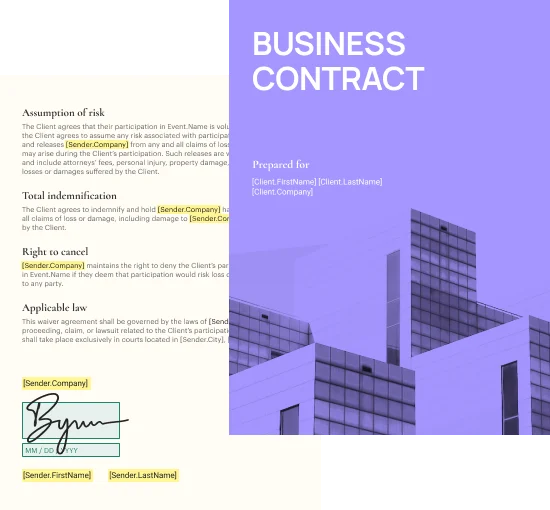
PandaDoc started as a proposal tool. That history shows — in a good way. Creating a contract in PandaDoc feels like making a document, not filling out a legal form. The drag-and-drop editor works. Templates actually reduce the time you spend on each agreement. And the CRM integrations (Salesforce, HubSpot, Pipedrive) are genuinely tight, pulling deal data directly into contracts.
What sets PandaDoc apart for small businesses is its free tier. You get unlimited legally binding e-signatures, document creation, and basic storage for $0. Most competitors charge $20-50/user/month for equivalent features. That’s a meaningful difference when you’re running lean.
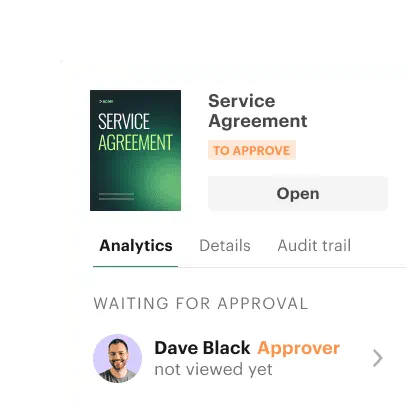
The approval routing and automated reminders work well for teams where multiple people (legal, ops, finance) need to sign off before a contract goes out. Set the approval chain once and PandaDoc handles the routing automatically.
The one catch: PandaDoc’s storage and search aren’t as mature as dedicated CLM repositories like ContractSafe. If you’re managing hundreds of legacy contracts and need a full audit trail, you’ll outgrow the basic tiers.
PandaDoc pricing (as of November 2026)
- Free — $0, unlimited documents and e-signatures (basic features)
- Starter — $19/seat/month, billed annually
- Business — $49/seat/month, billed annually (CRM integrations, approval workflows)
- Enterprise — custom pricing
Pros and cons
| Pros | Cons |
|---|---|
| Generous free tier with e-sign included | Storage/search less powerful than pure CLM tools |
| Excellent CRM integrations (Salesforce, HubSpot) | Advanced features require Business tier ($49/seat/mo) |
| Intuitive drag-and-drop editor | Not purpose-built for complex legal workflows |
| G2: 4.7/5 from 3,324+ reviews | Approval routing limited on Starter plan |
2. ContractSafe — Best for Contract Storage and Organization
The verdict: If you’re drowning in a contract archive and need a clean, searchable repository with great deadline alerts, ContractSafe is the tool. It won’t create contracts from scratch as smoothly as PandaDoc, but for managing contracts you already have, nothing beats it at this price point.
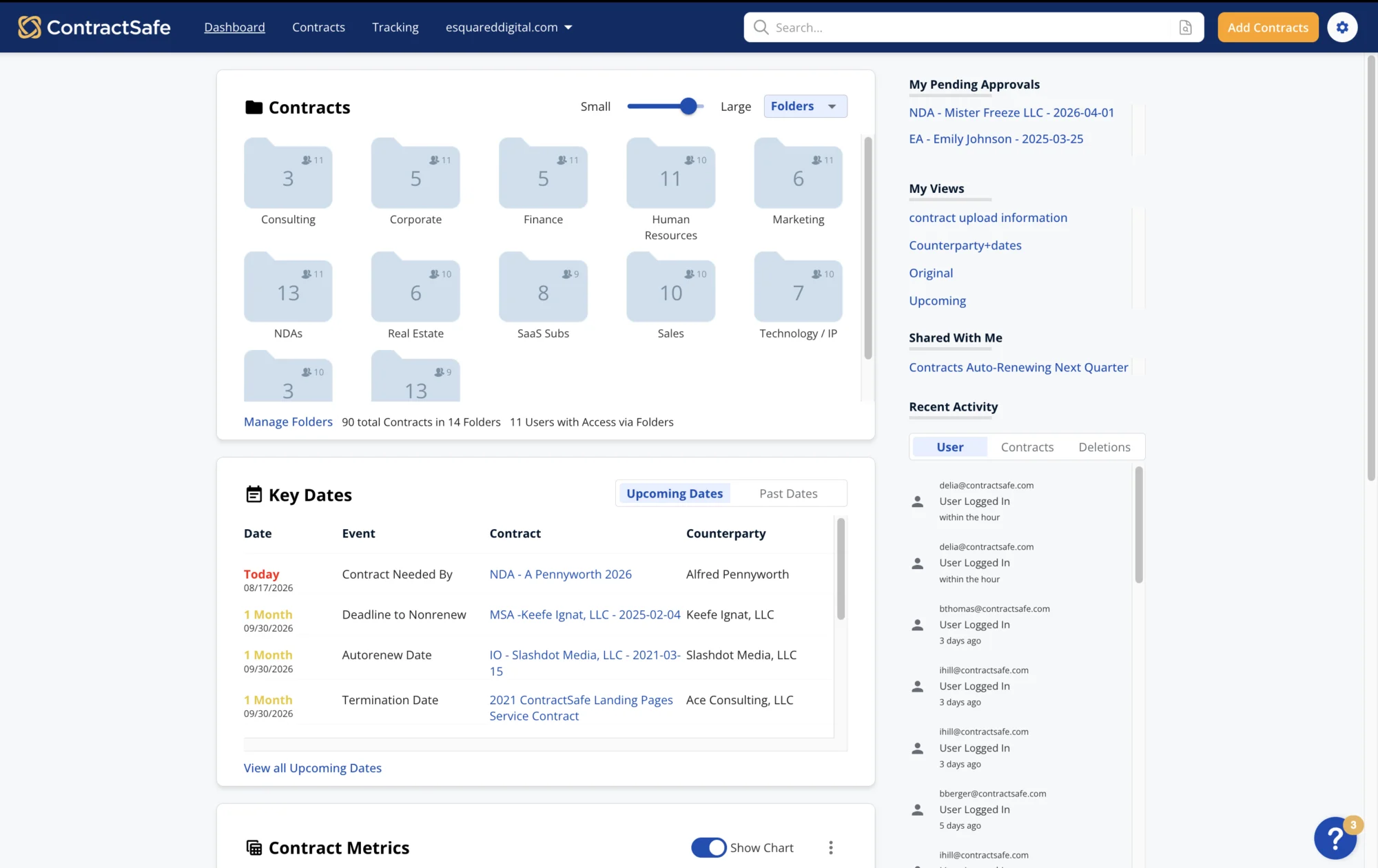
ContractSafe’s big differentiator is unlimited users on every plan. If you have a 25-person team where operations, legal, finance, and department heads all need read access to contracts, the per-seat pricing of most tools becomes a budget problem fast. ContractSafe charges for the plan tier, not the head count.
The search is genuinely good. Google-style keyword search across contracts, even scanned PDFs via OCR. Automated reminders for renewal and expiration dates. These aren’t fancy — they’re just reliable, which is what matters when a missed auto-renewal costs your business $50,000.
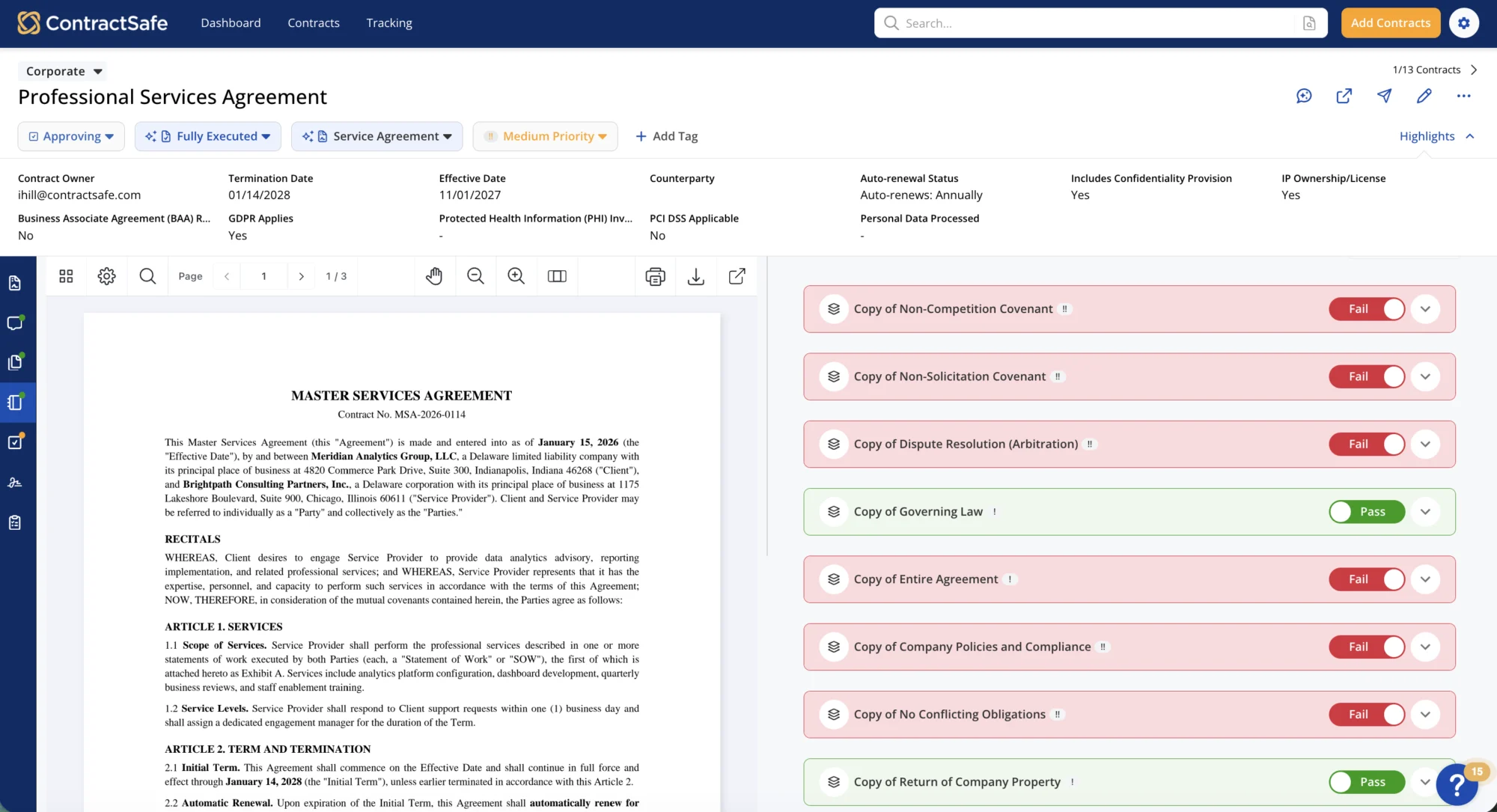
The Maximize plan adds intake forms, templates with approved language, AI contract review against custom playbooks, and lifecycle tracking. That’s a full CLM workflow. The limitation: Maximize starts at $815/month, which is real money for a 10-person team.
The entry-level Organize plan ($450/month) gives you the core repository, search, reminders, and e-signatures — which is enough for most small businesses that mainly need to store and find contracts, not create them from scratch.
ContractSafe pricing (as of November 2026)
- Organize — $450/month billed annually ($540/month billed monthly), unlimited users
- Finalize — $660/month billed annually, unlimited users, adds e-signature and Word redlining
- Maximize — $815/month billed annually, unlimited users, adds AI review and templates
See full ContractSafe pricing →
Pros and cons
| Pros | Cons |
|---|---|
| Unlimited users on all plans | Minimum $450/mo — expensive for tiny teams |
| Excellent full-text search, even on scanned PDFs | Templates and AI review only on top-tier plan |
| Automated deadline alerts that actually work | Not designed for contract creation from scratch |
| Fast onboarding — hours, not weeks | UI can feel dated compared to newer tools |
3. Concord — Best All-in-One CLM for Small Business
The verdict: Concord covers the full contract lifecycle — intake forms, drafting, redlining, approvals, e-signature, and post-signature management — in one platform. If you want one place for everything and your team collaborates heavily on contract language, Concord delivers.
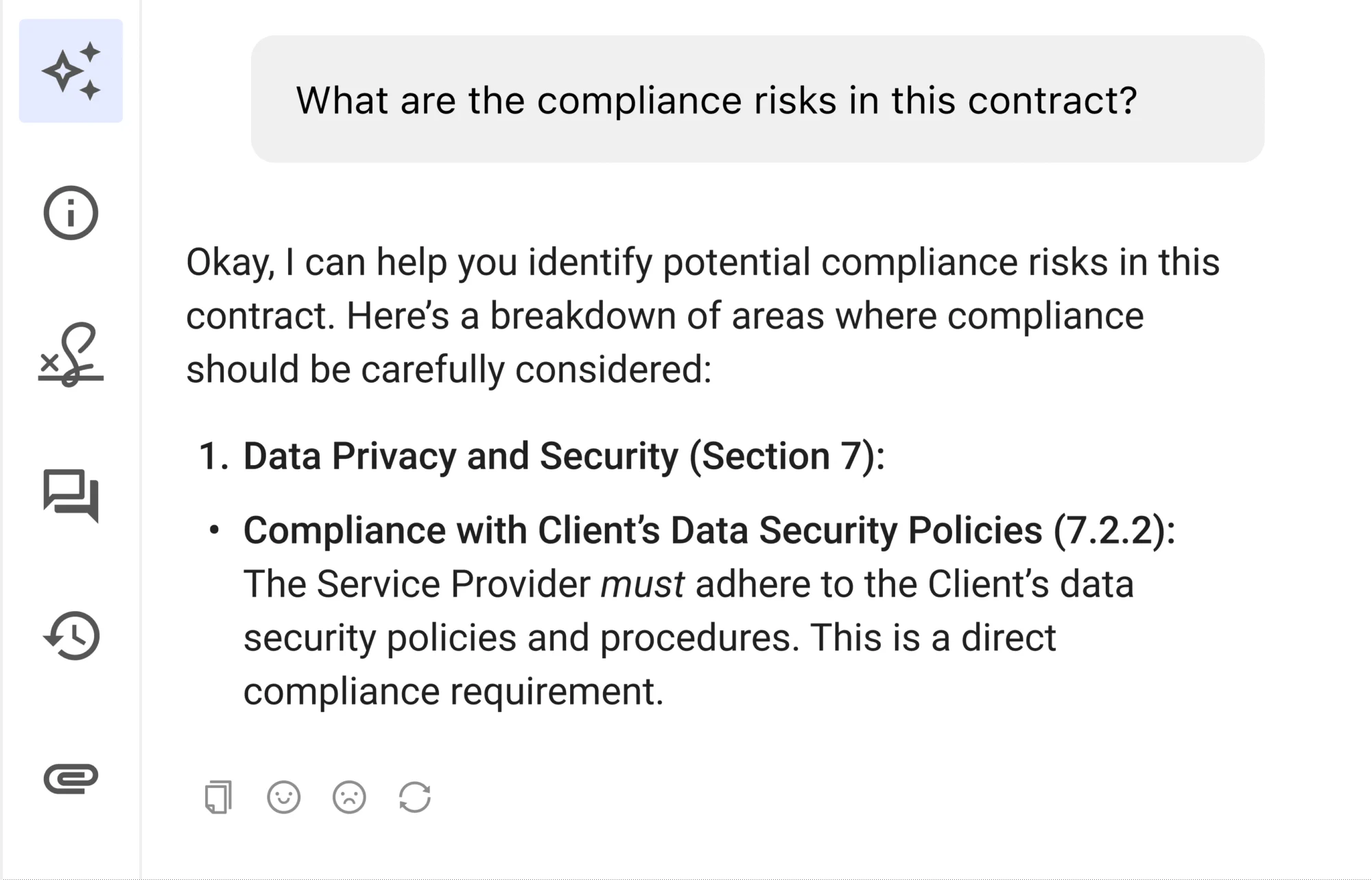
Concord’s approach is “nothing you don’t need.” The interface is clean. The feature set covers everything from intake to renewal without feeling bloated. That’s harder to pull off than it sounds — most CLM platforms either do too little or overwhelm you with enterprise complexity.
The standout feature for small business: unlimited free viewers and signers. You pay for active users who create and manage contracts, not for every person who needs to read and sign one. That’s the right pricing model for a business where contracts flow to customers, vendors, and partners who shouldn’t be on your license count.
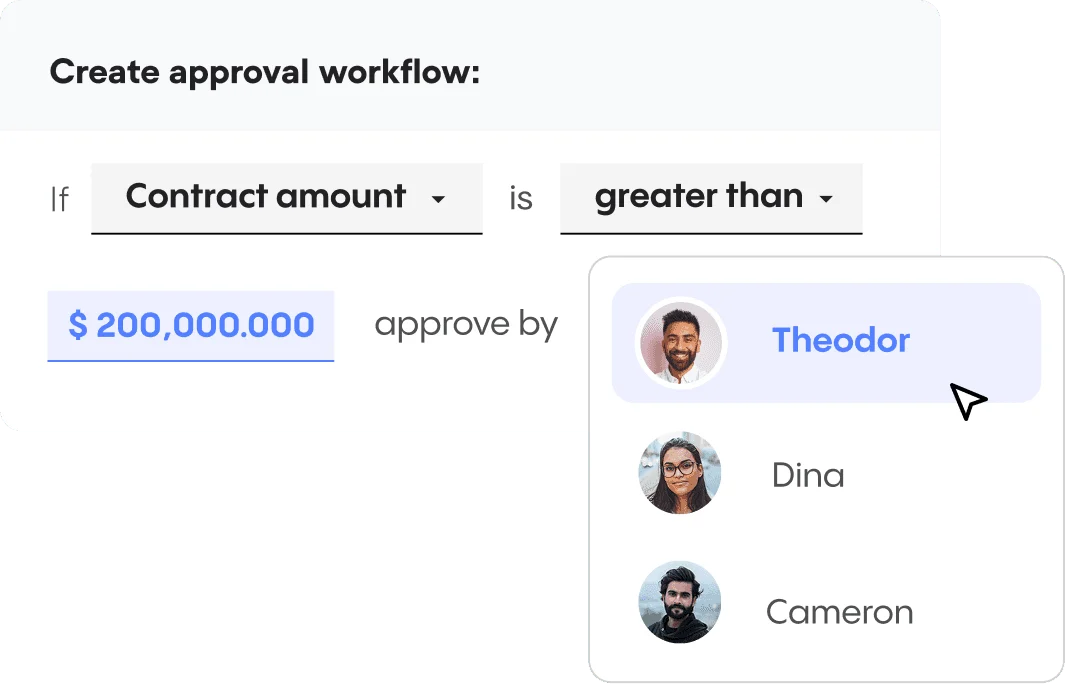
The 5,000+ integrations via Zapier, plus native connections to Salesforce, HubSpot, Google Drive, Dropbox, Box, and DocuSign, mean Concord fits into most small business tech stacks without requiring custom development.
The price is a sticking point. The Essentials plan starts at $499/month for 5 users. That’s $100/user/month — manageable if you’re replacing multiple tools, but pricey if you’re just getting started with contract management.
Concord pricing (as of November 2026)
- Essentials — $499/month for 5 users, billed annually ($49/month per additional user)
- Business — $899/month for 5 users, billed annually ($69/month per additional user)
- Enterprise — $1,299/month for 5 users, billed annually ($89/month per additional user)
Pros and cons
| Pros | Cons |
|---|---|
| Full lifecycle coverage from intake to renewal | $499/mo starting price is steep for tiny teams |
| Unlimited free viewers and signers | AI features limited to Business/Enterprise plans |
| 5,000+ integrations via Zapier + native CRM sync | Clause library takes time to set up properly |
| Clean, uncluttered interface | No free tier |
4. GetAccept — Best Contract Management Software for Sales Teams
The verdict: GetAccept isn’t a traditional CLM. It’s a Digital Sales Room platform where contracts live alongside proposals, deal content, and buyer collaboration. If your contract management problem is primarily “close deals faster,” GetAccept is the right answer. If you need to manage 500 vendor agreements, it’s the wrong tool.

The core idea: give buyers and sellers one shared room where the whole deal lives. Proposals, contracts, pricing, case studies, and e-signatures — all in one link. Buyers can review and sign without leaving the room. Sales reps can see exactly who opened what and when.
According to GetAccept’s published case studies, Dealfront cut sales cycles by 67% in several deals, and SalesScreen doubled their win rate from 13% to 26%. The pattern across customer stories points to consistent improvement in follow-up efficiency — which tracks with how the engagement model works.
GetAccept’s native Salesforce and HubSpot integrations mean reps never have to leave their CRM. If you’re a sales-led small business where the contract is the last step in a deal cycle, not a legal document to be managed long-term, GetAccept is worth serious consideration. For post-signature lifecycle management, you’d want to pair it with another tool — it’s not built for contract repository or multi-year tracking.
GetAccept pricing (as of November 2026)
- eSign — $25/user/month, billed annually (e-signature only)
- Professional — $49/user/month, billed annually (minimum 5 users), full Digital Sales Room + contract management
- Enterprise — custom pricing
Pros and cons
| Pros | Cons |
|---|---|
| Buyer engagement tracking on contracts | Not built for post-signature repository management |
| Tight CRM integrations (Salesforce, HubSpot) | 5-user minimum on Professional plan |
| Significantly speeds up deal closing cycles | Primarily focused on sales contracts, not operations/vendor |
| G2: 4.6/5 from 1,267+ reviews | Salesforce integration is add-on on Professional |
5. Diliforce (formerly ContractZen) — Best Budget Contract Management for Small Teams
The verdict: Diliforce (recently rebranded from ContractZen) is the most affordable full-featured option on this list. At $9.50/user/month, a 5-person team can run proper contract management for under $600/year. The AI is solid, the security is enterprise-grade (Microsoft Azure, ISO 27001), and setup takes hours.
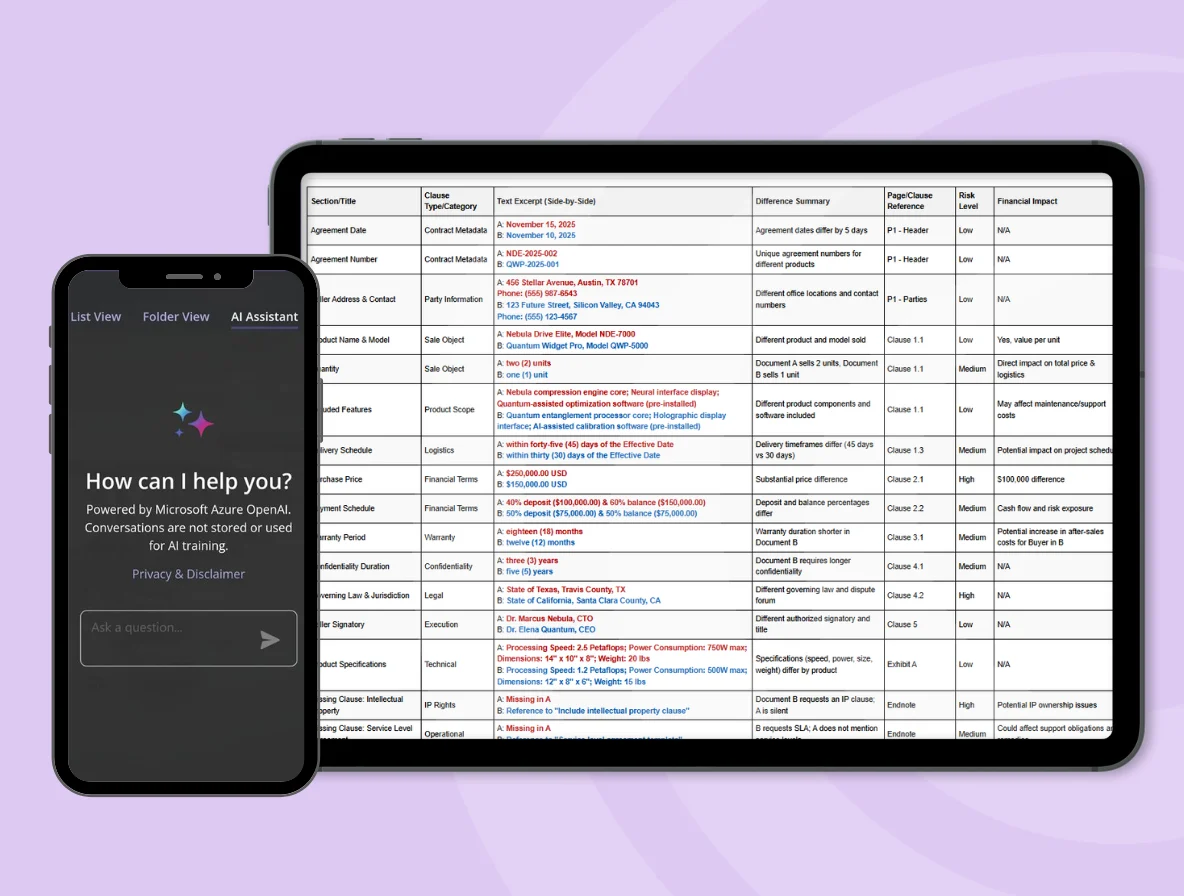
Diliforce’s history as ContractZen gave it a strong foundation in contract repository and governance. The rebrand to Diliforce reflects an expanded scope — the platform now covers contract management, document management, board portals, entity management, and virtual data rooms in one place.
For a small business that needs basic CLM with a low per-user price and no IT setup overhead, the Standard plan delivers. Import contracts by email, let AI extract key metadata, set reminders for renewals — you’re operational in an afternoon.
The Advanced plan ($27/user/month, 5-user minimum) adds the full AI analysis engine, deeper collaboration features, and VDR access. That’s the tier worth considering if you’re in a due-diligence-heavy business like consulting, finance, or legal services.
Diliforce pricing (as of November 2026)
- Standard — $9.50/user/month, billed annually
- Advanced — $27/user/month, billed annually (minimum 5 users)
- Enterprise — custom pricing
- AI features add-on available from $15/month
Pros and cons
| Pros | Cons |
|---|---|
| Lowest starting price of any full CLM ($9.50/user/mo) | Recently rebranded — some docs still say ContractZen |
| Microsoft Azure security (ISO 27001 certified) | Smaller user community and ecosystem than PandaDoc |
| AI extraction and multilingual support | AI features require add-on on base plan |
| 14-day free trial, no credit card required | Not as polished for contract creation workflows |
6. Juro — Best AI-Native Contract Management Platform
The verdict: Juro is the most AI-forward CLM on this list. Its “Operator” AI can query your entire contract repository in natural language, draft contracts, review redlines, and flag risks. If AI automation is the priority and budget is flexible, Juro is the strongest contender in its class.

Juro calls itself “intelligent contracting.” That’s not marketing fluff. The platform’s AI is embedded throughout the lifecycle: AI-powered intake forms, AI contract review against custom playbooks, AI-assisted redlining, and “Operator” — a conversational AI that lets you ask natural-language questions across your entire contract repository.
The embedded contracting model is clever. Juro integrates with Salesforce, HubSpot, Greenhouse, and other tools so employees can initiate and manage contracts without ever logging into a separate CLM portal. Sales reps spin up NDAs from their CRM. HR generates offer letters from their ATS. Legal sets the guardrails once and gets out of the way.
The catch: Juro doesn’t publish pricing publicly. All pricing is custom and requires a demo conversation. That’s a friction point for small businesses doing budget comparisons. See Juro pricing details →
Juro is rated #1 for ease of use and support on G2, with a 4.8/5 on Capterra. According to Juro, the platform powers 3 million contracts across 85+ countries and was founded by a Magic Circle lawyer — which matters when the AI is making claims about your contract language.

Pros and cons
| Pros | Cons |
|---|---|
| Most advanced AI features (Operator conversational AI) | Pricing not published — requires demo to get a quote |
| Embedded contracting in CRM and ATS tools | May be over-engineered for very small teams |
| G2 Leader across CLM categories, 4.8 Capterra | Microsoft Copilot integration still expanding |
| SOC 2 Type 2 certified, 99.9% uptime | Not the best fit if you need low per-user pricing |
Side-by-Side Comparison
Here’s how the six tools stack up on the factors that matter most to small businesses:
| Feature | PandaDoc | ContractSafe | Concord | GetAccept | Diliforce | Juro |
|---|---|---|---|---|---|---|
| Starting price | Free / $19/seat/mo | $450/mo | $499/mo (5 users) | $25/user/mo | $9.50/user/mo | Custom |
| E-sign included | Yes (all plans) | Yes (Finalize+) | Yes (all plans) | Yes (all plans) | Via integration | Yes (all plans) |
| Contract creation | Excellent | Good (Maximize) | Excellent | Good | Basic | Excellent |
| AI features | Moderate | Good (Maximize) | Good (Biz+) | Good | Good (add-on) | Industry-leading |
| CRM integration | Excellent | Good | Good | Excellent | Basic | Excellent |
| Deadline alerts | Basic | Excellent | Good | Basic | Good | Good |
| Free trial | Yes (free tier) | Yes (on all plans) | Demo only | Yes (free trial) | Yes (14-day) | Demo only |
Which Contract Management Software Should You Pick?
Here’s how to cut through it:
Choose PandaDoc if you need an all-around contract tool, want to start free and scale, or have a CRM-driven sales motion. It’s the best default choice for most small businesses.
Choose ContractSafe if you have a large archive of existing contracts that need to be searchable, and you’re worried about missing renewals. The unlimited-user model is a great deal for teams where many people need read access.
Choose Concord if you want a clean, complete CLM with the whole lifecycle covered from intake to renewal — and you’re willing to pay $500+/month for a tool the whole team can use without switching apps.
Choose GetAccept if your contract management challenge is primarily sales-related — getting deals closed faster, tracking buyer engagement, and reducing the time from proposal to signed contract. If you’re in SaaS or any B2B sales motion, GetAccept solves a real problem.
Choose Diliforce if budget is the primary constraint and you need a full-featured CLM that works without an IT department. The $9.50/user/month price is unmatched for what you get.
Choose Juro if you want the most AI-powered contracting experience available, need embedded contract workflows in your CRM and ATS, and are growing fast enough to need enterprise-grade CLM without the enterprise bureaucracy.
If you also need e-signatures as a standalone feature, check our guide on the best e-signature software for small business. And if contract management is part of a broader sales workflow that includes proposals and quoting, our best proposal software guide covers the tools that handle that side of the equation.
The Bottom Line
Most small businesses should start with PandaDoc. The free tier is genuinely useful, the paid tiers are reasonably priced, and it handles 80% of what small businesses need from contract management — creation, e-signature, tracking, and basic storage.
If you’re managing 50+ contracts and renewal deadline tracking is your main concern, ContractSafe’s unlimited-user model is a better value.
And if AI is your thing, Juro is in a different class. Just be prepared to have a sales conversation before you see a price.
FAQ: Contract Management Software for Small Business
What’s the difference between contract management software and e-signature software?
E-signature software handles the final step: getting a document signed. Contract management software handles the whole lifecycle — creating contracts from templates, routing them for internal approval, sending for signature, storing the signed version, and tracking renewal dates. Most contract management tools now include e-signature built in, which is why standalone e-signature tools are losing ground in the small business market.
Do small businesses actually need contract management software?
If you have more than 10 active contracts (vendor agreements, customer agreements, employment contracts), yes — almost certainly. The cost of one missed auto-renewal or an unsigned contract used as evidence in a dispute will exceed a year’s subscription to any tool on this list. The question isn’t whether you need it; it’s which tool fits your workflow and budget.
What’s the cheapest contract management software with e-signature?
PandaDoc offers a free tier with unlimited e-signatures and document creation. If you need more than the free tier, Diliforce starts at $9.50/user/month — the lowest entry price of any full-featured CLM we evaluated. GetAccept’s eSign plan starts at $25/user/month for standalone e-signature capability.
Can I use Google Docs for contract management?
You can, but it doesn’t scale. Google Docs has no built-in e-signature, no automated deadline alerts, no approval workflows, and no contract repository with search across metadata. Most small businesses start with Google Docs and email, then switch to dedicated contract management software after they miss their first renewal or lose track of an unsigned contract. Starting with a dedicated tool is cheaper in the long run.
Is contract management software worth it for a team of 5 people?
At five people, you’re probably managing more contracts than you think: customer agreements, vendor agreements, employee contracts, software licenses, office leases. PandaDoc’s free tier handles this at zero cost. If your team is growing, Diliforce at $9.50/user/month gives you a proper CLM for under $600/year — which is well worth it if it prevents one missed renewal or one unsigned contract situation.