Best Lists
Best Sales CRM for Startups in 2026: 7 Picks Ranked and Compared
We tested 7 sales CRMs built for startups. Here are the honest picks — with real pricing, screenshots, and who each tool actually works for. Pricing verified November 2026.
I’ve watched a lot of startups blow $20,000 on the wrong CRM. Usually it’s the same story: someone read a “Top 10 CRM” list that was last updated in 2022, picked whatever had the most G2 badges, and six months later half the sales team is back in spreadsheets.
Picking a CRM when you’re small is weirdly consequential. Get it wrong and your team won’t use it. Get it right and suddenly everyone’s on the same page, deals stop falling through cracks, and you have actual data about why you’re winning and losing.
I looked at 7 sales CRMs specifically suited for startups — evaluated on ease of adoption, automation depth, pricing honesty, and whether the free tier is real or just a demo. Prices below are verified as of November 2026.
Quick Picks at a Glance
- Best free tier: HubSpot CRM (genuinely unlimited contacts, forever free)
- Best visual pipeline: Pipedrive (drag-and-drop Kanban built for sales reps)
- Best AI-first pick: Attio (agents that prospect, follow up, and brief your meetings)
- Best auto-capture: Salesflare (logs itself from your inbox and calendar)
- Best value at scale: Freshsales (starts at $9/user and includes Freddy AI)
- Best for phone-heavy sales: Close (built-in power dialer, no add-on required)
- Best for customization: Zoho CRM (most configurable CRM under $40/user)
What We Looked For
Not every CRM makes sense for a 5-person startup. Here’s the criteria I used to cut the list down:
- Usable on day one. No CRM that requires a 3-month implementation or a Salesforce consultant to get running.
- Honest pricing. I looked at what you’d actually pay for a 5-10 person team, not “starting from” prices for a single seat with nothing enabled.
- Real automation. Email sequences, deal stage triggers, and activity reminders — not just manual task lists.
- Built-in communication. At minimum, email sync. Phone and SMS integration earns bonus points.
- Reports you can actually use. Pipeline velocity, conversion rates, and rep activity — not just contact counts.
1. HubSpot CRM — Best Free Option
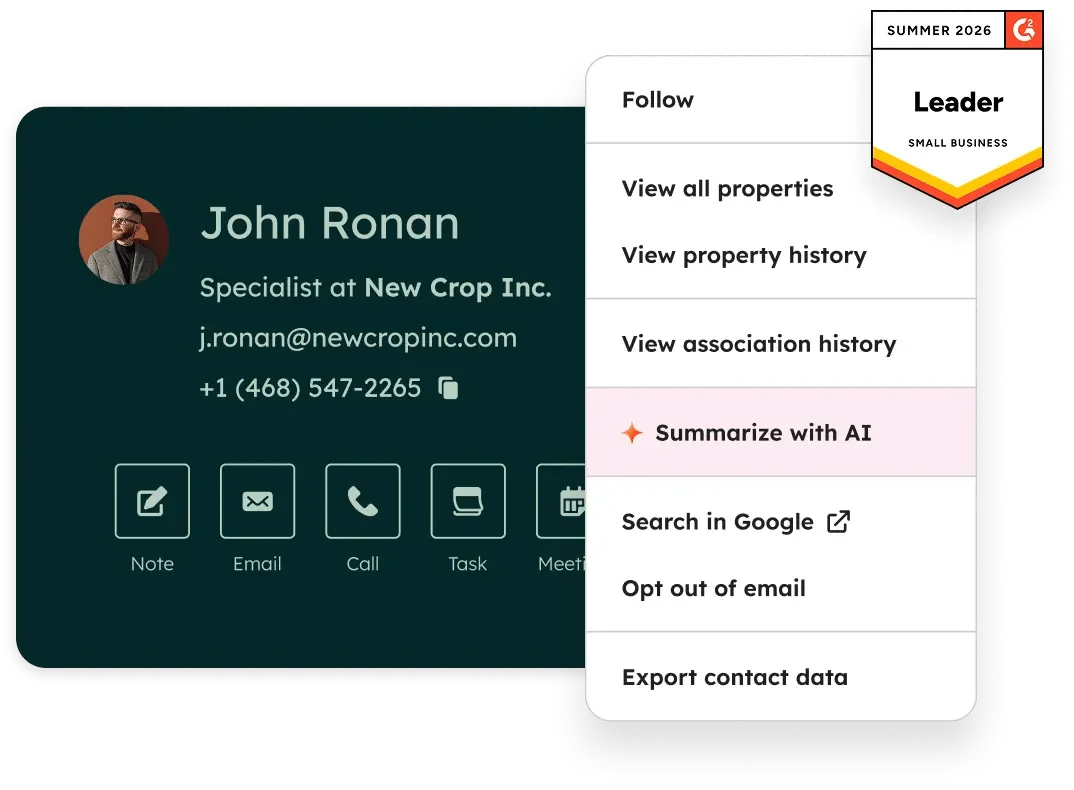
HubSpot is what most startups reach for first, and there’s a reason. The free tier is actually free — not a 14-day trial, not “free for 2 users,” but unlimited contacts and no expiration date. For a pre-revenue startup trying to stay scrappy, that matters.
The interface is clean enough that non-technical reps will use it. Contact records pull in company data automatically. The deal pipeline is drag-and-drop. Email tracking (open/click notifications) is included free. If you’re currently running sales out of a Gmail inbox and a shared Google Sheet, HubSpot is probably your fastest upgrade.
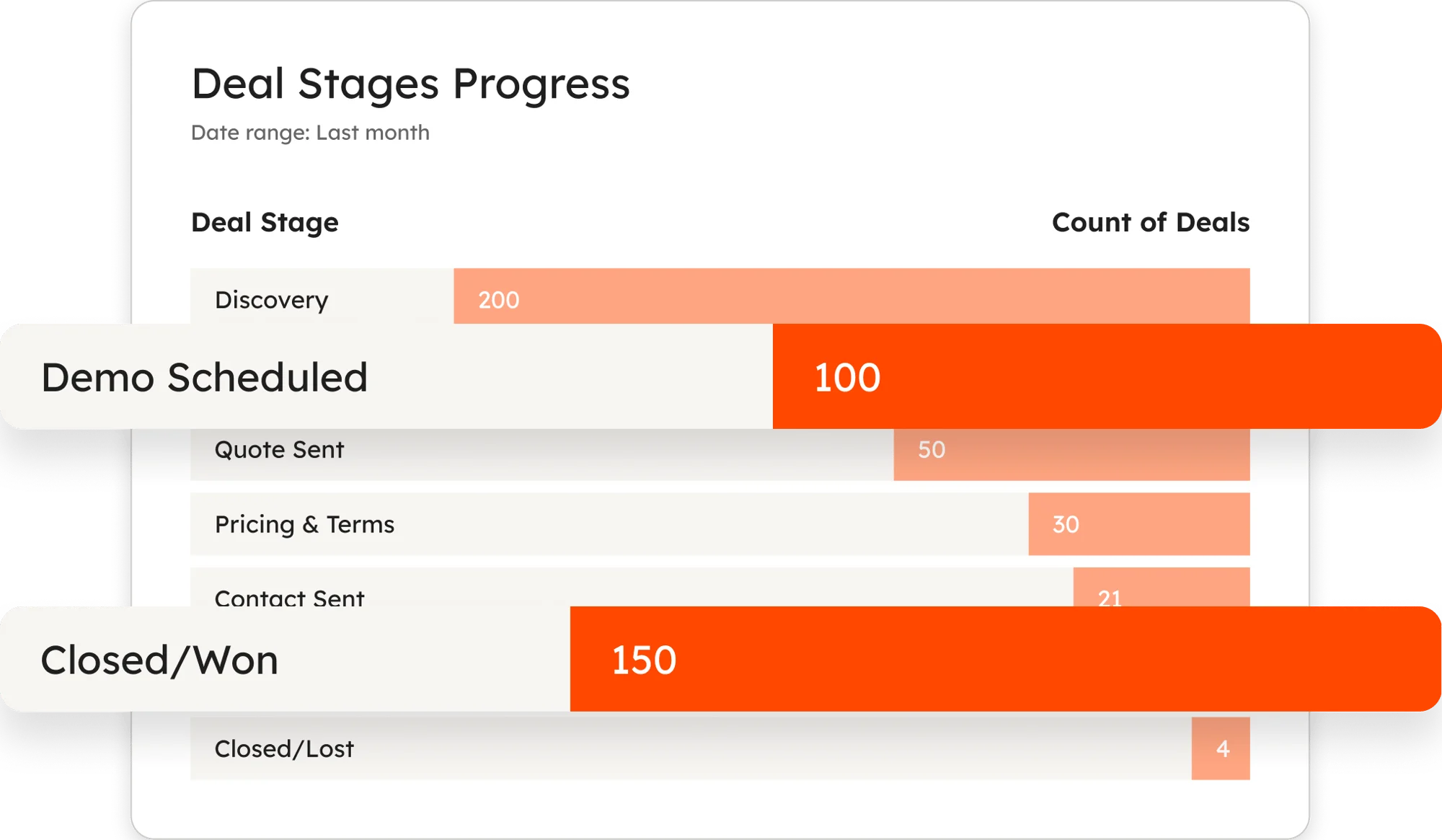
The rub: HubSpot’s free tier is designed to get you hooked, then hit you with a bill at Professional ($50/seat/month). That’s a jump. Automation, sequences, and custom reporting all sit behind that paywall. If you’re planning to scale past 10 seats, run the full-cost math before committing.
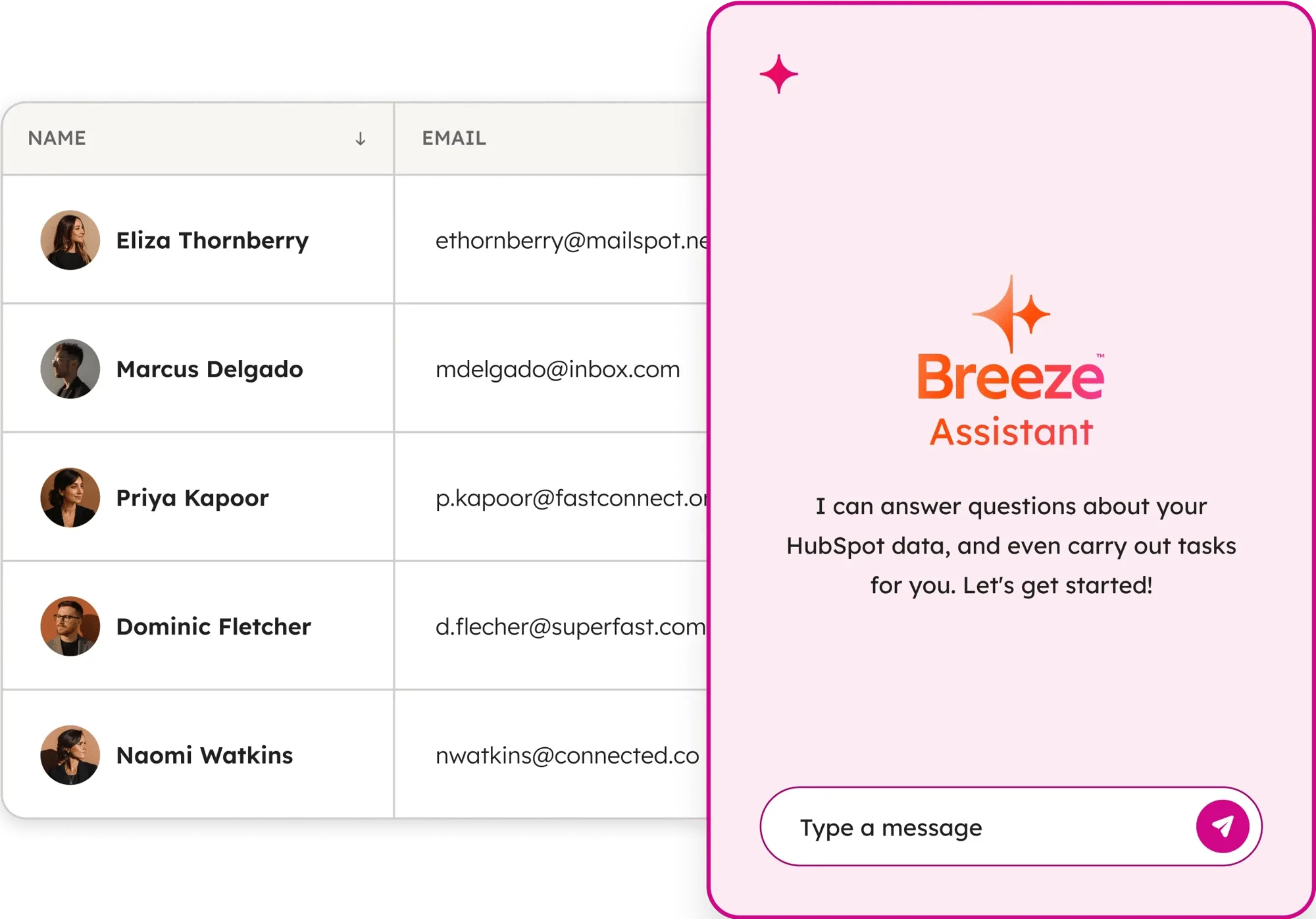
Integrations with your existing stack are genuinely excellent — 2,000+ apps in the marketplace, including Slack, Salesforce, and every major email provider. Worth mentioning: HubSpot has a native connector for Claude, so you can ask questions about your pipeline directly in AI chat.
Pros and Cons
- ✓ Genuinely unlimited free tier, no expiration
- ✓ Clean UI; zero training required for most reps
- ✓ Email tracking and meeting scheduler free
- ✓ 2,000+ integrations
- ✗ Steep jump from free to Professional ($50/seat)
- ✗ Email sequences require paid tier
- ✗ Reporting depth limited on free plan
Pricing (annual billing, per seat/month)
- Free: $0 (unlimited contacts, 2 users)
- Starter: $15/seat
- Professional: $50/seat
- Enterprise: $75/seat
Verdict: Best for pre-seed to Seed startups that want zero upfront cost and need something the team will actually open every day.
2. Pipedrive — Best for Visual Pipeline Management
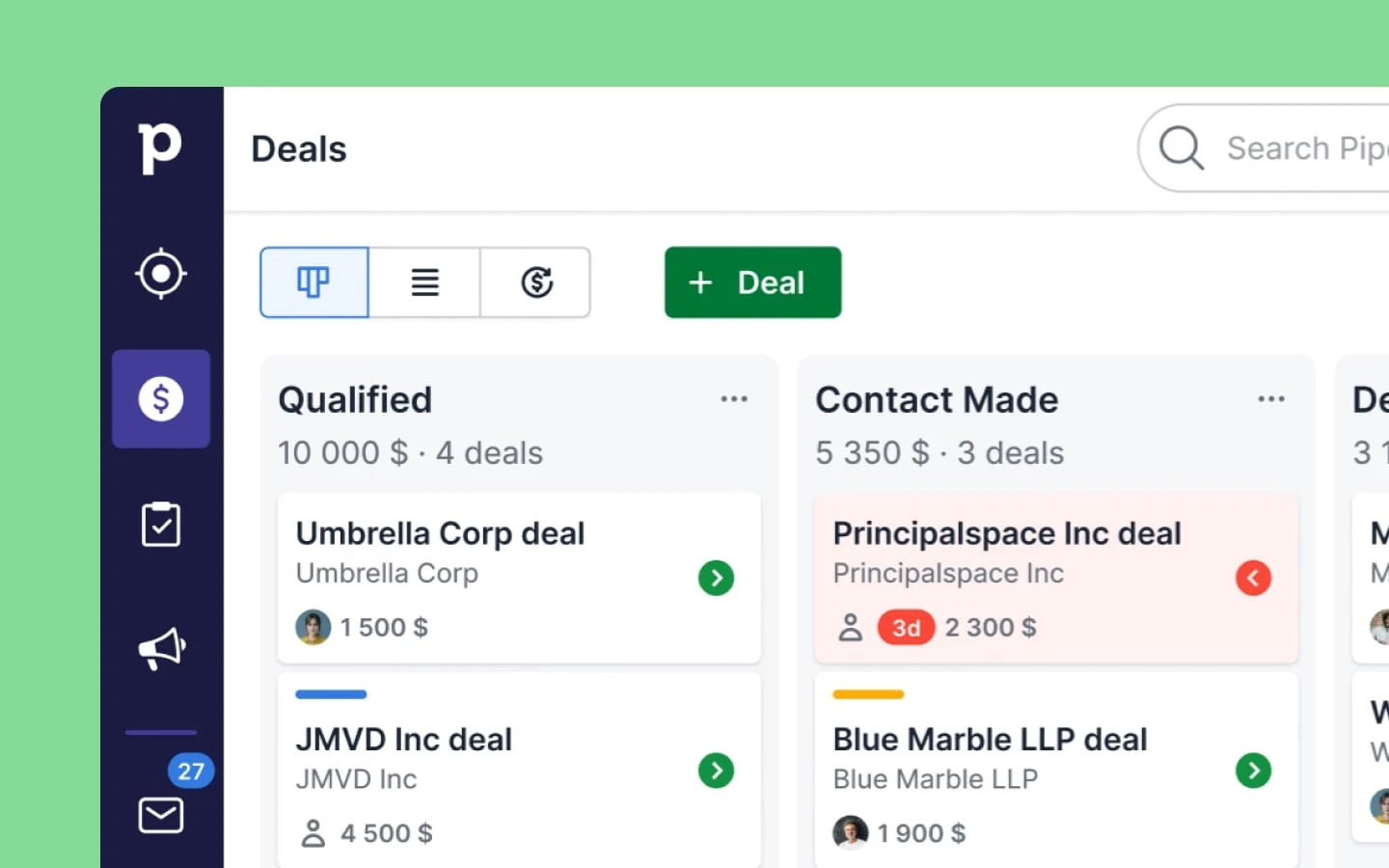
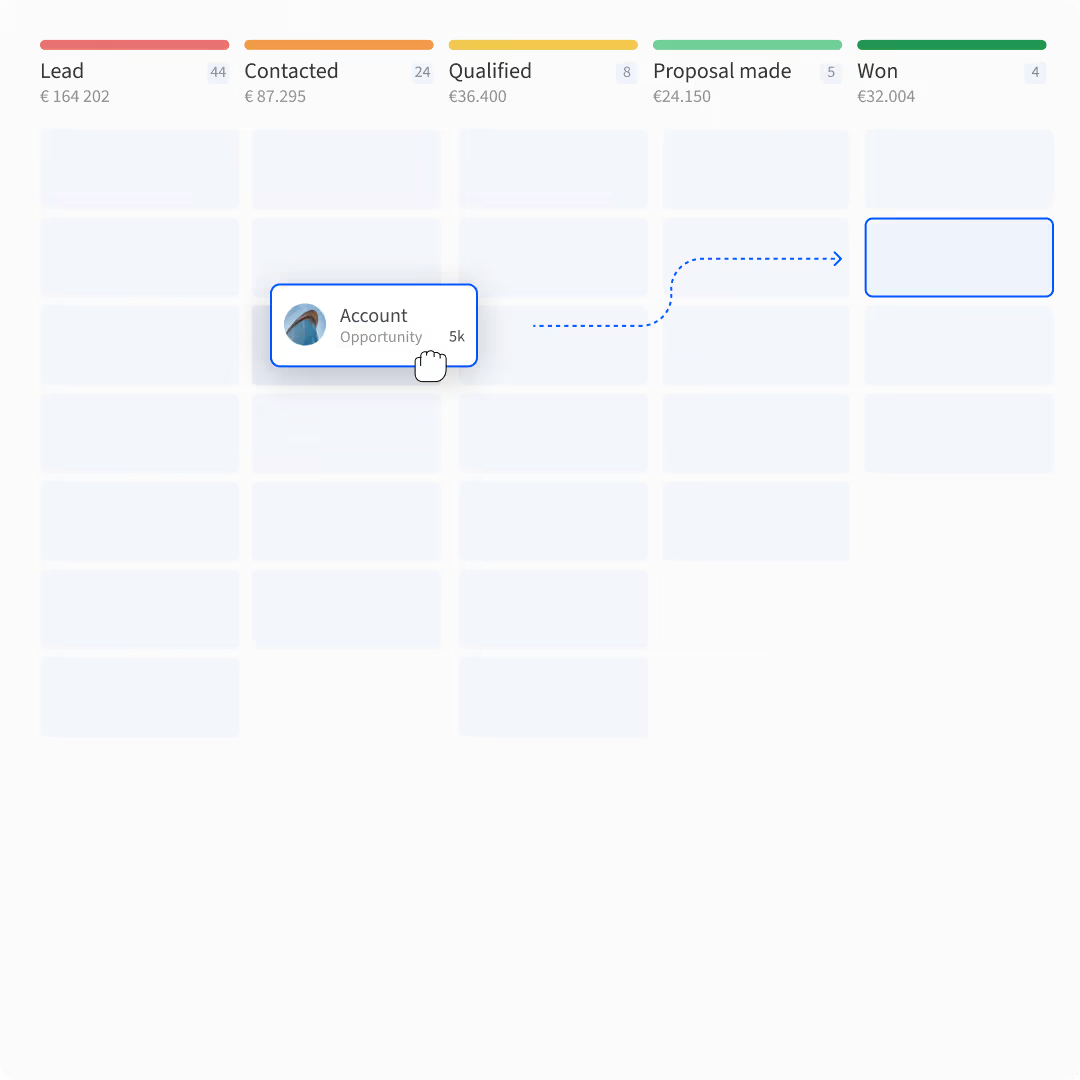
Pipedrive was built by salespeople who were frustrated with every other CRM on the market. That shows. The pipeline view is the best in class — a drag-and-drop Kanban board that reps actually want to use. If your team’s adoption rate with the last CRM was miserable, Pipedrive is worth trying.
The core philosophy is “activity-based selling” — Pipedrive prompts reps to log the next action on every deal, so nothing falls into a black hole. The automation tools (workflow triggers, email sequences) are solid without being overwhelming. And the reporting is better than you’d expect at this price point.
What Pipedrive lacks is a free tier. You’re committing $14/seat/month minimum. For a bootstrapped team of 4, that’s $56/month — not ruinous, but it’s real money when HubSpot offers free. Also: marketing automation is a separate add-on, so if you need marketing + sales in one platform, factor that in.
Pros and Cons
- ✓ Best visual pipeline in the market
- ✓ Activity-based approach keeps reps accountable
- ✓ Workflow automation on all plans
- ✓ Excellent mobile app
- ✗ No free tier
- ✗ Marketing automation is an add-on
- ✗ Reporting less customizable than HubSpot Pro
Pricing (annual billing, per seat/month)
- Lite: $14
- Growth: $39
- Premium: $59
- Ultimate: $79
Verdict: Best pick for sales-led startups where rep adoption is the main challenge. The visual UI makes it the easiest CRM to get a team actually using.
3. Attio — Best for AI-First Startups
Attio is the new generation of CRM. If the other tools on this list feel like they were designed when “AI” meant a recommendation engine, Attio is built for a world where agents actually do work.
What’s different: Attio’s agents run in the background enriching leads, scoring accounts, triggering outreach sequences, and surfacing deal risks — without you asking them to. Connect your Gmail and Google Calendar, and Attio starts logging contacts and activities automatically. It builds itself.
The pipeline view shows deal health signals, stakeholder changes, and time-in-stage warnings. Ask a natural language question (“what deals should I focus on today?”) and get a prioritized answer with reasoning. For early-stage technical founders who want their CRM to feel like a 2026 tool — not a 2015 tool — Attio is the pick.
The tradeoff: Attio is more expensive and less established than HubSpot or Pipedrive. The free tier exists but is quite limited. And because it’s genuinely new software, there are some workflow gaps a more mature CRM fills out of the box.
Pros and Cons
- ✓ AI agents that prospect and follow up autonomously
- ✓ Self-builds from inbox and calendar data
- ✓ Beautiful, modern UI
- ✓ Strong API and MCP integration for technical teams
- ✗ Expensive compared to alternatives
- ✗ Less mature feature set for some use cases
- ✗ Free tier is quite restricted
Pricing (annual billing, per user/month)
- Free: $0 (limited)
- Plus: $35
- Pro: $79
- Enterprise: Custom
Verdict: Best for AI-native startups, technical founders, and teams that want an agentic workflow from day one. Skip it if you need Salesforce-style feature completeness.
4. Salesflare — Best for Automated Data Capture
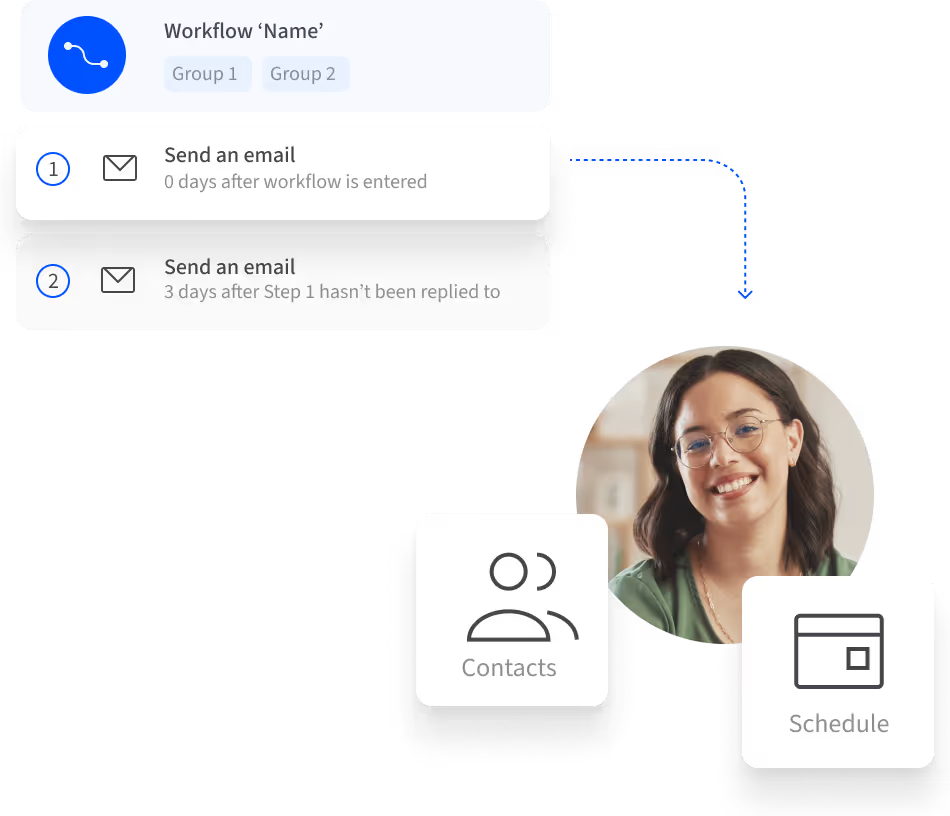
The number one reason CRMs fail: nobody enters data. Salesflare solves this by basically filling itself in. Connect your email, and Salesflare automatically logs every conversation, meeting, and email exchange to the right contact record. No manual entry.
It enriches contact records from email signatures, LinkedIn, and company websites. It reminds you when relationships go cold. And it tracks who opens what, so you know when to follow up without guessing.
Salesflare is rated 4.8/5 on G2 based on 400+ reviews — almost all of which mention how much time it saves on CRM hygiene. For a small B2B team selling to businesses (not consumers), this is probably the most underrated option on this list.
What to know: Salesflare is very B2B-focused. Consumer-facing startups, e-commerce, or anything with high-volume inbound leads will find it limiting. And unlike HubSpot, there’s no marketing automation built in.
Pros and Cons
- ✓ Automatic data capture — CRM keeps itself updated
- ✓ Relationship intelligence shows who your team knows
- ✓ Highest user satisfaction ratings in category
- ✓ LinkedIn integration for lead sourcing
- ✗ No free tier (30-day trial only)
- ✗ Best suited for B2B account-based sales
- ✗ Less marketing automation than HubSpot
Pricing (annual billing, per user/month)
- Growth: $29
- Pro: $49
- Enterprise: $99
Verdict: Best for B2B sales teams where manual CRM entry is the actual problem. If your reps refuse to log calls, Salesflare removes that excuse entirely.
5. Freshsales — Best Value for Growing Teams
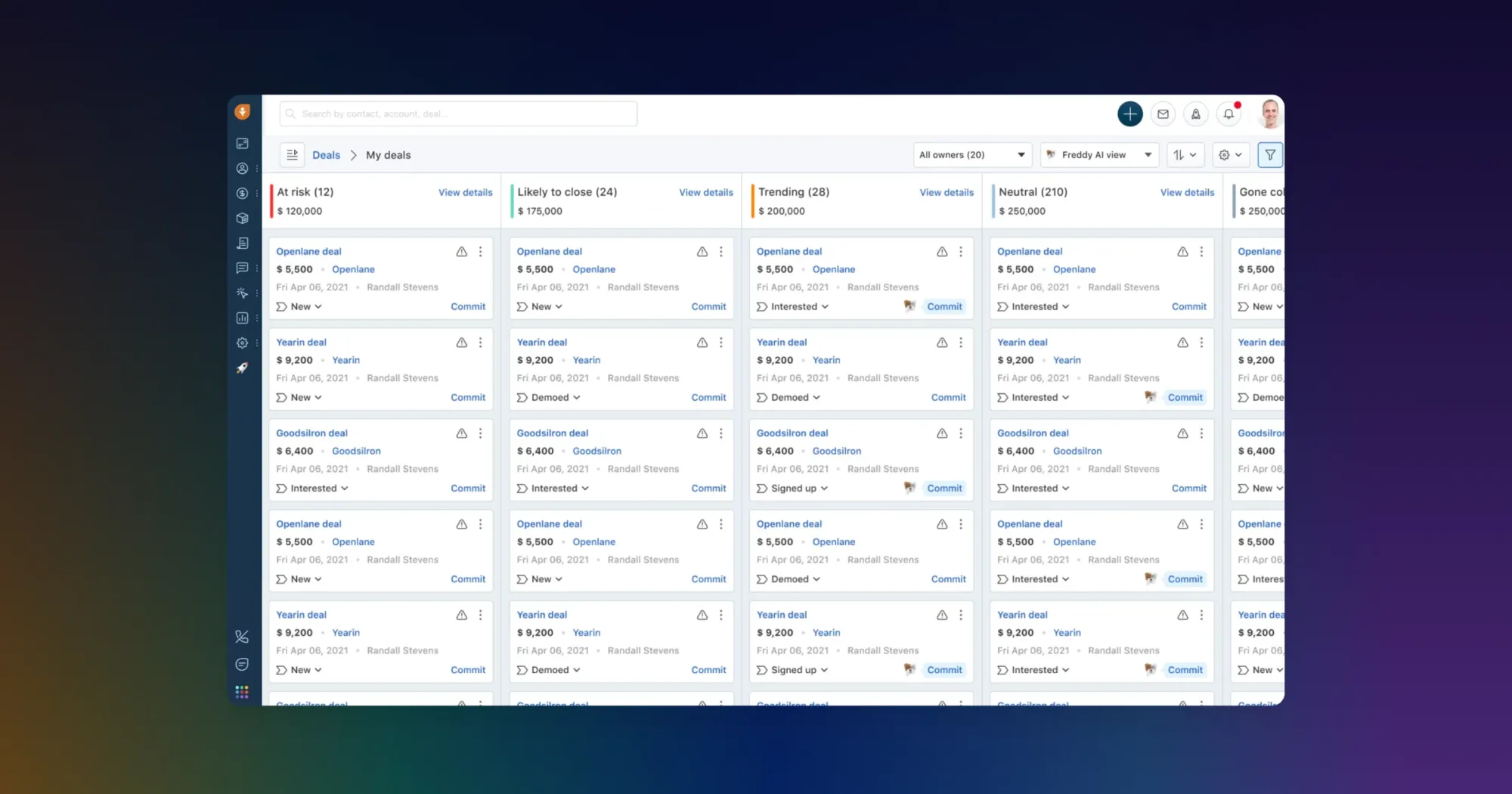
Freshsales packs more into $9/user than almost any CRM on this list. At the Growth tier, you get lead scoring, email campaigns, workflow automation, and Freddy AI — an AI assistant that flags your best leads, recommends next actions, and even drafts emails for you.
Freshsales also integrates tightly with the rest of the Freshworks suite (Freshdesk for support, Freshchat for live chat). If you’re building a full customer-facing stack on a startup budget, everything talking to everything natively is a real advantage. Speaking of live chat, we’ve written about the best live chat software for small businesses separately if that’s also on your list.
The honest caveat: Freshsales’s UI is busier than Pipedrive or HubSpot. Mobile experience is decent but not remarkable. And while Freddy AI is genuinely useful, it’s not on the same level as Attio’s agents in terms of autonomous work.
Pros and Cons
- ✓ Starts at $9/user — extremely affordable
- ✓ AI lead scoring included at Growth tier
- ✓ Native Freshworks ecosystem integration
- ✓ Email campaigns and workflows at low price
- ✗ UI can feel cluttered
- ✗ Less name recognition than HubSpot or Salesforce
- ✗ Support quality varies by plan
Pricing (annual billing, per user/month)
- Growth: $9
- Pro: $39
- Enterprise: $59
Verdict: Best pick for cost-conscious startups that want AI features without paying HubSpot Professional prices. 74,000+ businesses use it. The value is real.
6. Close — Best for High-Volume Sales Teams

Close is built for outbound-heavy teams that live on the phone. The differentiator: a built-in power dialer, SMS, and email — all inside the CRM, all logged automatically. No Dialpad integration, no Twilio setup, no Zapier chain. Just open the app and start calling.
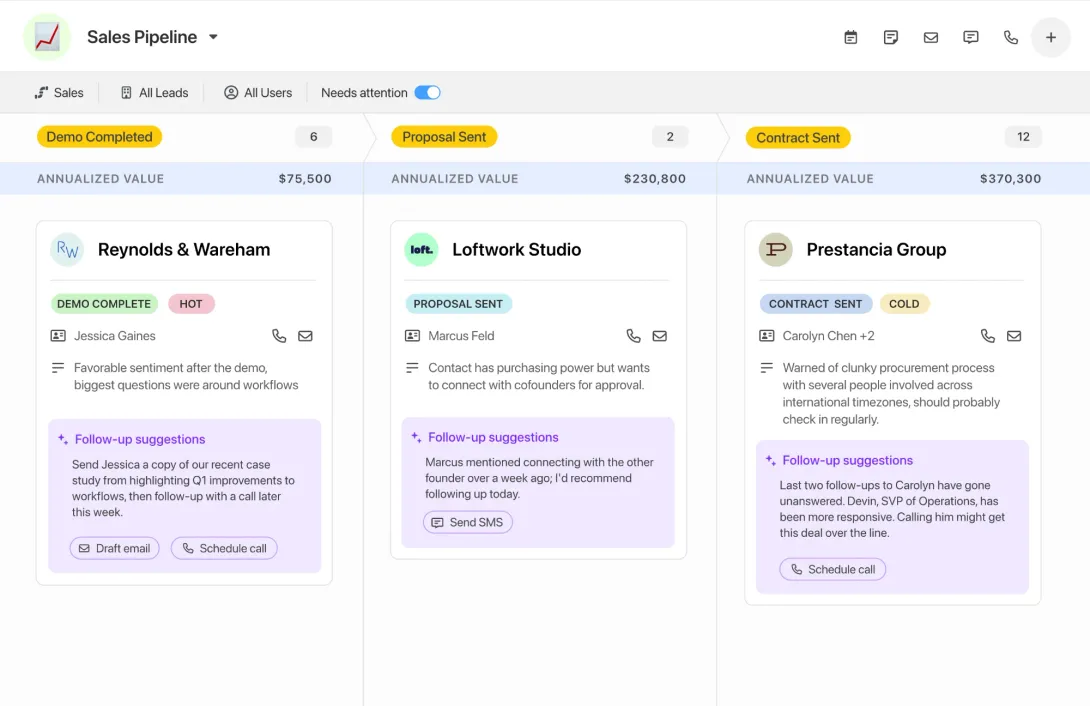
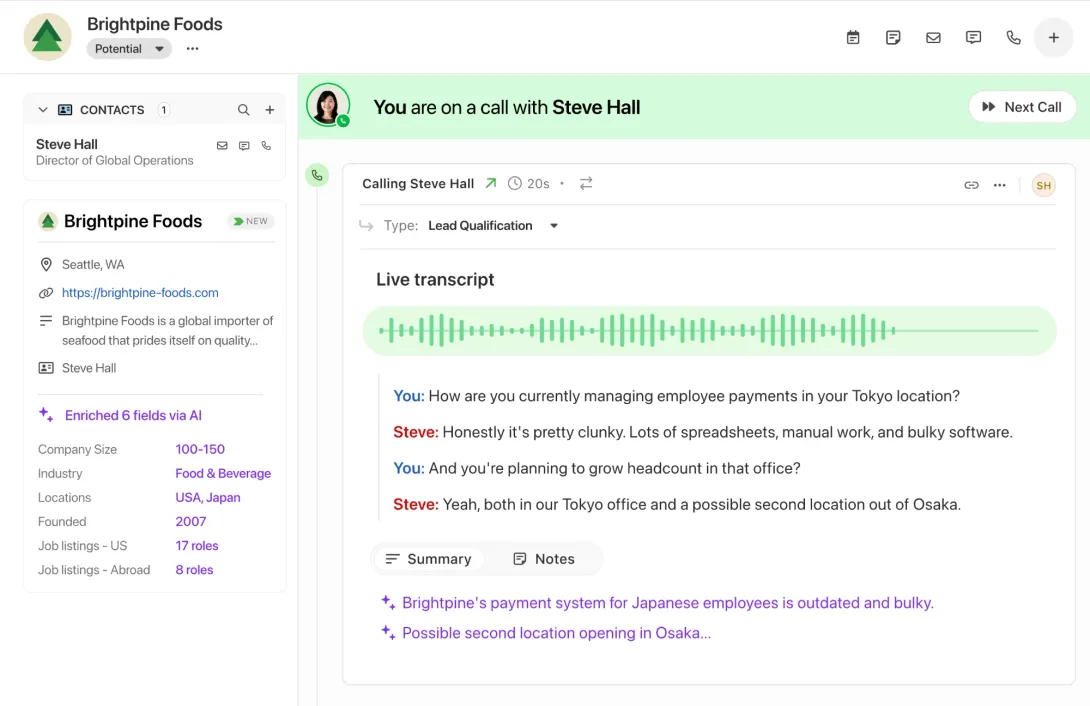
Smart Views are another Close signature feature — saved, automatically-updated lead lists built on any filter combination. “Leads opened email this week but haven’t been called in 3 days.” “Trials expiring in 5 days.” Your reps see exactly who to call and why, without thinking about it.
Who Close isn’t for: Teams with complex account hierarchies or heavy marketing automation needs. Close is a focused sales tool. If you need Close + Marketo, the cost adds up. And at $35+ per user, it’s not the cheapest option for a 10-person team.
Pros and Cons
- ✓ Built-in power dialer, SMS, email — no integrations needed
- ✓ Smart Views surface the right leads automatically
- ✓ Excellent for outbound and high-velocity sales
- ✓ Activity tracking is automatic
- ✗ No free tier (14-day trial)
- ✗ Can feel overkill for low-volume consultative sales
- ✗ Less marketing automation depth than HubSpot
Pricing (annual billing, per user/month)
- Solo: $9 (1 user)
- Essentials: $35
- Growth: $99
- Scale: $139
Verdict: Best for SDR-heavy startups, SaaS companies with high-volume outbound, or any team where calling is a core sales motion. If you make a lot of calls, the built-in dialer pays for itself.
7. Zoho CRM — Best for Customization on a Budget

Zoho CRM is the most customizable CRM you can get under $40/user. Blueprint (a visual sales process designer), Canvas (a no-code interface builder), Journey Orchestration, territory management, CPQ — features that cost $200+/user in Salesforce are available here at $23/user.
If you have a non-standard sales process — say, you’re selling to enterprise accounts with multi-stage approvals, or you’re running a franchise model, or you need CRM to handle something unusual — Zoho can almost certainly be configured to do it. Zia AI handles lead scoring, anomaly detection, and email sentiment analysis.
The honest trade-off: Zoho is complex. The UI took design notes from a 2016 enterprise software playbook. Getting it to do what you want requires setup time that HubSpot or Pipedrive don’t. If you have a technical founder or ops person who likes configuring systems, that’s fine. If you need everyone selling by next Monday, look elsewhere.
Pros and Cons
- ✓ Most customizable CRM at this price point
- ✓ Free tier available (up to 3 users)
- ✓ Integrates with 40+ Zoho apps (suite depth)
- ✓ Strong workflow automation and Blueprint process management
- ✗ UI complexity — steeper learning curve
- ✗ Support quality varies by plan
- ✗ Can be overwhelming for small sales teams
Pricing (annual billing, per user/month)
- Free: $0 (up to 3 users)
- Standard: $14
- Professional: $23
- Enterprise: $40
Verdict: Best for startups with a technical co-founder or ops person, non-standard sales processes, or teams already in the Zoho ecosystem. The customization ceiling is genuinely impressive.
Side-by-Side Comparison
| Tool | Free Tier | Starting Price | AI Features | Built-in Calling | Best For |
|---|---|---|---|---|---|
| HubSpot | Yes (unlimited) | $15/user/mo | Breeze AI | No | Free tier / broad adoption |
| Pipedrive | No | $14/user/mo | AI email writer | Add-on | Visual pipeline / rep adoption |
| Attio | Yes (limited) | $35/user/mo | Agents + Universal Context | No | AI-native startups |
| Salesflare | No (30-day trial) | $29/user/mo | AI suggestions | No | Auto data capture / B2B |
| Freshsales | No (21-day trial) | $9/user/mo | Freddy AI | Add-on | Budget-conscious teams |
| Close | No (14-day trial) | $35/user/mo | AI call notes | Yes (built-in) | Outbound / phone-heavy sales |
| Zoho CRM | Yes (3 users) | $14/user/mo | Zia AI | Add-on | Customization / Zoho ecosystem |
How to Pick the Right CRM
Here’s the decision framework I’d use if I were advising a founder today:
Start with your sales motion. Are you doing outbound calls all day? Close. Are you managing complex inbound enterprise deals? HubSpot Pro or Attio. Mostly email-based B2B sales? Salesflare.
Then look at your team size and CRM adoption history. If you’ve tried CRMs before and reps didn’t use them, prioritize ease of use (Pipedrive) or automatic data capture (Salesflare) over features. A CRM with 100 features that nobody opens is useless.
Budget math: total cost of ownership. A 5-person team on HubSpot Starter costs $900/year. On HubSpot Professional, that’s $3,000/year. On Freshsales Growth, it’s $540/year. The difference buys real headcount. Run the numbers at your actual team size, not “starting from.”
Integration fit matters more than you think. If you’re already using proposal software, e-signature tools, or appointment scheduling software, check whether your CRM integrates natively or requires Zapier glue. For finance, also check whether it connects to your accounting software and invoicing tools.
Try before you commit. Every tool on this list offers a free tier or trial. Use the trial with your actual deal data and your actual team — not a demo account with made-up contacts. The CRM that gets adopted in trial week is the CRM that gets adopted in production.
Frequently Asked Questions
What’s the best free CRM for startups?
HubSpot CRM is the best free option — it has unlimited contacts, no expiration date, and includes email tracking and meeting scheduling. Zoho CRM also has a free tier (up to 3 users) with more customization depth. Attio has a free tier but it’s very limited in what you can do.
Is Salesforce worth it for a startup?
Almost never. Salesforce is powerful but overbuilt for startups — it requires a Salesforce admin to manage effectively, costs $75-$300+/user, and is designed for enterprise workflows. The tools on this list are almost always a better starting point. You can always migrate to Salesforce when you hit 100+ reps.
How many users do I need to pay for in a CRM?
Every full-time sales rep who needs to log activity, plus sales managers who need reporting access. Founders who occasionally jump into deals can often share a seat with a manager account. For a 5-person sales team, budget for 5-6 seats.
Can I migrate data from one CRM to another?
Yes. All the tools on this list support CSV import/export and most have native migration tools from common CRMs. HubSpot has a particularly good migration guide. Plan 1-2 days for data cleanup during any migration — contacts always need normalization.
What’s the difference between a CRM and a sales engagement platform?
A CRM stores your contacts, deals, and activity history. A sales engagement platform (Outreach, Salesloft) handles outbound sequences, dialing, and rep workflow. Close is unusual in that it blurs the line — it’s a CRM with native dialing and sequencing. For most early-stage startups, a good CRM is enough to start.
How important is mobile CRM access?
More important than most founders think. If your reps visit clients or attend events, they’re updating the CRM from their phone or not at all. Pipedrive and HubSpot have the best mobile apps. Close’s mobile app is solid for call-heavy teams. Zoho’s mobile experience is acceptable but not great.
Pricing verified November 2026 from each vendor’s public pricing page. All prices in USD. Annual billing shown; monthly billing is typically 20-30% higher. For the most current pricing, visit each vendor’s website directly.