Accounting Software
Best Accounting Software for Small Business in 2026 (Tested and Compared)
The 5 best accounting software tools for small business in 2026. Honest comparisons of QuickBooks Online, Xero, FreshBooks, Zoho Books, and Wave — with current pricing starting from free.
You’re running a business. Not a bookkeeping firm. But someone has to track the money — and if you pick the wrong tool, you will spend more time fighting software than running your company.
I’ve compared five of the most-used small business accounting platforms for 2026. Real pricing (including the recent increases nobody talks about), actual strengths, actual limitations. No affiliate rankings. Just the honest picture.
Last updated: October 2026. Pricing reflects current list prices as of this month.
Quick Picks — Best Accounting Software for Small Business in 2026
| Tool | Best For | Starting Price | Free Plan? |
|---|---|---|---|
| QuickBooks Online | Growing businesses that need everything | $38/mo | No |
| Xero | Teams with multiple users | $27/mo | No |
| FreshBooks | Freelancers and service businesses | $23/mo | No |
| Zoho Books | Budget-conscious businesses or Zoho users | Free | Yes (under $50K revenue) |
| Wave | Sole proprietors and very small startups | Free | Yes |
What’s in This Guide
- How we picked these tools
- QuickBooks Online — Best Overall
- Xero — Best for Teams
- FreshBooks — Best for Service Businesses
- Zoho Books — Best Value
- Wave — Best Free Option
- Full Pricing Comparison
- Which Tool Is Right for You?
- FAQ
How We Picked These Tools
We evaluated each platform on five factors: core accounting features (invoicing, expense tracking, bank reconciliation, reporting), pricing transparency and value, ease of use for non-accountants, integration depth, and support quality. We looked at G2 and Capterra ratings, real user reviews, and live pricing pages.
The tools below cover the vast majority of small businesses. If you are processing payroll and need deep HR integration, check our guide to the best HR software for small teams for tools that pair well with the options below.
1. QuickBooks Online — Best Overall for Small Business
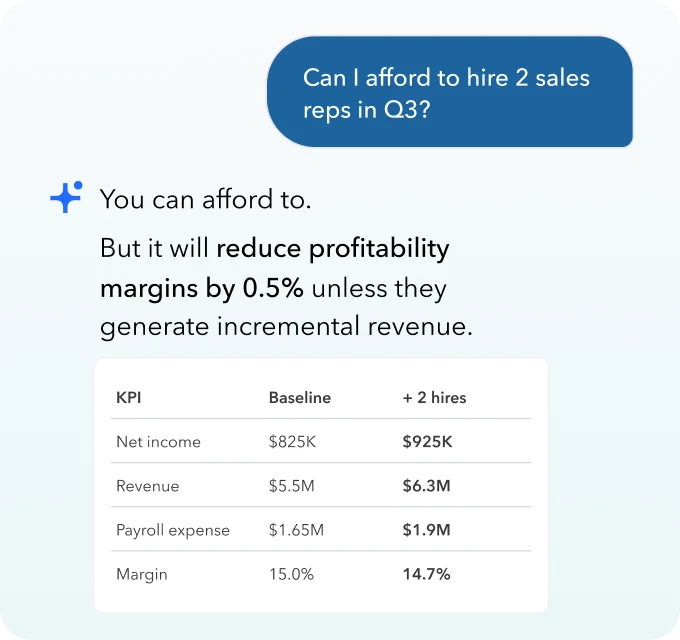
QuickBooks is the market standard. Your accountant almost certainly uses it. Your bank integration probably has a QuickBooks button. For most growing businesses, it is the path of least friction — and in 2026, it has added genuine AI capabilities that actually save time.
What QuickBooks Online does well
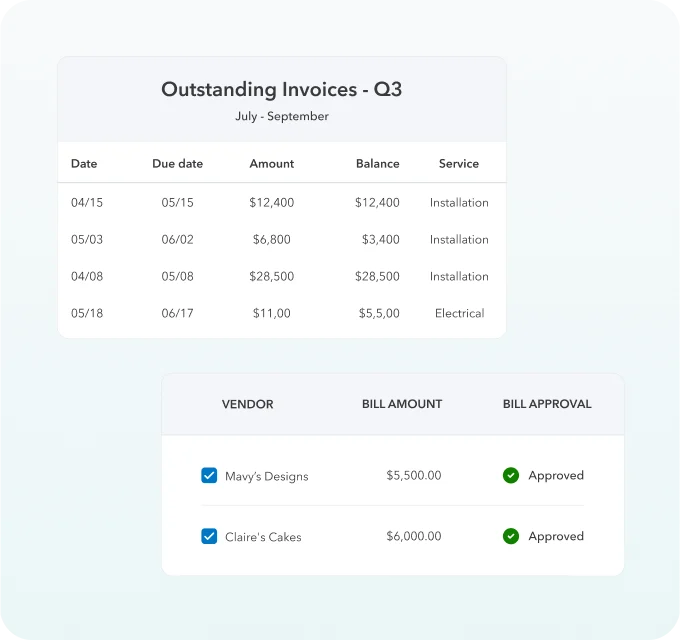
- Invoicing and accounts receivable — recurring billing, automatic payment reminders, and online payment processing (credit card, ACH, digital wallets).
- Inventory tracking — available on Plus and Advanced plans. Track stock levels, cost of goods sold, and reorder points.
- Payroll — built-in payroll add-on (QuickBooks Payroll, priced separately) integrates seamlessly. If you need to pay employees, this is the smoothest path.
- Integrations — 750+ apps including Shopify, HubSpot, Salesforce, and most major banks.
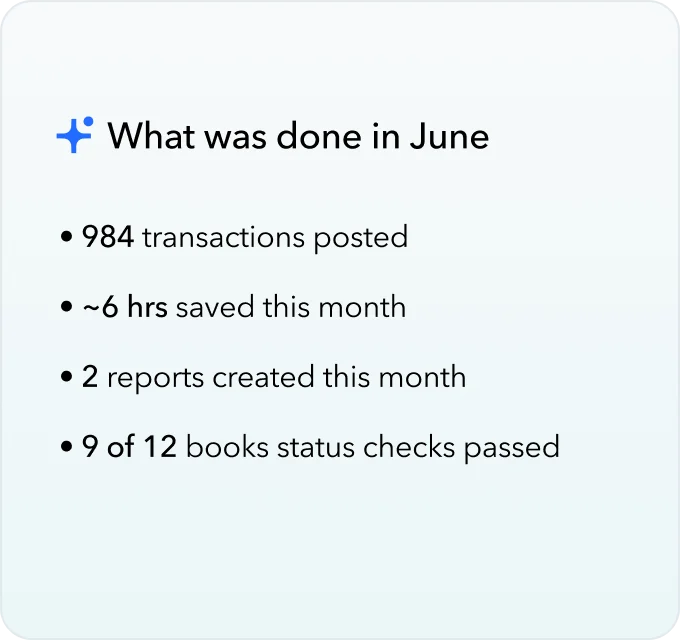
- AI features (new in 2026) — AI chat for cash flow forecasting, automated categorization, and an AI autopilot that flags tasks and anomalies.
Where QuickBooks falls short
Price. QuickBooks Online raised prices in August 2026. Simple Start now costs $38/month — that is almost double what it was three years ago. If you only need basic invoicing and expense tracking, you are paying a premium for features you will never use.
The mobile app is also noticeably weaker than the desktop version — several reporting features and the inventory module are desktop-only.
QuickBooks Online pricing (as of October 2026)
- Simple Start — $38/month (1 user)
- Essentials — $85/month (3 users)
- Plus — $140/month (5 users + inventory)
- Advanced — $340/month (25 users + custom reporting)
Payroll is an add-on starting at $45/month + $6/employee/month.
Verdict: Best all-around tool if you have a growing team, sell physical products, or want your accountant to jump in without a learning curve. Overkill for a one-person service business.
2. Xero — Best for Teams
The single biggest Xero advantage: unlimited users on every plan. QuickBooks charges per seat. Xero does not. For any business with more than 2–3 people touching the books, that changes the math completely.
What Xero does well
- Unlimited users — every plan, including the $27/month Early tier. Role-based permissions keep sensitive data controlled.
- Bank reconciliation — Xero’s bank feed is genuinely fast. It suggests matches, learns your categories, and processes most transactions in under a minute.
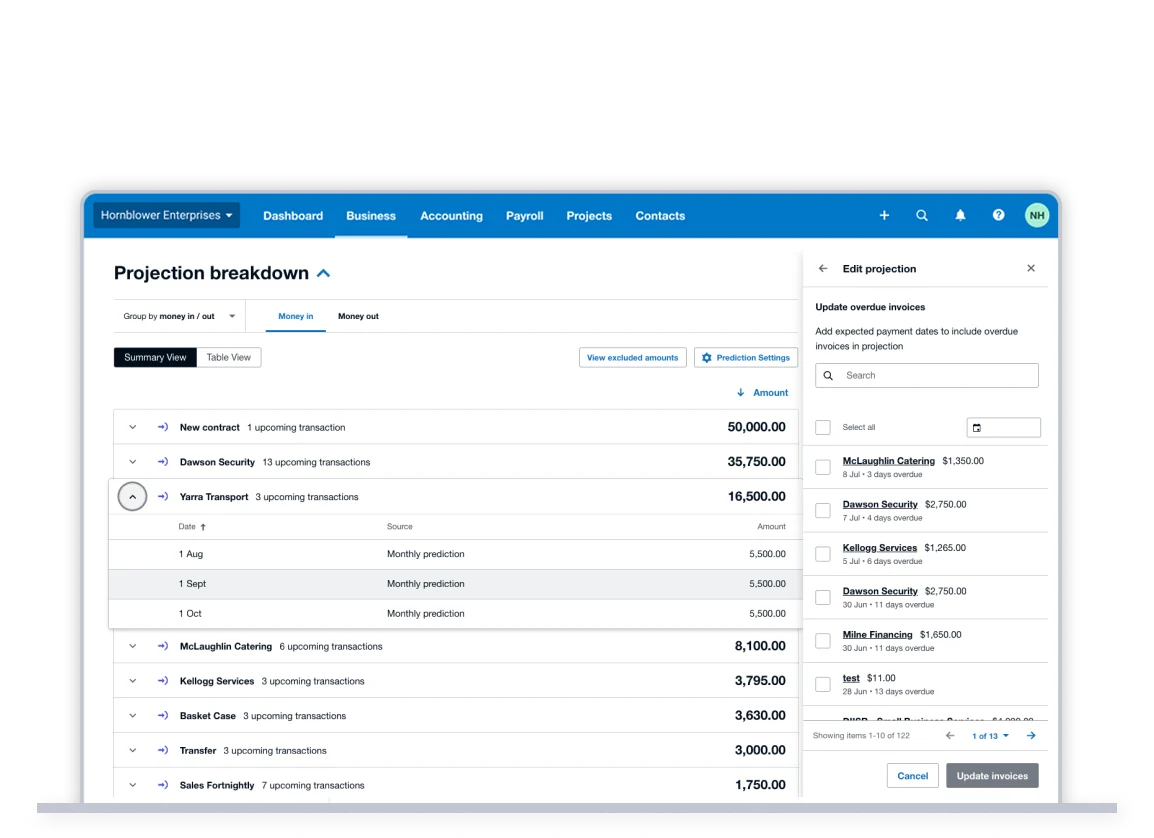
- Cash flow forecasting — a built-in short-term cash flow tool (30- and 90-day views) that pulls from live bills and invoices. No extra setup required.
- 1,000+ integrations — including Gusto (payroll), HubSpot, Stripe, and all major banks.
- Mobile app — the Xero mobile app is significantly stronger than QuickBooks’ mobile experience.
Where Xero falls short
No phone support. Xero has email and live chat, but if you need to talk to a human, you are on your own. For a first-time bookkeeper setting things up alone, this is a real limitation.
Xero also raised prices in October 2026. The Early plan went from $25 to $27, Growing from $55 to $59, and Established from $90 to $97. Still cheaper than QuickBooks, but the gap is closing.
Xero pricing (as of October 2026)
- Early — $27/month (20 invoices, 5 bills per month)
- Growing — $59/month (unlimited invoices and bills)
- Established — $97/month (+ multi-currency, expenses, projects)
Verdict: Best pick for businesses with 3+ people using the accounting system, or anyone who wants a stronger mobile experience. Skip the Early plan unless your transaction volume is truly minimal.
3. FreshBooks — Best for Freelancers and Service Businesses
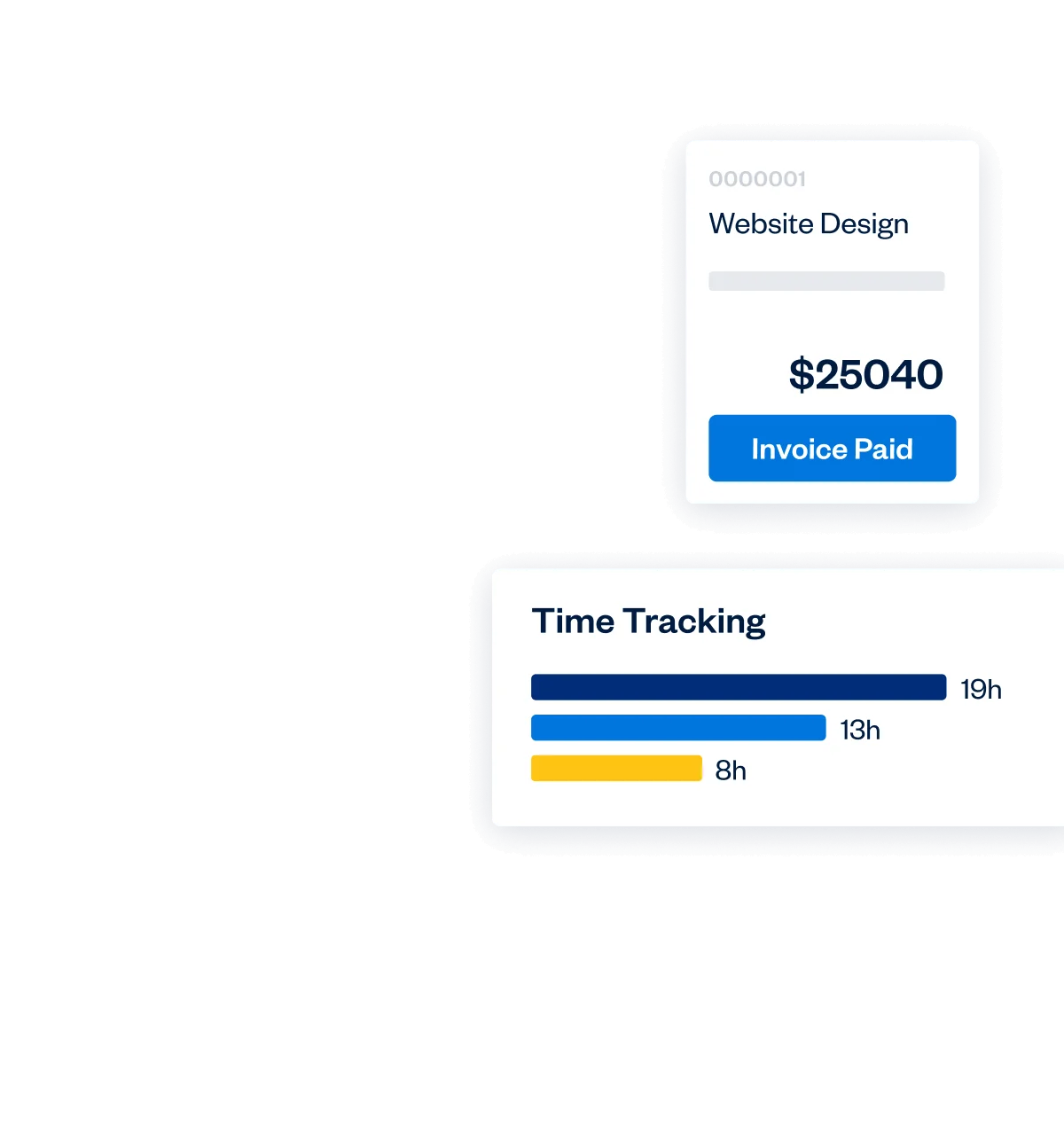
FreshBooks was built for people who get paid for their time. The invoicing, time tracking, and retainer billing flow is smoother than anything else in this list. If your business model is “invoice clients for hours worked,” FreshBooks is designed for exactly that.
The tool also pairs naturally with the best invoicing software for freelancers workflows — in fact, FreshBooks ranked in that guide too, because its invoicing layer is genuinely best-in-class.
What FreshBooks does well
- Invoicing — branded invoices, automated payment reminders, recurring billing, and deposit requests all in one place.
- Time tracking — built-in timer that attaches directly to projects and client invoices. No separate app needed.
- Retainer billing — set up recurring retainer agreements and let FreshBooks handle the monthly charge automatically.
- Expense capture — snap receipts from your phone; FreshBooks auto-categorizes them and attaches them to the right client project.
- Client portal — clients can log in, see their invoices, leave comments, and pay directly from the portal.
Where FreshBooks falls short
Inventory management is limited or nonexistent on most plans. If you sell physical products, FreshBooks is not the right tool. The Lite plan also caps you at 5 billable clients, which feels restrictive for anyone with a growing roster.
Add-ons add up: 1099 contractor management costs extra, as do additional team members beyond the base seat.
FreshBooks pricing (as of October 2026)
- Lite — $23/month (5 billable clients)
- Plus — $43/month (50 billable clients)
- Premium — $70/month (unlimited billable clients)
- Select — custom pricing (dedicated account manager)
Verdict: If you are a consultant, agency, designer, or any kind of service business that invoices clients for time and projects, FreshBooks is the best fit. Product businesses should look elsewhere.
4. Zoho Books — Best Value (and Best Free Plan)
Zoho Books is the one people sleep on. The feature list rivals QuickBooks at a fraction of the cost. The free plan is genuinely usable — not a stripped-down trial with fake limitations. And if you already use anything in the Zoho ecosystem (CRM, Desk, Inventory), the integration value compounds fast.
What Zoho Books does well
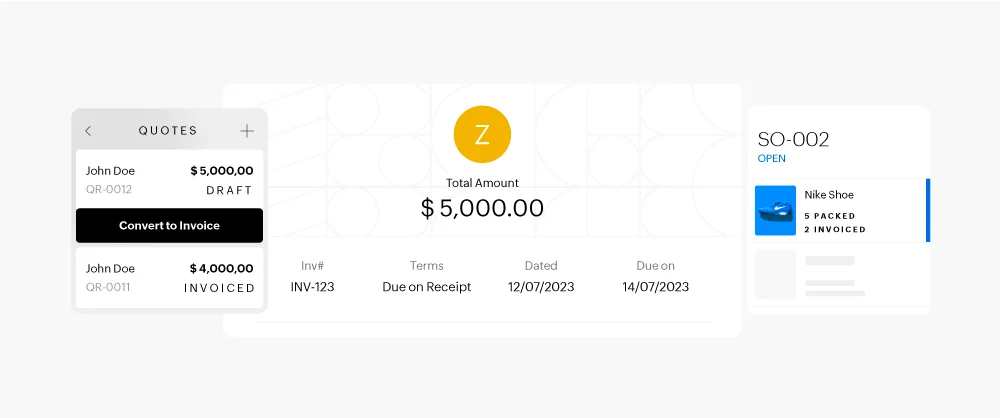
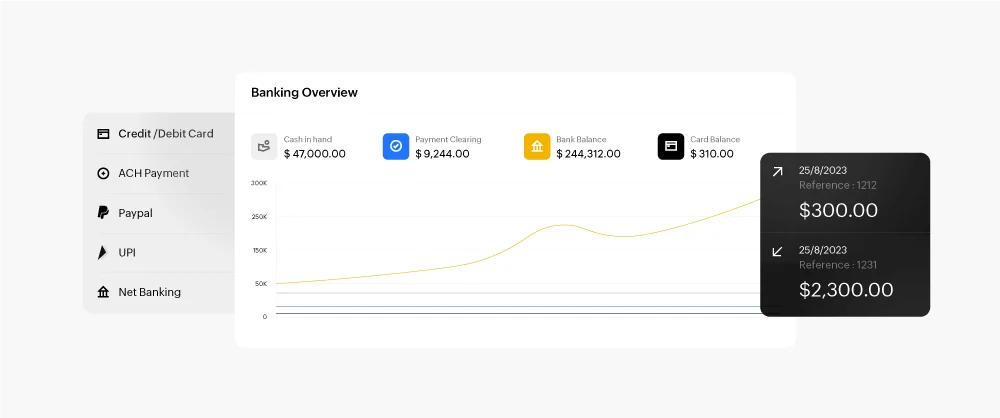
- Free plan — fully functional for businesses with annual revenue under $50,000. Invoicing, expenses, bank reconciliation, and basic reporting are all included.
- Workflow automation — approval workflows, payment reminders, and transaction rules that trigger automatically. Available on paid plans.
- Multi-currency — built into the Professional plan and above, without the additional fee some competitors charge.
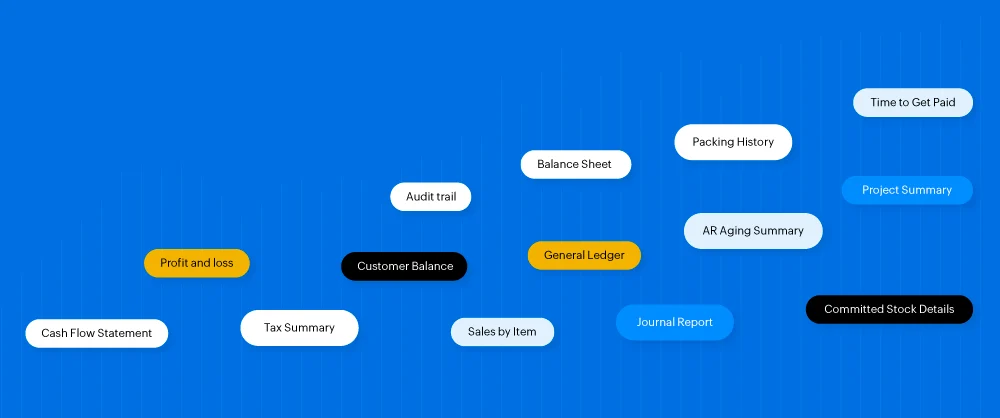
- Inventory + projects — item and stock tracking plus project budgets and timesheets are included on mid-tier plans.
- Zoho ecosystem integration — if you use Zoho CRM, the sync between prospects, deals, and invoices is seamless.
Where Zoho Books falls short
The interface has more depth than most small business owners want. Setting up automation and custom workflows takes real time. If you want something you can be invoicing from in 10 minutes, this is not it.
Bank integrations in the US are solid, but international bank connections can be inconsistent outside of major institutions.
Zoho Books pricing (as of October 2026)
- Free — $0 (up to $50,000 annual revenue, 1 user)
- Standard — $20/month (3 users)
- Professional — $50/month (5 users + multi-currency)
- Premium — $70/month (10 users + advanced automation)
- Elite — $150/month (10 users + advanced inventory)
- Ultimate — $275/month (15 users + custom reports)
Verdict: Best value in the market, period. Start on the free plan. Upgrade when your revenue or team size demands it. If you are already in the Zoho ecosystem, this is a no-brainer.
5. Wave — Best Free Option for Sole Proprietors
Wave is the simplest accounting tool that is actually accounting software. Not a spreadsheet dressed up as software. Not a $0 lead magnet. Actual double-entry bookkeeping, income and expense tracking, and bank feeds — for free.
The free Starter plan covers everything a sole proprietor or very small business needs: invoicing, income tracking, expense categories, and basic reports. You only start paying ($19/month for the Pro plan) when you need bank connections, receipt capture, or automated reminders.
Wave pricing (as of October 2026)
- Starter — $0 (basic invoicing and accounting, manual bank entry)
- Pro — $19/month (bank connections, receipt capture, unlimited invoices)
Payroll is available as a separate paid service in the US and Canada.
Verdict: Perfect for freelancers just starting out, side hustlers, and sole proprietors with under 50 transactions per month. Not the right tool once you have employees, inventory, or a growing team — move to Zoho Books or FreshBooks at that point.
Full Pricing Comparison (October 2026)
| Tool | Entry Plan | Mid Plan | Full Plan | Free Tier? |
|---|---|---|---|---|
| QuickBooks Online | $38/mo (1 user) | $85/mo (3 users) | $140–$340/mo | No |
| Xero | $27/mo (limited volume) | $59/mo (unlimited) | $97/mo | No |
| FreshBooks | $23/mo (5 clients) | $43/mo (50 clients) | $70/mo (unlimited) | No |
| Zoho Books | Free (under $50K/yr) | $20–$50/mo | $70–$275/mo | Yes |
| Wave | Free | $19/mo | $19/mo | Yes |
All prices are US monthly list prices as of October 2026. Annual billing typically reduces costs by 10–20% depending on the vendor.
Which Accounting Software Is Right for You?
Stop trying to pick the “best” tool. Pick the right tool for where you actually are.
- You are just starting out, revenue under $50K/year: Start with Zoho Books free or Wave. You can always migrate later. Migration is easier than paying for features you don’t need for the next two years.
- You are a freelancer or consultant billing clients for time: FreshBooks. The time tracking + invoicing workflow is purpose-built for you.
- You have a team of 3+ people sharing accounting access: Xero. Unlimited users at $59/month beats QuickBooks Essentials at $85/month for the same user count.
- You sell physical products and need inventory management: QuickBooks Online Plus ($140/month) or Xero Established ($97/month). Both handle inventory; Xero is cheaper.
- Your accountant already uses QuickBooks and you don’t want the friction: QuickBooks Online. The accountant handoff alone is worth the price premium for some businesses.
- You are in the Zoho ecosystem (CRM, Desk, Projects): Zoho Books. The native integration is worth more than the cost savings alone.
One thing worth remembering: whatever payroll tool you land on should connect cleanly to your accounting software. See our roundup of the best payroll software for small business for options that work with all five tools above.
Frequently Asked Questions
What is the best free accounting software for small business?
Wave Starter is completely free for basic invoicing and accounting. Zoho Books also offers a free plan for businesses with annual revenue under $50,000. Both are solid starting points — Wave is simpler, Zoho Books has more depth.
Is QuickBooks worth it for a small business?
Yes — if you need full-featured accounting with hundreds of integrations and strong payroll support. But at $38–$340/month, it is the most expensive option here. Zoho Books or Xero deliver most of the same functionality at a lower price for most small businesses.
Which accounting software is easiest to use for non-accountants?
FreshBooks consistently rates highest for ease of use among non-accountants, especially for freelancers and service businesses. Wave is also beginner-friendly, particularly for sole proprietors who only need basic income and expense tracking.
Can I switch accounting software mid-year?
Yes — most platforms let you import a CSV export from your previous tool. The cleanest time to switch is at the start of a fiscal year, but mid-year moves work fine if you reconcile the opening balances carefully. Xero and QuickBooks both have guided import tools.
Do I need accounting software if I use a payroll service?
Yes. Payroll software handles paying employees; accounting software tracks everything — revenue, expenses, taxes, and overall financial health. They solve different problems. Most payroll tools integrate directly with the accounting platforms above.
The Verdict
If you want one answer: Zoho Books for most small businesses. It has a real free tier, a feature set that matches QuickBooks at a fraction of the price, and room to grow.
If you are a freelancer: FreshBooks. Nothing else handles project billing and time tracking as smoothly.
If your accountant is already in QuickBooks: QuickBooks Online. The collaboration value outweighs the price premium.
Start where you are. Upgrade when the tool stops fitting. These platforms are all designed to grow with you — the worst move is waiting until your books are a mess before setting any of this up.
All pricing sourced from official vendor pricing pages, October 2026. G2 ratings from G2.com and Capterra from Capterra.