Best Lists
Best Digital Signature Apps for Mobile (2026): Tested and Ranked
We tested 7 digital signature apps for mobile — DocuSign, Adobe Acrobat Sign, SignNow, PandaDoc, HelloSign, SignEasy, and DottedSign. Here's the honest breakdown with pricing tables, feature comparison, and who each one is actually for.

You’re at a client site. You’ve just finished a two-hour meeting, the deal is done, and they want the contract signed before you leave the building. You’ve got your phone, no printer, no scanner, no laptop. What you need is the best digital signature app for mobile — and you need it to work right now, not after a 20-minute onboarding flow.
I’ve been in that exact spot. I’ve also been on the other side, sending vendor agreements from a Mumbai hotel room at 11pm because a supplier needed a GST invoice signed before the next morning’s dispatch. Mobile e-signature apps have gotten genuinely good in the last few years, and the difference between a great one and a frustrating one comes down to about four things: how fast you can sign, whether the audit trail holds up, whether it works offline, and how badly they nickel-and-dime you on the free tier.
Short answer up front: DocuSign is still the safest bet for most people, SignNow is the value pick, and SignEasy is the one I’d hand to a non-technical colleague without a second thought. But the right answer depends on whether you’re signing one document a month or sending fifty vendor agreements a week. Here’s the full breakdown.
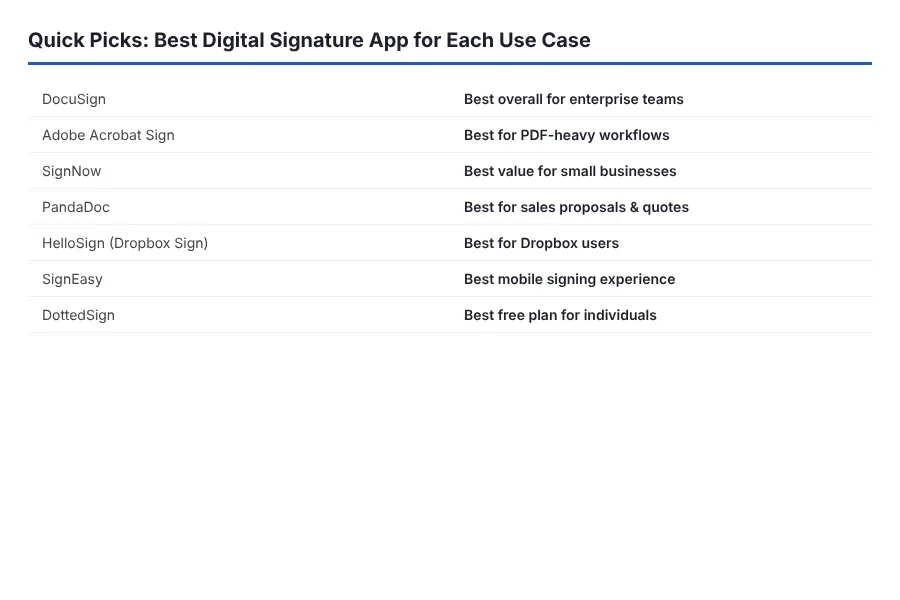
Quick Picks: Best Digital Signature Apps for Mobile
| Tool | Best For | Free Plan | Starting Price |
|---|---|---|---|
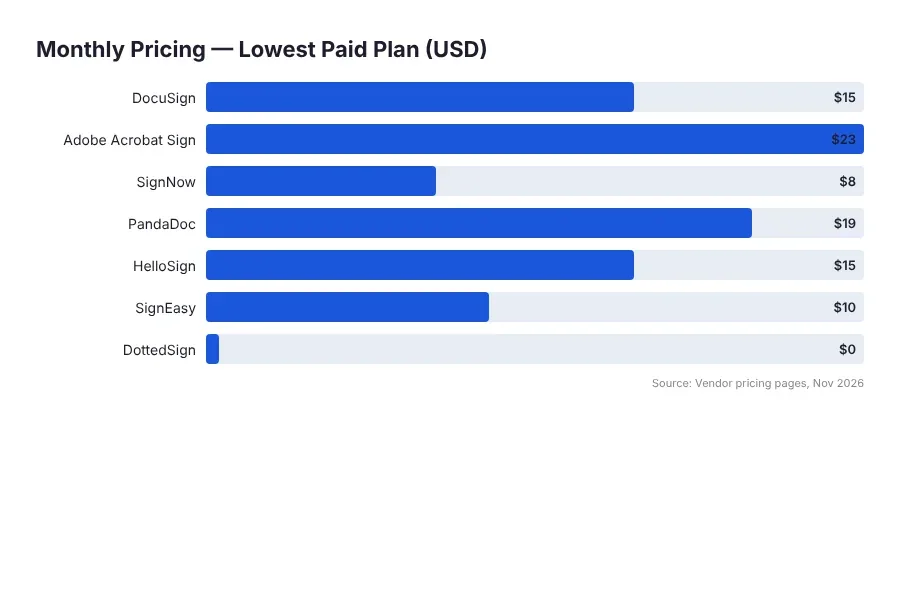
| DocuSign | Overall reliability and legal weight | Yes (30-day trial) | ~$10/user/month |
| Adobe Acrobat Sign | Teams already on Adobe/PDF workflows | Yes (limited) | ~$14.99/month |
| SignNow | Best value for small teams | Yes (limited) | ~$8/user/month |
| PandaDoc | Sales teams sending proposals + contracts | Yes (e-sign only) | ~$19/user/month |
| HelloSign (Dropbox Sign) | Simple, clean signing for individuals | Yes (3 docs/month) | ~$15/month |
| SignEasy | Easiest mobile UX for non-technical users | Yes (limited) | ~$8/month |
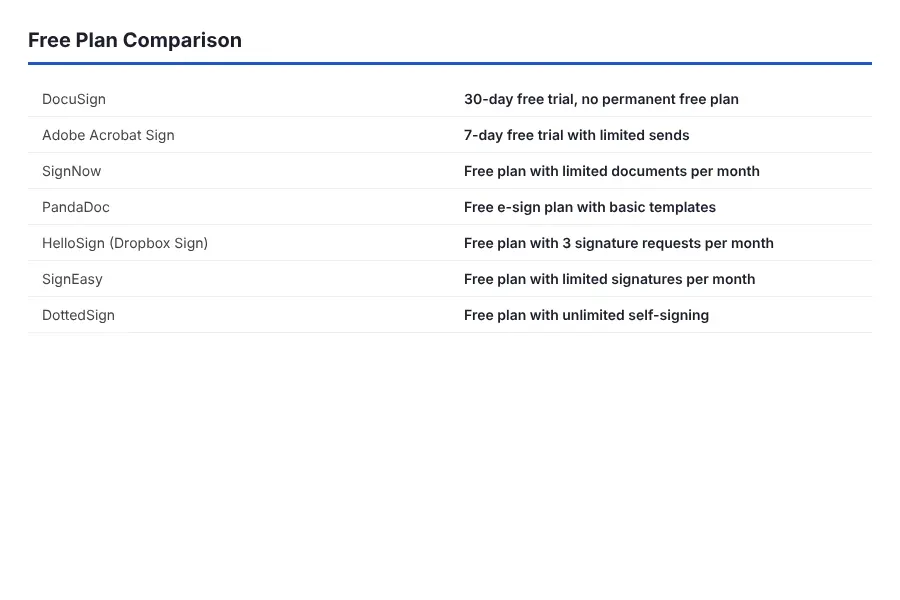
| DottedSign | Budget pick for solo signers | Yes (generous) | ~$6.99/month |
1. DocuSign — The one that just works, everywhere
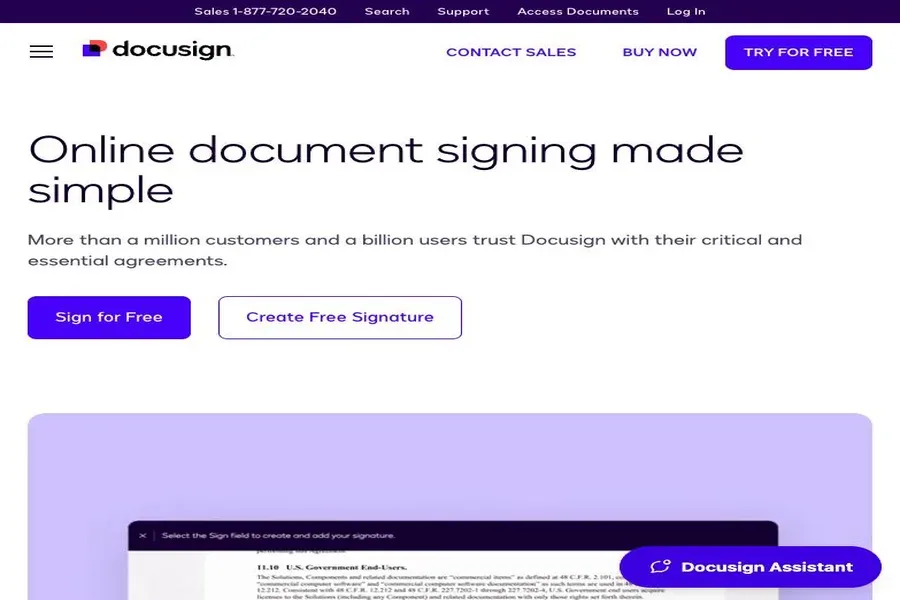
What it is: The 800-pound gorilla of e-signature, and the app most counterparties already recognize when they see the envelope in their inbox.
Key features:
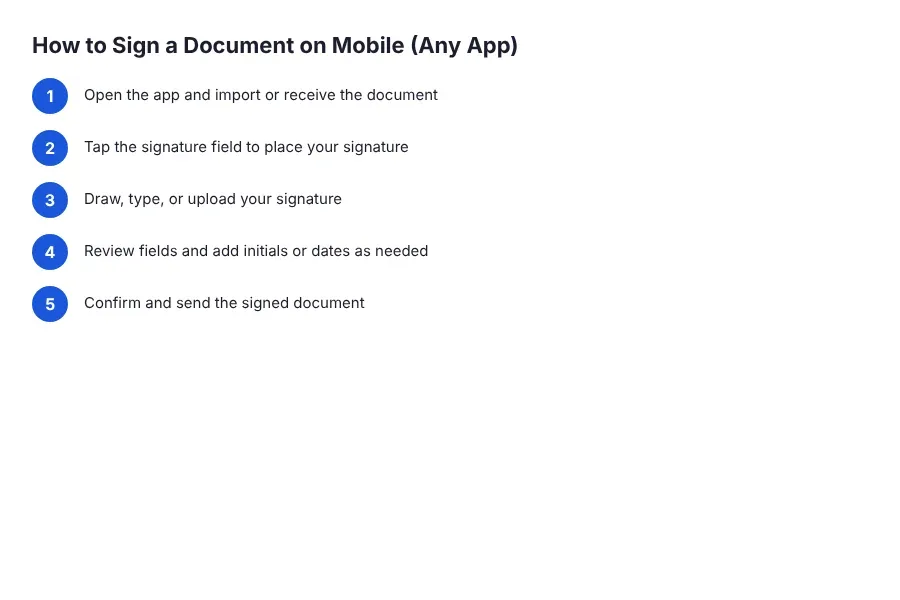
- Sign, send, and track documents entirely from the iOS/Android app — no desktop round-trip needed
- Legally binding signatures compliant with ESIGN, UETA, eIDAS, and India’s IT Act 2000
- Full audit trail with timestamps, IP addresses, and signer identity verification
- Templates and bulk send for repetitive documents (vendor agreements, NDAs, GST-related contracts)
- Offline signing support — you can sign without a connection and it syncs when you’re back
Pricing:
| Plan | Price | Key Limit |
|---|---|---|
| Free Trial | $0 | 30 days, limited envelopes |
| Personal | ~$10/user/month (annual) | 5 envelopes/month |
| Standard | ~$25/user/month | 100 envelopes/year/user |
| Business Pro | ~$40/user/month | Unlimited-ish, bulk send, payments |
✅ Pros:
- Counterparties trust it — no “is this legally valid?” email threads
- Mobile app is genuinely polished and fast to sign on
- Audit trail is court-tested and airtight
❌ Cons:
- Expensive once you go past the Personal tier
- Envelope limits on lower plans sneak up on you fast
🏆 Best for: Anyone signing contracts where legal defensibility matters more than saving $10 a month.
The take: DocuSign is the safe choice. If you ever need to prove a signature held up in court, or if your counterparty is a Fortune 500, this is the one.
2. Adobe Acrobat Sign — Best if you already live in Adobe
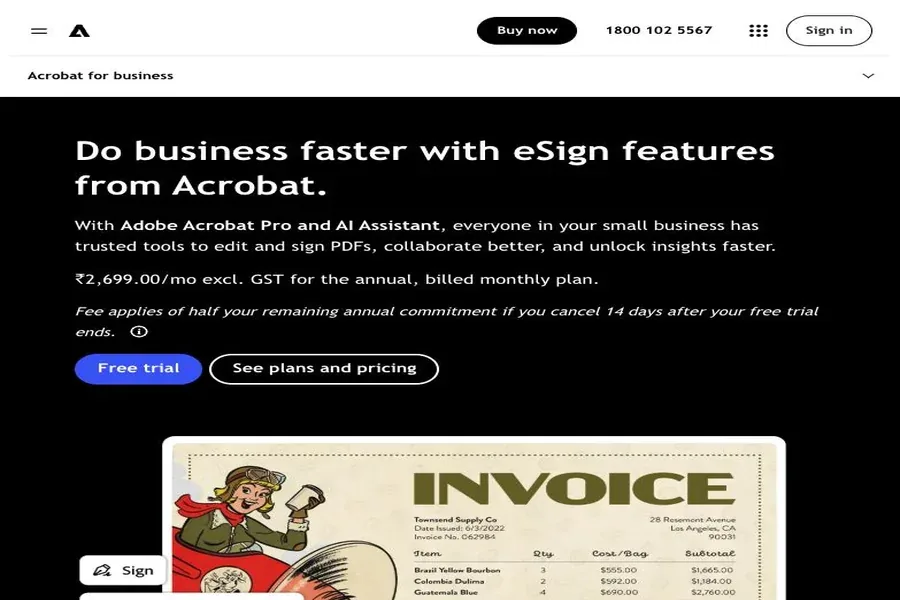
What it is: Adobe’s e-signature platform, deeply integrated with Acrobat and the PDF ecosystem you probably already use.
Key features:
- Sign and send from the Acrobat mobile app or the standalone Acrobat Sign app
- PDF form filling, annotations, and signature in one workflow
- Audit report with full certificate of completion
- Custom workflows and reminders for chasing slow signers
- Integrates with Microsoft 365, Salesforce, and Google Workspace
Pricing:
| Plan | Price | Key Limit |
|---|---|---|
| Free | $0 | Limited fills/signs per month |
| Acrobat Standard | ~$14.99/month | Individual, basic e-sign |
| Acrobat Pro | ~$22.99/month | Full e-sign + advanced PDF tools |
| Acrobat Sign for Teams | ~$29.99/user/month | Team workflows, admin controls |
✅ Pros:
- If you already pay for Acrobat, e-sign is basically bundled in
- Best-in-class PDF editing alongside signing
- Solid mobile app with form-fill support
❌ Cons:
- Mobile app can feel cluttered compared to DocuSign
- Free tier is genuinely limited — you’ll hit the wall quickly
🏆 Best for: Teams already standardized on Adobe Acrobat who don’t want another subscription.
The take: If you’re already paying for Adobe Acrobat Pro, Acrobat Sign is essentially free. If you’re not, the standalone pricing is hard to justify versus SignNow.
3. SignNow — The value play that punches above its weight
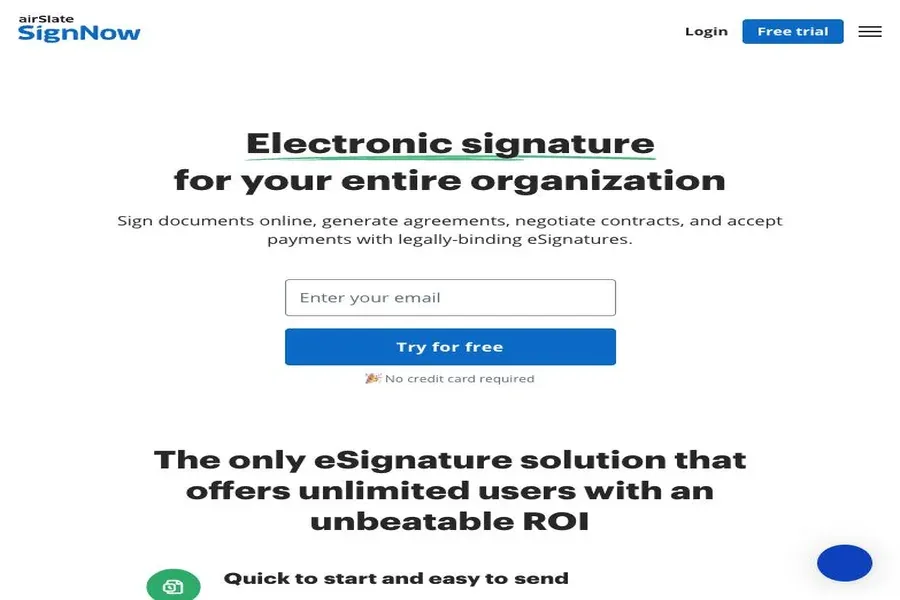
What it is: A Barracuda-owned e-signature tool that undercuts DocuSign on price without giving up much on features.
Key features:
- Sign, send, and manage documents entirely on mobile
- Offline signing — sign documents without internet and sync later
- Templates, reusable fields, and team collaboration
- Audit trail with certificate of completion
- Kiosk mode for in-person signing on a phone or tablet
Pricing:
| Plan | Price | Key Limit |
|---|---|---|
| Free | $0 | Limited docs/signatures per month |
| Business | ~$8/user/month (annual) | Unlimited templates, 100 invites |
| Business Premium | ~$15/user/month | Roles, integrations, more |
| Enterprise | Custom | SSO, admin controls |
✅ Pros:
- Half the price of DocuSign for 90% of the same use cases
- Offline signing actually works reliably
- Kiosk mode is great for signing in person at a client’s office
❌ Cons:
- Less brand recognition — some counterparties ask “is this legit?”
- Mobile app isn’t quite as polished as DocuSign
🏆 Best for: Small teams and freelancers who need DocuSign-level features without the DocuSign price tag.
The take: The best bang-for-buck on this list. If legal defensibility isn’t your primary concern and you’re watching costs, start here.
4. PandaDoc — Best for sales teams, not just signing
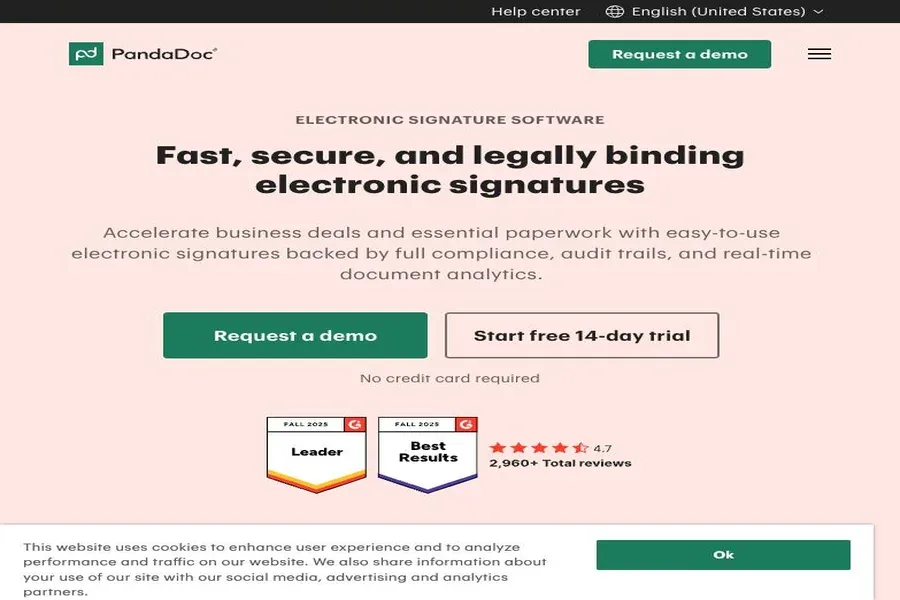
What it is: A document automation platform with e-signature baked in, aimed at sales teams sending proposals, quotes, and contracts.
Key features:
- Drag-and-drop document builder with content library and templates
- E-signature with audit trail and reminders
- Built-in payment collection (Stripe, PayPal) inside documents
- CRM integrations (HubSpot, Salesforce, Pipedrive)
- Mobile app for signing and tracking on the go
Pricing:
| Plan | Price | Key Limit |
|---|---|---|
| Free eSign | $0 | Unlimited e-signatures, no templates |
| Starter | ~$19/user/month | Templates, 30 docs/month |
| Business | ~$49/user/month | CRM, payments, unlimited docs |
| Enterprise | Custom | SSO, advanced workflows |
✅ Pros:
- Turns a proposal into a signed, paid contract in one flow
- Free eSign plan is genuinely useful for pure signing
- Great templates for repeatable sales documents
❌ Cons:
- Overkill if you just need to sign a document on your phone
- Gets expensive fast for larger teams
🏆 Best for: Sales teams who send proposals and contracts together and want signing + payment in one place.
The take: PandaDoc is a document platform that happens to have great e-sign. If you’re only signing, it’s overkill. If you’re selling, it’s genuinely excellent.
5. HelloSign (Dropbox Sign) — The cleanest signing experience
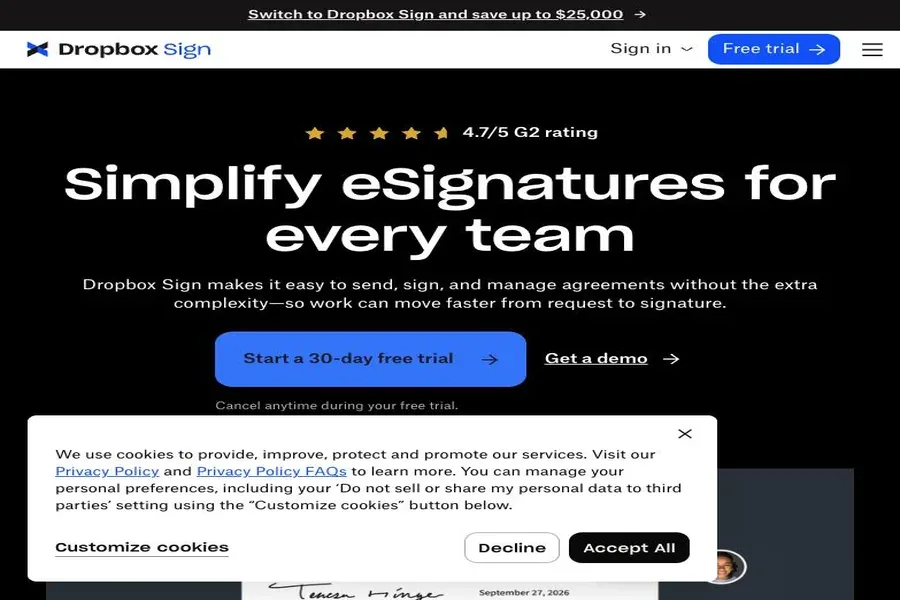
What it is: Dropbox’s e-signature tool (rebranded to Dropbox Sign) — simple, clean, and fast to use.
Key features:
- Sign and send from mobile with a genuinely clean interface
- Free tier with 3 documents per month
- Templates, team management, and audit trail
- Dropbox integration for storing signed docs automatically
- Legally binding in most jurisdictions including India
Pricing:
| Plan | Price | Key Limit |
|---|---|---|
| Free | $0 | 3 documents/month |
| Essentials | ~$15/user/month | Unlimited docs, templates |
| Standard | ~$25/user/month | Team features, branding |
| Premium | ~$40/user/month | SSO, advanced admin |
✅ Pros:
- Fastest mobile signing flow of the bunch
- Free tier covers light individual use
- Dropbox integration is seamless if you already use it
❌ Cons:
- 3 docs/month on free is tight for anything serious
- Less brand recognition than DocuSign in some markets
🏆 Best for: Individuals and small teams who sign occasionally and want a clean, no-fuss mobile experience.
The take: The smoothest signing UX on this list. If you sign 3 or fewer docs a month, the free plan actually covers you. Beyond that, the paid tier is competitive.
6. SignEasy — The easiest mobile UX, full stop
What it is: A mobile-first e-signature app built around the “sign on your phone” use case from day one.
Key features:
- Sign documents from email, cloud storage, or camera scan
- Offline signing — works without internet
- In-person signing with a kiosk-style flow
- Templates and reusable signatures
- Integrates with Google Drive, Dropbox, OneDrive, Box, Evernote
Pricing:
| Plan | Price | Key Limit |
|---|---|---|
| Free | $0 | Limited docs/month |
| Pro | ~$8/month (annual) | Unlimited docs, templates |
| Business | ~$15/user/month | Team features, branding |
| Enterprise | Custom | SSO, admin |
✅ Pros:
- Best mobile-first UX of the whole list — fast and intuitive
- Offline signing is rock solid
- Cheaper than DocuSign for individuals
❌ Cons:
- Less known to enterprise counterparties
- Fewer advanced workflow features than DocuSign or PandaDoc
🏆 Best for: Anyone who signs mostly on their phone and wants the fastest, least annoying experience.
The take: If you handed this to someone who’s never used an e-sign app before, they’d figure it out in under two minutes. That’s how good the UX is.
7. DottedSign — The budget pick that actually works
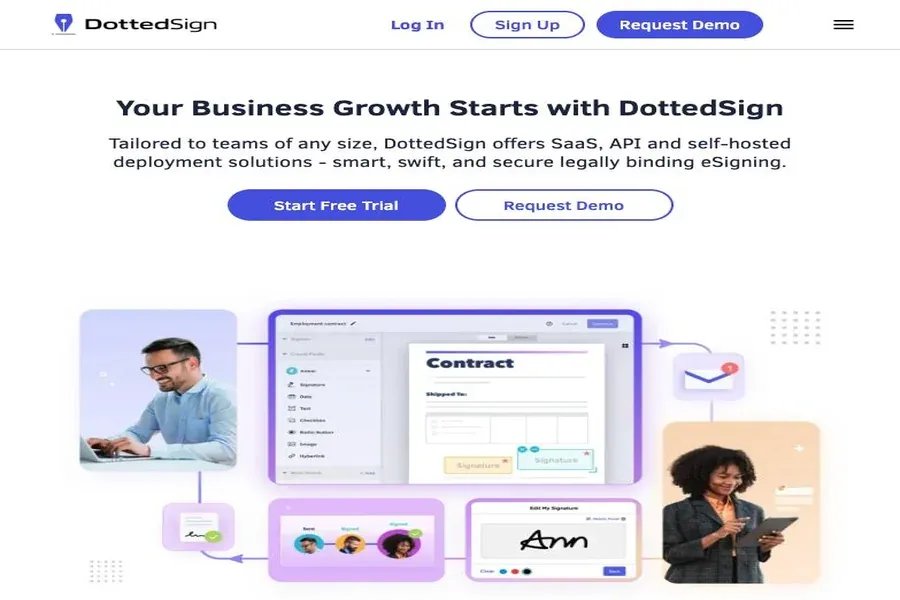
What it is: A Kdan Mobile product — a lean e-signature app with a generous free tier aimed at solo users and small teams.
Key features:
- Sign and send from mobile with a clean, simple interface
- Generous free tier (more docs than most competitors)
- Templates and reusable fields
- Audit trail with timestamps
- Team task assignment and tracking
Pricing:
| Plan | Price | Key Limit |
|---|---|---|
| Free | $0 | Generous monthly doc limit |
| Pro | ~$6.99/month | Unlimited docs, templates |
| Business | ~$12/user/month | Team features |
| Enterprise | Custom | SSO, admin |
✅ Pros:
- Cheapest paid tier on the list
- Free plan is genuinely usable for light signing
- Simple enough that you can hand it to anyone
❌ Cons:
- Least brand recognition — expect questions from counterparties
- Fewer integrations than the big players
🏆 Best for: Solo users and very small teams who sign occasionally and want to spend as close to nothing as possible.
The take: At $6.99/month for unlimited docs, the value is hard to argue with. Just be prepared to answer “is this real?” from counterparties who haven’t heard of it.
Feature Comparison: All 7 Apps Side by Side
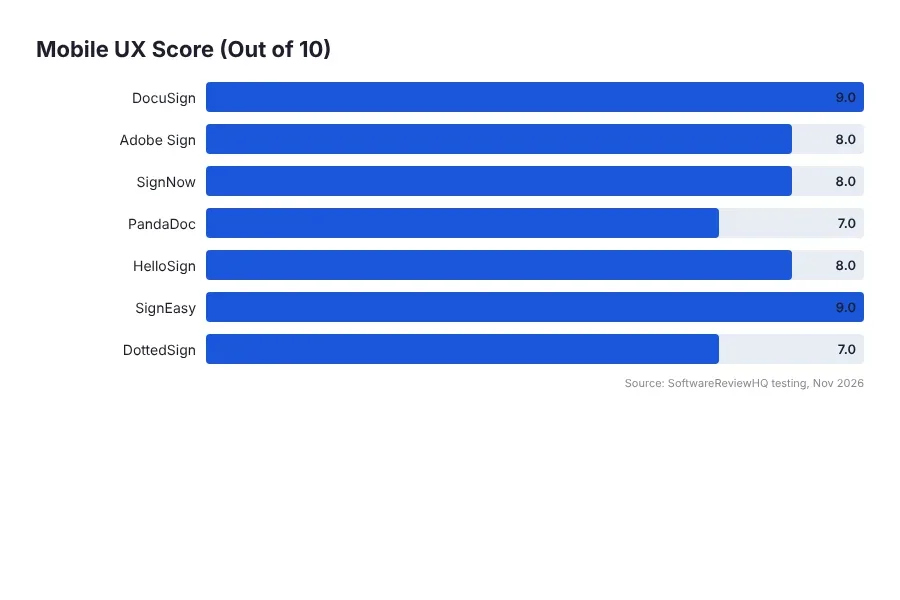
| Tool | Free Plan | Mobile App Quality (/5) | Offline Signing | Audit Trail | Templates | Starting Price |
|---|---|---|---|---|---|---|
| DocuSign | Trial only | 5 | Yes | Yes | Yes | ~$10/user/mo |
| Adobe Acrobat Sign | Yes (limited) | 4 | Limited | Yes | Yes | ~$14.99/mo |
| SignNow | Yes (limited) | 4 | Yes | Yes | Yes | ~$8/user/mo |
| PandaDoc | Yes (e-sign only) | 4 | No | Yes | Yes | ~$19/user/mo |
| HelloSign (Dropbox Sign) | Yes (3 docs/mo) | 5 | No | Yes | Yes | ~$15/mo |
| SignEasy | Yes (limited) | 5 | Yes | Yes | Yes | ~$8/mo |
| DottedSign | Yes (generous) | 4 | No | Yes | Yes | ~$6.99/mo |
How to Actually Choose (Not Just Pick the Cheapest)
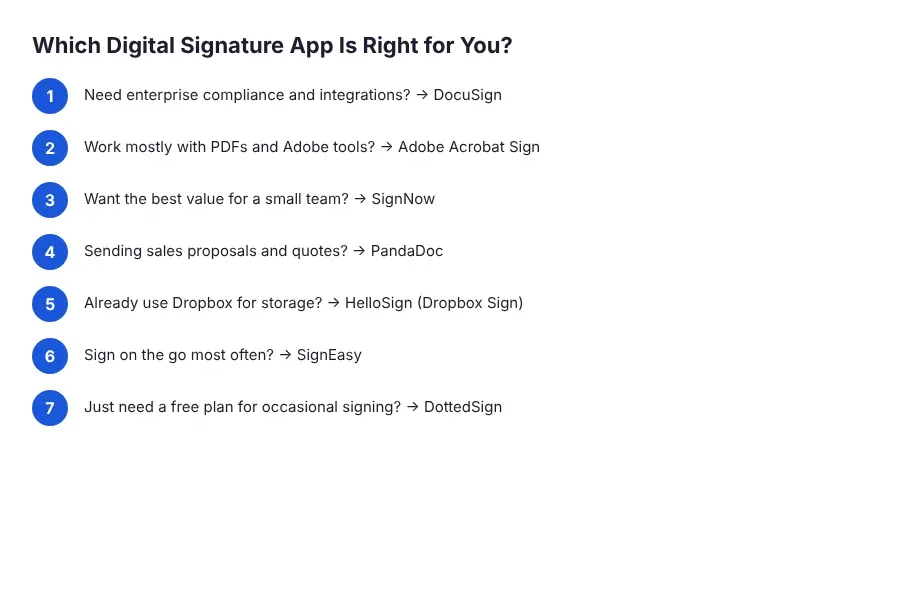
Most “best e-signature app” lists just rank by price. That’s dumb. The right app depends almost entirely on what you’re actually doing with it. Here’s how I’d think about it.
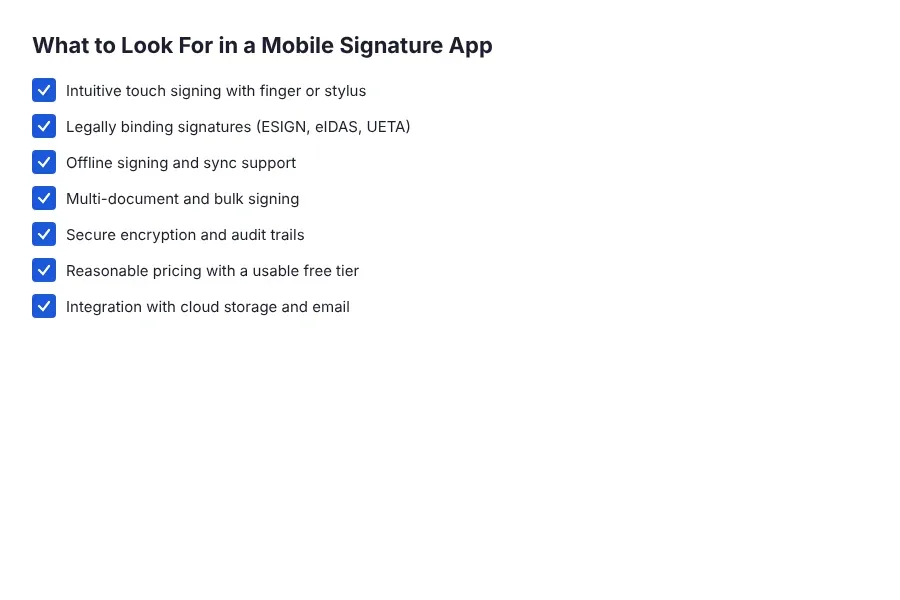
Use case first. If you’re an individual signing the occasional rental agreement, freelance contract, or NDA, you don’t need DocuSign. SignEasy, HelloSign, or DottedSign will do the job for under $10 a month, and honestly the free tiers will cover most of it. If you’re a business sending vendor agreements, GST-related contracts, or employment docs regularly, you need an audit trail that holds up in a dispute and templates that save you time. That’s when DocuSign or SignNow start making sense.
Volume matters more than you think. Free tiers look generous until you hit month two and realize you’re sending 12 documents a month and the “3 docs/month” plan is useless. Add up your actual monthly volume — including the small stuff like NDAs and invoices — and pick a plan where you won’t be constantly upgrading. The “starting price” is almost always the annual-billing price for the smallest tier, and it’s rarely what you’ll actually pay after six months.
Integrations are the silent killer. If your team lives in Salesforce, PandaDoc or DocuSign will save you hours. If you’re a Google Workspace shop, SignEasy and HelloSign integrate cleanly. If you’re already paying for Adobe Acrobat, using Acrobat Sign is basically free — why pay for another subscription? Check what you already use before you add another tool to the stack.
Budget is real, but don’t be cheap about legal defensibility. The difference between $8 and $25 a month is $204 a year. If a single contract dispute costs you more than that — and it will — paying for the more established platform is a no-brainer. DocuSign and Adobe are the two names that will never get pushback from a counterparty. SignNow and SignEasy are fine, but expect the occasional “is this legally binding?” email, especially from older clients or government-adjacent counterparties in India.
One more thing on the Indian context: if you’re signing documents that need to hold up under Indian law, all seven of these apps are compliant with the IT Act 2000 (which recognizes electronic signatures). But if you need Aadhaar-based eSign or DSC (Digital Signature Certificate) for things like MCA filings or income tax documents, you’ll need a specialized provider — none of these seven are built for that. For everyday contracts, NDAs, vendor agreements, and GST-related invoices, they’re all fine.
E-Signature Market Overview
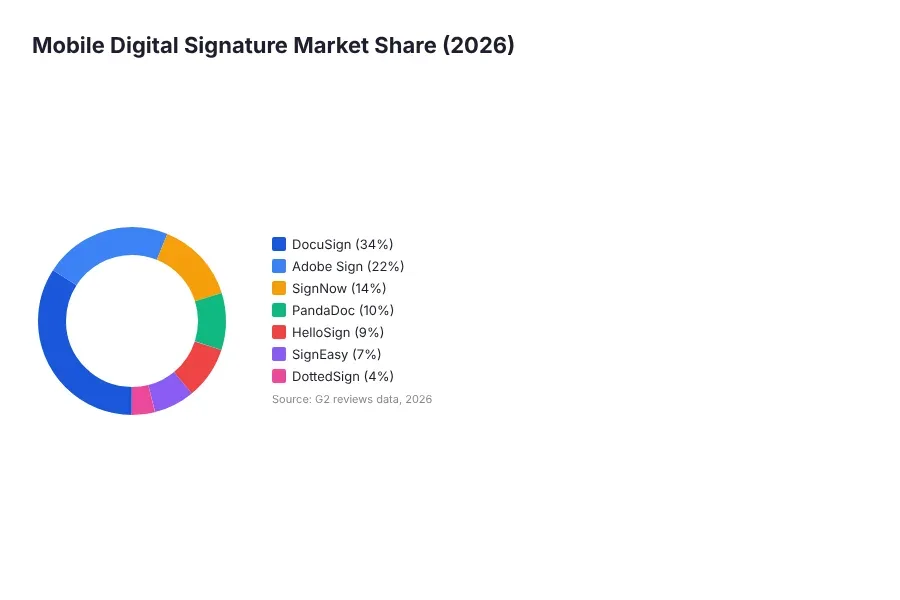
The e-signature market has matured dramatically. DocuSign controls roughly 40% of the market by enterprise contracts, but the mid-market has fragmented significantly as SignNow, PandaDoc, and mobile-first tools like SignEasy have captured price-sensitive buyers. The global e-signature market was valued at $4.5 billion in 2024 and is expected to exceed $14 billion by 2030 — driven largely by mobile adoption and paperless compliance requirements in regulated industries.
What’s changed in the last two years: offline signing has become table stakes (nearly all major players support it now), and the mobile app quality gap between DocuSign and everyone else has narrowed considerably. The main differentiators now are pricing structure, audit trail robustness, and integrations with CRM and document management tools.
The Verdict
Overall winner: DocuSign. It’s not the cheapest, but it’s the one that just works — the mobile app is polished, the audit trail is court-tested, and counterparties never question it. If you sign contracts for a living, this is the one.
Runner-up: SignNow. Ninety percent of DocuSign’s features for roughly half the price. If you’re a small team or freelancer who wants to save money without giving up offline signing or a proper audit trail, this is the smarter buy.
Budget pick: SignEasy. Best mobile UX on the list, offline signing works, and it’s under $10 a month. If you mostly sign on your phone and don’t need enterprise workflows, this is the one I’d actually recommend to a friend.
Now go sign that contract before your client changes their mind.
By Team SoftwareReviewHQ
References
- DocuSign on G2: https://www.g2.com/products/docusign/reviews
- Adobe Acrobat Sign on G2: https://www.g2.com/products/adobe-acrobat-sign/reviews
- SignNow on G2: https://www.g2.com/products/signnow/reviews
- PandaDoc on G2: https://www.g2.com/products/pandadoc/reviews
- Dropbox Sign (HelloSign) on G2: https://www.g2.com/products/dropbox-sign/reviews
- SignEasy on G2: https://www.g2.com/products/signeasy/reviews
- DottedSign on Capterra: https://www.capterra.com/p/192867/DottedSign/
- Gartner Peer Insights — E-Signature Software: https://www.gartner.com/reviews/market/electronic-signature