Best Lists
7 Best Manufacturing Project Management Software Tools in 2026
Manufacturing teams don't have a project management problem — they have a complexity problem. You're juggling production schedules, maintenance windows, vendor lead times, quality gates, and a shop floor that doesn't stop. Generic PM tools either add more overhead or fall apart the moment a machine goes down and your whole schedule shifts. I tested […]
Manufacturing teams don’t have a project management problem — they have a complexity problem. You’re juggling production schedules, maintenance windows, vendor lead times, quality gates, and a shop floor that doesn’t stop. Generic PM tools either add more overhead or fall apart the moment a machine goes down and your whole schedule shifts.
I tested and researched seven of the top manufacturing project management software tools to find out which ones actually hold up under real manufacturing pressure — not just which ones look good in a demo. Some are purpose-built for manufacturing with MRP and BOM tracking built in. Others are flexible enough that your ops team, project managers, and production leads can all work from the same platform without fighting over workflows.
Here’s what I found — and who each tool is actually for.
Last updated: November 2026
Table of Contents
- Quick Picks: At a Glance
- How We Chose These Tools
- 1. Monday.com — The flexible hub for manufacturing teams
- 2. ClickUp — Build your manufacturing workflow from scratch
- 3. Smartsheet — Spreadsheet power, project management depth
- 4. Wrike — Cross-functional manufacturing project control
- 5. MRPeasy — The purpose-built manufacturing PM and MRP
- 6. Zoho Projects — Full-featured PM at a budget-friendly price
- 7. Jira — Agile manufacturing for tech-forward teams
- Head-to-Head Comparison
- Which Tool Should You Choose?
- Our Verdict
- Frequently Asked Questions
Quick Picks: At a Glance
| Tool | Best For | Starting Price | Free Plan |
|---|---|---|---|
| Monday.com | All-around manufacturing PM with automation | $9/seat/mo (annual) | Yes (2 seats) |
| ClickUp | Customizable workflows for complex operations | $9/user/mo (annual) | Yes |
| Smartsheet | Spreadsheet-familiar teams managing production data | $9/user/mo (annual) | No (30-day trial) |
| Wrike | Large cross-functional manufacturing operations | $10/user/mo (annual) | Yes |
| MRPeasy | Small manufacturers needing MRP + PM in one place | $49/user/mo | No (15-day trial) |
| Zoho Projects | Budget-conscious teams wanting full PM features | $4/user/mo (annual) | Yes (5 users) |
| Jira | Tech-forward manufacturers running Agile workflows | $8.48/user/mo | Yes (10 users) |
How We Chose These Tools
To make this list, a tool had to do more than manage tasks. Manufacturing PM software needs to handle multi-step production workflows, support Gantt-style timeline planning, and integrate with the systems manufacturers actually use — ERP, inventory, and quality management. We also required a track record of real manufacturing customers (not just generic project management use cases), and pricing that scales for teams of 5 to 500+.
Tools that couldn’t demonstrate meaningful use in manufacturing environments, or that required custom enterprise contracts just to get started, were excluded.
1. Monday.com — The flexible hub for manufacturing teams
What it is
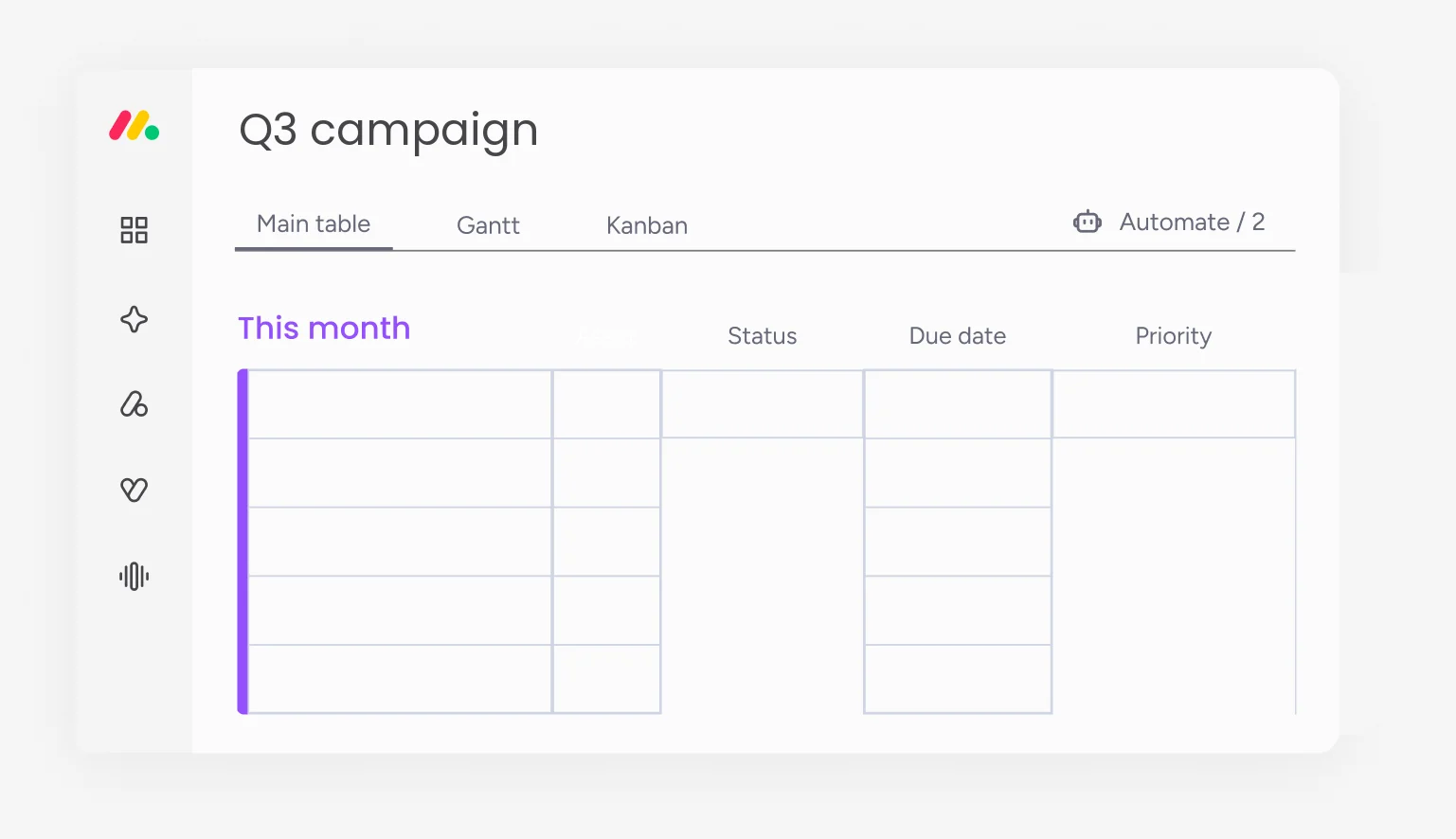
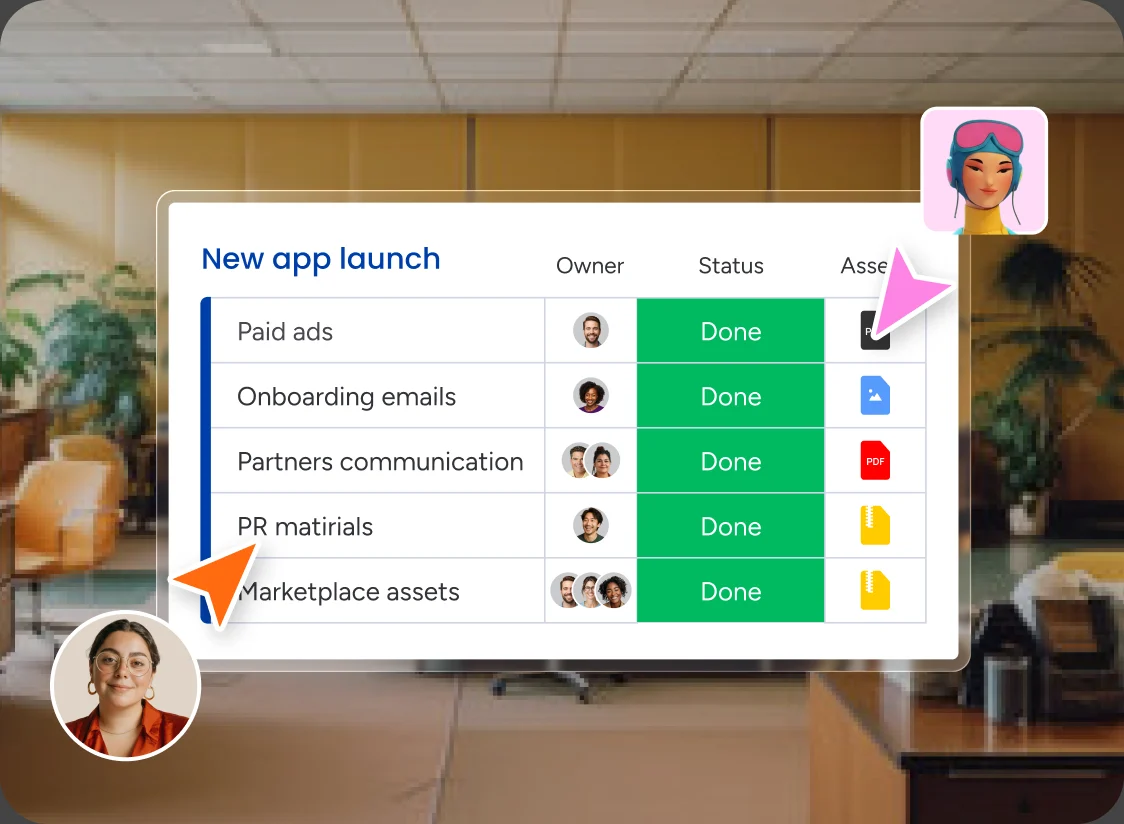
Monday.com is a visual work management platform used by manufacturing teams to plan production schedules, track equipment maintenance, manage supplier relationships, and coordinate cross-functional projects — all from a single configurable board.
Key features
- Manufacturing templates: Pre-built templates for production planning, equipment tracking, supplier management, and quality checklists — so you’re not starting from a blank board.
- Gantt charts and timelines: Visualize multi-week production runs with drag-and-drop scheduling. Dependencies let you see immediately when one delay ripples downstream.
- Automation builder: Set up rules like “when status changes to ‘QC Hold’, notify the quality manager and block shipping steps” — without writing a line of code.
- Workload view: See which team members or production lines are over-capacity before it becomes a problem, with a visual heatmap of assignments.
Pricing
| Plan | Price (as of November 2026) | Key Limits |
|---|---|---|
| Free | $0 | Up to 2 seats, 3 boards |
| Basic | $9/seat/mo (billed annually) | 3-seat minimum, unlimited boards |
| Standard | $12/seat/mo (billed annually) | Timeline, Gantt, automations (250/mo) |
| Pro | $19/seat/mo (billed annually) | Time tracking, formula columns, 25,000 automations/mo |
| Enterprise | Custom | Advanced security, audit log, enterprise support |
Pricing verified from monday.com/pricing as of November 2026.
✓ Pros
- Extremely fast to set up — most teams are running live boards within a day, not a week.
- The automation builder handles complex if/then logic that manufacturing workflows require (status changes, deadline triggers, cross-board notifications).
- Strong integration ecosystem including SAP, Salesforce, Slack, and 200+ tools manufacturers already use.
- G2 rating of 4.7/5 across 20,000+ reviews — consistently cited for ease of use by manufacturing ops teams.
✗ Cons
- No native MRP, BOM management, or inventory tracking — you’re building those as custom columns, not a true manufacturing system.
- Gantt and timeline views are locked to the Standard plan ($12/seat/mo); Basic gives you boards only.
- Pricing scales fast for large teams — a 50-person operation on Standard runs $600/mo, which is real money.
🏆 Best for
Mid-sized manufacturing companies (20–500 people) that need a central coordination hub for production planning, maintenance tracking, and cross-team communication — without replacing their ERP.
The take
Monday.com is the safest bet for most manufacturing teams that need to get organized fast. It won’t replace your MRP system, but it will become the place where everything gets tracked, coordinated, and actioned. If your team is currently running production off spreadsheets and email chains, Monday.com is the upgrade that actually sticks — because it’s built to match how people already think.

2. ClickUp — Build your manufacturing workflow from scratch
What it is
ClickUp is a highly customizable project management platform where manufacturing teams build tailored workflows for production scheduling, change management, maintenance, and quality control — with more configuration options than any other tool on this list.
Key features
- Custom fields and views: Build your production tracking system with 50+ column types — priority, status, formulas, dropdowns, and even automatic rollups from subtasks. Switch between list, board, Gantt, calendar, or timeline view in one click.
- Docs and wikis: Store SOPs, work instructions, and quality procedures alongside the tasks they apply to — not in a separate system your team never finds.
- Automations on the free plan: ClickUp gives you 100 automation actions per month free, which is unusual. Paid plans unlock up to 250,000 per month.
- Sprints for iterative manufacturing: For teams adopting Agile manufacturing, ClickUp’s sprint framework works out of the box — assign velocity, track cycle time, and run retrospectives.
Pricing
| Plan | Price (as of November 2026) | Notes |
|---|---|---|
| Free Forever | $0/user/mo | Unlimited tasks, 100 MB storage |
| Core (Unlimited) | $9/user/mo (billed annually) | Unlimited storage, integrations, dashboards |
| Business | $17/user/mo (billed annually) | Advanced automations, time tracking, goals |
| Enterprise | Custom | SSO, custom roles, enterprise API |
| Max | $100/user/mo (billed annually) | AI features, White Glove onboarding |
Pricing verified from clickup.com/pricing as of November 2026.
✓ Pros
- More customization than any other tool here — you can build a genuinely manufacturing-specific system without paying enterprise prices.
- The free plan is generous enough for small teams to run real production workflows before committing.
- Built-in Docs means SOPs and work instructions live right next to the tasks that reference them.
- G2 rating: 4.7/5 from 10,000+ reviews, with manufacturing teams frequently citing workflow flexibility.
✗ Cons
- Setup time is significant — the same flexibility that makes ClickUp powerful makes it slow to configure. Budget two to four weeks to build a proper manufacturing workflow structure.
- The UI can feel overwhelming for shop-floor users who just need to update a task status. Adoption outside of office workers is a real challenge.
- No manufacturing-specific modules (MRP, BOM, inventory) — you’re building these from scratch every time.
🏆 Best for
Operations managers and project leads at growing manufacturers who want to build a custom, company-specific PM system — and have the time and appetite to configure it properly.
The take
ClickUp rewards investment. Teams that spend real time setting it up end up with a system that fits their operation exactly. Teams that don’t end up with a half-configured mess. If you’re willing to spend two weeks building your manufacturing workflow structure, ClickUp pays off. If you need something running this week, start with Monday.com instead.
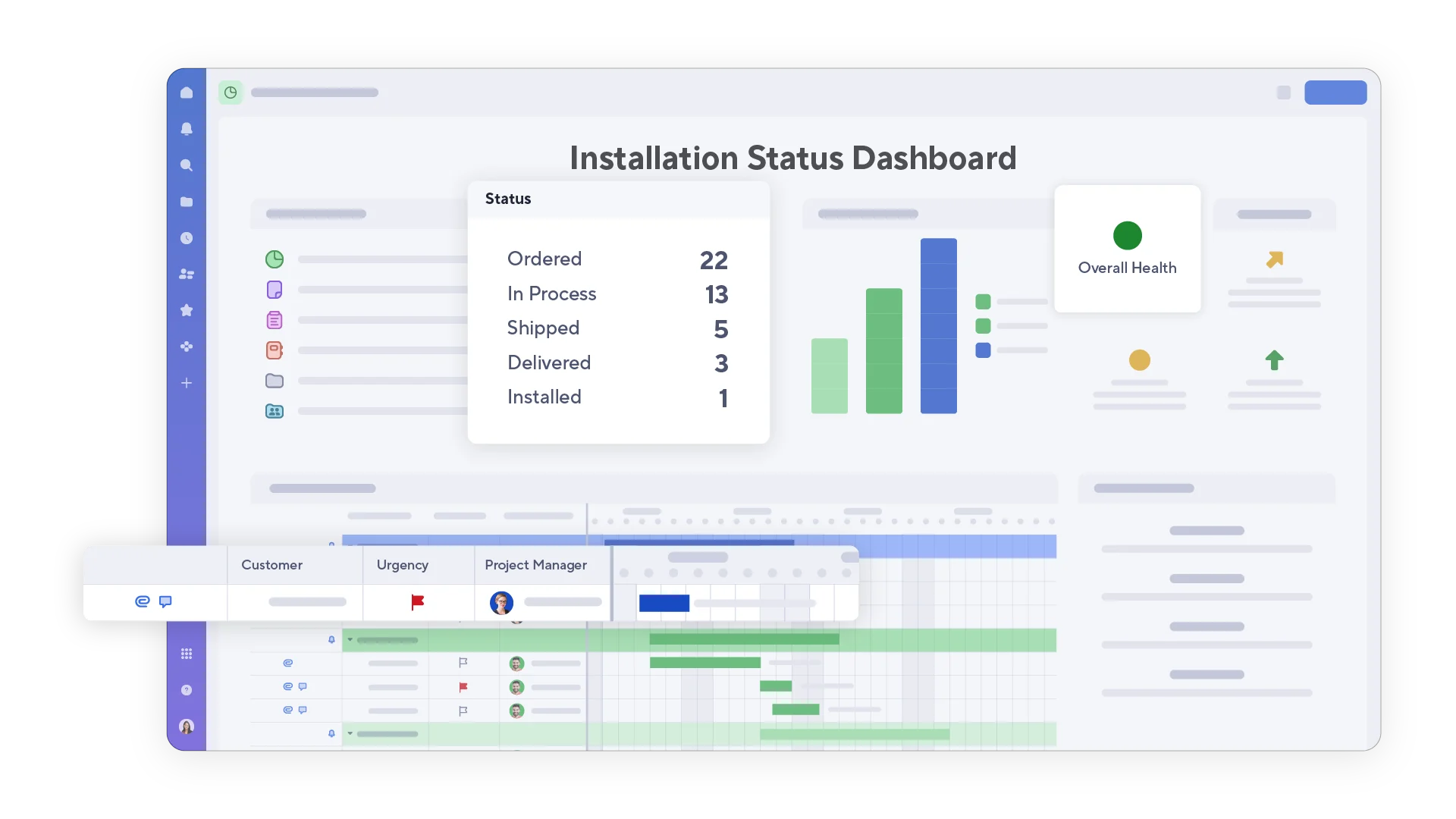
3. Smartsheet — Spreadsheet power, project management depth
What it is
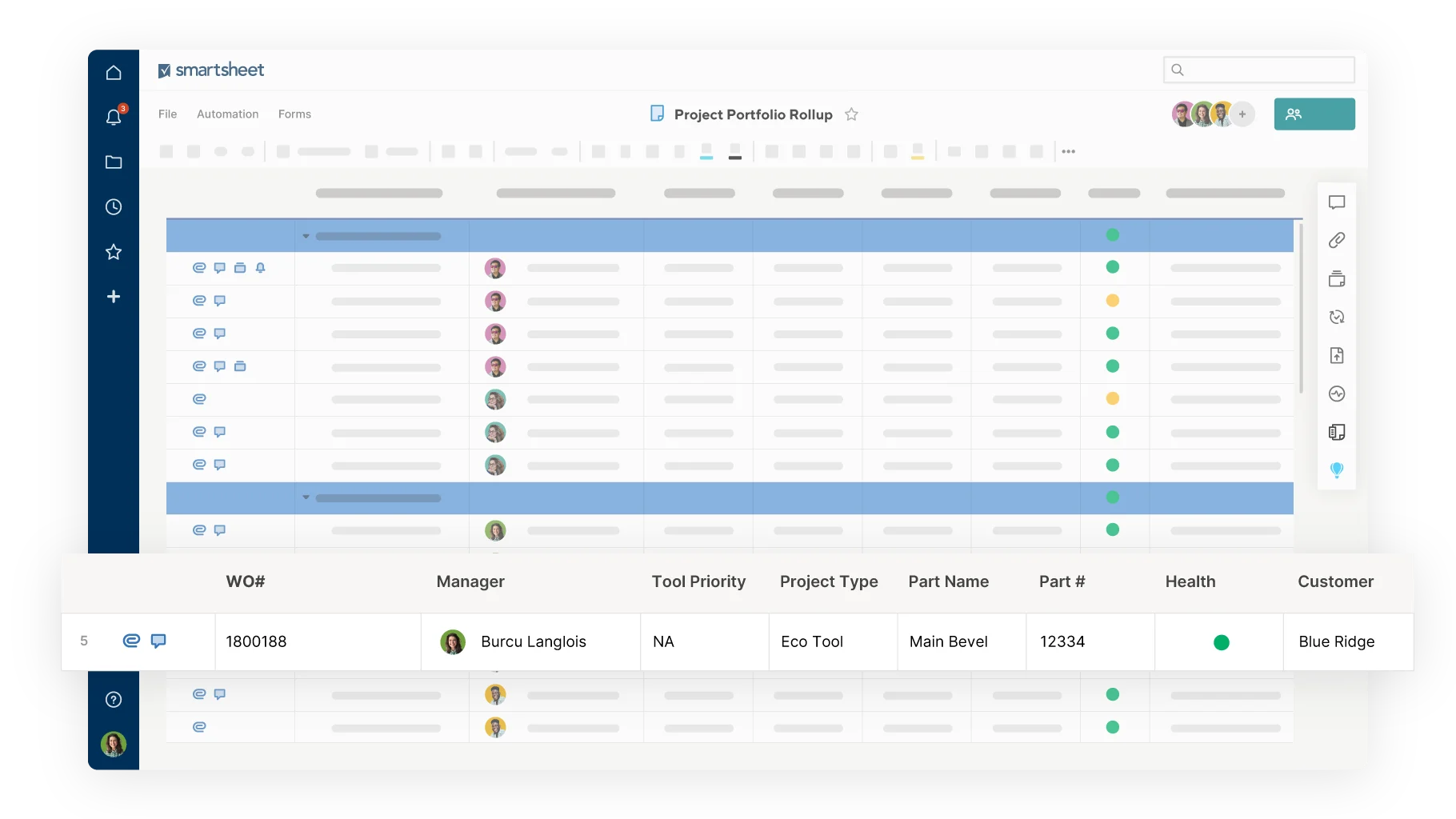
Smartsheet is a work management platform built around a spreadsheet-style grid interface — making it the natural choice for manufacturers whose teams are already comfortable in Excel and want to add collaboration, automation, and Gantt capabilities without changing how they think.
Key features
- Familiar grid interface: Looks like a spreadsheet, works like project management software. If your team can use Excel, they can use Smartsheet within hours — not weeks.
- Automated workflows: Set up approval chains, deadline reminders, and status notifications without IT. Smartsheet’s no-code automation handles complex multi-step processes.
- Dashboards and reports: Roll up data from multiple sheets into a single production dashboard. See on-time delivery rates, open tasks, and resource utilization at a glance.
- Forms for field data collection: Generate Smartsheet forms for quality inspections, maintenance reports, or supplier check-ins — responses populate directly into your tracking sheet.
Pricing
| Plan | Price (as of November 2026) | Notes |
|---|---|---|
| Pro | $9/user/mo (billed annually) | Up to 10 members, 20 GB storage |
| Business | $19/user/mo (billed annually) | Min. 3 members, unlimited guests, timeline view |
| Enterprise | Custom | AI features, SAML SSO, enterprise security |
| Advanced Work Management | Custom | Portfolio management, advanced portfolios |
Pricing verified from smartsheet.com/pricing as of November 2026.
✓ Pros
- Lowest adoption curve for teams already in Excel — training time is hours, not days.
- Unlimited free viewers (guests who can view but not edit) on all paid plans is genuinely useful when suppliers and contractors need read-only access.
- Strong reporting for multi-site manufacturing: roll up data from 20 sheets into one executive dashboard without any coding.
- G2 rating: 4.4/5 from 15,000+ reviews — consistently praised for reporting depth and Excel-like familiarity.
✗ Cons
- No free plan — the 30-day trial is good, but you’ll need to budget from day one.
- The grid-first interface feels limiting for teams that want kanban or card views as their primary workflow — these exist but feel secondary.
- Pro plan caps at 10 members, which forces early-stage scaling companies to jump to Business at $19/user sooner than expected.
🏆 Best for
Manufacturing teams where the core users are Excel-fluent engineers, planners, or project managers who want to add real-time collaboration, automation, and Gantt views without abandoning the spreadsheet mental model.
The take
Smartsheet is the rare PM tool where “it’s basically a spreadsheet” is a feature, not a critique. If your team lives in Excel, the transition to Smartsheet is the easiest on this list. If your team needs a more visual, card-based interface or deeper kanban support, the grid-first design will feel restrictive.
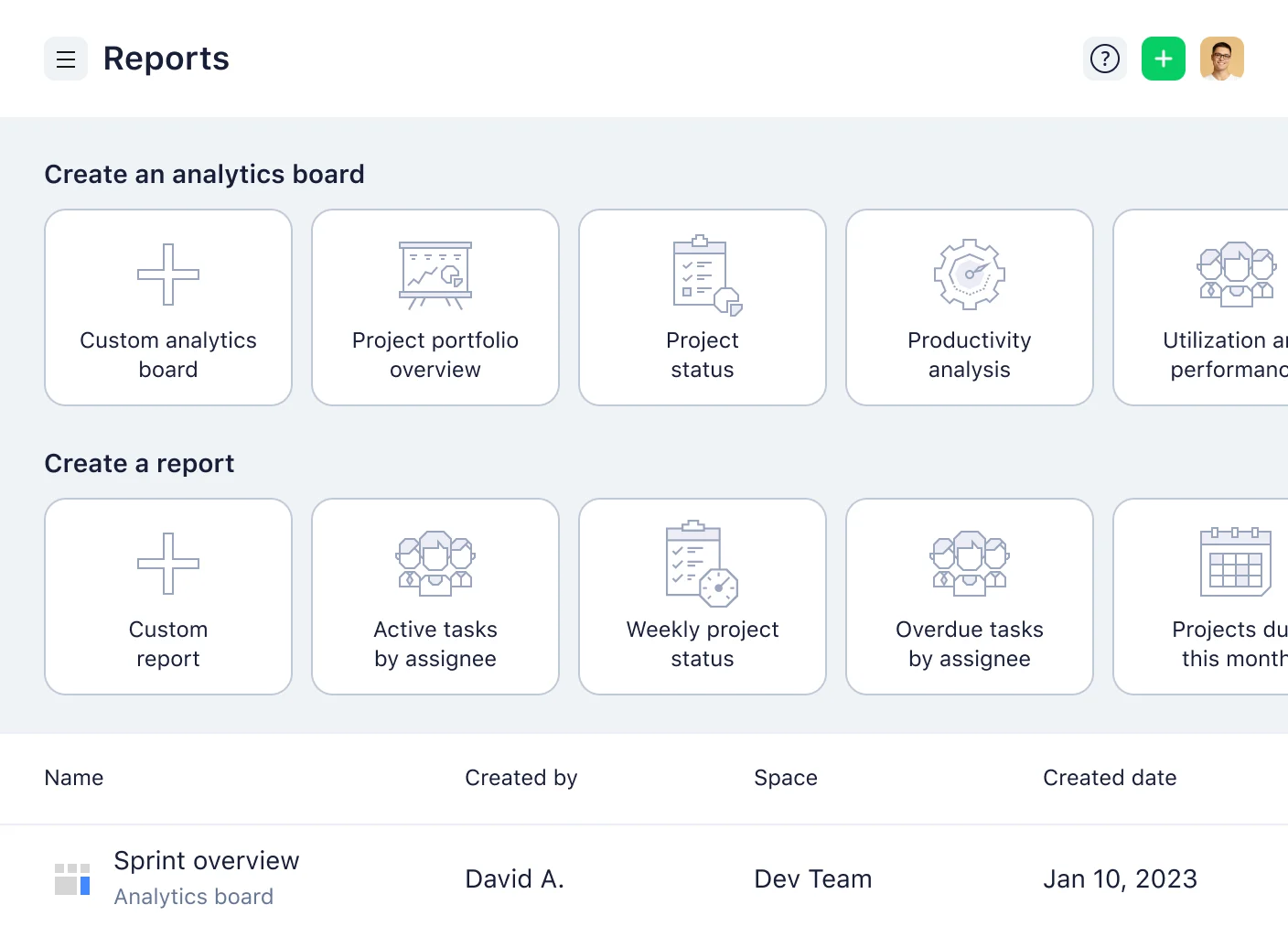
4. Wrike — Cross-functional manufacturing project control
What it is
Wrike is an enterprise-grade project management platform built for large teams managing complex, cross-functional work — making it a strong fit for manufacturing organizations where engineering, procurement, production, quality, and logistics all need to coordinate without stepping on each other.
Key features
- Cross-tagging and folder structure: Tasks can live in multiple folders simultaneously — a maintenance task can appear on the engineering team’s board, the production schedule, and the facilities dashboard at the same time.
- Request and intake forms: Standardize how new project requests (new product builds, change orders, maintenance requests) come in and get triaged automatically.
- Proofing and approval workflows: Built-in review and sign-off for documents, designs, and quality reports — with full audit trails that manufacturing compliance teams love.
- Advanced analytics: Pre-built dashboards for project velocity, team utilization, and on-time delivery rates — available out of the box, not requiring custom setup.
Pricing
| Plan | Price (as of November 2026) | Notes |
|---|---|---|
| Free | $0 | Up to 5 users, limited features |
| Team | $10/user/mo (billed annually) | 2–25 users, unlimited projects |
| Business | $25/user/mo (billed annually) | 5–200 users, full workflow automations |
| Pinnacle | Custom | 200+ users, advanced analytics, locked fields |
| Apex | Custom | AI-powered work intelligence |
Pricing verified from wrike.com/price as of November 2026. Note: pricing valid for new purchases on or after January 21, 2026.
✓ Pros
- Cross-tagging is genuinely powerful for manufacturers where the same task touches multiple departments — no duplicating entries, no things falling through the cracks.
- The proofing and approval system is production-ready for document-heavy manufacturing: engineering drawings, quality reports, and change orders all flow through a formal review chain.
- The free plan allows unlimited projects (not just tasks), making it one of the more functional free tiers for small manufacturing teams.
✗ Cons
- Business plan at $25/user/mo is expensive at scale — a 50-person team is $1,250/mo, which puts serious pressure on the budget case.
- Setup complexity is high. Cross-tagging and folder structures are powerful but require thoughtful architecture before you start — teams that build as they go end up with a tangled mess.
- G2 rating of 4.2/5 — lower than Monday.com and ClickUp, often citing the learning curve and interface complexity.
🏆 Best for
Large manufacturing organizations (50+ people) where multiple departments need to coordinate on shared projects, and where formal approval workflows and document review are part of daily operations.
The take
Wrike is the best tool on this list for large, complex manufacturing operations with formal PM discipline — but it earns that position with a steeper price and a steeper setup curve. If your operation has a dedicated project management office (PMO) or ops team to configure and maintain it, Wrike delivers. If you’re a 15-person manufacturer trying to get more organized, start with Monday.com or ClickUp instead.
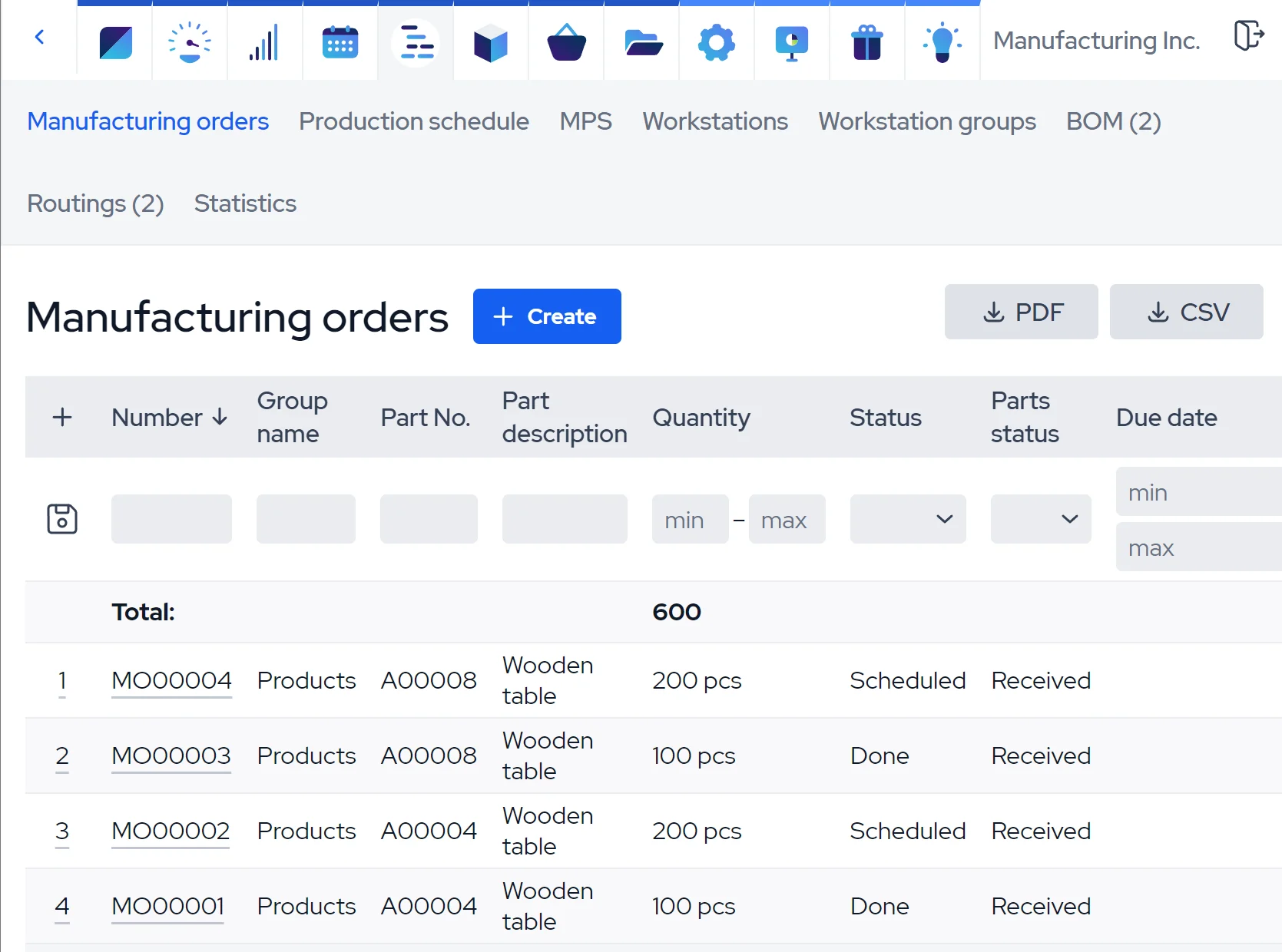
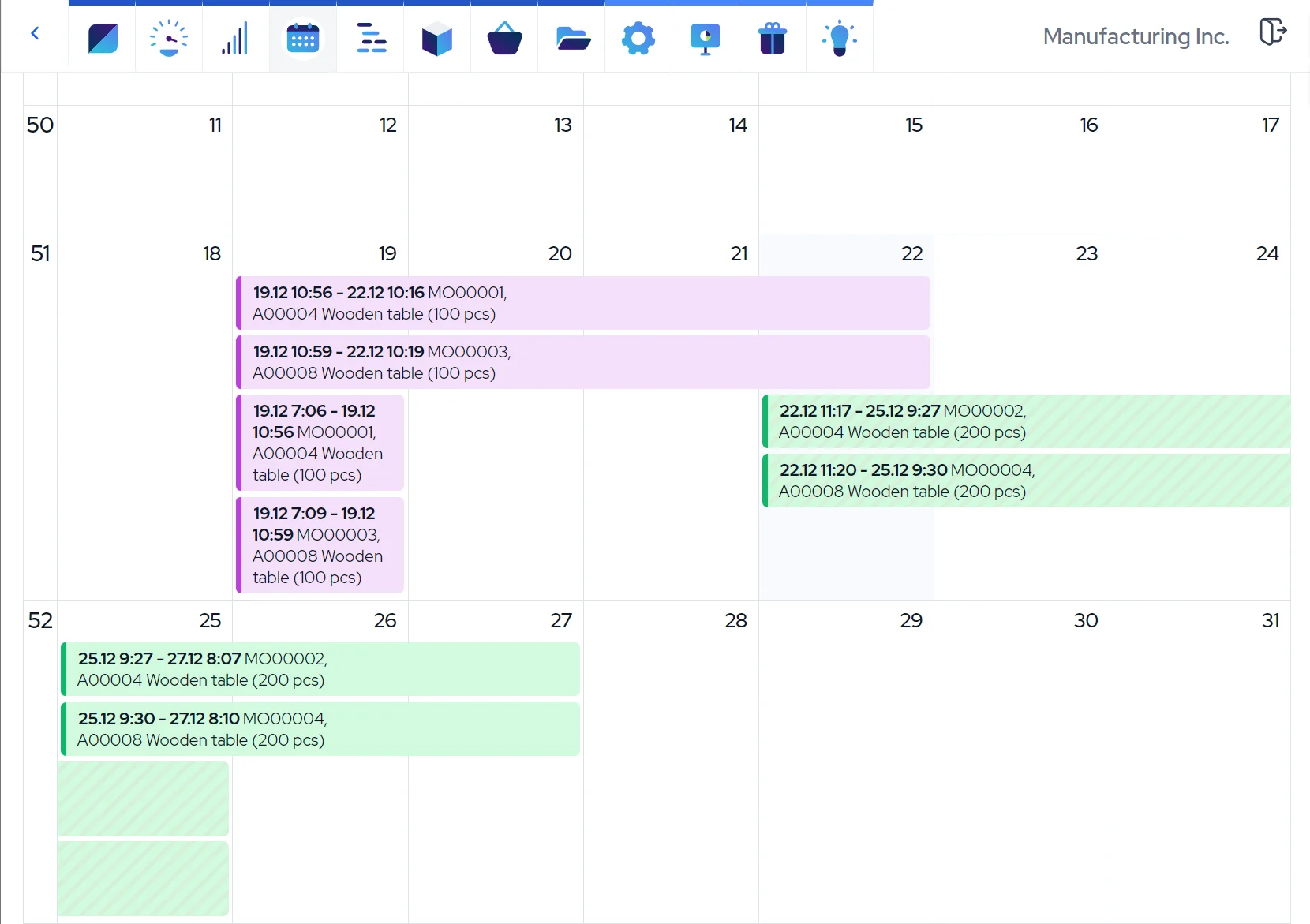
5. MRPeasy — The purpose-built manufacturing PM and MRP
What it is
MRPeasy is the only tool on this list built specifically for manufacturing — combining Material Requirements Planning (MRP), Bill of Materials (BOM) management, inventory control, and production scheduling in a single platform designed for small and mid-sized manufacturers.
Key features
- Production planning and scheduling: Plan production orders, allocate resources, and generate automatic work orders based on customer demand — all tightly integrated with your BOM and inventory.
- Bill of Materials (BOM) management: Multi-level BOMs with version control, component substitution rules, and real-time cost calculations — a capability none of the other tools on this list offer natively.
- Inventory and procurement: Track raw materials, work-in-progress, and finished goods. Automatic purchase order generation when stock drops below reorder points.
- Shop floor reporting: Workers report time and material usage directly against production orders via a simple shop floor interface — no desktop required.
Pricing
| Plan | Price (as of November 2026) | Notes |
|---|---|---|
| Starter | $49/user/mo | Basic MRP, production planning, BOM |
| Professional | $69/user/mo | CRM, purchasing, advanced reporting |
| Enterprise | $99/user/mo | Multi-warehouse, advanced integrations (most popular) |
| Unlimited | $149/user/mo | Unlimited users capability (min. 2 users) |
Pricing verified from mrpeasy.com/pricing as of November 2026. All plans billed monthly.
✓ Pros
- The only tool here with true MRP — if you need production planning tied to actual BOMs, inventory, and demand signals, MRPeasy is in a category of its own compared to the other six tools.
- Purpose-built for manufacturers means features like shop floor reporting, lot tracking, and production costing are first-class, not bolt-ons.
- G2 rating: 4.5/5 from manufacturing-specific reviews, with consistent praise for solving real production planning problems out of the box.
✗ Cons
- Starting at $49/user/mo, it’s the most expensive tool per seat on this list — 5 users on the Starter plan is $245/mo before you get to Enterprise features.
- Not a general project management tool — if you need traditional PM features like team task management, kanban boards, or non-production project tracking, MRPeasy falls short.
- The interface looks dated compared to Monday.com or ClickUp, which can be a hard sell for teams used to modern software.
🏆 Best for
Small to mid-sized manufacturers (5–100 employees) who need an integrated MRP + production PM system but can’t afford full-scale ERP software like SAP or Oracle — particularly job shops, make-to-order, and contract manufacturers.
The take
If you’re a manufacturer who actually needs MRP — not just task tracking — MRPeasy is the right call. It does things none of the other tools can do: BOM management, automatic purchase orders, and production scheduling tied to real inventory levels. The price premium is real, but so is the problem it solves. If you just need better project coordination without the manufacturing modules, any of the other six tools will cost less and be easier to use.

6. Zoho Projects — Full-featured PM at a budget-friendly price
What it is
Zoho Projects is a full-featured project management platform in the Zoho suite, offering Gantt charts, task tracking, time management, and reporting at a price point significantly below most competitors — making it a strong value pick for cost-conscious manufacturing teams.
Key features
- Gantt charts with critical path: Visualize project timelines with automatic critical path highlighting — so you know exactly which tasks, if delayed, will push your deadline.
- Issue tracking: Log quality defects, production issues, and maintenance tickets in a structured tracker integrated with your project tasks.
- Zoho suite integration: If your company uses other Zoho tools (CRM, Inventory, Books), Zoho Projects connects natively — without middleware or additional cost.
- Time tracking and billing: Log time against specific tasks and projects, with reports that roll up into cost tracking for production orders.
Pricing
| Plan | Price (as of November 2026) | Notes |
|---|---|---|
| Free | $0 | Up to 5 users, 2 projects |
| Premium | $4/user/mo (billed annually) | Unlimited projects, Gantt, 20 GB storage |
| Enterprise | $9/user/mo (billed annually) | Custom roles, global dashboards, 100 GB storage |
| Ultimate | $14/user/mo (billed annually) | Advanced analytics, custom domain |
Pricing verified from zoho.com/projects/pricing as of November 2026.
✓ Pros
- At $4/user/mo for the Premium plan, it’s the most affordable option with real Gantt chart and automation capabilities — roughly one-third the cost of Monday.com Standard.
- Issue tracker is production-ready for quality defect management, an underappreciated feature in a PM tool used for manufacturing.
- If you’re already on Zoho CRM or Zoho Inventory, the integration is native and genuinely powerful — shared contacts, records, and reporting across the whole Zoho ecosystem.
✗ Cons
- The UI feels like it was designed for project managers, not shop floor workers — adoption outside the office is typically low.
- G2 rating of 4.3/5 from 500+ reviews — fewer reviews than Monday.com or Jira, with some criticism around the mobile app and notification system.
- If you’re not in the Zoho ecosystem, the integration story is weaker than Monday.com or ClickUp, which have larger native integration libraries.
🏆 Best for
Small to mid-sized manufacturers on a tight budget who need Gantt charts, task tracking, and basic automations — especially if they’re already using other Zoho products.
The take
Zoho Projects punches well above its price point. For manufacturers who need Gantt charts, issue tracking, and basic automations and don’t want to pay Monday.com or Wrike prices, it’s genuinely hard to beat the value. The tradeoff is a less polished experience and a smaller integration ecosystem — but if budget is the primary constraint, start here.
7. Jira — Agile manufacturing for tech-forward teams
What it is
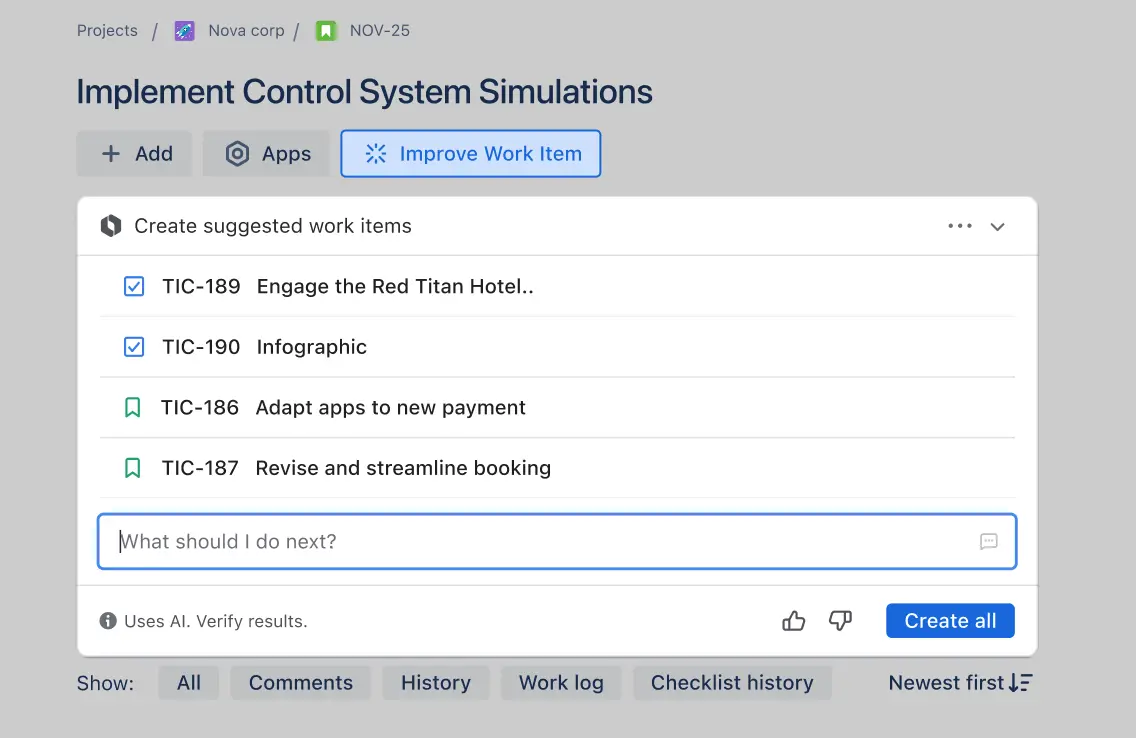
Jira is Atlassian’s industry-standard issue and project tracking platform, increasingly used in manufacturing by companies adopting Agile methodologies — particularly in product development, R&D, and continuous improvement programs.
Key features
- Scrum and Kanban boards: Purpose-built Agile boards for sprint planning, backlog management, and continuous flow manufacturing — with velocity tracking, burndown charts, and sprint retrospective tooling.
- Advanced roadmaps: Plan multi-team, multi-quarter initiatives with cross-project dependency mapping — useful for coordinating product launches, production ramp-ups, or facility changes.
- Automation rules: Trigger actions based on issue status changes, field updates, or time — with 100+ pre-built templates for common manufacturing workflows.
- Confluence integration: Built-in connection to Atlassian Confluence for linking project tasks directly to technical documentation, work instructions, and process SOPs.
Pricing
| Plan | Price (as of November 2026) | Notes |
|---|---|---|
| Free | $0 | Up to 10 users, 2 GB storage |
| Standard | $8.48/user/mo | Up to 35,000 users, audit log |
| Premium | $15.56/user/mo | Advanced roadmaps, sandbox, 99.9% uptime SLA |
| Enterprise | Custom (annual only) | Unlimited sites, enterprise security, HIPAA |
Pricing verified from atlassian.com/software/jira/pricing as of November 2026. Note: Atlassian is transitioning to usage-based billing starting December 3, 2026 — check the pricing page for current rates.
✓ Pros
- Best-in-class free plan for small teams — 10 users with full Scrum and Kanban boards, unlimited projects, and automations.
- Deepest Agile tooling on this list — if your manufacturing team is running sprints, tracking velocity, and doing formal retrospectives, Jira is built for this in a way that Monday.com and ClickUp are not.
- The Atlassian ecosystem (Confluence, Bitbucket, Opsgenie) is the most comprehensive on this list for tech-driven manufacturers who also manage software or IoT development.
✗ Cons
- Not designed for traditional manufacturing workflows — there are no production scheduling, BOM, or maintenance management features. You’re adapting a software development tool to manufacturing, not using a purpose-built system.
- The free plan caps at 10 users with no upgrade to paid in between — 11 users means everyone pays $8.48/mo, so the cost step is sharp.
- Setup complexity rivals ClickUp — Jira is famous for being powerful and famously difficult to configure well. Without an Atlassian admin, you’ll spend real time on setup.
🏆 Best for
Manufacturing companies with strong technical teams running Agile or DevOps practices — particularly R&D-intensive manufacturers, industrial IoT companies, and product development organizations where engineering and manufacturing work side by side.
The take
Jira is the right call if your manufacturing operation runs like a tech company — Agile sprints, CI/CD pipelines, and product development mixed with production. For traditional manufacturing PM (schedules, maintenance, production orders), Jira is the wrong tool, and you’ll spend more time adapting it than it saves. If in doubt: use ClickUp or Monday.com instead.
Head-to-Head Comparison
| Tool | Free Plan | Starting Price | Gantt Charts | MRP/BOM | Automations | Manufacturing Templates | Best For |
|---|---|---|---|---|---|---|---|
| Monday.com | Yes (2 seats) | $9/seat/mo | Yes (Standard+) | No | Yes (Standard+) | Yes | All-around manufacturing PM |
| ClickUp | Yes | $9/user/mo | Yes (all plans) | No | Yes (100/mo free) | Limited | Custom workflow builders |
| Smartsheet | No | $9/user/mo | Yes (all plans) | No | Yes (Business+) | Yes | Excel-familiar teams |
| Wrike | Yes (5 users) | $10/user/mo | Yes (Team+) | No | Yes (Business+) | Yes | Large cross-functional teams |
| MRPeasy | No | $49/user/mo | Yes | Yes | Limited | Yes (manufacturing-specific) | MRP-first manufacturers |
| Zoho Projects | Yes (5 users) | $4/user/mo | Yes (Premium+) | No | Yes | Limited | Budget-conscious teams |
| Jira | Yes (10 users) | $8.48/user/mo | Yes (Premium+) | No | Yes | No | Agile/tech manufacturing |
Which Tool Should You Choose?
Choose Monday.com if you need something that works for the whole company — from production scheduling to executive reporting — and you want it running within a week. It’s the most broadly useful tool on this list for mid-sized manufacturers.
Choose ClickUp if you have the time and appetite to build a custom manufacturing workflow system, and you want more configuration flexibility than Monday.com offers at a similar price point.
Choose Smartsheet if your core users are engineers and planners who live in spreadsheets, and you want to add collaboration and Gantt capabilities without changing how they work.
Choose Wrike if you’re a large manufacturer (50+ people) with formal project management processes, approval workflows, and multiple departments that need to coordinate on shared projects.
Choose MRPeasy if you’re a small to mid-sized manufacturer and you actually need MRP — production planning, BOM management, and inventory integrated with your project tracking. No other tool on this list can do this.
Choose Zoho Projects if budget is your primary constraint and you need Gantt charts, issue tracking, and basic automations — particularly if you’re already in the Zoho ecosystem.
Choose Jira if your manufacturing operation runs like a tech company — Agile sprints, product development alongside production, and a strong engineering culture that already uses Atlassian tools.
Our Verdict
For most manufacturing companies, Monday.com is the right starting point. It’s fast to set up, flexible enough to handle everything from production scheduling to equipment maintenance, and it has the integrations manufacturers actually use. At $12/seat/mo (Standard), it’s not cheap — but the time saved on coordination pays back quickly.
If you genuinely need MRP and production planning tied to inventory and BOMs, MRPeasy is in a category of its own — no other tool on this list can replace it for that use case. The price premium is real, but so is the gap in capability.
And if budget is the real constraint, Zoho Projects at $4/user/mo gives you more legitimate PM functionality per dollar than any competitor, with the caveat that the user experience isn’t as polished.
Whatever you choose, the upgrade from spreadsheets-and-email to any of these seven tools will measurably improve how your manufacturing team coordinates. The question is just which one fits your operation, your budget, and your team’s willingness to change.
Frequently Asked Questions
What is manufacturing project management software?
Manufacturing project management software helps teams plan, schedule, track, and coordinate production projects — from new product launches to routine maintenance schedules. Some tools, like MRPeasy, include full MRP capabilities (material planning, BOM management, inventory). Others, like Monday.com and ClickUp, are general PM platforms that manufacturing teams configure for their specific workflows.
What’s the difference between manufacturing PM software and ERP?
ERP (Enterprise Resource Planning) systems like SAP, Oracle, or NetSuite manage the full financial and operational backbone of a manufacturing company — accounting, HR, procurement, inventory at scale. PM software focuses on project coordination, task tracking, and team communication. Many manufacturers use both: ERP for core operations and a PM tool for day-to-day project coordination. MRPeasy is a middle ground — it has MRP and inventory management, but it’s designed for smaller manufacturers rather than enterprise ERP deployments.
Can these tools handle production scheduling?
It depends on what “production scheduling” means for your operation. All seven tools support Gantt-chart-based timeline scheduling of project tasks. MRPeasy goes further — it supports actual production order scheduling tied to machine capacity, labor, and material availability. If you need that level of scheduling, MRPeasy (or a full ERP) is the right path. For everything else, Gantt-based scheduling in Monday.com, Smartsheet, or Wrike is sufficient for most manufacturing PM needs.
Do any of these tools support Bill of Materials (BOM) management?
Only MRPeasy has native BOM management on this list. The other six tools — Monday.com, ClickUp, Smartsheet, Wrike, Zoho Projects, and Jira — do not include BOM functionality. You can approximate BOM tracking in ClickUp or Smartsheet using custom fields and hierarchical task structures, but it’s a manual workaround, not a real BOM system. If BOM management is a core requirement, MRPeasy or a dedicated ERP is the right answer.
What’s the best free manufacturing project management software?
Jira’s free plan is the most generous in terms of users (up to 10) and project management depth. ClickUp’s free plan is the most flexible with unlimited tasks and custom fields. Monday.com’s free plan is the most polished but limited to 2 seats, which isn’t practical for most teams. For manufacturing specifically, ClickUp’s free plan gives you the most room to build a real production workflow without paying — provided you’re willing to invest the setup time.
How much does manufacturing project management software cost?
Expect to pay $9–$25/user/month for most general-purpose PM tools with full manufacturing-relevant features (Gantt charts, automations, integrations). MRPeasy starts at $49/user/mo but includes MRP and BOM capabilities the other tools don’t have. Zoho Projects at $4/user/mo is the most affordable option with real Gantt functionality. All pricing quoted is as of November 2026 — verify current pricing on each vendor’s pricing page before purchasing.