Best Lists
Best Password Managers for Teams in 2026: 6 Tools Tested and Ranked
Here's an uncomfortable truth about your team's security: 81% of data breaches involve weak or stolen passwords. IBM's 2024 Cost of a Data Breach Report puts the average breach cost at $4.88 million. That's a lot of money to lose because someone used "Password123" for their work Slack. I spent time comparing six password managers […]
Here’s an uncomfortable truth about your team’s security: 81% of data breaches involve weak or stolen passwords. IBM’s 2024 Cost of a Data Breach Report puts the average breach cost at $4.88 million. That’s a lot of money to lose because someone used “Password123” for their work Slack.
I spent time comparing six password managers specifically built for teams — looking at real admin dashboards, verifying pricing directly from vendor sites (as of October 2026), and digging into what actually makes each one worth using. Here’s what actually matters when you’re protecting a whole company, not just yourself.
Quick Picks: Best Password Managers for Teams
- Best overall: 1Password — polished UX, Watchtower security monitoring, trusted by 150,000+ businesses
- Best value: Bitwarden — open source, SOC 2 certified, starts at $4/user/month
- Best for compliance: Keeper — FedRAMP High authorized, starts at $2/user/month
- Best for breach detection: Dashlane — real-time AI phishing detection, starts at $4/user/month
- Best budget pick: NordPass — starts at $1.99/user/month, 14-day free trial
- Best for mid-size teams: LastPass — easiest deployment, solid admin console
Before diving in: if you’re trying to decide between paying monthly vs. annually for any of these tools, check out our guide to monthly vs. annual billing — the decision is more nuanced than it looks, especially when you’re paying per seat.
The 6 Best Password Managers for Teams (2026)
1. 1Password — Best Overall for Teams
1Password is the password manager most IT managers actually recommend. It’s been around since 2006, has over 150,000 business customers, and the product just works. The interface is genuinely intuitive — your least tech-savvy employee will figure it out in under 10 minutes, which matters enormously for adoption.
The killer feature for teams is Watchtower: a unified security dashboard that shows you password health scores, compromised accounts, weak or reused passwords, and multi-factor authentication adoption across your entire organization. One number, one priority list, immediate action items.
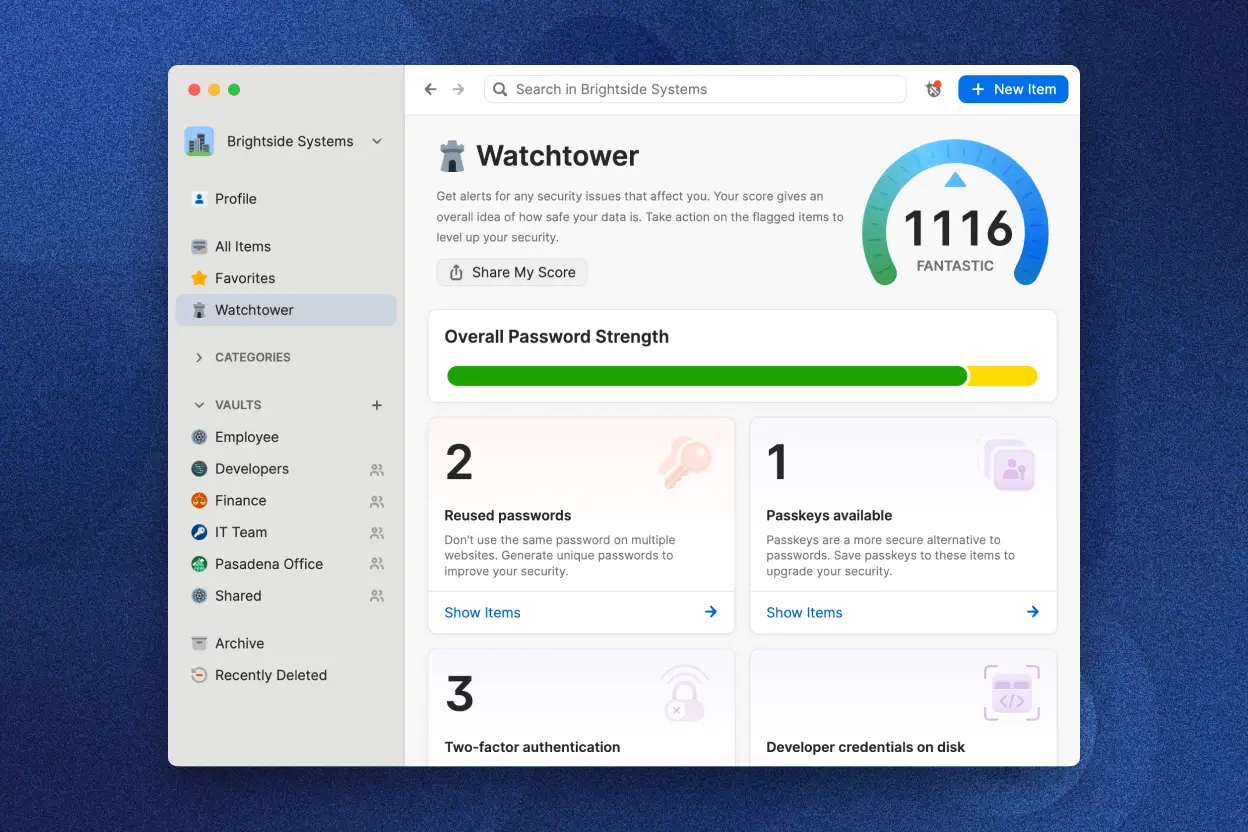
Vault sharing is also well-designed. You create shared vaults (like “Marketing Tools” or “Finance Credentials”), assign them to groups, and control whether users can view, edit, or share items. Onboarding a new hire means dropping them into the right groups — that’s literally it.
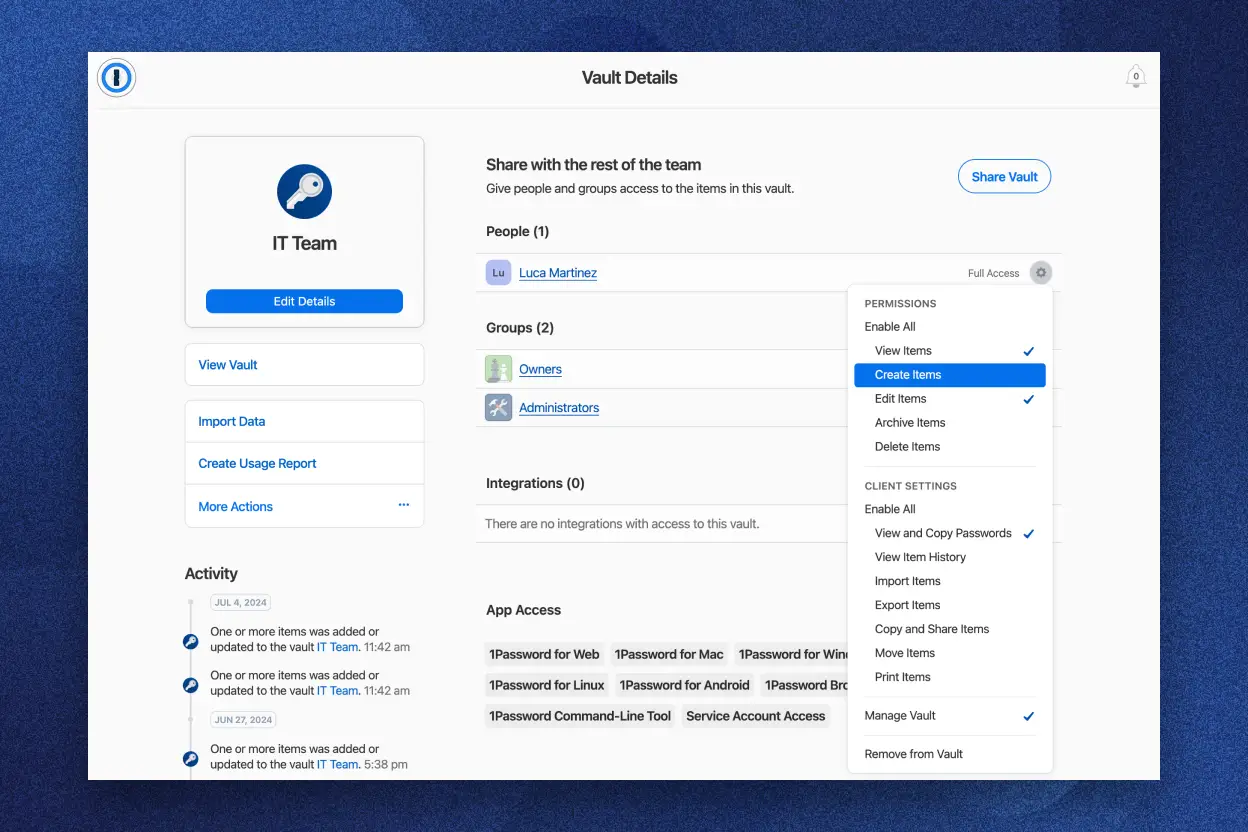
Security highlight: The two-key derivation model (your account password + a Secret Key unique to your device) means that even if 1Password’s servers were breached tomorrow, attackers would get encrypted garbage they can’t use. Passkey support is also built in — useful as more services adopt them.
The one real downside: Pricing adds up for larger teams. The Teams Starter Pack is excellent value at $24.95/month flat for up to 10 users ($2.50/user). But the Business plan at $8.99/user/month is meaningfully more expensive than Bitwarden or Keeper for equivalent features.
Pricing (as of October 2026, billed annually):
- Teams Starter Pack: $24.95/month (up to 10 users)
- Business: $8.99/user/month — adds Okta, Entra ID, OneLogin integration
- Enterprise: Custom pricing
- Free trial: 14 days
Best for: Teams that prioritize UX and security monitoring, particularly those already using Okta or Entra ID for identity management.
2. Bitwarden — Best Value (Open Source)
Bitwarden is the rare case where the cheapest option might actually be the best. At $4/user/month for Teams, you get encrypted vault sharing, SCIM provisioning, audit event logs, and directory sync. NASA, BMW Group, Siemens, and Airbus all use it. That customer list is not a coincidence.
What makes Bitwarden genuinely different is that it’s open source. Every line of code is publicly audited by security researchers worldwide. For security-conscious organizations, that’s not a marketing claim — it’s mathematics anyone can verify. It’s also why G2 ranks it as a top business password manager and why it has 100,000+ community members on GitHub.
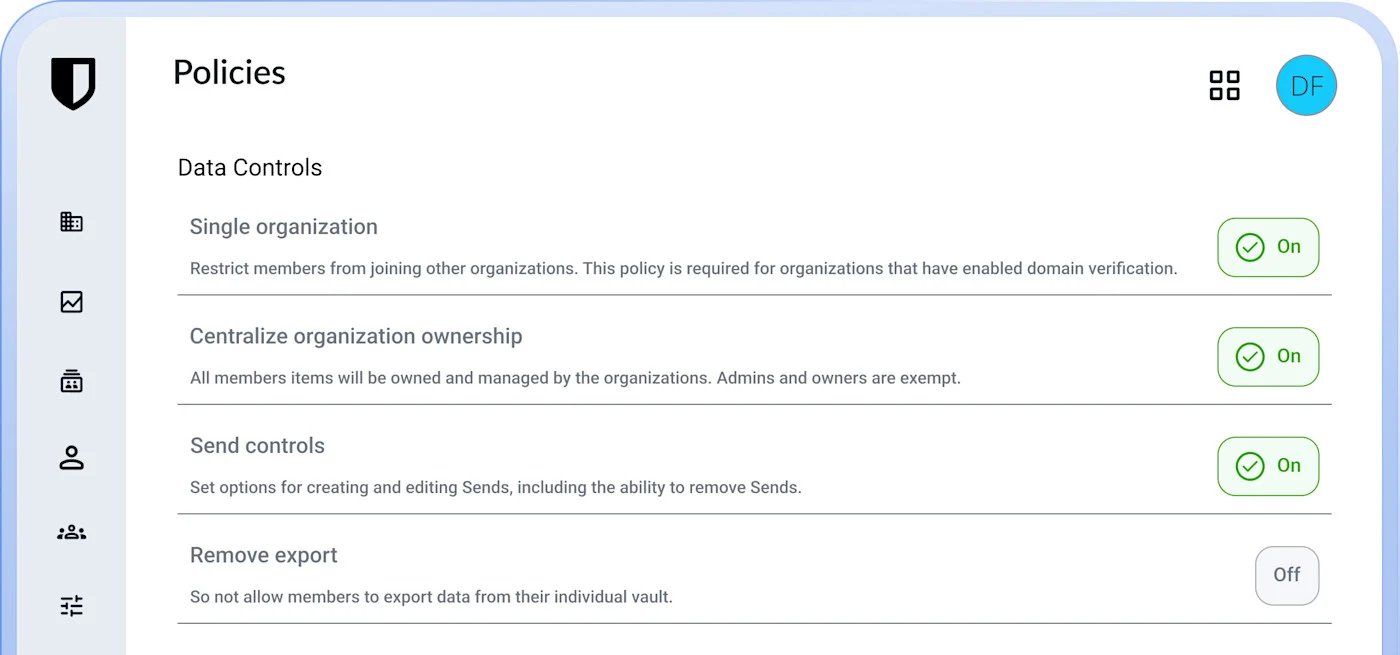
The Enterprise plan at $6/user/month adds passwordless SSO, granular access control, and — uniquely — the option to self-host the entire service on your own servers. If your organization has GDPR data residency requirements, HIPAA, or government data sovereignty needs, Bitwarden’s self-hosting is often the only practical enterprise-grade option available at this price point.
The interface isn’t quite as polished as 1Password — it’s functional and clean but has more of an enterprise software feel. Initial setup can be slightly more technical. That said, 99% of Bitwarden’s business users in G2’s 2025 survey report improved security posture after deployment, and 85% reduced their at-risk credentials.
Pricing (as of October 2026, billed annually):
- Teams: $4/user/month — vault sharing, SCIM, event logs, directory sync
- Enterprise: $6/user/month — SSO, enterprise policies, self-hosting, Access Intelligence
- Free tier: Available for individual users
- Free trial: Available for business plans
Best for: Organizations valuing open-source transparency, those needing self-hosting for data residency, or any team that wants enterprise-grade features at the best price per seat.
3. Keeper — Most Security Features and Certifications
If your industry has strict compliance requirements — healthcare, finance, government contracting — Keeper is likely your password manager. It’s FedRAMP High authorized, FIPS 140-3 validated, ISO 27001/27017/27018 certified, PCI DSS certified, and HIPAA compliant. No other password manager on this list matches that certification stack, and it’s available starting at $4/user/month on the Business plan.
The activity logs are excellent. Every password change, login, record share, and admin action is logged with timestamps and user details. When you’re explaining your security posture to auditors or investigating a potential insider threat, being able to pull a 6-month audit trail in 30 seconds is genuinely valuable.
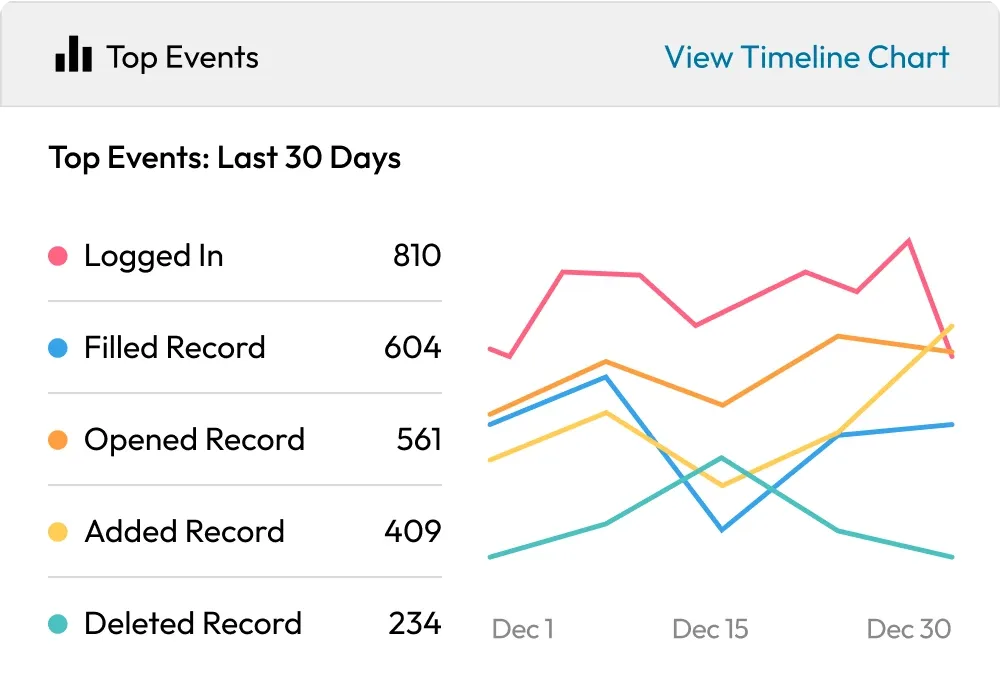
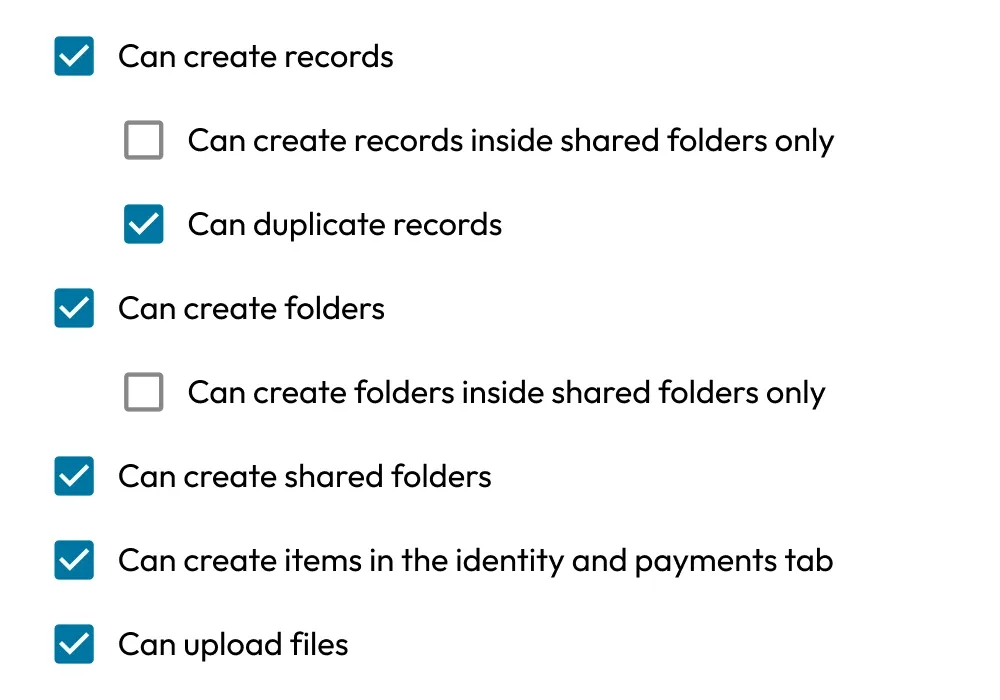
Role-based access controls are granular down to the individual record level — you can assign view-only, edit, share, or owner permissions per item, and organize users into teams and nodes that mirror your org chart.
Underrated feature: Every Keeper Business and Enterprise plan includes a free Family Plan for each team member. When employees use a solid personal password manager, they bring better habits to work — smart incentive design.
Pricing (as of October 2026, billed annually):
- Business Starter: $2/user/month (5–10 seats only)
- Business: $4/user/month (minimum 5 seats) — includes delegated admin
- Enterprise: $6/user/month — SCIM, SSO (SAML 2.0), AD sync, developer APIs
- Free trial: Available
Best for: Healthcare, financial services, and government-adjacent organizations that need FedRAMP authorization, HIPAA compliance, and detailed audit trails.
4. Dashlane — Best for Real-Time Breach Detection
Dashlane has repositioned itself around a genuinely different idea: credential risk detection, not just password storage. Their Omnix platform includes browser-native AI phishing detection that warns employees before they submit credentials to a malicious site — catching the attack at the moment it happens, not after.
Their Credential Protection plan ($4/user/month) is particularly interesting. It monitors employee credential risk across your entire organization’s domains — including accounts that were never added to a vault. If an employee uses their work email to sign up for a third-party SaaS tool and that service gets breached, Dashlane will detect and flag it. That’s proactive coverage most password managers don’t touch.
The Password Management plan ($8/user/month) gives you the full vault experience with SSO, SCIM, and admin policies — similar to competitors, but with Dashlane’s security architecture underneath. A 14-day free trial is available.
The honest tradeoff: For pure vault + sharing + SSO functionality, $8/user/month is on the high end compared to Bitwarden Enterprise at $6/user/month. Dashlane earns its price specifically through proactive threat detection — if that layer isn’t valuable to your security posture, other tools offer more for less.
Pricing (as of October 2026, billed annually):
- Credential Protection: $4/user/month — detection and response, no vault
- Password Management: $8/user/month — full vault + SSO + SCIM + admin policies
- Enterprise: Custom volume pricing
- Free trial: 14 days
Best for: Security teams that need proactive credential breach detection beyond what a standard password vault provides, especially in high-risk industries.
5. NordPass — Best for Small Teams on a Budget
NordPass comes from Nord Security (same company as NordVPN), which means significant investment in security infrastructure, regular third-party audits, and a recognizable brand. For small teams watching every dollar, it’s the most affordable entry point on this list: Teams starts at $1.99/user/month (1-year plan) for a 10-user pack, with a 14-day free trial and no credit card required.
The Teams plan covers the essentials well: xChaCha20-encrypted vault, secure password sharing, offline credential access, MFA protection, user activity monitoring, company-wide security settings, and SSO with Google Workspace. You also get each employee a free personal NordPass Premium plan — good for driving adoption.
The Business plan at $3.99/user/month (1-year) adds group-based credential sharing, folder-based sharing, password health monitoring, data breach monitoring for one domain, and Vanta compliance integration. Enterprise at $5.99/user/month brings Okta and Entra ID SSO, SCIM provisioning, network allowlisting, and Splunk/Microsoft Sentinel SIEM integrations.
The limitations to know: The Teams plan caps at 10 users and has less admin reporting depth than 1Password or Keeper. Customer support, while available, doesn’t quite match 1Password’s response speed at the lower tiers. But at $1.99–$3.99/user/month, those are acceptable tradeoffs for a small team that just needs solid, trustworthy password protection.
Pricing (as of October 2026):
- Teams: $1.99/user/month (1-year plan, 10-user pack only)
- Business: $3.99/user/month (1-year plan, minimum 5 users)
- Enterprise: $5.99/user/month (1-year plan)
- Note: 2-year plans available at lower rates ($1.79, $3.59, $5.39)
- Free trial: 14 days, no credit card required
Best for: Startups and small teams (under 10 people) that need solid password security at the lowest possible per-seat cost.
6. LastPass — Best for Mid-Size Teams Transitioning from Spreadsheets
LastPass had a rough period after its 2022 security incident, when attackers accessed encrypted vault backups. The company has since invested significantly in security architecture and transparency — and for many IT managers, the familiar interface, proven enterprise rollout capabilities, and competitive pricing on the Business plan still make it a practical choice.
The Teams plan at $4.25/user/month (up to 50 users) covers the basics cleanly: admin console, shared folders, essential security policies, and MFA. The Business plan at $7/user/month adds 100+ advanced security policies, SSO integrations, LastPass Families for employees (a popular adoption incentive), Active Directory sync, and detailed reporting.
LastPass has the most guided onboarding workflow of any tool on this list — step-by-step setup, automatic policy recommendations, clear documentation, and contextual help throughout the admin console. If you’re deploying to a 50-person team with mixed technical skills and no dedicated IT team, the simplicity of LastPass’s rollout has real operational value.
Worth noting: The Business Max plan at $9/user/month bundles advanced SSO and MFA add-ons that other plans charge separately. For teams that need both, it can be cost-effective versus purchasing add-ons individually.
Pricing (as of October 2026, billed annually):
- Teams: $4.25/user/month (up to 50 users) — admin console, shared folders, essential policies
- Business: $7/user/month — 100+ security policies, SSO, AD sync, Families for employees
- Business Max: $9/user/month — adds advanced SSO and MFA bundles
- Free trial: 14 days
Best for: Mid-size teams (25–100 users) prioritizing easy deployment, especially those going from no password manager to their first one.
2026 Password Manager Pricing Comparison
| Tool | Entry Team Price | Business Price | Free Trial | Standout Feature |
|---|---|---|---|---|
| 1Password | $24.95/mo (10 users) | $8.99/user/mo | 14 days | Watchtower security monitoring |
| Bitwarden | $4/user/mo | $6/user/mo (Enterprise) | Yes | Open source, self-hosting |
| Keeper | $2/user/mo (Starter) | $4/user/mo | Yes | FedRAMP auth + audit logs |
| Dashlane | $4/user/mo (detect) | $8/user/mo | 14 days | AI phishing + breach detection |
| NordPass | $1.99/user/mo (Teams) | $3.99/user/mo | 14 days | Most affordable entry point |
| LastPass | $4.25/user/mo | $7/user/mo | 14 days | Easiest deployment |
All prices in USD. Annual billing rates shown. Prices verified October 2026.
How to Choose the Right Password Manager for Your Team
Here’s the honest decision framework. Answer these four questions:
How many users do you have? Under 10 people? NordPass Teams ($1.99/user/month, 10-seat pack) or Keeper Business Starter ($2/user/month, 5–10 seats) gives you the best dollar-per-seat value. Over 50 people? You need SSO and SCIM provisioning — that means 1Password Business, Bitwarden Enterprise, Keeper Enterprise, or LastPass Business. Managing users manually beyond ~50 people becomes a full-time job without directory sync.
Do you have compliance requirements? Healthcare or government (HIPAA, FedRAMP)? Start with Keeper — it’s the only tool here with FedRAMP High authorization. GDPR data residency or strict data sovereignty? Bitwarden’s self-hosting option is often the only enterprise-grade solution at this price point.
Do you use an existing identity provider (Okta, Entra ID, Google Workspace)? Every tool on this list supports SSO at higher tiers. If you already manage users in Okta or Entra ID, getting a password manager that syncs with it saves hours of admin work monthly. 1Password Business, Keeper Enterprise, and Bitwarden Enterprise all integrate cleanly.
What is your biggest current security risk? Compromised credentials you don’t know about yet? Dashlane’s Credential Protection plan monitors org-wide credential risk including accounts outside your vault. Weak or reused passwords across the team? 1Password Watchtower gives the clearest team-wide visibility. Self-managing your security infrastructure? Bitwarden’s Access Intelligence and self-hosting give you full control.
One practical note: the best password manager is the one your employees actually use. 1Password and Keeper consistently score highest for user satisfaction — which matters just as much as the admin features when you’re deploying to non-technical staff. A secure password manager that sits unused creates false confidence and zero protection.
Frequently Asked Questions
What is the most secure password manager for business teams?
1Password, Keeper, and Bitwarden all use zero-knowledge architecture with AES-256 or xChaCha20 encryption — your data is encrypted locally before it ever reaches their servers, and the vendor cannot access it. For the broadest compliance stack (FedRAMP, FIPS 140-3, ISO 27001, HIPAA, PCI DSS), Keeper has no peer on this list. For security through transparency, Bitwarden’s open-source codebase allows any security researcher to audit the implementation directly.
How much does a password manager for teams cost?
Business password managers typically run $2–$9 per user per month on annual billing. The most affordable option is Keeper Business Starter at $2/user/month (5–10 seats). The $4–$6/user/month range (Bitwarden Teams, Keeper Business, NordPass Business) covers all the essentials including SSO, admin controls, and secure sharing. Dashlane ($8/user/month) and LastPass Business ($7/user/month) are at the premium end. For context on whether to pay annually or monthly for any of these, our billing guide breaks down the math.
Can a free password manager work for a team?
Free individual tiers (like Bitwarden’s personal plan) work for solo use but lack the admin controls, audit logs, SSO, and centralized management that teams need. Without a team password manager, employees end up using spreadsheets, Slack messages, and sticky notes — security vulnerabilities you can’t monitor or remediate. At $2–$4/user/month, a dedicated team password manager is one of the highest-ROI security investments available.
What happens to shared passwords when an employee leaves?
Every tool on this list lets you instantly revoke a departing employee’s access to all shared vaults with a single admin action. This is one of the most underrated benefits of a proper team password manager. Without it, offboarding means manually changing dozens of shared passwords — and hoping the departing employee doesn’t retain access. If you pair this with solid project management tooling to track offboarding checklists, you can close access gaps completely.
Bottom Line
Every team needs a password manager. The question is which one fits your size, budget, and compliance requirements.
- Best overall: 1Password (Business) — best UX, Watchtower monitoring, excellent for teams of 10–100
- Best value: Bitwarden — $4/user/month for genuinely enterprise-grade security, open source and auditable
- Budget pick: Keeper Business Starter — $2/user/month with a serious compliance stack and family plans
- Best for small teams: NordPass Teams — $1.99/user/month, no credit card for free trial
- Best for compliance: Keeper Enterprise — FedRAMP High, HIPAA, FIPS 140-3, ISO 27001
- Best for breach response: Dashlane — real-time AI phishing detection and org-wide credential risk monitoring
One more thing for distributed teams: once your credential security is locked down, the next layer is making sure everyone’s working in a well-organized project management system. Our guide to the best project management software for remote teams covers which PM tools integrate natively with 1Password and Bitwarden — most support SSO through the same identity provider, so a single sign-on policy covers both your credentials and your project workflows in one go.
All six tools offer free trials. If you’re unsure, start with 1Password or Bitwarden — both have excellent onboarding documentation and cover what 90% of teams need. If price is the primary constraint, Keeper Business Starter at $2/user/month is hard to beat for the security certifications and features you get.
Your team’s passwords are the front door to everything your business does. At $2–$8 per person per month, protecting them properly is one of the cheapest security investments you’ll make.