Best Lists
Best Invoicing Software for Freelancers in 2026: 7 Tools Compared
29% of freelancer invoices get paid late. We compared 7 invoicing tools — from free options to full client management suites — to help you find the right one for your freelance business.
⚡ Quick Picks
- Best overall: FreshBooks — polished UI, smart automations, handles everything from estimate to payment
- Best free (US/Canada): Wave — genuinely unlimited free invoicing if you’re in North America
- Best free (international): Zoho Invoice — 500 invoices/year, forever free, works in every country
- Best for contracts + invoices: Bonsai — one tool for proposals, contracts, and invoices
- Best for hourly billing: Harvest — time tracking feeds directly into invoices
- Best for creatives (US/CA/UK/AU): HoneyBook — full client management + invoicing in one place
- Best open-source / self-host: Invoice Ninja — free forever, run it yourself if you want full control
Short version: 29% of freelancer invoices get paid late, according to a 2026 Bonsai study. The right invoicing software doesn’t just send PDFs — it chases clients automatically, accepts cards online, and keeps your cash flow predictable. Here are the 7 best options for freelancers right now.
I’ve been running a freelance business for a while, and the single biggest operational upgrade I made was switching from emailing Word docs to using proper invoicing software. Clients paid faster. I spent less time on follow-ups. And I finally knew, at any moment, exactly what I was owed.
The problem is there are dozens of invoicing tools, and most reviews just list features without telling you who each tool is actually for. This one will.
How we picked these tools
We tested and evaluated every tool on this list against the same criteria:
- Freelancer-specific features: client management, recurring invoices, automatic payment reminders, late fees
- Online payment acceptance: Stripe, PayPal, or built-in processor — clients should be able to pay with one click
- Free tier quality: does the free plan actually let you run a real business, or is it a crippled demo?
- Pricing transparency: no hidden fees, clear upgrade paths
- Time-tracking integration: important for hourly freelancers
We excluded tools aimed at agencies or large teams. Every tool here works well for a solo freelancer or a very small operation.
1. FreshBooks — Best Overall
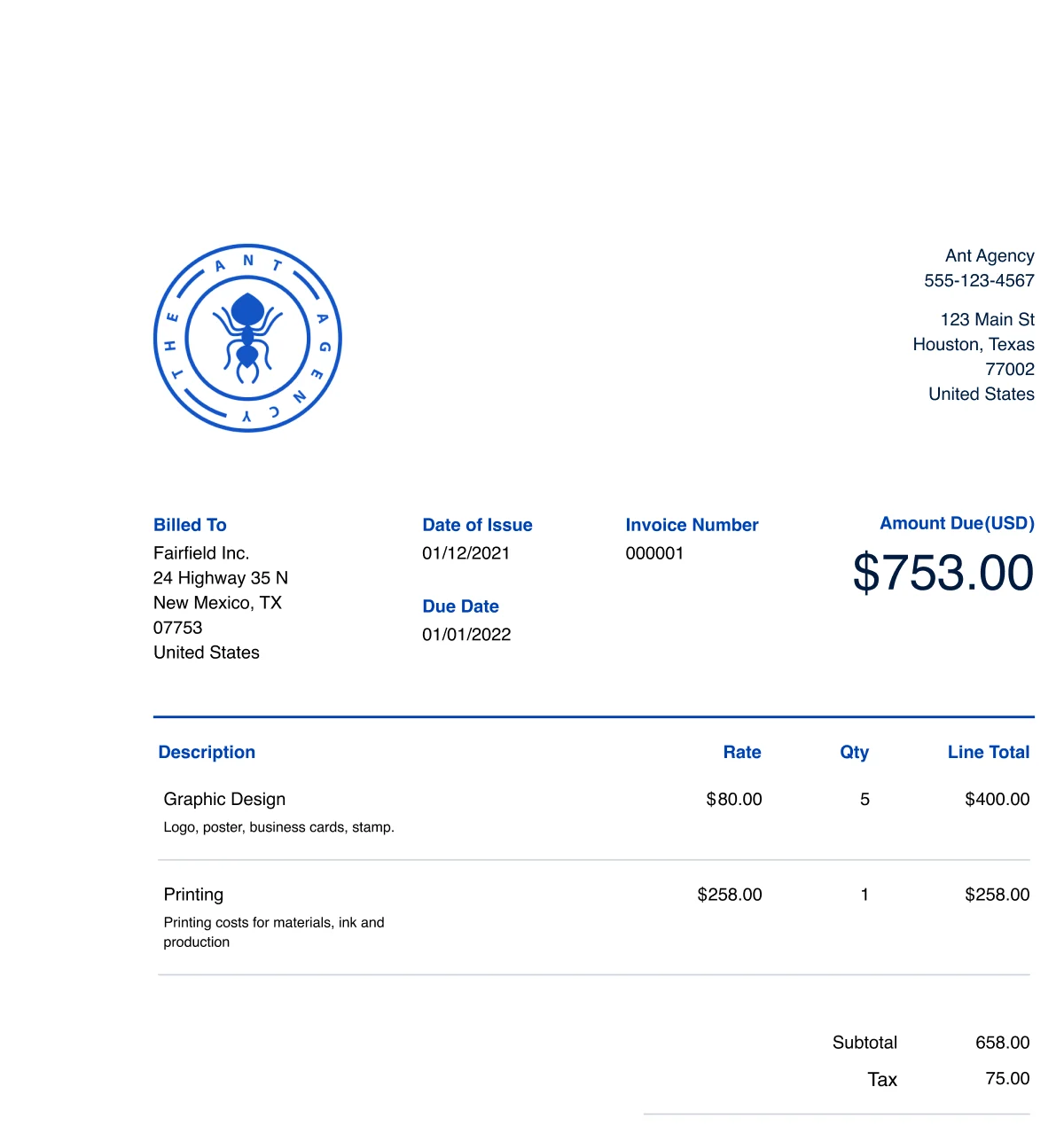
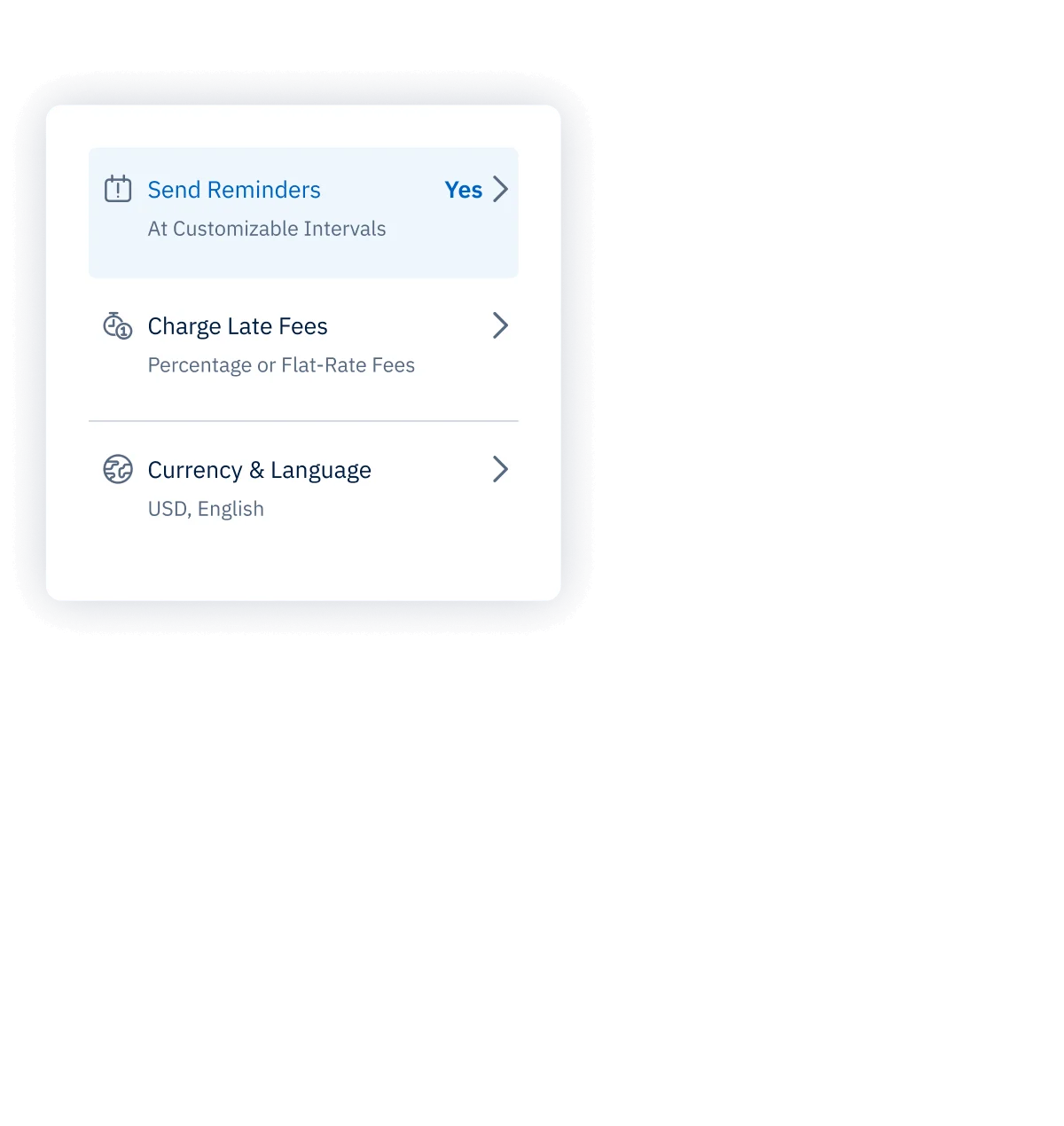
FreshBooks is the closest thing to “set it and forget it” invoicing for freelancers. You create an invoice, toggle on automatic payment reminders, and the software does the follow-up for you. HoneyBook reports that 90% of invoices sent through platforms with automated reminders get paid on time or early — FreshBooks has had this feature for years.
The interface is genuinely nice. You can add your logo, customize colors, and set up a recurring invoice for retainer clients in about 90 seconds. Estimates convert to invoices in one click. Late fees apply automatically after a date you set.
The weak spot: the Lite plan caps you at 5 active clients. That’s fine when you’re starting, but if you have more than 5 ongoing clients you’ll need the Plus plan at $39/mo. The time tracking is solid but not as detailed as Harvest’s.
Pricing: Lite $23/mo (5 clients) · Plus $39/mo (50 clients) · Premium $69/mo (unlimited)
Verdict
If you want one tool that handles invoicing, expense tracking, time tracking, and basic accounting without an accounting degree, FreshBooks is the answer. Worth every dollar of the Plus plan if you have more than 5 regular clients.
2. Wave — Best Free Option (US & Canada)
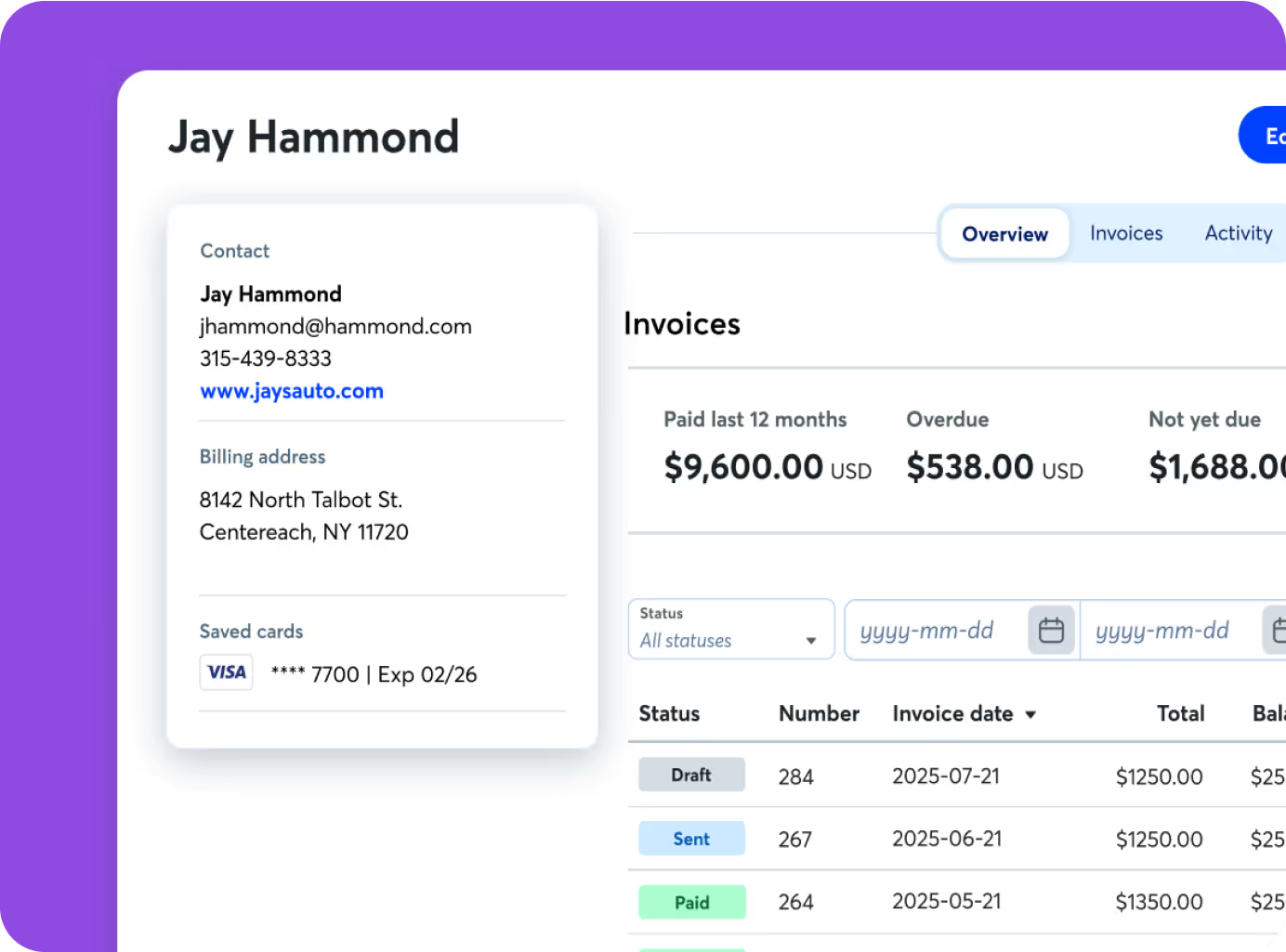
Wave’s free plan is shockingly good. Unlimited clients, unlimited invoices, invoicing + accounting + receipt scanning — all free. The catch: most of the features that make Wave actually useful for getting paid (automatic reminders, recurring billing) require the Pro plan at $19/mo. And the online payment processing fees are 2.9% + $0.60, higher than some alternatives.
The bigger limitation: Wave Payments is only available in the US and Canada. If you’re elsewhere, the payment processing doesn’t apply to you, which removes Wave’s main competitive advantage. International freelancers should look at Zoho Invoice instead.
The accounting side of Wave is legitimately full-featured — double-entry bookkeeping, bank reconciliation, profit/loss reports. Most invoicing tools don’t include any of that.
Pricing: Free (invoicing + accounting) · Pro $19/mo (automated reminders, receipts, priority support) · Payment processing: 2.9% + $0.60/transaction
Verdict
The best free invoicing + accounting combo available — but only if you’re in the US or Canada and willing to pay 2.9% + $0.60 on payments. At $19/mo Pro, it’s still excellent value.
3. Zoho Invoice — Best Free Option (International)
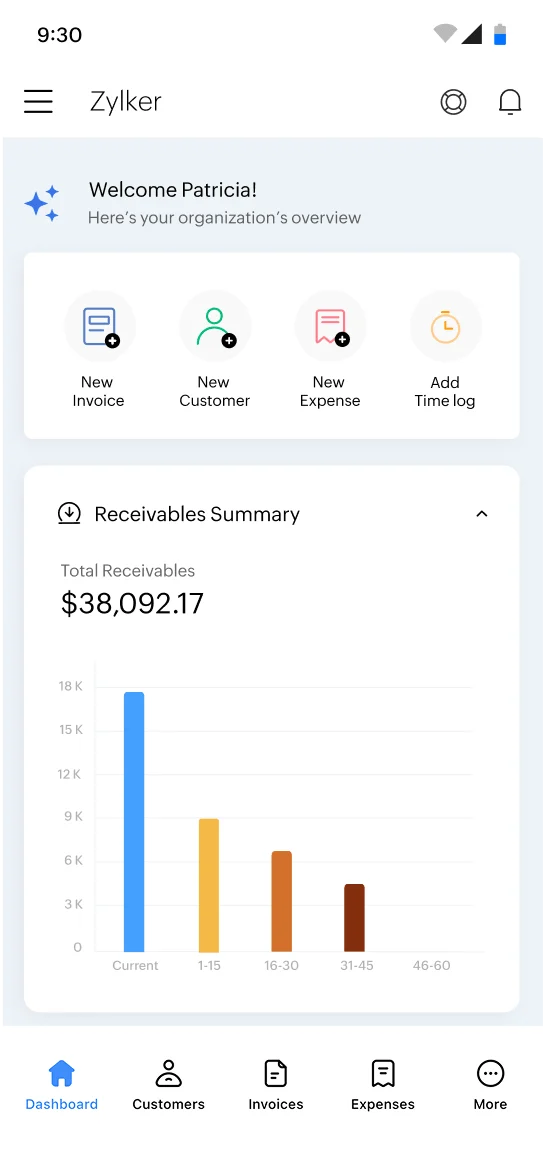
Zoho Invoice is 100% free. Forever. For real. Zoho removed all paid plans in 2021 and has kept it free since. You get up to 1,000 invoices per year (500 per org), customer portal, automated payment reminders, multi-currency invoicing, and time tracking. That covers most freelancers completely.
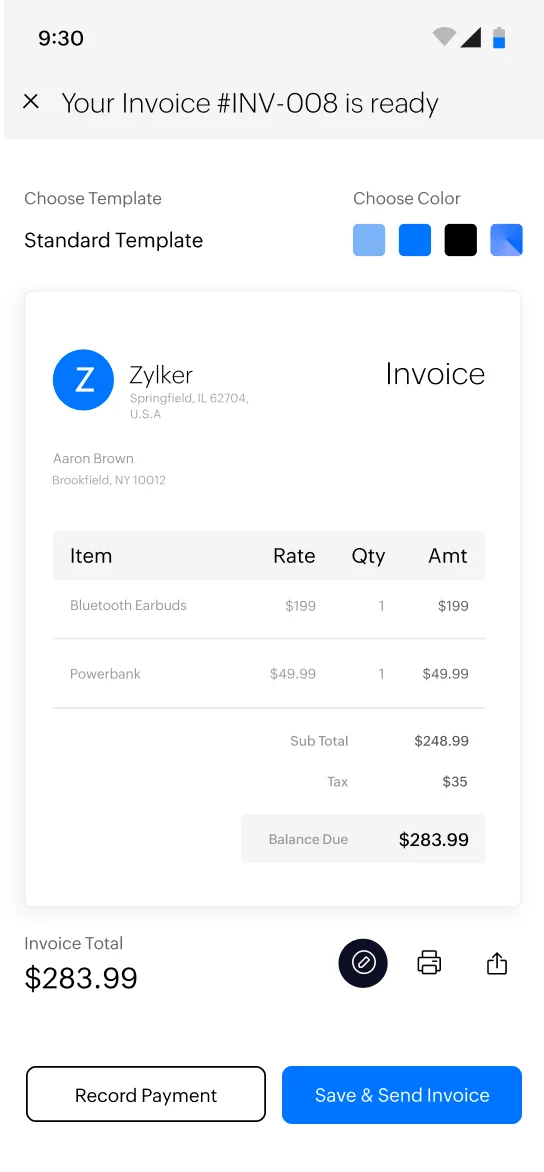
The interface is a bit more corporate-feeling than FreshBooks — it’s clearly built for small businesses rather than individual freelancers. But the feature set is hard to argue with at $0. You get a customer portal where clients can approve estimates and view invoice history, automatic payment reminders, and a solid mobile app.
If you need full accounting (P&L, bank sync, payroll), Zoho has Books at $15/mo. But for invoicing alone, there’s no reason to pay anything.
Pricing: $0 — completely free, globally available
Verdict
If you’re outside the US/Canada and need a free invoicing tool with zero catch, Zoho Invoice is the answer. The feature set at $0 beats tools that charge $20/mo.
4. Bonsai — Best for Freelancers Who Need Contracts Too
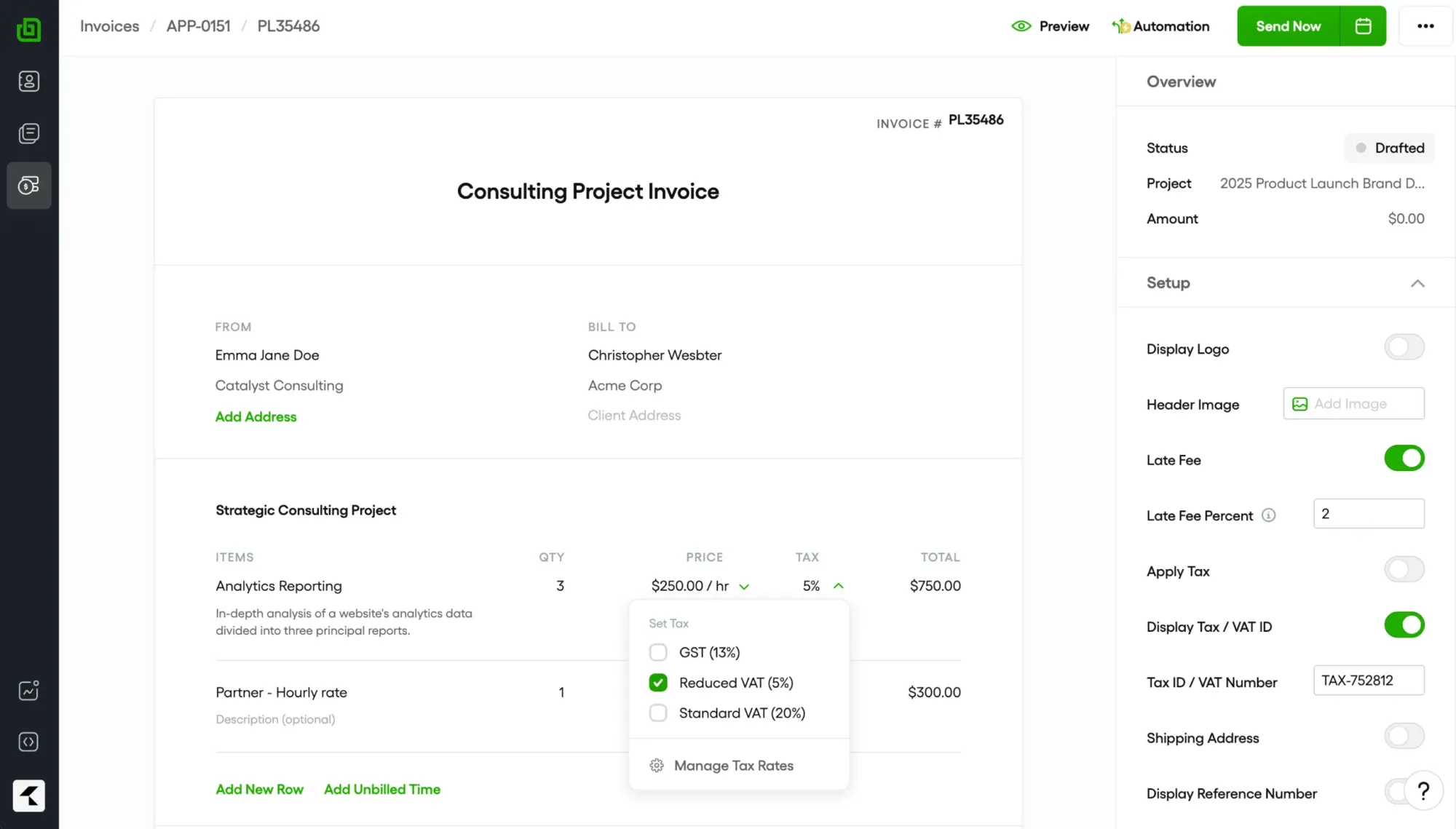
Bonsai is what you get when invoicing, contracts, and project management are built together from the start. Most freelancers use three separate tools for proposals, contracts, and invoices. Bonsai collapses all three into one workflow: send a proposal → client signs the contract → invoice generates automatically.
The Bonsai 2026 Freelance Report (the source of the “29% of invoices paid late” stat) also found that freelancers using contracts with integrated invoicing got paid significantly faster. That’s not a coincidence — when a client has already signed a contract specifying payment terms, paying the invoice is just completing the process they already agreed to.
Important pricing note: The $15/mo Basic plan does NOT include invoicing. You need the $25/mo Essentials plan to actually send invoices. Double-check this before signing up.
Bonsai also includes time tracking, expense tracking, a client CRM, and tax preparation tools. For a freelancer who wants one subscription to run their whole business, this is a strong option.
Pricing: Basic $15/mo (no invoicing) · Essentials $25/mo (invoicing included) · Professional $55/mo
Verdict
The best choice if you want contracts and invoices in one tool. Just make sure you’re on the $25/mo Essentials plan — the $15 Basic plan won’t let you invoice.
5. Harvest — Best for Hourly Billing
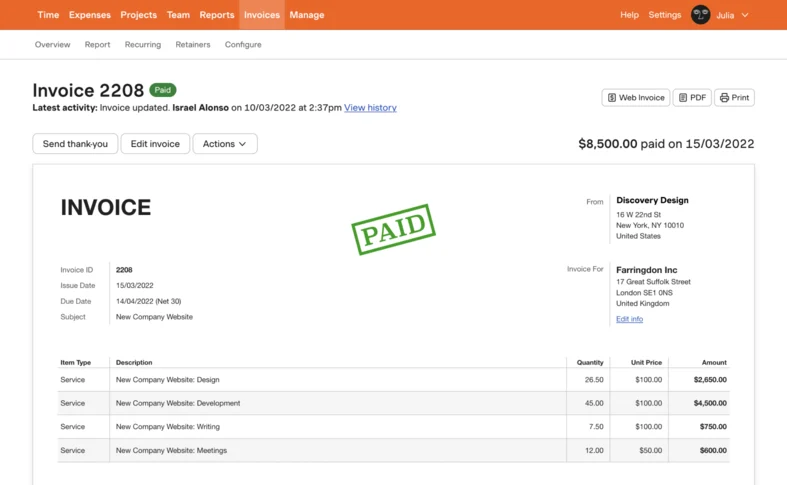
If you bill by the hour, Harvest is the most friction-free way to go from “tracked time” to “sent invoice.” You log hours on a project, click “Create Invoice,” and Harvest pre-fills the invoice with every billable hour broken out by task. No manual entry, no spreadsheet math, no hunting through time logs.
The free plan is more generous than it looks: one user, two projects — enough to test the workflow and use it for your two biggest clients. The Pro plan at $12/user/month is reasonable if you bill hourly regularly.
What Harvest doesn’t do well: it’s not an accounting tool, expense tracking is basic, and the invoicing UI is more utilitarian than FreshBooks. It also doesn’t have proposals or contracts. Harvest is laser-focused on time → invoice, and it does that better than anything else.
Pricing: Free (1 user, 2 projects) · Pro $12/user/mo (unlimited projects, clients, invoices)
Verdict
The best tool for hourly freelancers who want a seamless path from time tracking to invoice. Less useful if you do fixed-price or retainer work.
6. HoneyBook — Best for Creative Freelancers (US, CA, UK, AU)
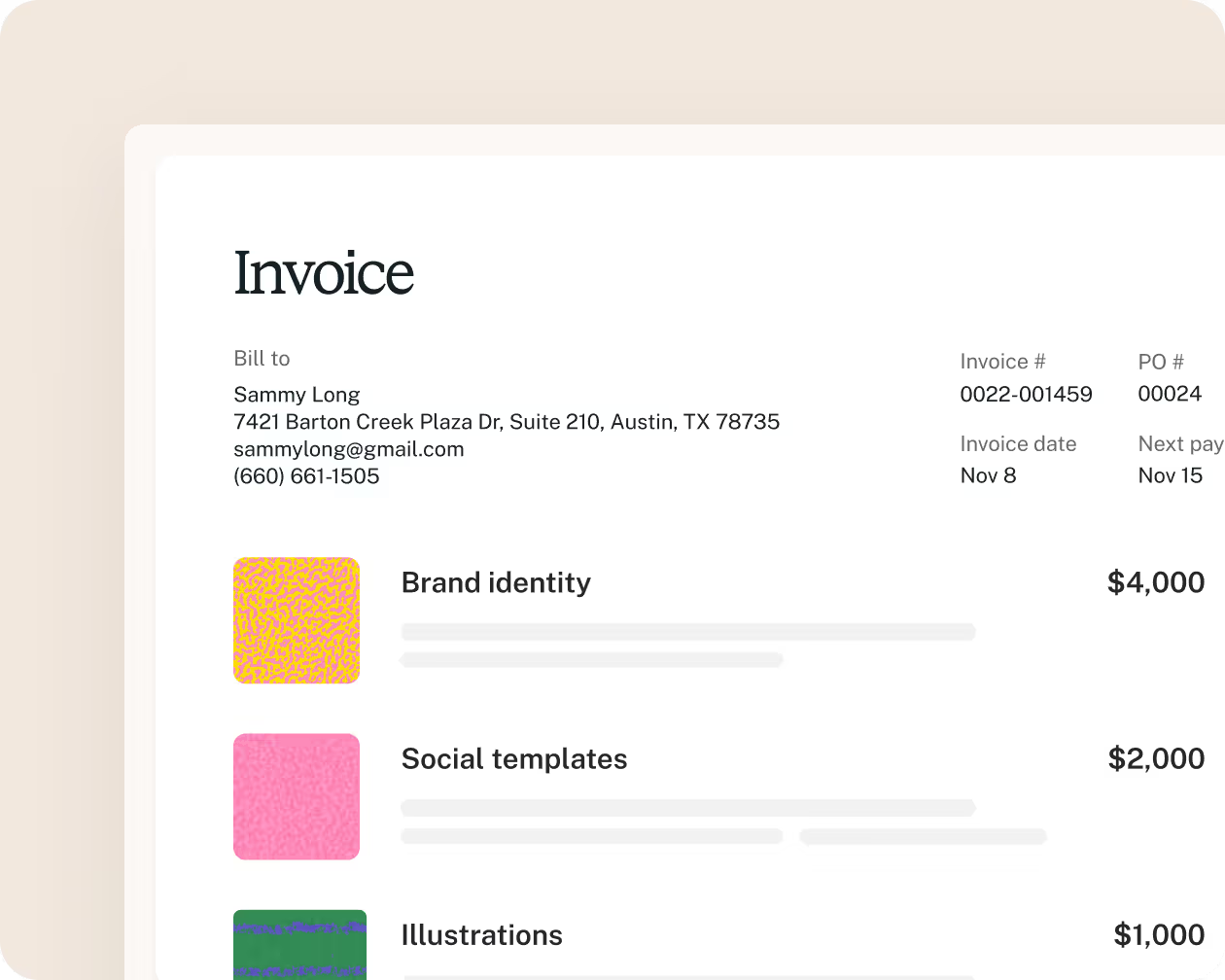
HoneyBook is a CRM + invoicing tool built specifically for creative service providers — photographers, designers, event planners, copywriters, consultants. The pitch is that you manage your entire client relationship in one place: inquiry form, proposal, contract, invoice, and payment, all in a single pipeline view.
HoneyBook reports that 90% of invoices sent through their platform are paid on time or early. That tracks — their automated reminder system is aggressive in a good way, and the client portal makes it easy for clients to pay without logging into anything complicated.
A few things to know: HoneyBook raised prices in February 2025 (it was $19/mo — it’s now $29/mo annual or $36/mo monthly). It’s also only available in the US, Canada, UK, and Australia. And it’s genuinely a CRM first, invoicing tool second — if you just want to send invoices without all the client pipeline features, it may be more tool than you need.
Pricing: Starter $29/mo (annual) / $36/mo (monthly) · Essentials $49/mo · Premium $99/mo
Verdict
The best all-in-one for creatives in the US/CA/UK/AU who want to manage their entire client workflow in one tool. Too much overhead if you just want basic invoicing. Check availability in your country before signing up.
7. Invoice Ninja — Best Free Open-Source Option
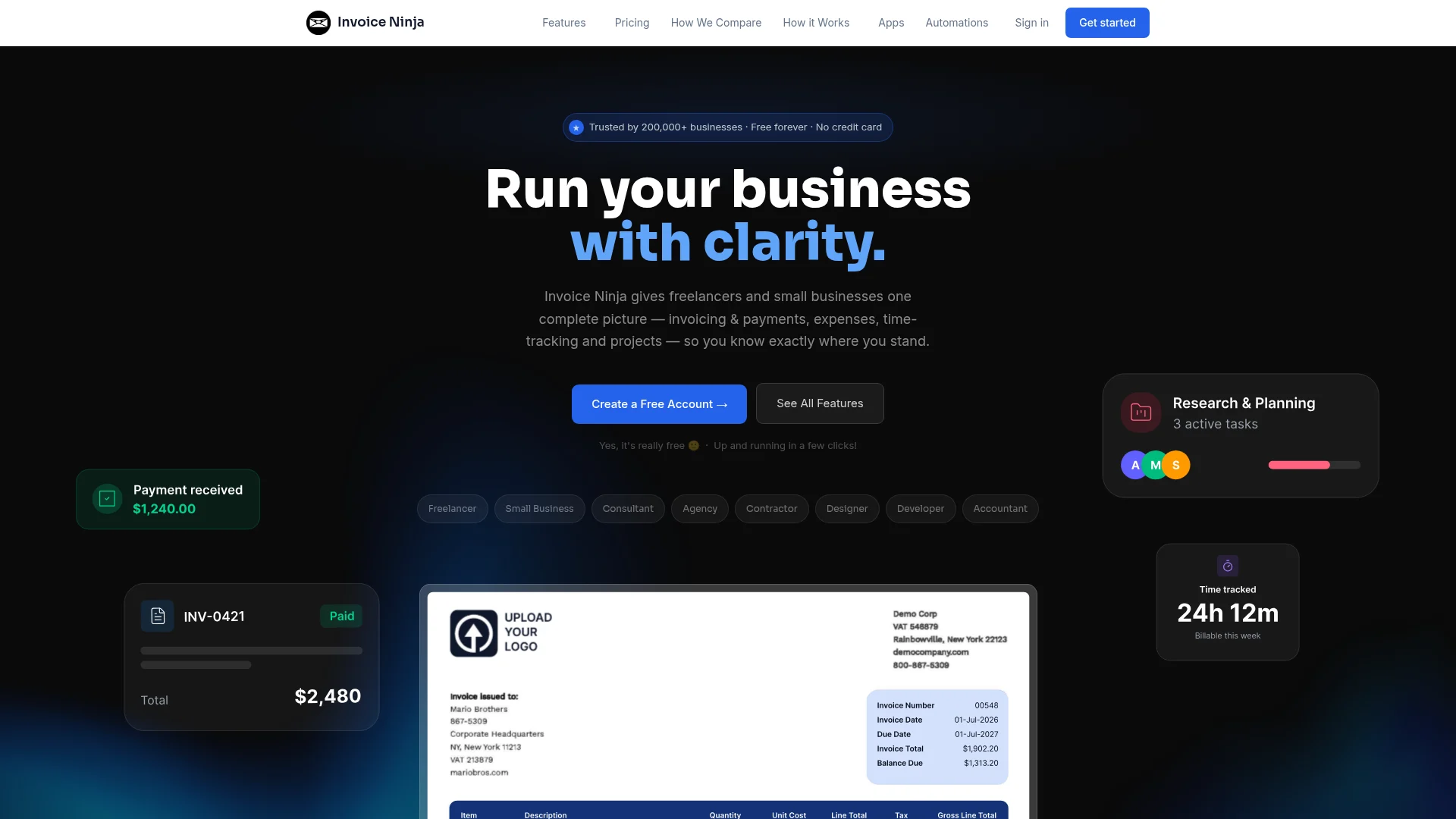
Invoice Ninja gives you the most features per dollar of any tool on this list, including $0. The free plan supports up to 5 clients, unlimited invoices, recurring invoices, auto-billing, client portal, time tracking, and expense management. More than most paid tools offer.
The unique advantage is the self-hosted option: you can download Invoice Ninja, install it on your own server, and run it completely free with no client limits — forever. If you’re technical (or have a developer friend), this is genuinely the most powerful free invoicing setup available.
The hosted paid plans are also reasonably priced: $14/mo Pro (unlimited clients) and $18/mo Enterprise (team features). The UI is less polished than FreshBooks, but the feature depth is impressive — 40+ payment gateway integrations, 10+ languages, custom invoice designs.
Pricing: Free (5 clients, hosted) · Pro $14/mo (unlimited) · Enterprise $18/mo · Self-hosted: completely free
Verdict
The best option for technically-minded freelancers who want full control, maximum features, and minimum spend. Less beginner-friendly than FreshBooks or Wave, but the depth is unmatched at this price.
Invoicing Software Comparison Table
| Tool | Starting Price | Free Tier | Time Tracking | Contracts | Best For |
|---|---|---|---|---|---|
| FreshBooks | $23/mo | 30-day trial | ✅ | ❌ | Overall best, retainer clients |
| Wave | Free | ✅ Unlimited* | ❌ | ❌ | Free invoicing, US/CA only |
| Zoho Invoice | $0 | ✅ Always free | ✅ | ❌ | Free tier, international |
| Bonsai | $25/mo† | 7-day trial | ✅ | ✅ | Contracts + invoicing bundle |
| Harvest | Free | ✅ (2 projects) | ✅ Best-in-class | ❌ | Hourly billing |
| HoneyBook | $29/mo‡ | 7-day trial | ❌ | ✅ | Creatives, client pipeline |
| Invoice Ninja | Free | ✅ (5 clients) | ✅ | ❌ | Open-source, self-hosted |
*Wave automations (reminders, recurring) require $19/mo Pro. †Bonsai Basic ($15/mo) does not include invoicing — Essentials ($25/mo) required. ‡HoneyBook annual billing; $36/mo monthly. Available in US, CA, UK, AU only.
How to Choose the Right Tool
Start with the question that eliminates half the list: do you need more than just invoicing?
If you want contracts + invoicing in one tool, it’s Bonsai. If you want a full client CRM + invoicing and you’re in the US, CA, UK, or AU, it’s HoneyBook. If you bill hourly and need time tracking baked in, it’s Harvest. For everything else, it comes down to price:
- You’re outside the US/CA and want free: Zoho Invoice — no contest
- You’re in the US/CA and want free: Wave — plus you get free accounting
- You want the best paid tool and have more than 5 clients: FreshBooks Plus at $39/mo
- You’re technical and want maximum control at minimum cost: Invoice Ninja self-hosted
One note on “free” tiers: both Wave and Zoho Invoice are genuinely free, but Wave’s automation features (reminders, recurring billing) cost $19/mo extra. If you want set-it-and-forget-it automation, you’re paying for most of these tools anyway. The question is just which features justify that spend for you.
Final Verdict
Most freelancers will be happiest with FreshBooks. It costs money, but the time savings on follow-up, the polished invoices that reflect well on your business, and the reliable online payment processing make it a clear return on investment. At $39/mo for the Plus plan, you need to recover about 45 minutes of extra work per month to break even — and most freelancers save far more than that.
If cost is the priority and you’re in the US or Canada, Wave’s free tier handles the basics well. If you’re international, Zoho Invoice is the obvious choice. And if you’re already using a separate contract tool and wishing they talked to each other, Bonsai solves that problem specifically.
Need those contracts signed quickly once your client agrees? Our guide to the best e-signature software for small business covers DocuSign, SignNow, PandaDoc, and more — with tools that can turn a signed contract around in under 30 minutes.
If you also pay employees or contractors and need to run payroll, our guide to the best payroll software for small business covers Gusto, QuickBooks Payroll, and OnPay — tools that handle automated tax filings and direct deposit so both invoicing and payroll run on autopilot.
The worst outcome is emailing PDF invoices manually and chasing clients with follow-up emails. Any tool on this list is better than that.
One more thing worth doing: protect access to your invoicing tool with a strong, unique password — and if you’re on a team, a business password manager. Invoicing tools hold payment data and client records, and a compromised account is an expensive problem to clean up.
One more thing: if you bill hourly, the invoicing tools above are only as good as the time data feeding them. Our guide to the best time tracking software covers Harvest, Toggl Track, Clockify, and four more — so you can log every billable minute before it hits an invoice.
Frequently Asked Questions
What is the best free invoicing software for freelancers?
For US and Canadian freelancers, Wave is the best free option — unlimited clients and invoices with free accounting included. For freelancers outside North America, Zoho Invoice is permanently free with no limitations on features. Invoice Ninja’s self-hosted version is also completely free if you’re comfortable running your own server.
Do I need separate accounting software, or does invoicing software cover that?
It depends on the tool. FreshBooks and Wave include full accounting features (expense tracking, P&L reports, tax prep). Harvest, Bonsai, HoneyBook, and Invoice Ninja have more limited accounting functionality and may need to be paired with a tool like QuickBooks or Zoho Books for full accounting. If you want invoicing + accounting in one place, FreshBooks or Wave are your best options.
What invoicing software is best for accepting online payments?
All 7 tools on this list accept online payments. FreshBooks integrates directly with Stripe and PayPal. Wave has its own payment processor (US/CA only, 2.9% + $0.60). Bonsai, HoneyBook, and Harvest also accept card payments through Stripe. Invoice Ninja has the broadest gateway support — over 40 payment integrations.
Is HoneyBook worth it for freelancers?
HoneyBook is worth it if you’re a creative professional (photographer, designer, consultant) in the US, Canada, UK, or Australia who wants to manage your entire client workflow in one place — from inquiry to final payment. It’s probably overkill if you just need to send invoices. Also note that prices increased in February 2025 from $19/mo to $29/mo annual, so factor that into your decision.
What’s the difference between Bonsai Basic and Bonsai Essentials?
Bonsai Basic ($15/mo) includes contracts, proposals, and project management — but NOT invoicing. You need the Essentials plan ($25/mo) to actually send invoices and accept payments. This is a common source of confusion, so double-check the plan details before signing up.