Best Lists
Best Expense Tracking Software for Business in 2026: 6 Tools Tested and Compared
Six expense tracking tools tested and compared — Ramp, Expensify, Zoho Expense, Brex, Navan, and BILL Spend & Expense. Real pricing, honest verdicts, and a clear pick for every business type.
{
“@context”: “https://schema.org”,
“@graph”: [
{
“@type”: “Article”,
“headline”: “Best Expense Tracking Software for Business in 2026: 6 Tools Tested and Compared”,
“author”: {
“@type”: “Organization”,
“name”: “SoftwareReviewHQ”
},
“datePublished”: “2026-10-29”,
“dateModified”: “2026-10-29”,
“publisher”: {
“@type”: “Organization”,
“name”: “SoftwareReviewHQ”,
“url”: “https://softwarereviewhq.com”
},
“mainEntityOfPage”: {
“@type”: “WebPage”,
“@id”: “https://softwarereviewhq.com/best-expense-tracking-software-for-business/”
},
“image”: “https://softwarereviewhq.com/wp-content/uploads/2026/10/bill-spend-and-expense-dashboard.webp”
},
{
“@type”: “FAQPage”,
“mainEntity”: [
{
“@type”: “Question”,
“name”: “What is the best free expense tracking software for small business?”,
“acceptedAnswer”: {
“@type”: “Answer”,
“text”: “Ramp offers the most generous free tier — unlimited users and corporate cards at no cost, with real-time expense tracking and accounting integrations. Zoho Expense is free for up to 3 users with no time limit. Brex has a free Essentials plan but requires $10,000+ in monthly corporate spend to qualify for a card.”
}
},
{
“@type”: “Question”,
“name”: “What is the difference between expense tracking and expense management?”,
“acceptedAnswer”: {
“@type”: “Answer”,
“text”: “Expense tracking means recording what was spent — receipts, amounts, categories. Expense management adds policy enforcement, approval workflows, reimbursements, and reporting on top. Most modern tools do both. The six tools in this roundup are full expense management platforms.”
}
},
{
“@type”: “Question”,
“name”: “How much does expense tracking software cost?”,
“acceptedAnswer”: {
“@type”: “Answer”,
“text”: “Free tiers exist for Ramp, Zoho Expense (up to 3 users), and Brex Essentials. Paid plans typically run $4–$15 per user per month. Enterprise platforms like SAP Concur charge per expense report ($7–$11) with implementation costs of $10,000–$100,000+.”
}
},
{
“@type”: “Question”,
“name”: “Can expense tracking software integrate with accounting software?”,
“acceptedAnswer”: {
“@type”: “Answer”,
“text”: “Yes — every major expense tool integrates with popular accounting platforms. QuickBooks Online, Xero, and NetSuite are the most widely supported. All six tools reviewed here offer QuickBooks and Xero integrations. ERP integrations are usually available on mid- and higher-tier plans.”
}
},
{
“@type”: “Question”,
“name”: “Is Expensify good for small business?”,
“acceptedAnswer”: {
“@type”: “Answer”,
“text”: “Yes, with a caveat. Expensify works well for small businesses that need receipt scanning and automated expense reports. The Collect plan at $5/user/month is competitive. The downside: the free Submit plan has unclear SmartScan limits, and Control plan pricing is not publicly listed. Zoho Expense at $3–$4/user/month delivers similar value at a lower price.”
}
},
{
“@type”: “Question”,
“name”: “What expense tracking app integrates with payroll software?”,
“acceptedAnswer”: {
“@type”: “Answer”,
“text”: “Ramp and Navan both offer HRIS integrations (Workday, ADP, Rippling, BambooHR) that sync with payroll workflows. Zoho Expense integrates natively with Zoho Payroll. Brex integrates with most major HRIS platforms on the Premium tier.”
}
}
]
}
]
}
The short version: Ramp is the best free option. Zoho Expense wins on price. Expensify is the receipt-scanning leader. Navan is essential if your team travels. Brex and BILL Spend & Expense are strong picks for companies that want corporate cards baked in. Pick based on your biggest problem — not the longest feature list.
I’ve spent the last several weeks going deep on expense tracking software — official pricing pages, help docs, G2 reviews, and community threads. A lot of tools promise to solve your expense problem. Most of them do. The question is which one solves your problem at a price that doesn’t hurt.
Here’s what I found.
Last updated: October 2026. All pricing verified from official sources.
- Quick Picks at a Glance
- What We Looked For
- 1. Ramp — Best Free Expense Management Tool
- 2. Expensify — Best for Receipt-Heavy Teams
- 3. Zoho Expense — Best Budget Pick for Small Teams
- 4. Brex — Best for Startups and Global Teams
- 5. Navan — Best for Businesses That Travel
- 6. BILL Spend & Expense — Best for SMB Pre-Spend Control
- Side-by-Side Comparison
- How to Choose
- Verdict
- FAQ
Quick Picks at a Glance
- Best free option: Ramp — unlimited users, real-time tracking, $0 to start (US businesses, $75K bank balance required)
- Best for receipt scanning: Expensify — SmartScan is the class leader, $5/user/month on Collect
- Best budget pick: Zoho Expense — free for up to 3 users, $3/user/month billed annually
- Best for startups: Brex — free Essentials tier, AI expense rules, global cards (requires $10K+ monthly spend)
- Best for travel-heavy teams: Navan — integrated travel booking and expense management, first 5 expense users free
- Best for pre-spend control: BILL Spend & Expense — budget-limited corporate cards, free with the Divvy card
Important before you go further: Ramp, Brex, Navan, and BILL all require you to use their corporate card for the full experience. Expensify and Zoho Expense work with any card — Amex, Chase, whatever you have. That distinction matters more than most feature comparisons.
What We Looked For
Not every expense tool deserves to be on a list. Here’s what actually mattered:
- Receipt capture that works: Mobile app OCR that doesn’t require you to retake the photo six times
- Approval workflows: Can you route expense reports without resorting to email?
- Accounting integration: QuickBooks, Xero, or NetSuite sync — real sync, not CSV export
- Pricing transparency: If I can’t find the price on the website, it’s a red flag
- Real-world usability: Would a 10-person team actually use this without a dedicated IT admin?
Enterprise tools that cost $50,000 to implement and require a six-month onboarding didn’t make the list. This roundup is for real businesses making real decisions with real budgets.
If you’re also evaluating accounting software or payroll software, most of these tools integrate with the platforms we’ve already reviewed in depth.
1. Ramp — Best Free Expense Management Tool in 2026
The best free expense management platform right now. Not a limited trial — an actual product.
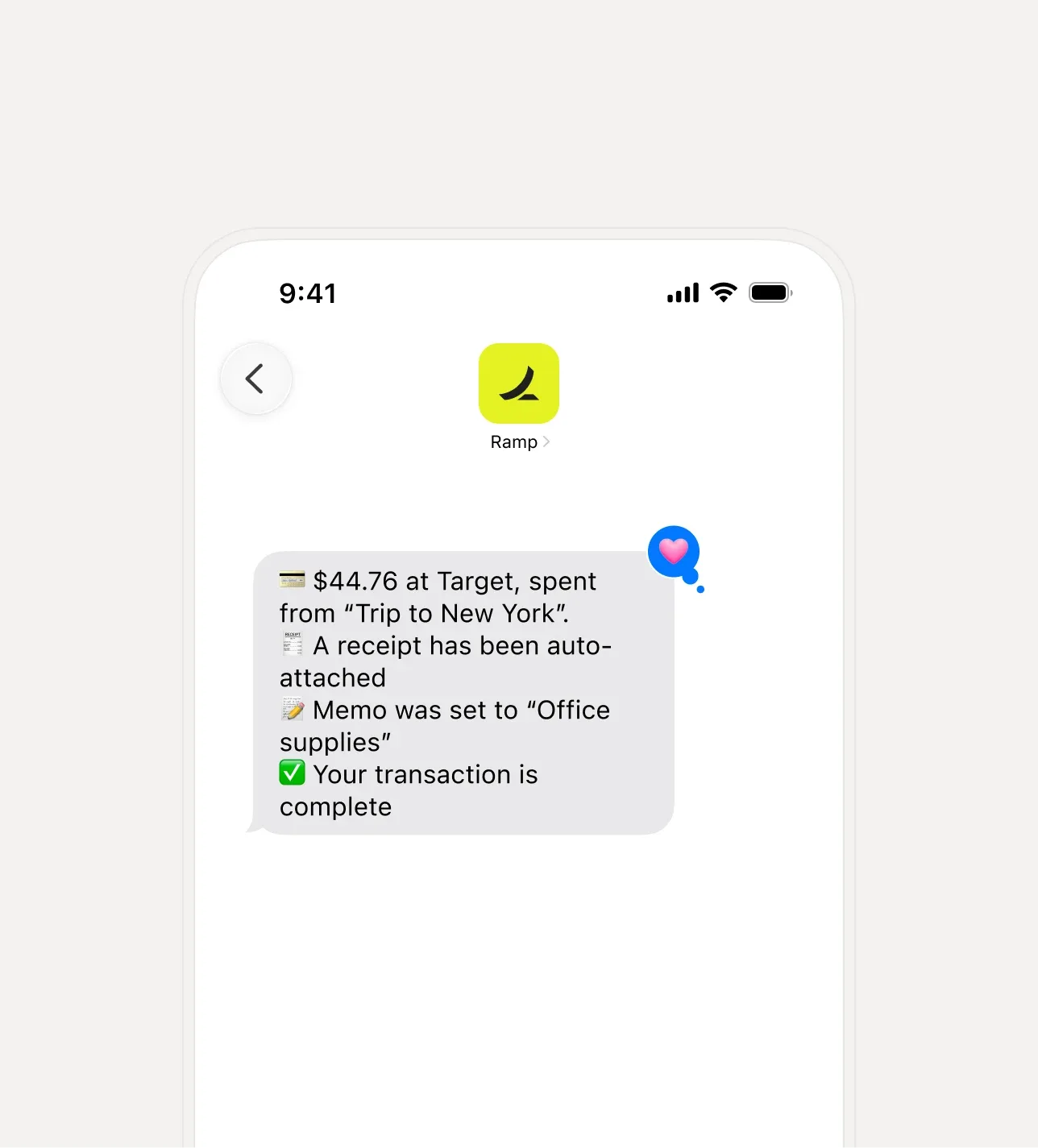
Ramp started as a corporate card for companies that wanted to spend less. That sounds like a paradox. It isn’t. The card comes with automated savings insights — Ramp flags duplicate subscriptions, identifies cheaper vendor alternatives, and surfaces overspending before it compounds. The expense management layer grew on top of that card and is now genuinely powerful.
The free tier gives you unlimited users, unlimited cards, real-time expense tracking, automated receipt matching, and integrations with QuickBooks and Xero. That’s not a teaser. That’s the product. The Plus and Enterprise plans add advanced approval routing, enhanced reporting, and multi-entity support — but most small and mid-size businesses won’t need them.
Key Features
- Real-time expense tracking with automated receipt matching
- Corporate card (physical and virtual) with 1.5% cash back on all purchases, no annual fee
- Automated savings insights — flags cheaper alternatives and duplicate subscriptions
- AI-powered expense categorization
- QuickBooks Online, Xero, NetSuite, Sage Intacct, and Microsoft Dynamics integrations (some ERP integrations are Plus/Enterprise only)
- 30+ HRIS integrations for automated employee onboarding and offboarding
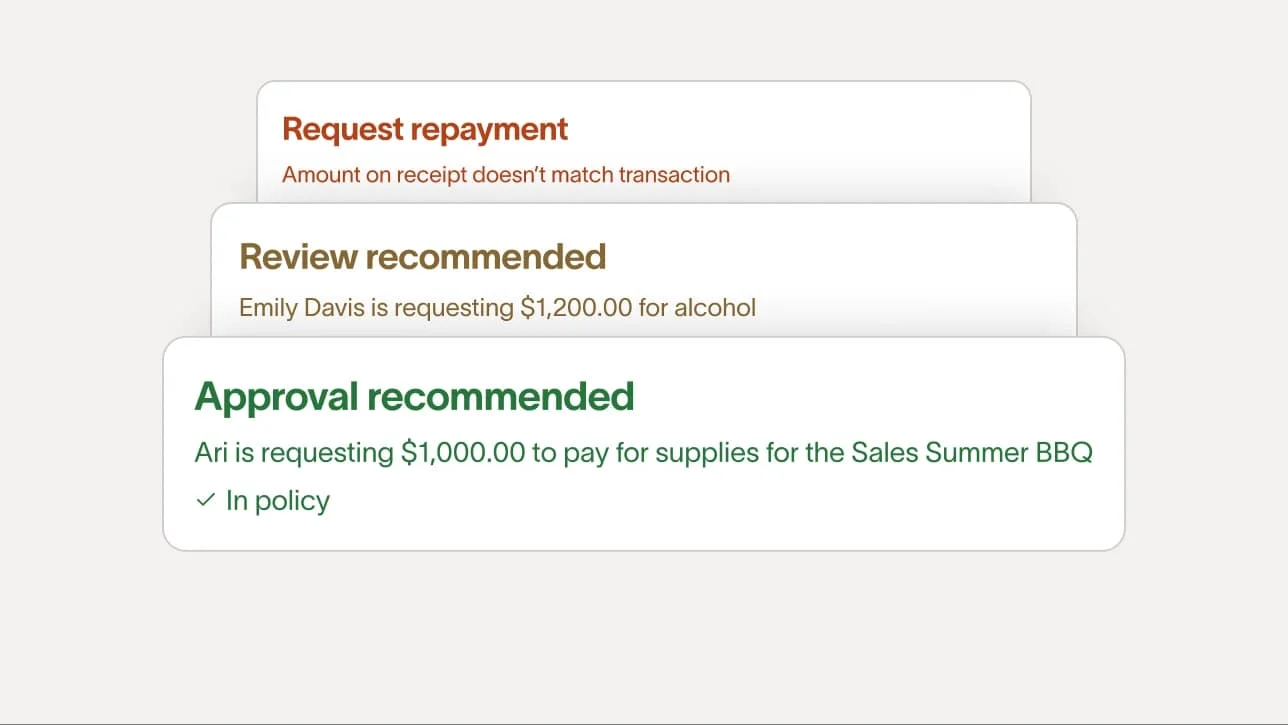
- Basic approval workflows (advanced routing requires Plus)
- Travel booking
- Bill pay and reimbursements
Video note: No embeddable video found — searched official Ramp channel, help centre, and YouTube.
Pricing (as of October 2026)
| Plan | Price | What You Get |
|---|---|---|
| Free | $0 | Unlimited users and cards, real-time expense tracking, accounting integrations, basic approvals, 1.5% cash back, travel booking, bill pay |
| Plus | $15/user/month ($12/user/month billed annually) | Advanced approval routing, enhanced reporting, advanced policy controls, custom integrations, priority support |
| Enterprise | Custom | Multi-entity support, local currency cards globally, dedicated account manager, custom ERP integration, customized implementation |
Eligibility note: Ramp cards require a US bank account with at least $75,000 in deposits. Credit limits are based on corporate cash balance, not personal credit. See current Ramp pricing →
Pros
- Genuinely useful free tier — most competitors call what Ramp gives for free a “paid plan”
- Real-time expense tracking eliminates end-of-month reconciliation surprises
- Automated savings insights are a unique differentiator (most tools just track spend; Ramp helps you reduce it)
- 1.5% cash back with no annual card fees
- Strong accounting integrations included on the free plan
Cons
- Requires $75,000 in a US bank account — inaccessible for early-stage businesses
- Only available to US businesses (no international card program on free tier)
- Advanced approval workflows require upgrading to Plus ($15/user/month)
- Not a fit if you want software that works with your existing Amex or Chase card
Best for: US-based businesses that want free expense management and are comfortable using the Ramp corporate card. Not for teams that need software that works with their existing card program.
Verdict: If you qualify, Ramp is the strongest free expense management platform available in 2026. The $75K bank balance requirement is the only real barrier.
2. Expensify — Best for Teams That Live on Receipts
Nobody has talked about receipt scanning longer than Expensify. The decade of focus shows.
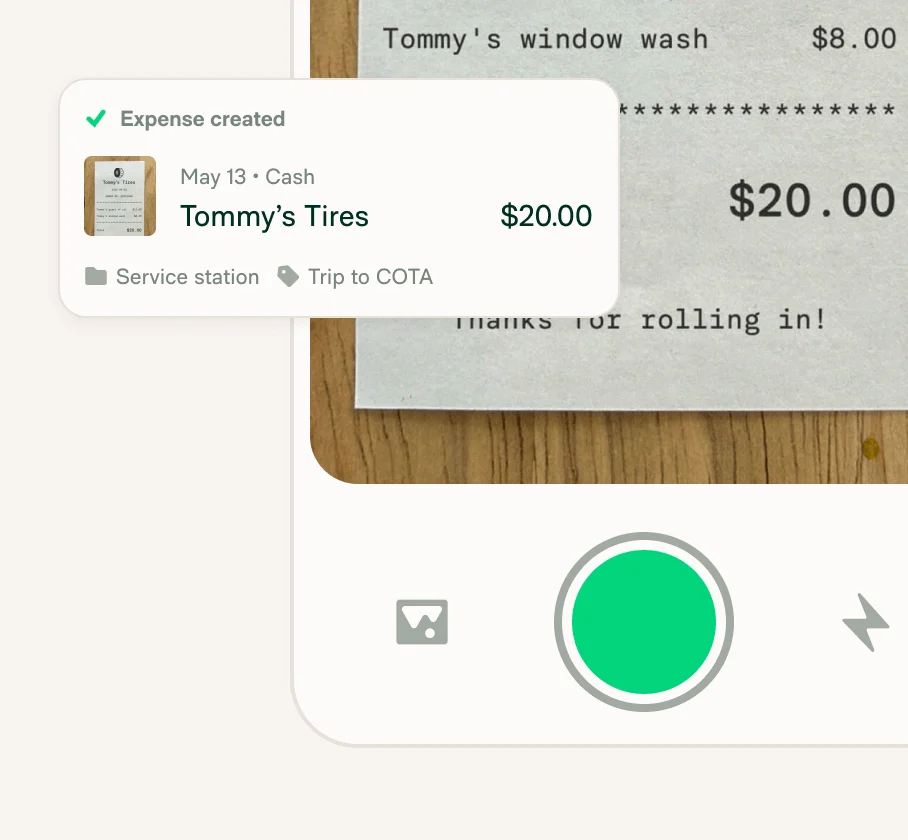
Expensify’s SmartScan — photograph a receipt, get a parsed expense in seconds — remains one of the most accurate OCR implementations in the market. That matters if your team is on the road regularly and submitting 20+ receipts a month. The product has grown considerably since then: travel booking, corporate cards, a built-in chat layer. For teams where receipt volume is the pain point, this is where most people land.
The pricing model has a nice quirk: billing is based on active users — people who submit at least one expense in a given month. If half your team doesn’t expense anything in March, you don’t pay for them in March. That makes Expensify friendlier than it looks for businesses with seasonal or variable expense patterns.
Key Features
- SmartScan OCR receipt scanning — scan once, expense auto-created
- Automated expense report creation and submission
- Corporate card management and reconciliation
- GPS-based and manual mileage tracking
- Multi-level approval workflows (Control plan)
- QuickBooks Online, Xero, NetSuite, Sage Intacct integrations
- Travel booking (Collect plan and above)
- Direct reimbursement via ACH
- Built-in expense and report chat
- Workday, Certinia HRIS integrations (Control plan)
Video note: No embeddable video found — searched official Expensify channel, help centre, and YouTube.
Pricing (as of October 2026)
| Plan | Price | What You Get |
|---|---|---|
| Submit (Free) | $0 | Basic expense submission, receipt scanning (SmartScan limits unclear — verify with Expensify directly), mileage tracking, personal card import, expense chat |
| Collect | $5/active user/month | Everything in Submit + reimbursements, corporate card management, travel booking, approval workflows, QuickBooks/Xero integration, AI and human support |
| Control | ~$9/active user/month (as low as, per Expensify — not publicly listed) | Everything in Collect + multiple approval flows, custom expense rules, ERP integration (NetSuite, Sage Intacct), SAML/SSO, custom reporting, budgeting, Workday/Certinia HRIS |
Note: Control plan pricing is not published on the website. Expensify states pricing starts “as low as $9 per active member/month.” Billing is per active user — anyone who submits an expense that month. See Expensify pricing →
Pros
- SmartScan OCR is a class leader — genuinely fast and accurate
- Collect plan at $5/active user/month is competitively priced
- Active-user billing model is fair for teams with variable expense volume
- Travel booking bundled with Collect (no extra cost)
- Strong accounting integrations at lower tiers
Cons
- Free Submit plan has unclear SmartScan limits — official sources give conflicting information
- Control plan pricing is not publicly listed, which makes budgeting difficult
- The product has grown complex — new user onboarding takes more time than simpler tools
- Some users in community forums report auto-renewal issues and limited mid-term downgrade flexibility
Best for: Mid-size teams that submit high volumes of receipts and need solid accounting integrations. Works with any card program. If your team is already on QuickBooks and submits expenses regularly, Expensify at $5/user/month is hard to beat.
Verdict: The receipt scanning is genuinely the best. If that’s your main pain point, start here. For teams with simpler needs, Zoho Expense costs less and covers the basics just as well.
For freelancers with simpler expense flows, our best invoicing software roundup covers tools that bundle basic expense tracking with client invoicing.
3. Zoho Expense — Best Budget Pick for Small Teams in 2026
$3 per user per month billed annually. Free for up to 3 users. If you want to argue with that price-to-feature ratio, I’m listening.
Zoho Expense doesn’t try to disrupt the category. It handles expense reports, receipt scanning, approval workflows, and corporate card management — cleanly, affordably, and without requiring a dedicated administrator. If you’re already in the Zoho ecosystem (CRM, Books, Payroll), this is a natural fit. Even if you’re not, the pricing is compelling for small teams that don’t need a corporate card platform built in.
The Standard plan at $4/user/month (or $3 billed annually) covers everything most small businesses actually need: corporate card management, multi-level approvals, ACH reimbursements, and accounting integrations. The Premium plan adds travel booking, per diem automation, and live budget tracking for $2 more per user. That’s still $5–$6 for a complete expense management stack.
Key Features
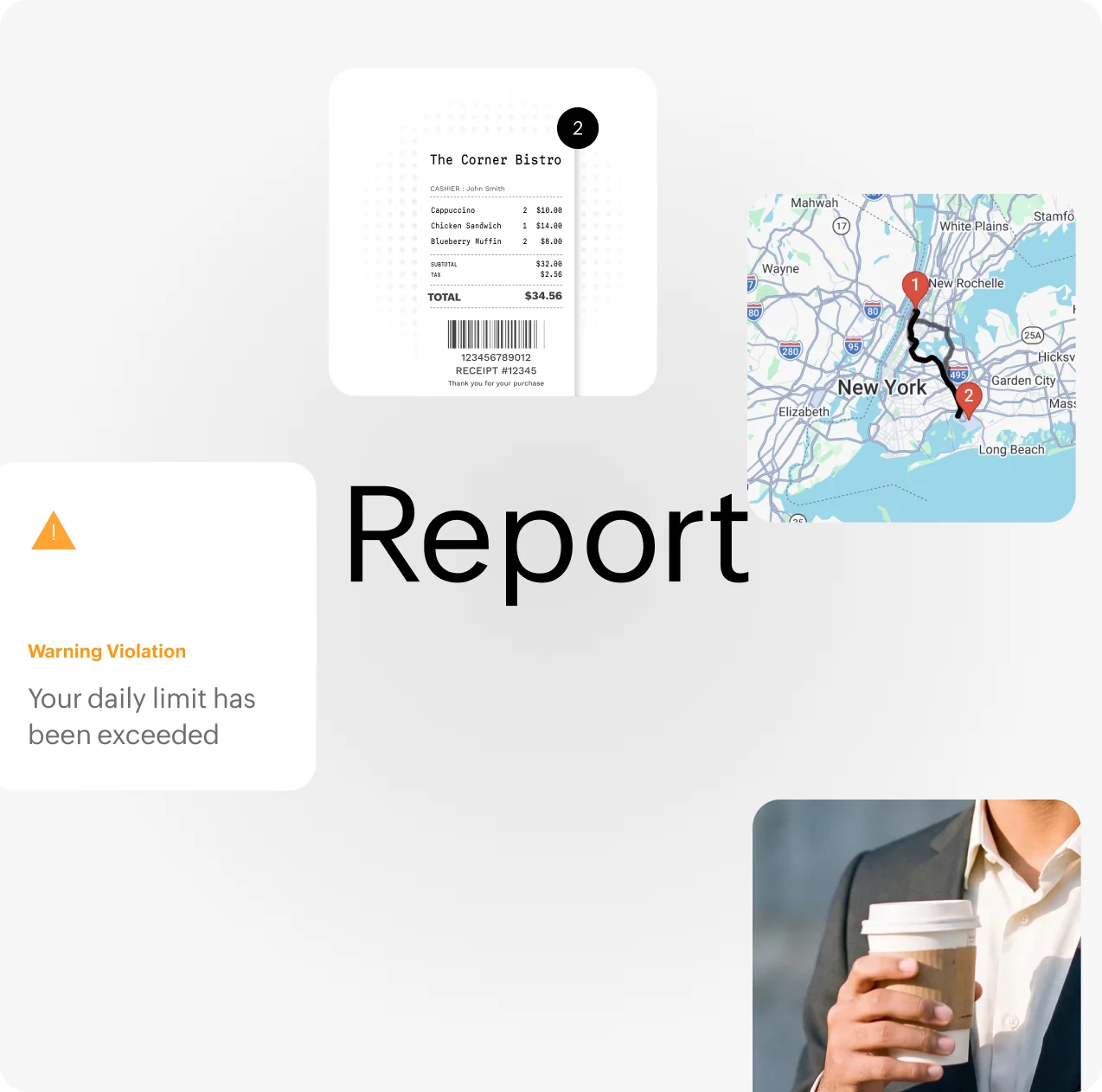
- Receipt autoscan with OCR (20 scans per user per month on Standard)
- Expense report creation with policy-based categorization
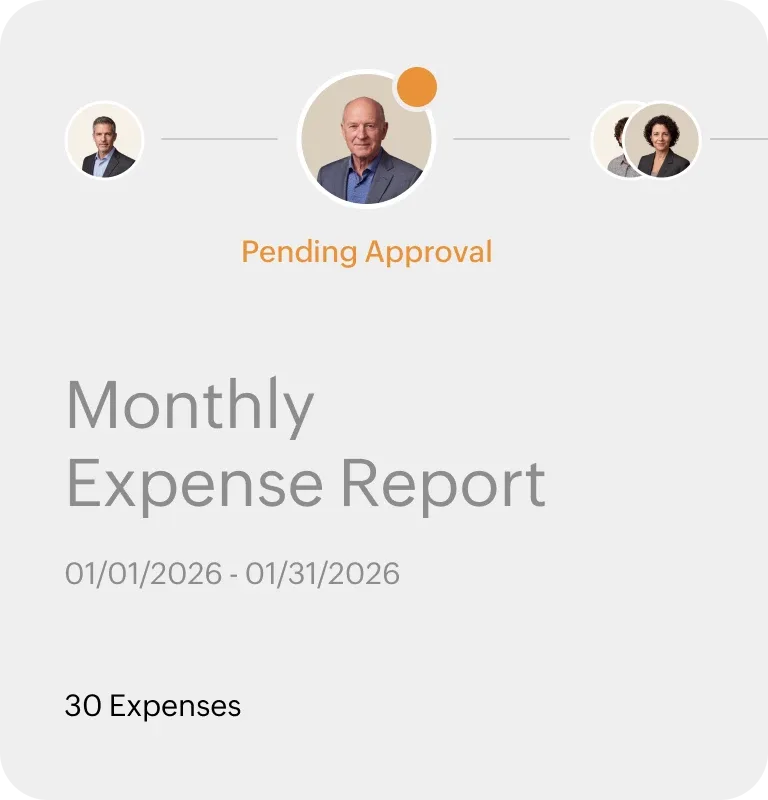
- Multi-level approval workflows with custom routing
- Corporate card management with real-time transaction feeds
- GPS mileage tracking (manual and automatic on Premium)
- Multi-currency support and global tax compliance
- Direct bank reimbursements via ACH
- Per diem management and GSA-compliant rates (Premium)
- Online travel booking tool (Premium)
- Zia AI for expense categorization, anomaly alerts, and spend forecasting
- QuickBooks, Xero, NetSuite, and Zoho Books integrations
Video note: No embeddable video found — searched Zoho Expense official YouTube channel, help centre, and YouTube search.
Pricing (as of October 2026)
| Plan | Monthly (per user) | Annual (per user/month) | What You Get |
|---|---|---|---|
| Free | $0 | $0 | Up to 3 users; expense reports, 20 receipt autoscans per user, GPS mileage, accounting integrations, multi-currency, audit trail |
| Standard | $4 | $3 | Corporate card management, real-time card feeds, multi-level approvals, split expenses, ACH reimbursements, custom user roles, cash advance management, SSO |
| Premium | $6 | $5 | Travel booking, automated per diem, auto mileage capture, live budget tracking, itemized receipt autoscan, advanced policy customization, multi-entity support |
| Enterprise | Custom | Custom | Complex multi-region operations, dedicated support |
Note: ERP and HRMS integrations (NetSuite, SAP, Workday) are add-ons on Standard and Premium, not included. The free plan is permanent — no credit card required. See Zoho Expense pricing →
Pros
- Best price-to-feature ratio in this roundup — $3/user/month billed annually
- Free plan for up to 3 users with no time limit and no credit card
- Strong multi-currency support makes it viable for global teams
- Zia AI adds smart categorization, anomaly detection, and spend forecasting
- Deep Zoho ecosystem integration (Books, CRM, Payroll) for teams already on Zoho
Cons
- 20 autoscans per user per month can be limiting for high-volume travelers (Expensify doesn’t have this constraint on paid plans)
- ERP integrations are paid add-ons, not included in Standard or Premium
- Interface is more functional than polished — not as visually refined as Ramp or Brex
- Travel booking only available on Premium ($5–$6/user/month)
Best for: Small to mid-size teams (3–100 employees) that want complete expense management without enterprise pricing. If you’re already using Zoho Books for accounting, the native integration makes Zoho Expense the obvious pick.
Verdict: The best value in this entire roundup. At $3/user/month billed annually, there’s almost no scenario where a small business can’t afford this. Start on the free plan, upgrade to Standard when you hire your fourth person.
4. Brex — Best for Startups and Growth-Stage Companies
Brex started as a corporate card for companies that couldn’t get one from a traditional bank. It grew into one of the most capable expense platforms for venture-backed and growth-stage businesses.
The free Essentials tier is legitimately strong: global card program, AI-powered expense rules, real-time reporting, bill pay, reimbursements, and accounting integrations — all at $0. The catch is the qualifying bar: you need $10,000+ in monthly corporate card spend to qualify for a Brex card. That rules out pre-revenue companies. But if you’re past that threshold, the free tier is hard to beat.
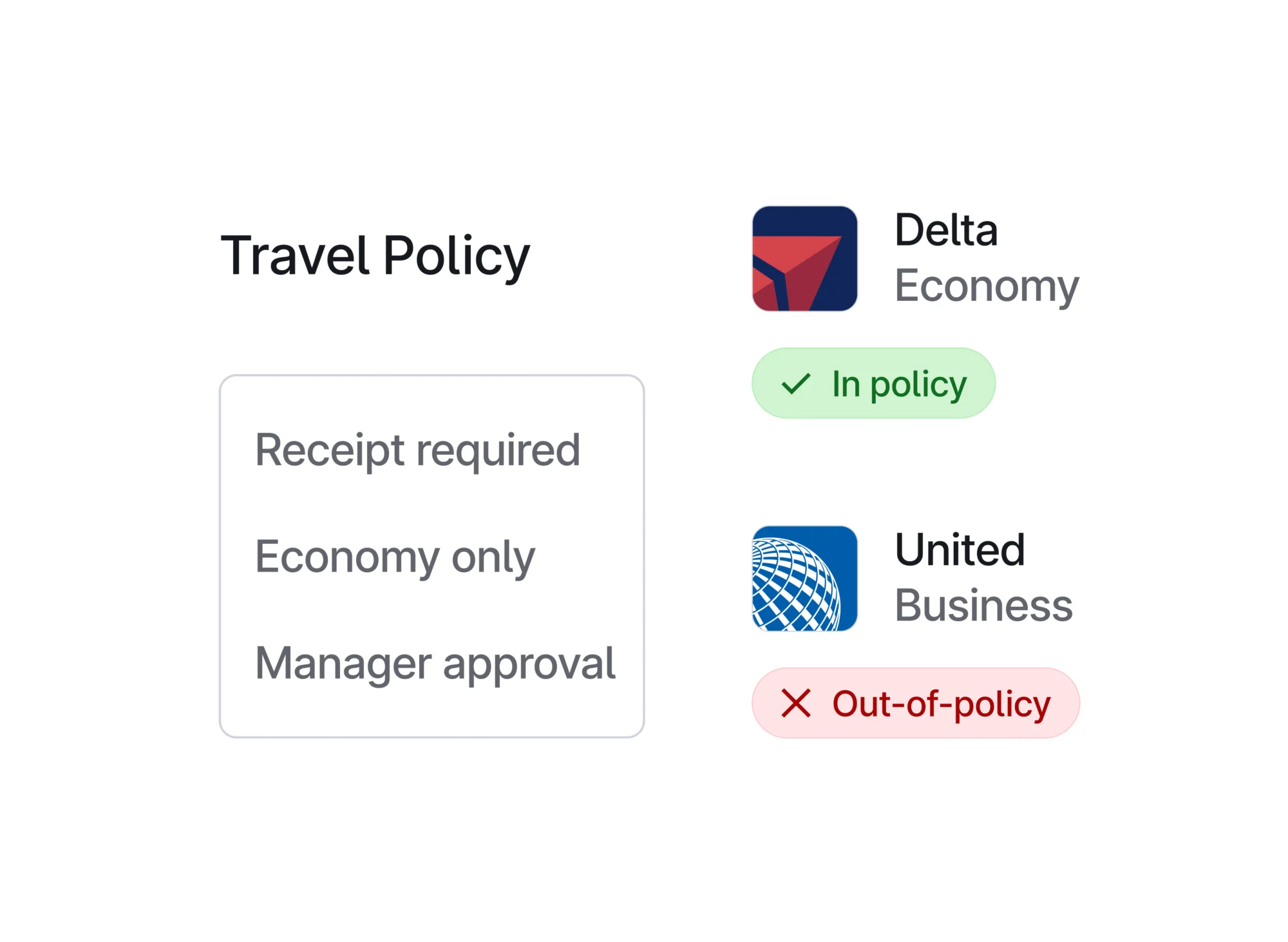
The AI-powered custom rules are a standout feature. You can build rules like “automatically flag any software subscription over $500 that isn’t on the approved vendor list” or “require receipts for any transaction over $100 in a category marked as variable.” These rules run automatically — your finance team spends less time chasing exceptions.
Key Features
- Global corporate card (physical and virtual) with 1.5% cash back, no annual fees
- AI-powered custom expense rules and compliance audit detection
- Real-time spend reporting and analytics
- Bill pay and employee reimbursements
- Multi-entity support (up to 2 entities on Essentials, unlimited on Enterprise)
- QuickBooks, Xero, NetSuite, Sage, and custom ERP integrations (custom ERP requires Premium or Enterprise)
- Travel booking
- HRIS integrations for expense policy syncing
- Dynamic approval chains (Premium)
- Live budgets and VAT documentation (Premium)
- Local card issuance globally (Enterprise)
Video note: No embeddable video found — searched official Brex channel, help centre, and YouTube.
Pricing (as of October 2026)
| Plan | Price | What You Get |
|---|---|---|
| Essentials (Free) | $0 | Global card program, AI expense rules, 2-entity support, accounting integrations, bill pay, reimbursements, travel booking, real-time reporting, API access |
| Premium | $12/user/month | Multiple expense policies, dynamic approval chains, AI compliance audit, multi-entity support, custom ERP/HRIS integrations, VAT management, group travel rules, live budgets |
| Enterprise | Custom | Unlimited entities, local card issuance globally, custom implementation, dedicated account manager, admin center |
Eligibility note: Brex cards require $10,000+ in monthly corporate card spend and $75,000 in a US bank account. Card eligibility is based on business financials, not personal credit. See Brex pricing →
Pros
- Essentials free tier is strong — competitors charge $10–$15/user/month for equivalent features
- AI-powered expense rules reduce manual review significantly
- Global card program with real international support, including local currencies
- 1.5% cash back on all purchases, no annual card fees
- Premium at $12/user/month is reasonably priced given the feature set
Cons
- $10,000+ monthly spend requirement rules out pre-revenue and early-stage startups
- Card eligibility requires a US bank account
- Advanced approval workflows (dynamic chains) require Premium at $12/user/month
- The Essentials free tier, while strong, doesn’t include advanced policy customization
Best for: Series A+ startups and growth-stage companies that need global cards, AI policy enforcement, and a platform that scales from 20 to 2,000 employees without a platform change. Not for pre-revenue companies or very early-stage teams.
Verdict: Among corporate card + expense management bundles, Brex’s free Essentials tier is the most capable in the market right now. The spend requirement is the gating factor — if you clear it, it’s an easy recommendation.
5. Navan — Best Expense Tool for Business Travel
Most expense tools treat travel as an afterthought. Navan built travel and expense as one product from day one. The difference is real.
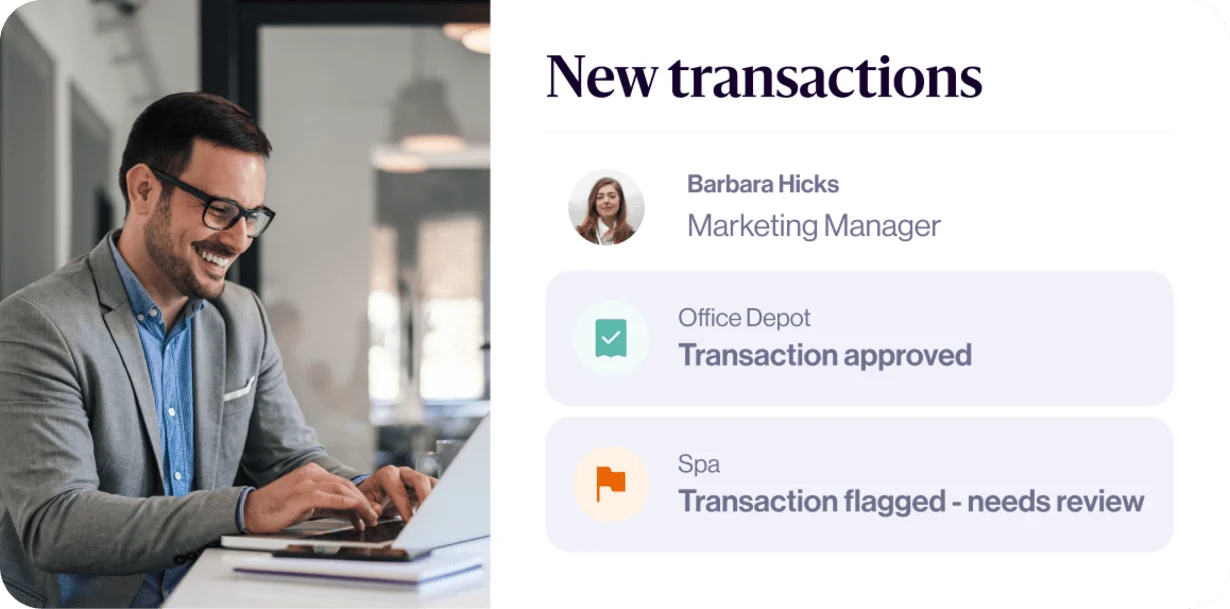
Book a flight on Navan, and the expense is auto-created. Hotel charged to the corporate card? Captured. Meal receipt from the airport? Scan it, and it’s linked to the trip automatically. For teams where travel is frequent, this integration eliminates hours of post-trip expense reconciliation. If your employees travel once a month or more, the time savings alone justify the tool.
The pricing model is unusual: travel booking is free (Navan earns from supplier commissions). Expense management is free for the first 5 monthly active users, then $15 per active user per month. For small teams, the math works well. For larger teams, Navan Enterprise with unlimited users on a custom price makes more sense.
Key Features
- Travel booking (flights, hotels, car rental) fully integrated with expense management
- Auto-capture of travel expenses from Navan card transactions
- Mobile receipt scanning and expense submission
- Unlimited customizable expense policies and approval workflows
- ERP integrations: Oracle, QuickBooks, Xero, Sage, SAP
- 30+ HRIS integrations: Workday, ADP, Rippling, BambooHR, and others
- AI-powered expense categorization
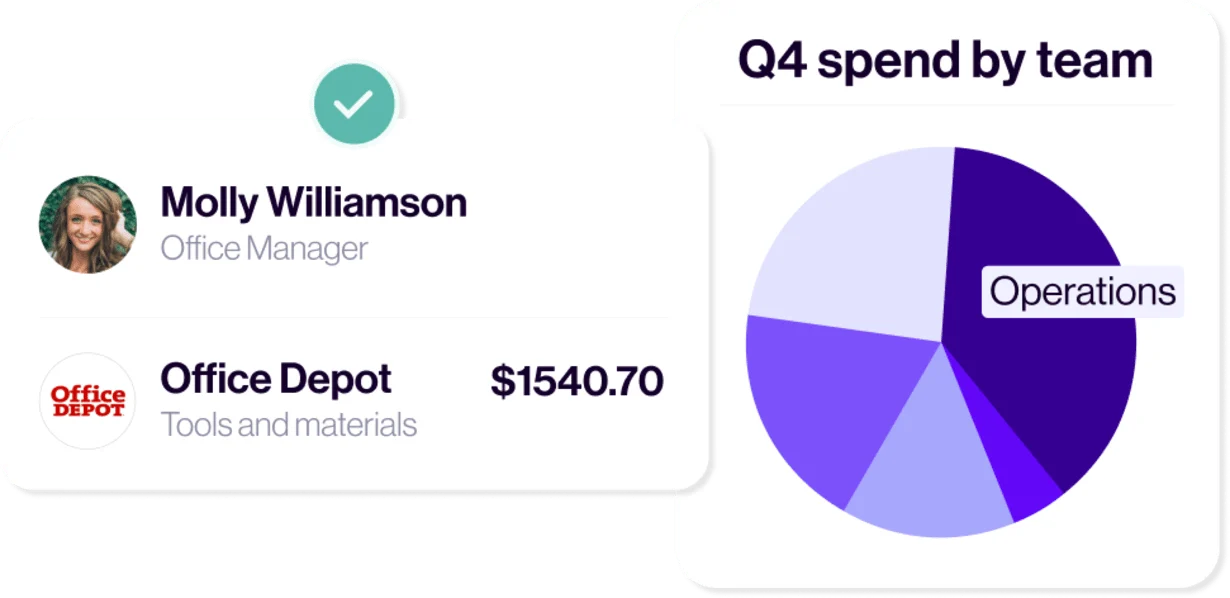
- Real-time spend visibility with customizable reports
- Navan Connect — link existing corporate cards (Amex, Chase, etc.) to track spend without switching cards
- Per diem and mileage management
Video note: No embeddable video found — searched official Navan channel, help centre, and YouTube.
Pricing (as of October 2026)
| Feature | Business Plan (≤300 employees) | Enterprise |
|---|---|---|
| Travel booking | Free (unlimited trips) | Custom pricing |
| Expense management | Free for first 5 active users/month; $15/active user/month beyond that | Unlimited users, custom pricing |
| Support | Standard | Dedicated Customer Success Manager + named account executive |
| Implementation | Standard onboarding | Custom implementation |
Note: “Active expense user” = someone who submits a transaction into Navan Expense in a given month. Travel booking is free because Navan earns commissions from travel suppliers. See Navan pricing →
Pros
- Travel + expense integration is best in class — no other tool connects them this well
- First 5 active expense users free per month — good entry point for small teams
- Policy enforcement at the point of purchase (before money is spent) prevents overspend
- Navan Connect lets you track spend on existing cards without switching card programs
- 30+ HRIS integrations — Workday, ADP, Rippling setup is as seamless as it gets
Cons
- $15/active user/month for expense management is the highest per-user price in this roundup
- The travel feature is the main selling point — low-travel teams don’t get full value
- Enterprise pricing requires a sales conversation with no published rates
- Navan Connect (existing card linking) has more limited features than using the native Navan card
Best for: Any business where employees travel at least monthly for work. Also works for teams that want to keep their existing corporate card program (via Navan Connect) while gaining expense visibility. If your HR software is Workday or ADP, the native HRIS integrations make Navan setup almost effortless.
Verdict: If your team travels, this is your tool. If your team barely travels, the $15/active user/month expense management pricing is harder to justify compared to Zoho Expense at $3–$6/user/month.
6. BILL Spend & Expense — Best for SMB Pre-Spend Control
Most expense tools clean up spending after it happens. BILL Spend & Expense controls spending before it happens. That’s a fundamentally different philosophy — and for many SMBs, it’s the right one.
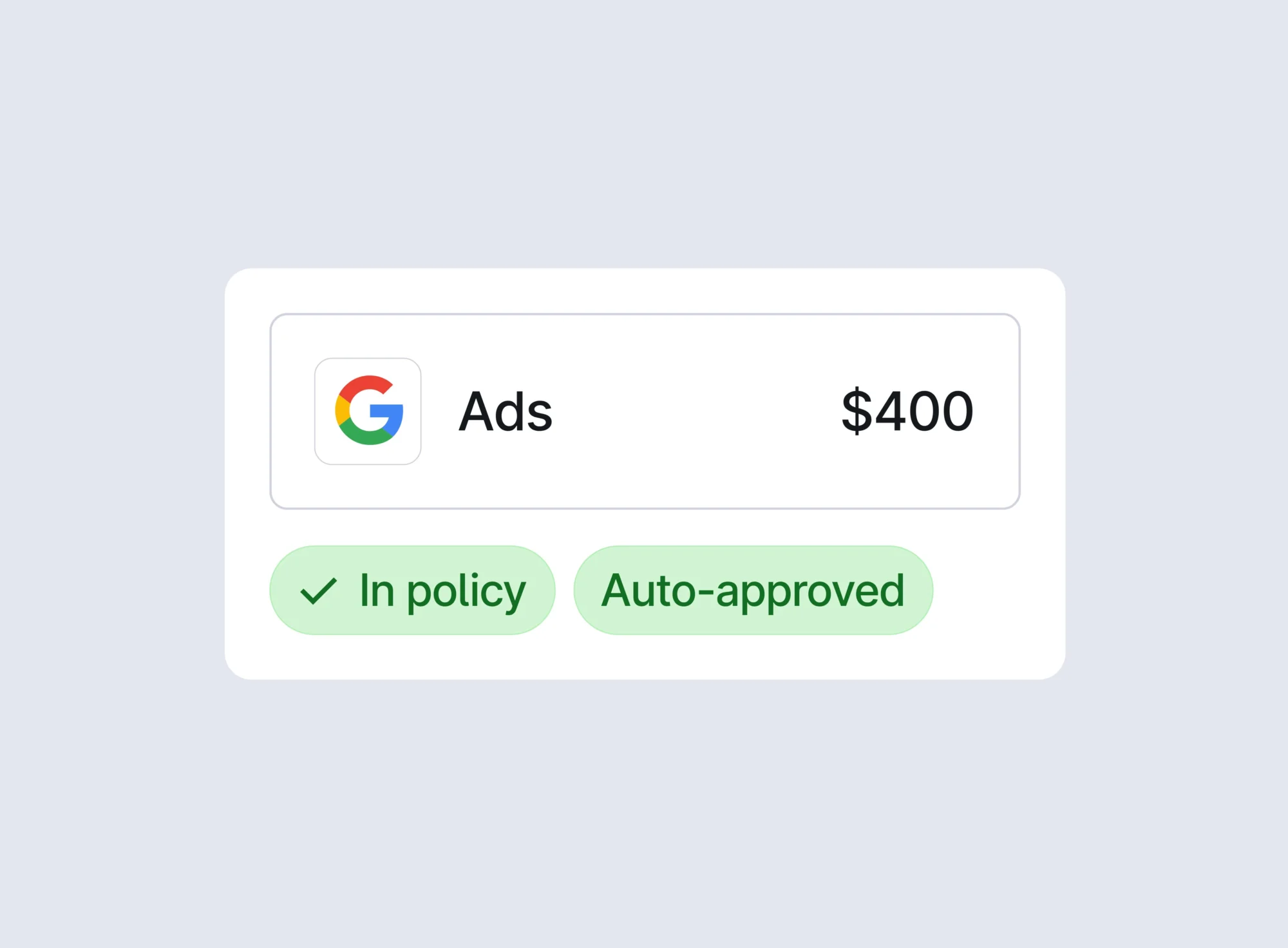
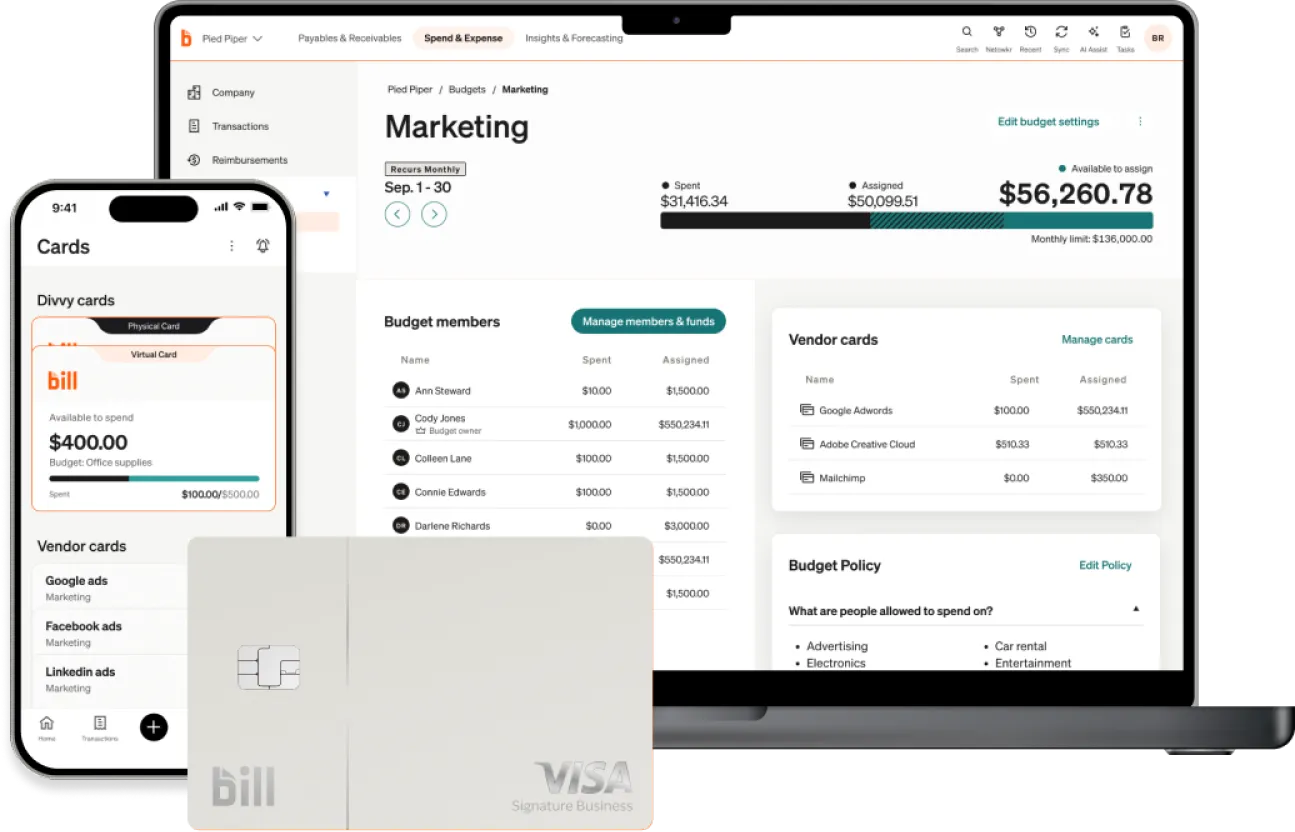
The core idea: issue corporate cards with built-in spend limits. Each card can have a budget by category, vendor, time period, or dollar amount. An employee can’t spend $300 on a dinner if their card is set to $75 per meal. The expense management happens automatically as the card is used — no receipt chase, no after-the-fact approval drama. The money either fits the budget or it doesn’t go through.
The platform is free when you use the Divvy corporate card (BILL earns through interchange fees). For businesses that qualify for the card, this is a compelling proposition — an entire spend management platform at no subscription cost.
Key Features
- Corporate card with configurable spend limits per card, category, vendor, and time period
- Budget-based spend controls that prevent overspend before it happens
- Mobile receipt capture and expense coding
- Automated expense categorization and real-time accounting sync
- Virtual card issuance for one-time or vendor-specific purchases
- Period close workflow — month-end reconciliation built into the product
- QuickBooks, Xero, NetSuite, and Sage integrations
- Employee reimbursement workflows for non-card expenses
- Real-time transaction feeds and spend reporting
Video note: No embeddable video found — searched official BILL channel, help centre, and YouTube.
Pricing (as of October 2026)
| Plan | Price | Notes |
|---|---|---|
| BILL Spend & Expense (with Divvy card) | Free | Full platform at no subscription cost when using the Divvy corporate card. Revenue-based credit limits. Eligibility requirements vary by business. |
Note: BILL does not publish per-user platform pricing. The card program is the product — BILL earns through interchange fees on card transactions. Card eligibility and credit limits are based on business revenue and financial profile, not personal credit. See BILL Spend & Expense →
Pros
- Pre-spend controls are a genuinely different and effective approach — spending problems are prevented, not cleaned up
- Full platform is free when using the Divvy card
- Virtual card issuance for one-time or vendor-specific purchases is extremely useful for SaaS subscriptions
- Period close workflow built in — month-end reconciliation is dramatically faster
- Real-time transaction feeds mean no surprises at month end
Cons
- Card eligibility requirements can be restrictive for early-stage businesses
- The “free” pricing is opaque — it only applies if you qualify for the card program
- Designed primarily around corporate cards — reimbursement workflows for personal card expenses are less developed
- No built-in travel booking (unlike Ramp, Brex, or Navan)
Best for: SMBs that want to control spending before it happens, eliminate personal card reimbursement, and get a free expense management platform bundled with their corporate card. Works particularly well for teams that manage department budgets and want granular card-level controls. The accounting sync pairs naturally with your accounting software.
Verdict: If your biggest expense problem is employees overspending on their corporate card, BILL Spend & Expense solves it better than any other tool here. The pre-spend control model is uniquely effective for budget-conscious SMBs.
Side-by-Side Comparison
| Tool | Best For | Starting Price | Free Plan? | Works With Existing Card? | Travel Booking? |
|---|---|---|---|---|---|
| Ramp | Free expense management (US) | $0 (unlimited users) | Yes — unlimited users | No — Ramp card required | Yes |
| Expensify | Receipt-heavy teams | $5/active user/month | Yes — Submit plan (limited) | Yes — any card | Yes (Collect+) |
| Zoho Expense | Budget-conscious teams | $3/user/month (annual) | Yes — up to 3 users, no limit | Yes — any card | Yes (Premium) |
| Brex | Startups, global teams | $0 (Essentials) | Yes — Essentials (card required) | No — Brex card required | Yes |
| Navan | Travel-heavy businesses | $0 travel / $15/user expense | Yes — first 5 expense users free | Yes — via Navan Connect | Yes — core product |
| BILL Spend & Expense | SMB pre-spend control | Free (with Divvy card) | Yes — with card eligibility | No — Divvy card required | No |
How to Choose the Right Expense Tracking Tool
Ignore the feature comparison matrices. Start with the question that actually matters.
What is your single biggest expense problem right now?
- Employees submit 20+ receipts per month and reconciliation is a nightmare? → Expensify. SmartScan handles receipt volume better than anything else here.
- You want expense management for free and you have a US bank account with $75K+? → Ramp. Start on the free tier. You can upgrade when you need advanced approvals.
- You have 3–50 employees and budget is the constraint? → Zoho Expense. $3/user/month billed annually. Free for up to 3 people. There’s nothing cheaper that does as much.
- You’re a Series A startup that needs global cards and AI policy enforcement? → Brex. The free Essentials tier covers everything most growth-stage companies need.
- Your team travels regularly and post-trip expense reports take hours? → Navan. The travel + expense integration cuts reconciliation time by more than any other feature combination.
- You want to prevent overspending before it happens, not clean it up after? → BILL Spend & Expense. The card-level budget controls are the most effective pre-spend mechanism in this roundup.
One more consideration: does the tool work with your existing card program? Expensify and Zoho Expense work with any card. Ramp, Brex, and BILL require you to use their corporate card. Navan is in the middle — you can link existing cards via Navan Connect, but get more out of the native Navan card. If switching card programs is off the table, that narrows your choices significantly.
If you use time tracking software to bill clients for expenses, check that your expense tool can push billable expenses to your time tracking or project management platform before committing.
The Verdict
Best overall for small business: Zoho Expense. $3/user/month billed annually, free for up to 3 users, solid feature set. The price is right, the product works, and the free plan is a real entry point. Start there.
Best free option at scale: Ramp. Unlimited users, real-time tracking, 1.5% cash back, accounting integrations — all for $0. If you have $75K in a US bank account, the Ramp card is worth switching to.
Best for receipt volume: Expensify. The SmartScan OCR is still the best in the market at $5/user/month. If receipt submission is your main pain, this is your tool.
Best for travel-heavy teams: Navan. Nothing else connects travel and expense as seamlessly. If your team flies more than once a month, the time savings are significant.
Pick one. Sign up for the free plan or trial. Run two expense cycles through it. You’ll know by week four whether it solves your problem.
Frequently Asked Questions
What is the best free expense tracking software for small business?
Ramp offers the most generous free tier — unlimited users and corporate cards at no cost, with real-time expense tracking and accounting integrations. Zoho Expense is free for up to 3 users permanently, with no credit card required. Brex has a free Essentials plan that includes global cards and AI expense rules, but requires $10,000+ in monthly corporate spend to qualify for the card.
What is the difference between expense tracking and expense management?
Expense tracking means recording what was spent — receipts, amounts, categories. Expense management adds policy enforcement, approval workflows, reimbursements, reporting, and budget controls on top. Most modern tools do both. The six tools in this roundup are full expense management platforms, not just receipt loggers.
How much does expense tracking software cost?
Free tiers exist for Ramp, Zoho Expense (up to 3 users), and Brex Essentials. Paid plans typically run $3–$15 per user per month. The tools that require their own corporate card (Ramp, Brex, BILL) offer the platform free because they earn through card interchange fees. Enterprise platforms like SAP Concur charge per expense report ($7–$11) with implementation costs of $10,000–$100,000+.
Can expense tracking software integrate with accounting software?
Yes — every major expense tool integrates with popular accounting platforms. QuickBooks Online, Xero, and NetSuite are the most widely supported. All six tools reviewed here offer QuickBooks and Xero integrations. ERP integrations (NetSuite, SAP, Sage Intacct) are usually available on mid- and higher-tier plans. For a deep look at accounting options, see our best accounting software roundup.
Is Expensify good for small business?
Yes, for specific use cases. Expensify works well for small businesses that submit high volumes of receipts and need solid accounting integrations. The Collect plan at $5/active user/month is competitive. The downside: the free Submit plan has unclear SmartScan limits (official sources give conflicting information), and Control plan pricing is not publicly listed. For teams with simpler needs, Zoho Expense at $3–$4/user/month delivers comparable value at a lower price.
What expense tracking app integrates with payroll software?
Ramp and Navan both offer 30+ HRIS integrations (Workday, ADP, Rippling, BambooHR) that connect expense management to payroll workflows. Zoho Expense integrates natively with Zoho Payroll. Brex supports most major HRIS platforms on the Premium tier. For a deeper look at payroll options, see our best payroll software guide.