Best Lists
Best Construction Management Software in 2026 (Tested & Ranked)
We tested the top construction software platforms in 2026. Here are the 5 best construction management software tools for GCs, specialty contractors, and home builders — with verified pricing, real pros and cons, and a clear recommendation for every type of contractor.
I’ll say this straight: most construction companies are losing money right now because of broken communication — not bad workers.
A change order gets missed. A subcontractor doesn’t have the latest drawings. The budget bleeds out before anyone notices. I’ve seen it happen on projects where everything looked fine on paper.
The right construction management software fixes most of this. The wrong one makes you pay for another system you don’t use.
I tested five platforms over three weeks. Here are the ones that actually hold up.
Bottom line up front:
Table of Contents
- Our Top Picks at a Glance
- Procore — Best for Large General Contractors
- Autodesk Construction Cloud — Best for Complex Projects
- Fieldwire — Best for Field-First Teams
- Contractor Foreman — Best Value for Small Contractors
- Buildertrend — Best for Residential Builders
- How We Picked These Tools
- Side-by-Side Comparison
- Frequently Asked Questions
Our Top Picks at a Glance
- Best for Large GCs: Procore — The industry standard. ACV-based pricing, unlimited users.
- Best for Complex Projects: Autodesk Construction Cloud — BIM-connected, full project lifecycle.
- Best Free Option: Fieldwire — Free for up to 5 users. Actually useful.
- Best Value: Contractor Foreman — From $49/month. 100-day money-back guarantee.
- Best for Residential Builders: Buildertrend — Designed for home builders and remodelers.
1. Procore — Best for Large General Contractors
The verdict: If you manage $10M+ in annual construction volume, Procore is probably your destination.
Procore has been building toward this moment for 20+ years. It’s not just software — it’s a platform. When a subcontractor updates a task on their phone, your project manager sees it instantly in the office. When the schedule slips, Procore’s AI flags the downstream impact before you have to.
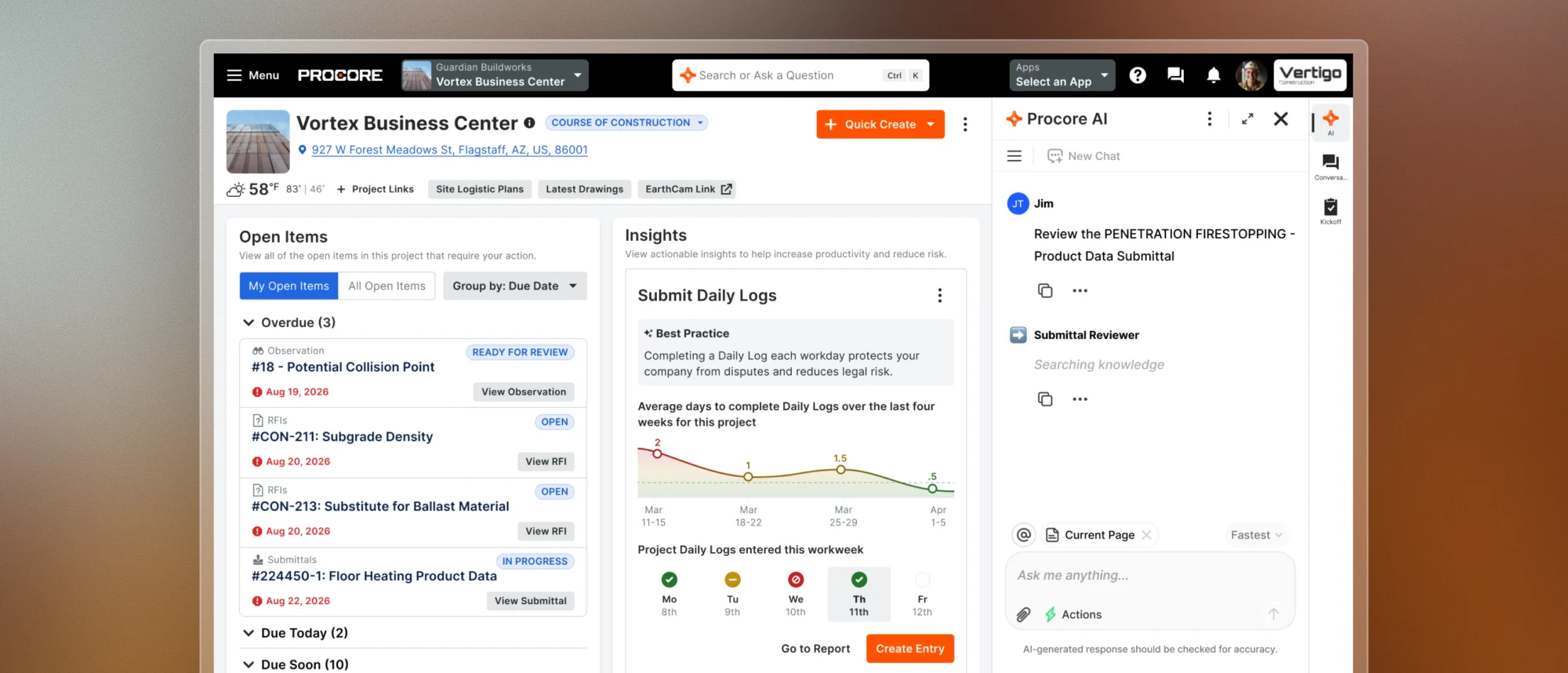
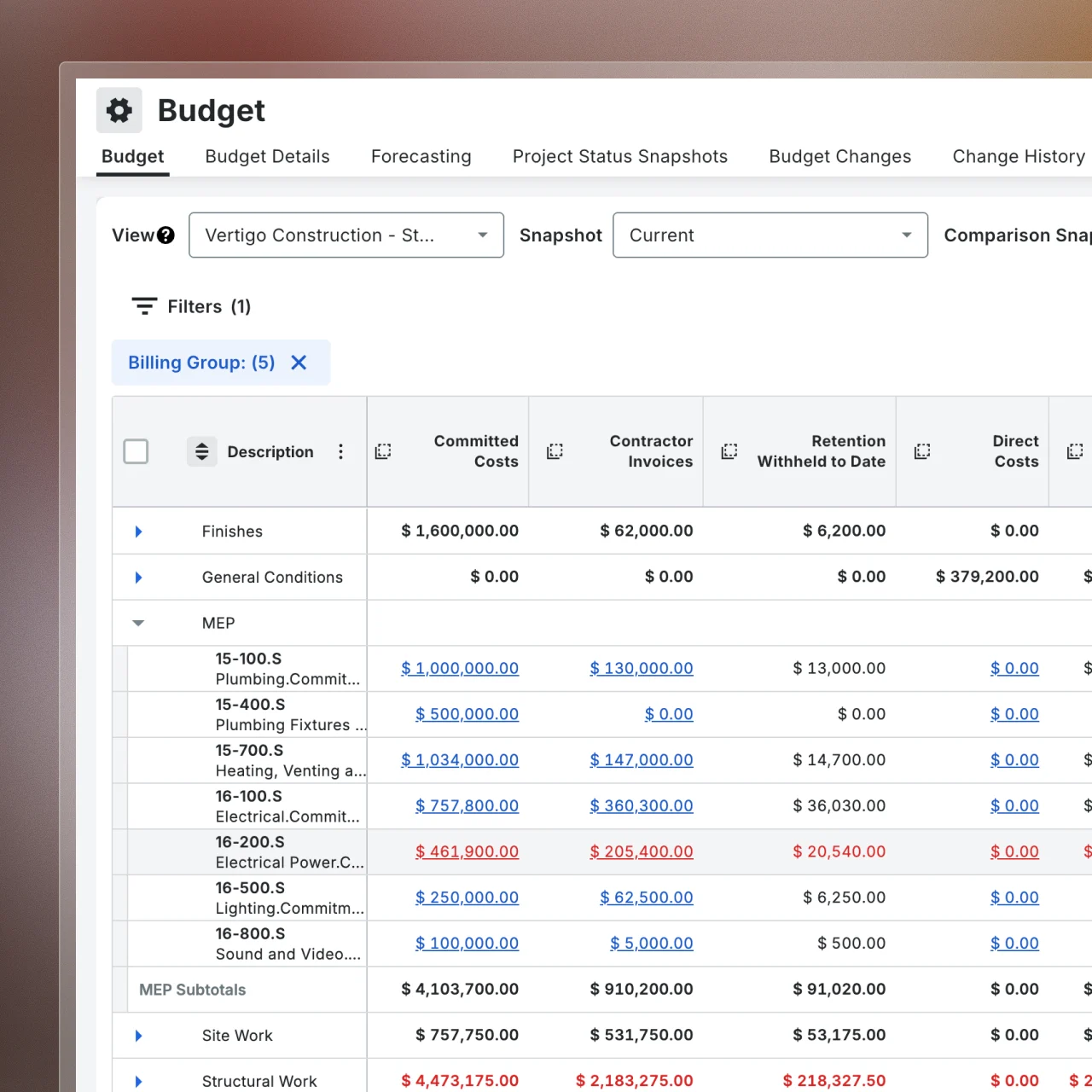
What impressed me most: the AI agents. Procore’s AI can draft RFIs, review submittals, and convert field photos or voice notes into daily logs that follow your company’s format. You approve the output — the AI does the grunt work.
72% of Procore users report improved labor productivity in the field, according to Dodge Construction Network’s 2025 ROI Report. That’s not marketing — that’s field-verified.
Key Features
- Unified platform: Connects drawings, RFIs, submittals, schedules, and financials in one system of record
- AI-powered workflows: Automated RFI drafting, submittal review, and daily log generation from field input
- Project execution: Real-time plan updates, punch lists, quality and safety tracking
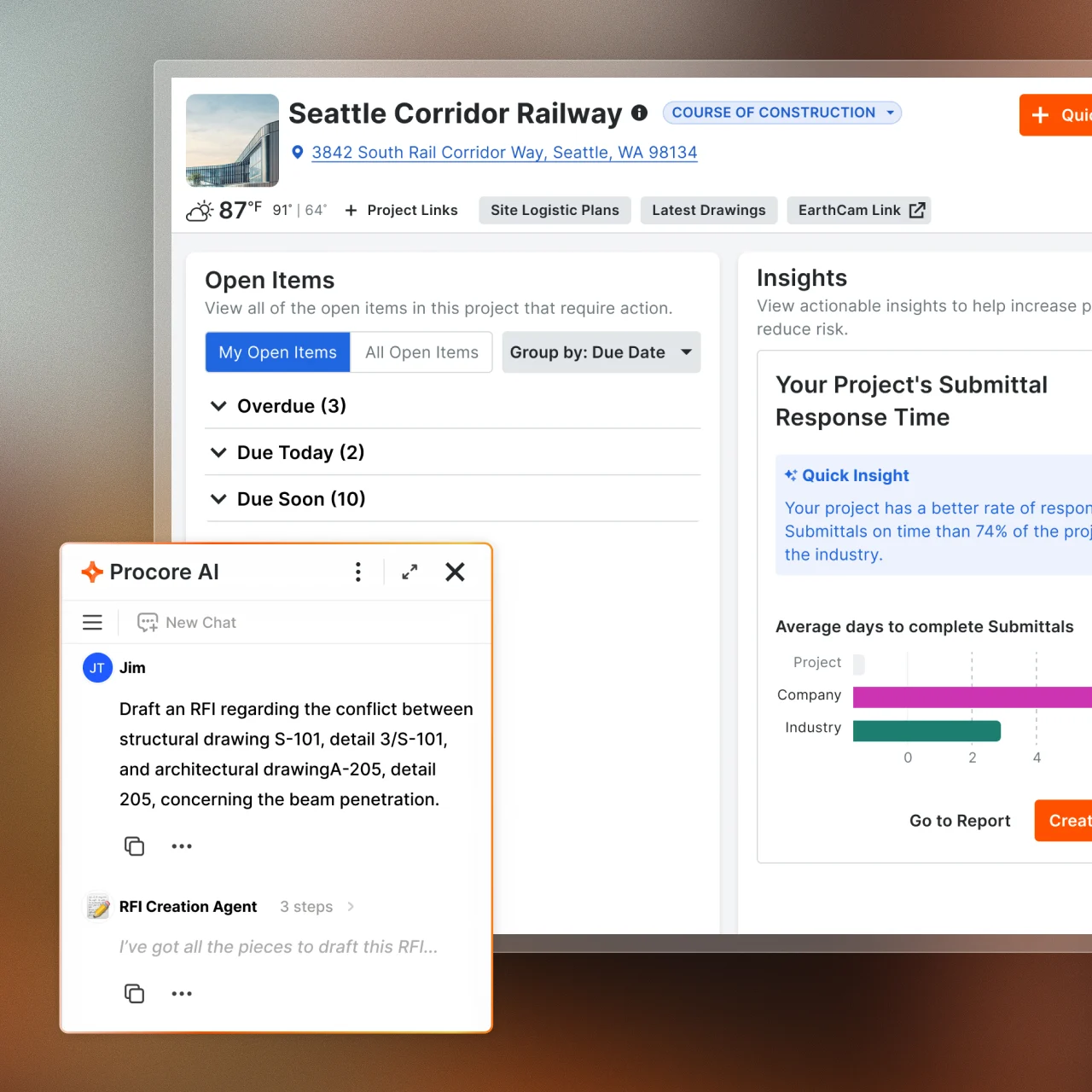
- Cost management: Budget tracking, financial forecasting, change order management
- Resource management: Crew scheduling, materials tracking, equipment utilization
Pricing
Procore uses annual construction volume (ACV) pricing — not per-seat licensing. Your entire team gets unlimited user access. Contact Procore directly for a quote. Pricing is not published publicly.
Get a Procore pricing estimate →
Pros and Cons
Pros: Industry-leading depth, unlimited users, AI agents that actually work, 160+ countries served, 3M+ users worldwide, enterprise-grade security (SOC 2 Type 2, ISO 27001, FedRAMP certified)
Cons: Pricing opacity, complex setup requires dedicated implementation time, overkill for small contractors
2. Autodesk Construction Cloud — Best for Complex, Multi-Trade Projects
The verdict: The right choice when your projects involve BIM models, design-build workflows, or complex document control across multiple disciplines.
Autodesk Construction Cloud (ACC) is what happens when the company that makes the drawings also makes the software that manages them. If your projects run on Revit, AutoCAD, or Navisworks, ACC connects the design file directly to the field.
The platform covers the full project lifecycle: bid management, document management, model coordination, and project management, all connected in a single data environment. No re-keying information between systems. No version confusion.
Key Features
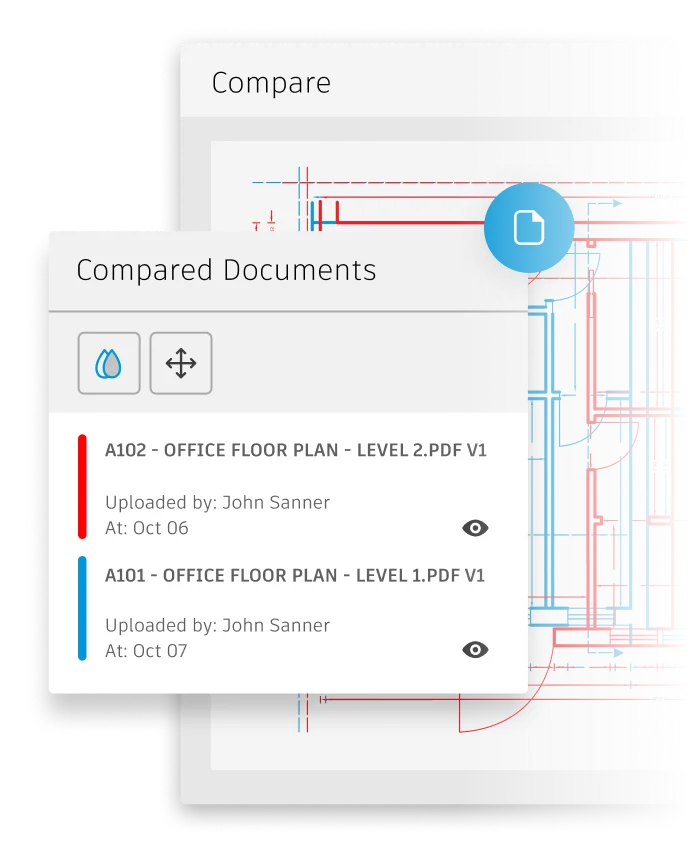
- Document management: Version control, automated distribution, and markup tools for all project documents
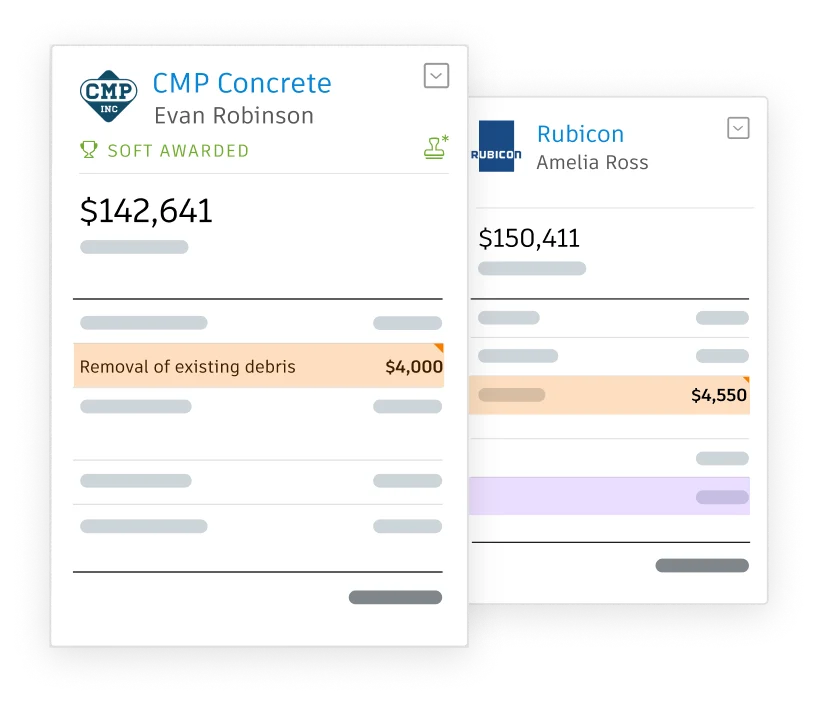
- Bid management: Manage the entire bid process from invitation to award in one connected workflow
- Model coordination: Clash detection and BIM coordination across disciplines before work reaches the field
- Project management: RFIs, submittals, issues, and meeting minutes all connected to live project data
Pricing
Autodesk Construction Cloud pricing is available on request. Third-party comparison data suggests pricing starts around $45/user/month for standard tiers. Contact Autodesk directly for current enterprise and volume pricing.
Get an Autodesk Construction Cloud quote →
Pros and Cons
Pros: Native BIM integration with Revit and AutoCAD, full project lifecycle coverage, strong document management and version control, trusted by major GCs and owners globally
Cons: Pricing not publicly listed, significant learning curve for field crews, requires substantial setup investment to realize full value
3. Fieldwire — Best for Field-First Teams
The verdict: The best free construction app available. Period. If you manage punch lists, tasks, and plans from the field, start here before spending a dollar.
Fieldwire, now part of the Hilti Group, is built for the people actually on the jobsite — not the office. The free Basic plan gives 5 users access to plan viewing, task management, and punch lists across iOS, Android, and web. For most small specialty contractors, that’s enough to get started — and you’ll know quickly if you need more.
What makes Fieldwire work in the field is offline capability. Download your plans before you leave the trailer. Keep marking up drawings and assigning tasks when LTE dies. Changes sync automatically when connectivity returns. That’s not a small thing on a remote jobsite.
Fieldwire powers over 4 million projects worldwide. Graham Construction tracked 15,000 punch items and saved $35,000 in printing costs on a single hospital project. EllisDon estimates the platform replaced 2–3 full-time QA/QC staff on their projects.
Key Features
- Mobile plan viewing: View drawings on any device with versioning and auto-hyperlinking; works offline
- Task and punch list management: Create, assign, and track tasks with photos, checklists, and due dates from the field
- Real-time messaging: Team conversations connected to specific tasks, with push notifications
- Scheduling and reports: Manage upcoming work items; generate PDF reports automatically on a schedule
- Digitized forms: Daily reports, timesheets, inspection requests, and RFIs as digital forms — submitted from any device
Pricing
| Plan | Price | Users |
|---|---|---|
| Basic | Free forever | Up to 5 |
| Pro | $39/user/mo (billed annually) | Unlimited |
| Business | $64/user/mo (billed annually) | Unlimited |
| Business Plus | $89/user/mo (billed annually) | Unlimited |
Pros and Cons
Pros: Genuinely usable free tier (up to 5 users), best-in-class mobile experience, offline capability, trusted on 4M+ projects worldwide, transparent per-user pricing
Cons: Limited financial and ERP features, not designed for job costing or project financials, per-seat pricing becomes expensive for large teams
4. Contractor Foreman — Best Value for Small-to-Medium Contractors
The verdict: The most affordable full-featured construction software on the market. At $49/month, there’s no reason not to try it — especially with a 100-day money-back guarantee.
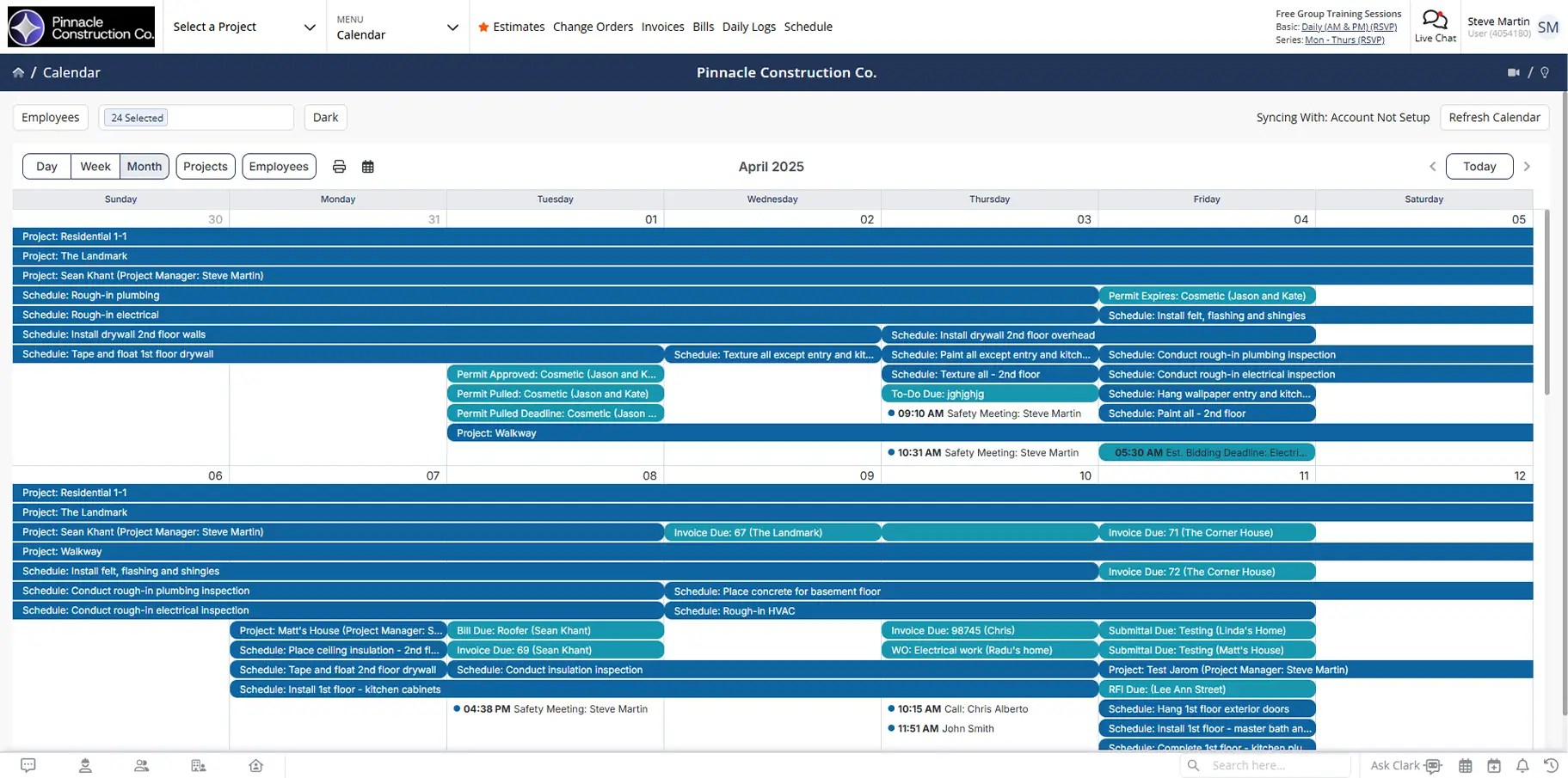
Most construction software picks winners based on feature depth. Contractor Foreman wins on value. At $49/month for the Basic plan, you get scheduling, job costing, daily logs, punch lists, a client portal, and QuickBooks integration. That’s more capability than many $200/month tools offer.
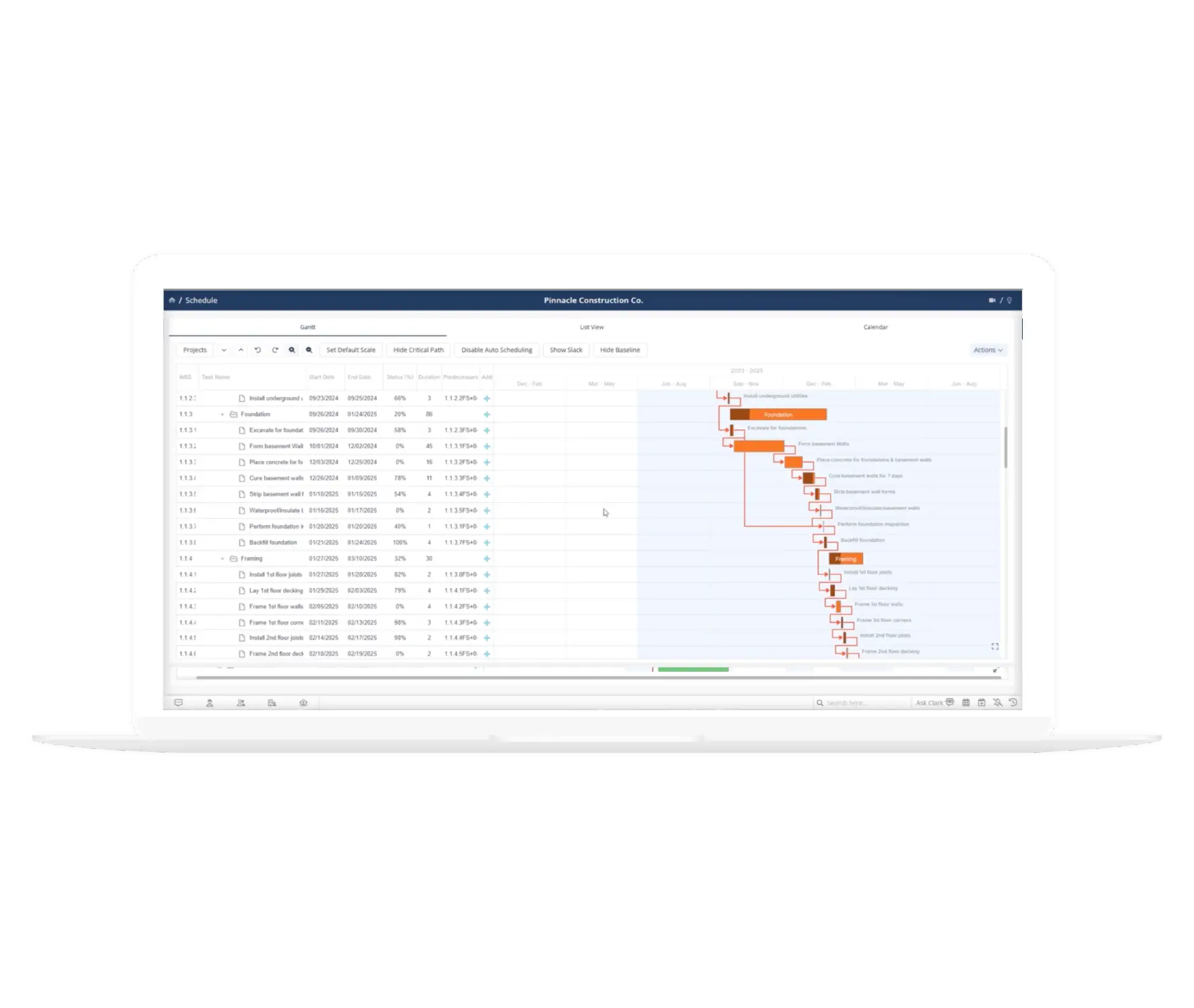
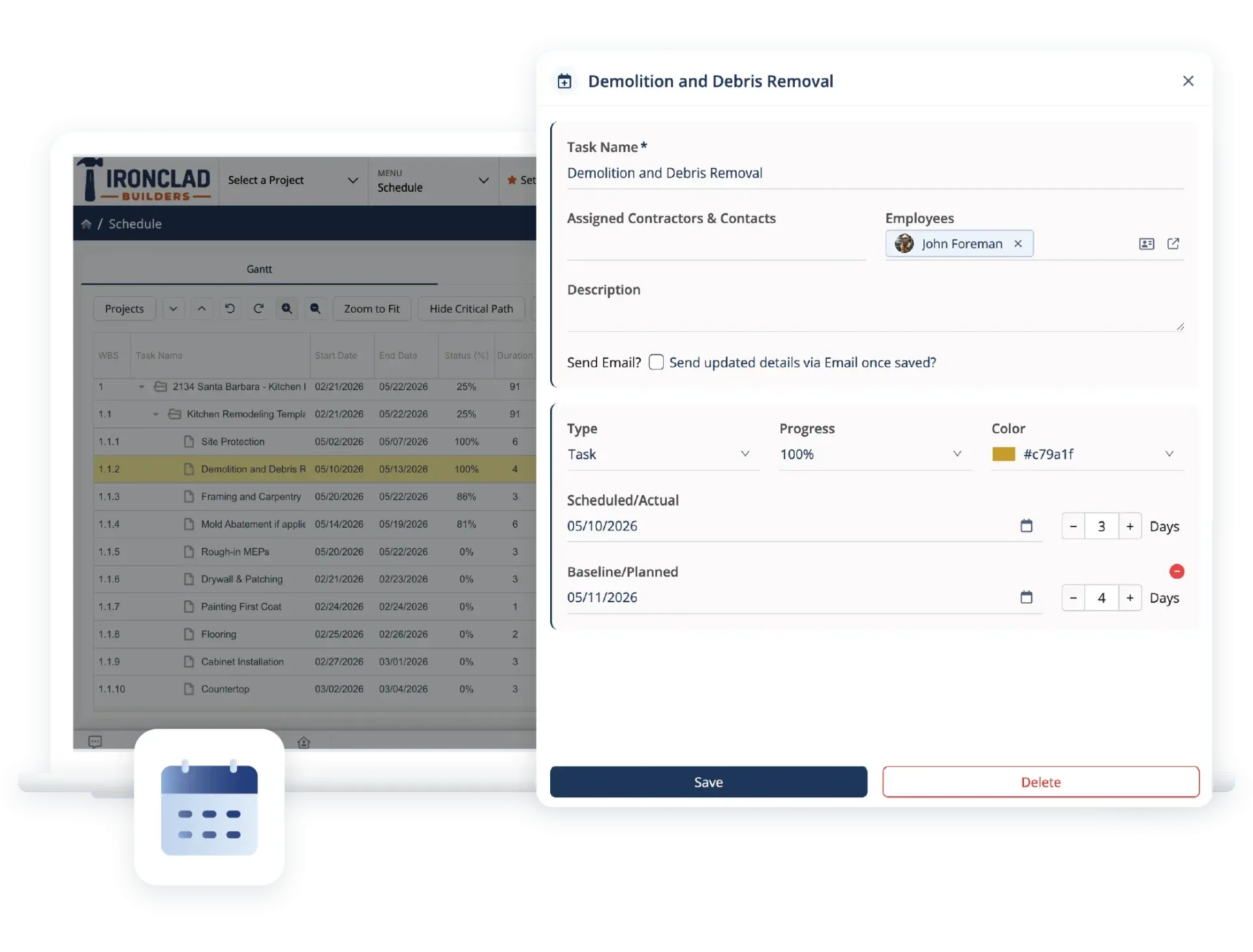
The scheduling module is where Contractor Foreman shines. Build Gantt charts, set dependencies, and track baseline vs. actual progress. When a task slips, dependent tasks auto-adjust. No manual rescheduling required. Field crews can update task progress from their phones; the schedule updates in real time.
The 100-day money-back guarantee is real. That’s the company putting its money where its feature list is. Try it, and if it doesn’t deliver, you get a refund — no 7-day trial pressure.
Key Features
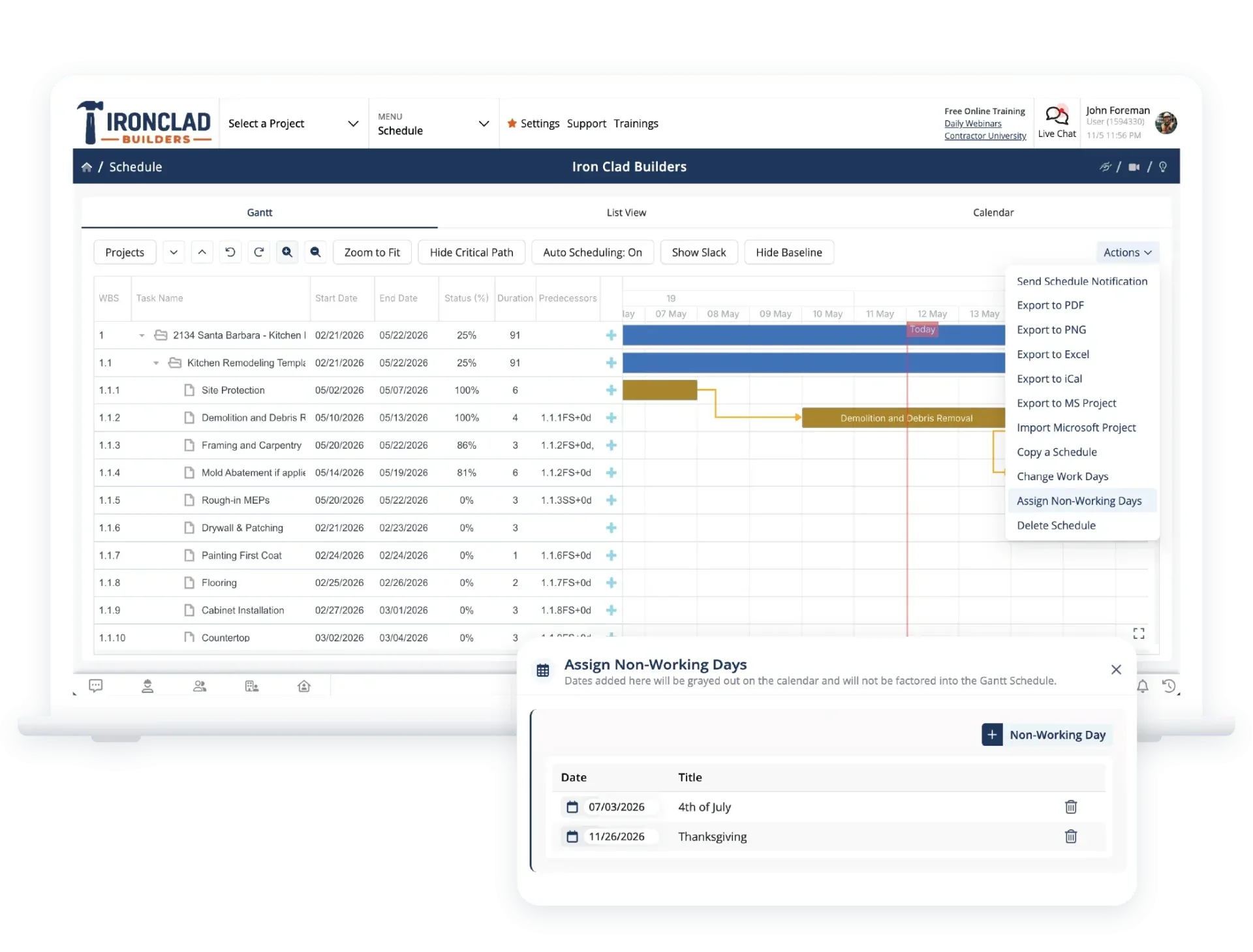
- Gantt chart scheduling: Critical path method, auto-adjusting dependencies, non-working days, and baseline tracking
- Job costing: Real-time cost tracking, budget vs. actual, invoice management connected to project data
- Client portal: Give clients controlled access to schedules, documents, approvals, and invoices
- Daily logs: Capture jobsite activity, weather, crew presence, materials used — defensible project history
- Integrations: QuickBooks, Xero, CompanyCam, Stripe, Google Calendar, Microsoft Project, Zapier, and 50+ more
Pricing
| Plan | Price (Annual Billing) | Users Included |
|---|---|---|
| Basic | $49/month | 1 user |
| Standard | $105/month | Up to 3 users |
| Plus | $166/month | Up to 8 users |
| Pro | $221/month | Up to 15 users |
| Unlimited | $332/month | Unlimited users |
All plans include unlimited projects. 100-day money-back guarantee on all subscriptions.
See full Contractor Foreman pricing →
Pros and Cons
Pros: Lowest entry price in this category with full features (not a stripped-down version), 100-day money-back guarantee, rated 4.5/5 on Capterra, excellent customer support, 50+ integrations
Cons: Limited BIM integration, Basic plan is single-user, less suited for large GCs with complex multi-project financial needs
5. Buildertrend — Best for Residential Builders and Remodelers
The verdict: If you build homes or run a remodeling business, Buildertrend was designed for your workflow. It’s the only tool here that ties sales management, construction, and client communication into a single residential-focused platform.
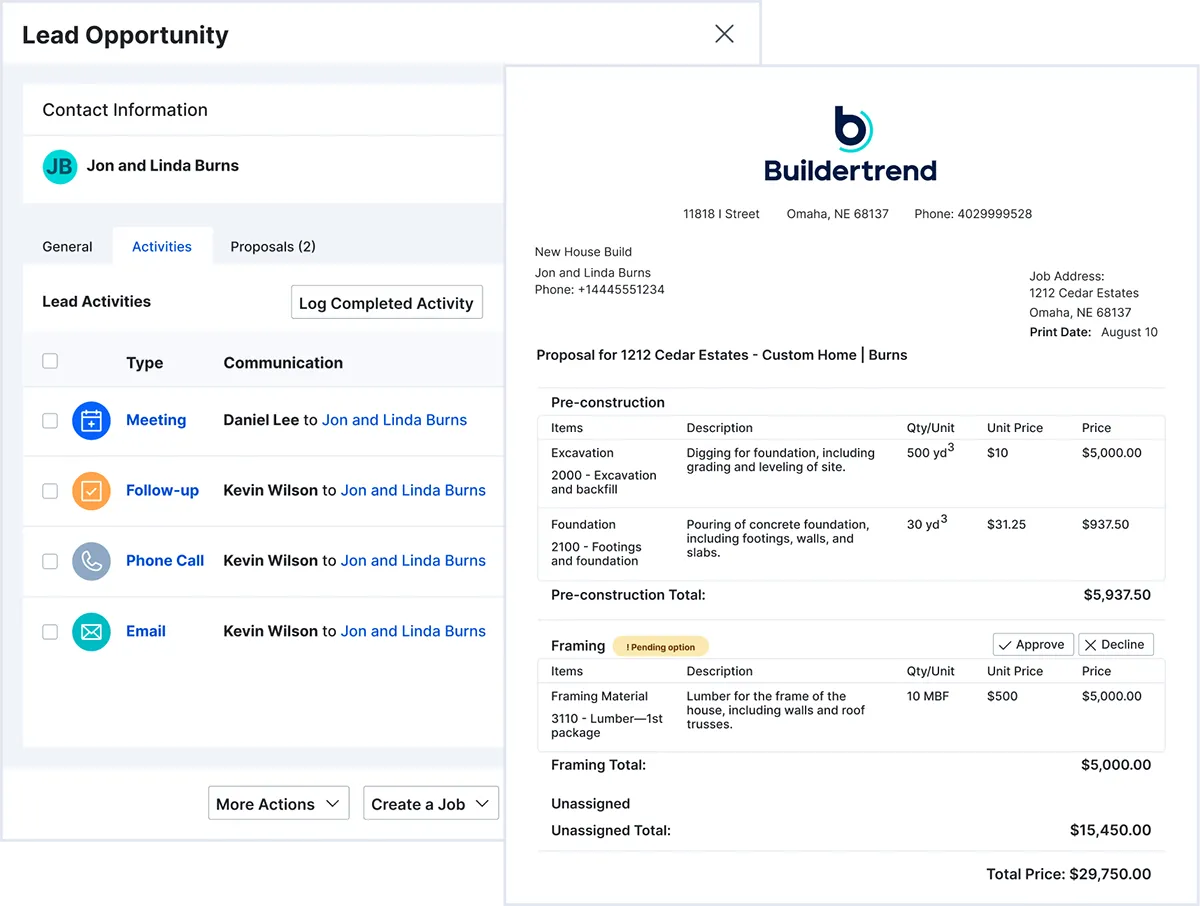
Buildertrend starts where most construction tools end — at the sales process. You can manage leads, send proposals, and track where prospects are in your pipeline before the first nail is driven. That continuity from lead to completion to warranty tracking is rare in this category.
The homeowner portal is Buildertrend’s standout feature for residential work. Homeowners log in to see their project schedule, approve selections, review invoices, and communicate directly with the builder — without calling you five times a week. That alone saves contractors hours every month. Clients who can see their project status in real time complain less. That’s just a fact.
Key Features
- Sales management: Lead tracking, proposal generation, and customer pipeline management from initial inquiry to signed contract
- Scheduling: Gantt-style project scheduling connected to subcontractor communication and notifications
- Homeowner portal: Clients access schedule, selections, documents, and invoices in real time — reducing callbacks and email chains
- Financial tools: Estimates, purchase orders, change orders, and invoicing in one workflow
- Unlimited users: No per-seat fees — your entire team and all subcontractors can access the platform
Pricing
Buildertrend uses custom pricing based on your business size and needs. Pricing is not publicly listed — contact Buildertrend’s sales team for a current quote. All plans include unlimited user access.
Pros and Cons
Pros: Purpose-built for residential construction, standout homeowner portal reduces client communication overhead, unlimited users on all plans, covers the full workflow from sales to warranty
Cons: Pricing not transparent, less suited for commercial GCs or specialty trade contractors, feature depth is overkill for single-trade businesses
How We Picked These Tools
We didn’t pick based on marketing. We picked based on what matters on a real jobsite.
Here’s what we evaluated each tool on:
- Ease of field adoption: Can a foreman use this on a phone without a training session?
- Financial depth: Can you track job costs accurately without a separate accounting tool?
- Scheduling: Does it handle dependencies, baselines, and critical path without being a nightmare to update?
- Communication: Does it reduce the number of phone calls you get per day?
- Pricing transparency: Do you know what you’re paying before you commit?
- Integrations: Does it connect to QuickBooks, your accounting software, or the tools your team already uses?
We prioritized tools tested on real construction projects — not just rated on review sites. User counts, independent review scores (Capterra, G2, Software Advice), and direct pricing verification from each vendor’s website were part of the evaluation process. All pricing in this article was verified directly from vendor sources in November 2026.
Side-by-Side Comparison
| Tool | Best For | Starting Price | Free Plan | Unlimited Users |
|---|---|---|---|---|
| Procore | Large GCs ($10M+ ACV) | Custom (ACV-based) | No | Yes |
| Autodesk CC | BIM / Complex projects | Custom (~$45/user/mo) | No | No |
| Fieldwire | Field teams and subs | Free (up to 5 users) | Yes | Paid plans only |
| Contractor Foreman | Small / mid contractors | $49/month | No (free trial) | Unlimited plan at $332/mo |
| Buildertrend | Residential builders | Custom pricing | No | Yes (all plans) |
Frequently Asked Questions
What is construction management software?
Construction management software is a platform that helps contractors, builders, and project managers coordinate schedules, documents, budgets, and field teams in one system. It replaces spreadsheets, email chains, and disconnected tools with a single source of truth for every project — from bid to closeout.
What is the best free construction management software?
Fieldwire offers the best free tier in this category. The free Basic plan includes up to 5 users, with plan viewing, task management, and punch lists included at no cost. It’s not a stripped-down trial with an expiration date — the free plan is genuinely usable for small field teams and specialty contractors who primarily need mobile-first tools.
How much does construction management software cost?
Pricing varies widely. Contractor Foreman starts at $49/month for 1 user. Fieldwire is free for up to 5 users, then $39/user/month for the Pro plan (billed annually). Procore and Buildertrend use custom pricing based on annual construction volume or company size. Autodesk Construction Cloud starts around $45/user/month based on third-party data. All pricing verified from vendor sources in November 2026.
Can construction management software replace QuickBooks?
Not entirely — and that’s intentional. Most construction management tools integrate with QuickBooks rather than replace it. They handle project-level job costing, scheduling, and field coordination, while QuickBooks manages payroll, taxes, and accounts payable. Contractor Foreman’s financial depth comes closest to reducing QuickBooks dependency for small contractors, but you’ll still want an accounting system for tax and payroll functions.
What’s the difference between Procore and Autodesk Construction Cloud?
Both are enterprise-grade platforms, but designed differently. Procore is built for GCs who need a comprehensive project management system with AI tools, unlimited users, and deep financials. Autodesk Construction Cloud is better suited for projects that rely heavily on BIM models and design-to-build workflows — especially where Revit or AutoCAD files are central to the project. If your projects involve significant design coordination before construction, ACC’s native BIM connection is a meaningful advantage.
What construction software is best for small contractors?
Contractor Foreman is the best starting point for small contractors. It offers the most features at the lowest price point ($49/month), includes a 100-day money-back guarantee, and covers everything from Gantt scheduling to job costing to client communication. For those who only need field-side task and plan management, Fieldwire’s free plan is worth trying first — zero risk, and you’ll know quickly if you need more.
Is Buildertrend only for residential construction?
Buildertrend is primarily designed for home builders, custom builders, and remodelers. It can be adapted for light commercial work, but its standout features — homeowner portal, selections management, and warranty tracking — are purpose-built for residential workflows. Commercial GCs and specialty contractors will generally find Procore, Fieldwire, or Contractor Foreman a better operational fit.
Our Bottom Line
Small-to-medium contractor? Start with Contractor Foreman. The price is fair. The features are real. The 100-day guarantee means you’re not locked in if it doesn’t work for your operation.
Large GC running multiple major projects? Procore is the industry standard. Set a budget, talk to their team, and do the implementation right the first time.
Residential builder? Buildertrend was built for you. The homeowner portal alone changes client relationships.
Specialty contractor or subcontractor who needs field tools that work without complexity? Fieldwire’s free plan. Start there today — no credit card required.