Knowledge Management
6 Best Knowledge Base Software for Teams in 2026 (Tested & Ranked)
Last updated: November 2026 Your team answered that question six months ago. Someone documented it. Nobody can find it. Now the same question comes up in Slack at 4:47pm on a Friday, and everybody gets looped in again. Sound familiar? The right knowledge base software fixes this permanently. One place. Every answer. Findable in 30 […]
Last updated: November 2026
Your team answered that question six months ago. Someone documented it. Nobody can find it.
Now the same question comes up in Slack at 4:47pm on a Friday, and everybody gets looped in again. Sound familiar?
The right knowledge base software fixes this permanently. One place. Every answer. Findable in 30 seconds or less.
I tested six of the most popular knowledge base tools to see which ones actually deliver on that promise — and which ones just create a prettier version of the same mess. Here’s what I found.
Quick Picks: Best Knowledge Base Software for Teams in 2026
| Tool | Best For | Starting Price (as of Nov 2026) |
|---|---|---|
| Notion | All-in-one team wikis with flexibility | Free / $10/user/mo (annual) |
| Confluence | Dev teams already using Jira | Free up to 10 users / $5.78/user/mo |
| Slite | Teams that need docs to stay verified and current | $10/user/mo (annual) |
| Slab | Fast-moving teams who want clean, distraction-free docs | ~$6.67/user/mo |
| Guru | AI-powered answers surfaced inside Slack and email | Custom pricing |
| Tettra | Small teams who want simple, Slack-native Q&A | ~$8/user/mo |
What This Guide Covers
- How We Picked These Tools
- Notion — Best All-in-One Team Wiki
- Confluence — Best for Dev and Engineering Teams
- Slite — Best for Keeping Knowledge Verified and Current
- Slab — Best for Clean, Distraction-Free Docs
- Guru — Best for AI-Surfaced Answers in Slack
- Tettra — Best for Simple, Slack-Native Knowledge Management
- Side-by-Side Comparison
- How to Choose the Right Tool
- Our Verdict
- FAQ
How We Picked These Tools
A knowledge base that nobody uses is just a filing cabinet nobody opens.
We evaluated each tool on five criteria: how fast you can find an answer, how easy it is to create and update content, whether old docs get flagged as stale, how well it integrates with tools like Slack, and whether the pricing makes sense for teams under 50 people.
We cut tools that required a PhD to set up, had UX that punished new contributors, or locked basic search behind expensive tiers. What’s left are tools that actually get used.
If your team is scaling fast and needs a solid help desk system alongside your knowledge base, we’ve covered that separately.
1. Notion — Best All-in-One Team Wiki
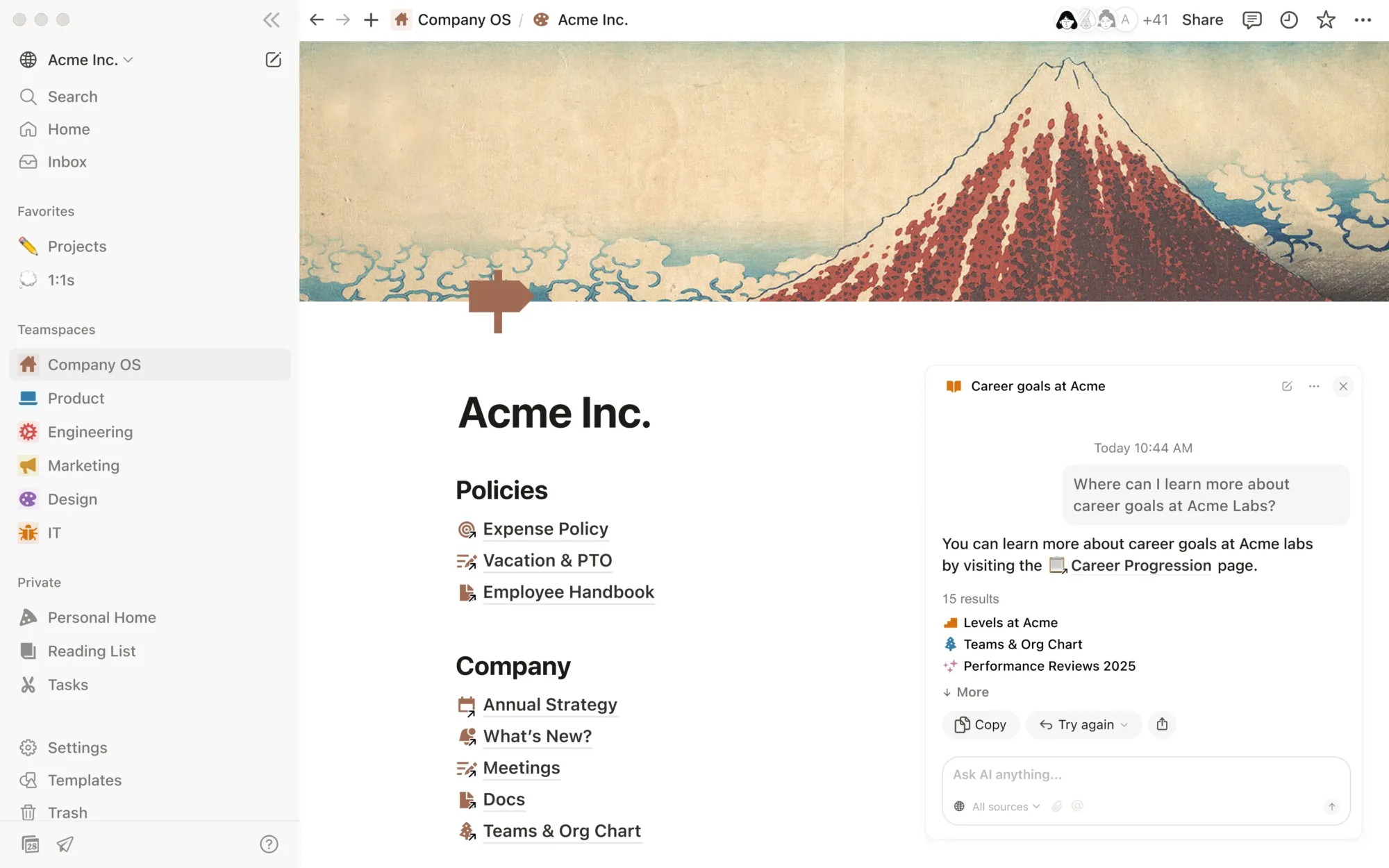
Notion is the Swiss Army knife of team documentation. It’s not just a knowledge base — it’s a workspace where your wiki, project tracker, and database can live in one place. That’s both its greatest strength and its biggest source of confusion.
What makes it work for knowledge bases specifically: Notion’s nested page structure lets you build a real information architecture. You can have a “Company Wiki” at the top level with “Engineering,” “Marketing,” and “HR” underneath, each with sub-pages, and it all stays navigable through the sidebar. The search is genuinely fast — type a few letters and you’re there.
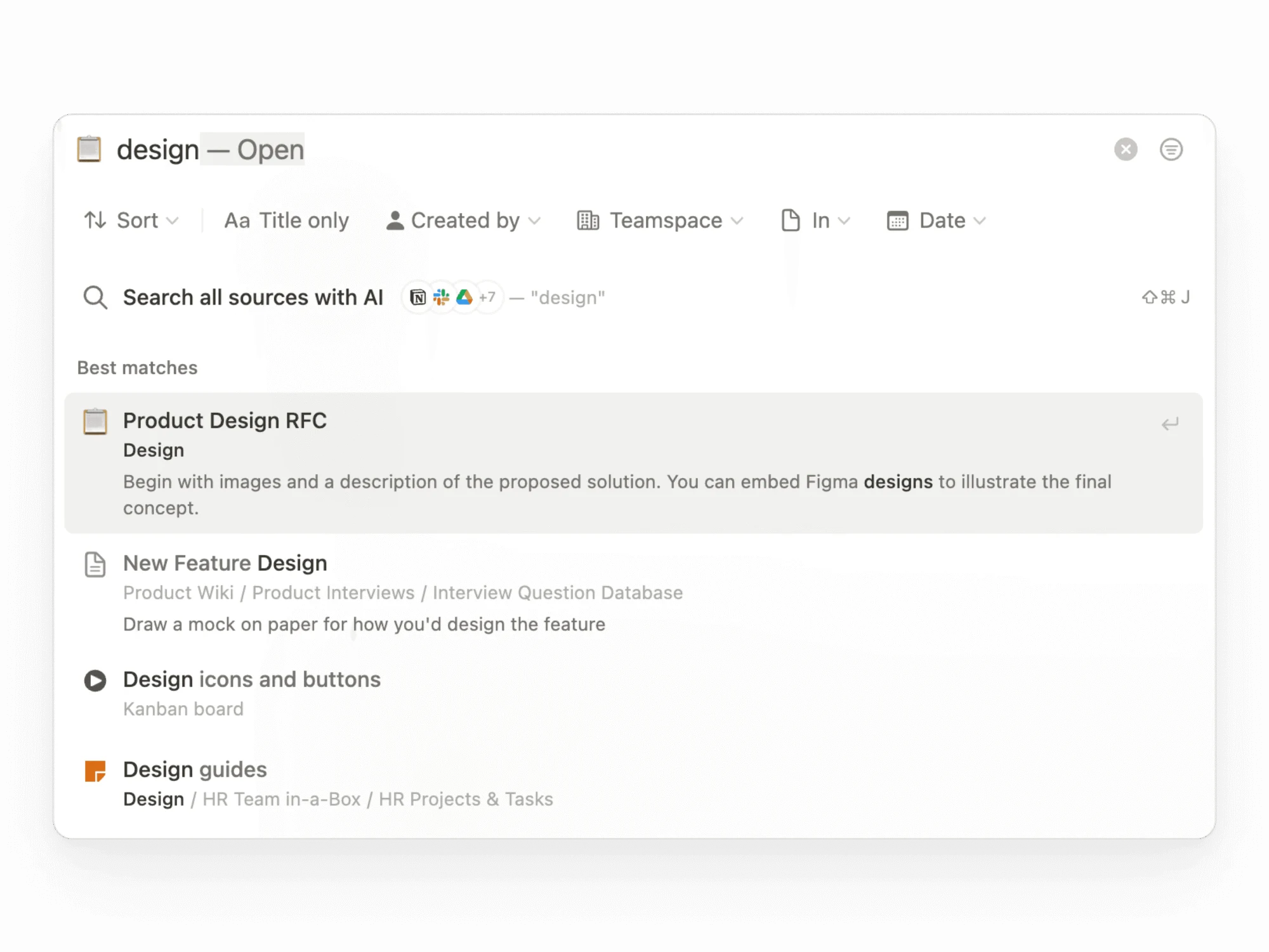
The AI features (Notion AI, available on paid plans) let you ask questions in plain language and get answers sourced from your pages. For large wikis with hundreds of documents, this is a major time-saver.
Where it falls short: Notion’s flexibility is also its trap. If nobody sets up an intentional structure at the start, you end up with a beautifully designed mess. There’s also no native “doc verification” system — pages don’t get flagged as outdated unless someone manually sets a reminder. And the learning curve is steeper than it looks. New team members often stall at the blank canvas.
Pricing (as of November 2026): Free tier (unlimited pages, limited AI), Plus at $10/user/month billed annually, Business at $20/user/month billed annually, Enterprise at custom pricing. See Notion’s current pricing here.
Verdict: Notion is the best choice if your team wants one workspace for docs, projects, and data — and you’re willing to invest a few hours getting the structure right up front.
2. Confluence — Best for Dev and Engineering Teams
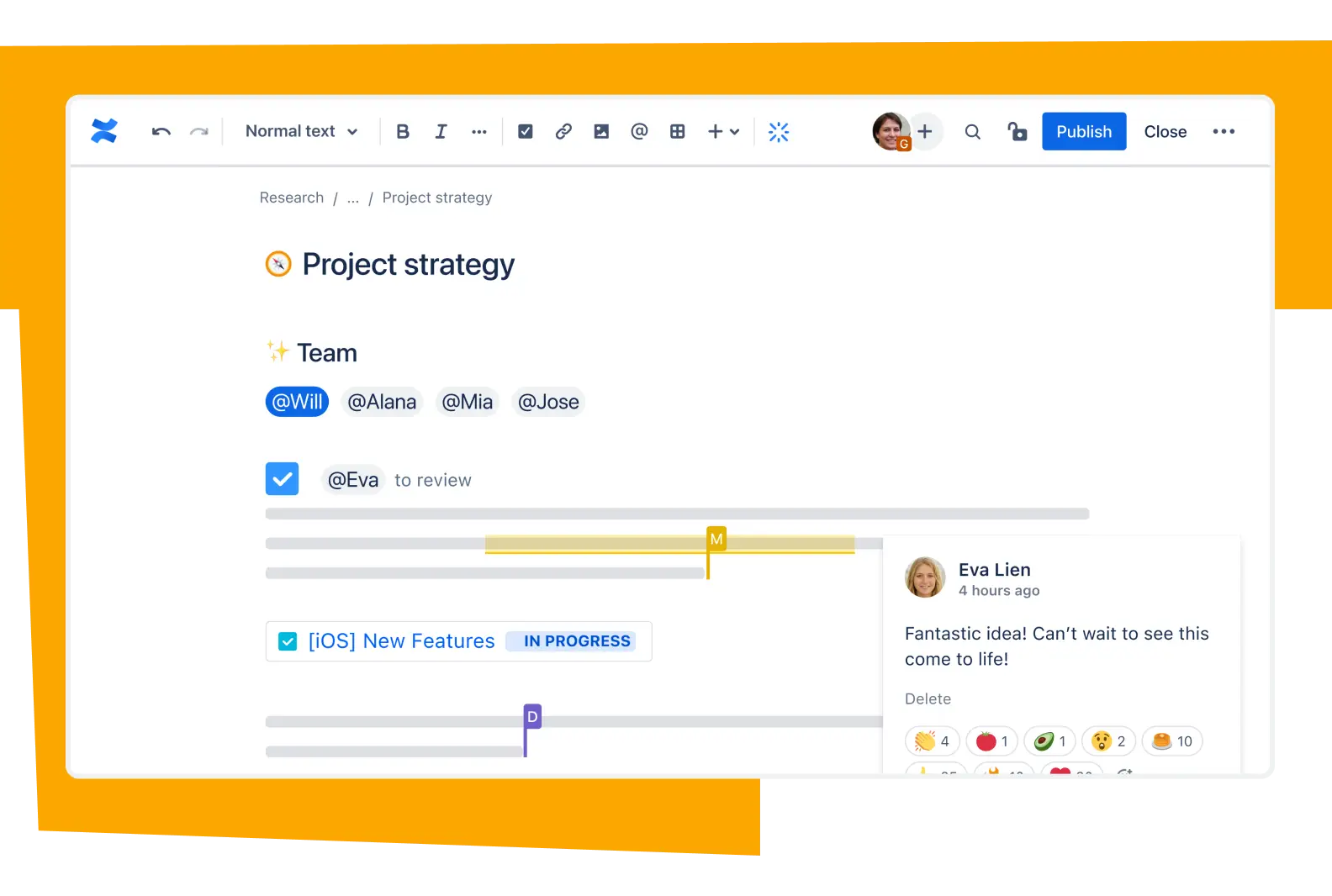
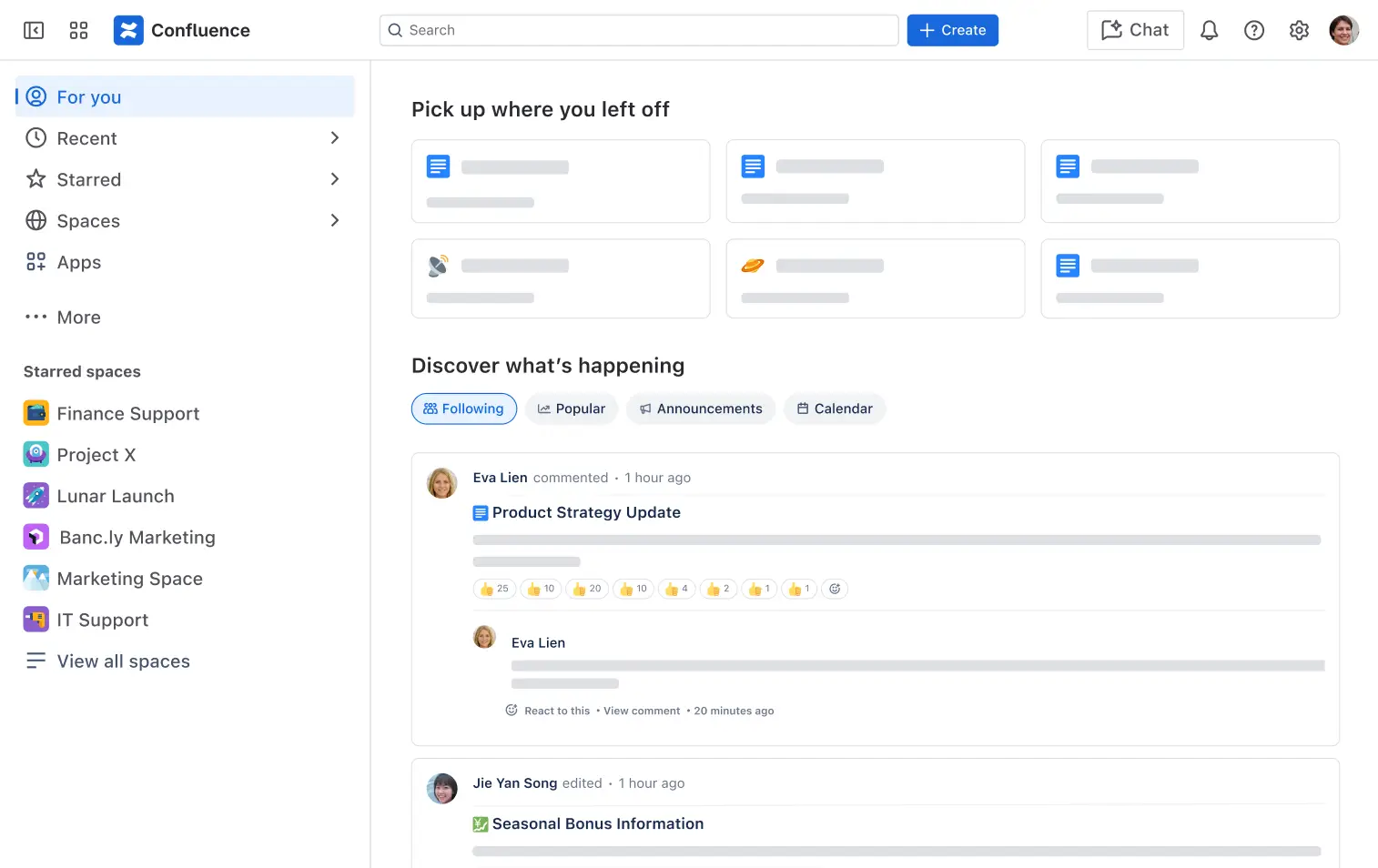
Confluence is Atlassian’s knowledge management tool, and if your team already lives in Jira, this is the obvious choice. The integration is native and deep — you can link Jira tickets to Confluence docs, embed live ticket status in your knowledge articles, and trace requirements straight from planning docs to sprints.
What makes Confluence work: Spaces are how Confluence organizes everything, and they map well to teams, products, or projects. The page tree within each space keeps docs organized without requiring everyone to be a taxonomy expert. The editor handles everything from meeting notes to detailed technical specs, and templates accelerate setup significantly.
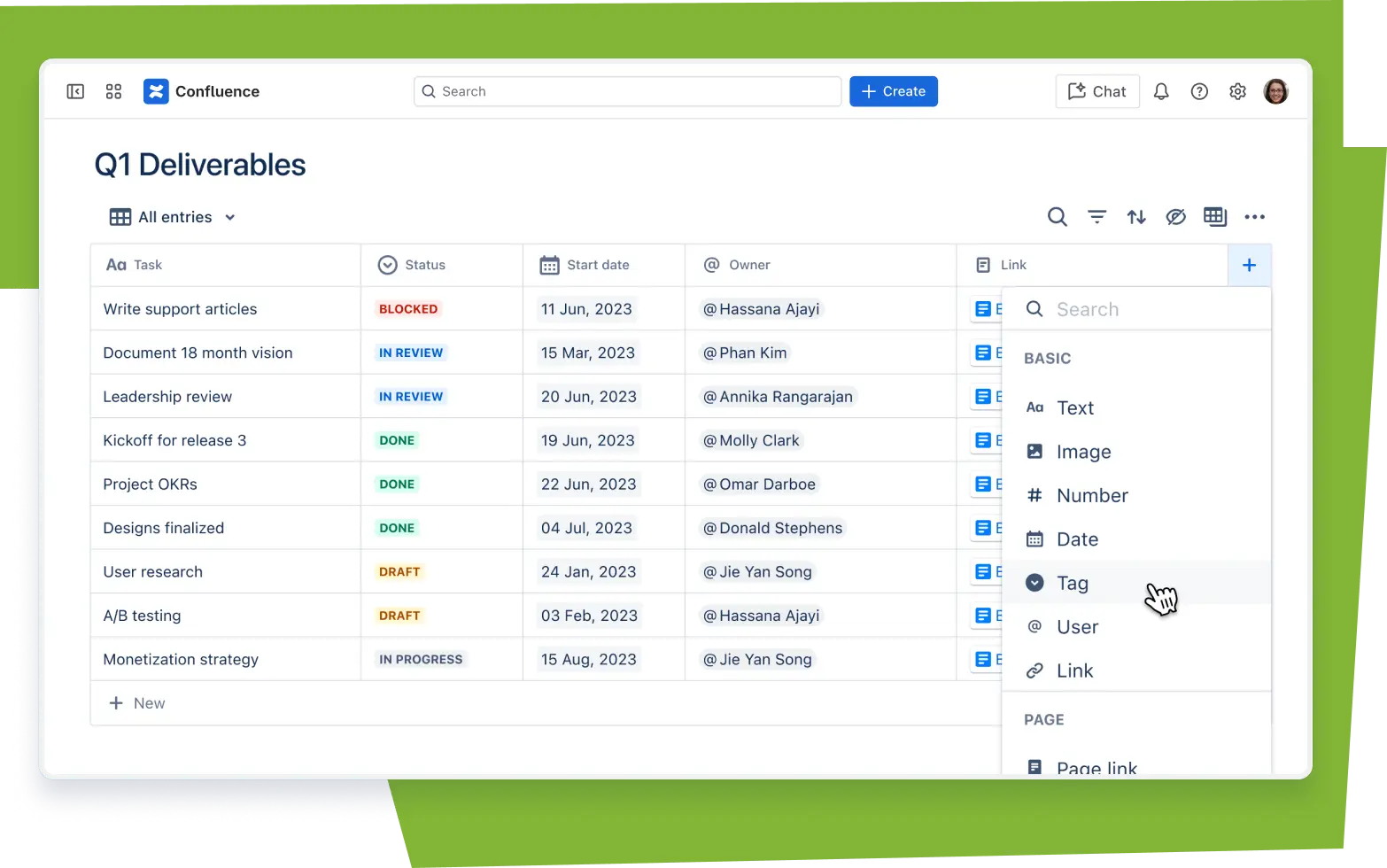
Confluence Databases (now available on Standard and above) let you maintain structured tables of information — product specs, decision logs, requirements — alongside your regular docs. For engineering teams who live in structured data, this matters.
Where it falls short: Confluence is heavy. It’s designed for large organizations, and you feel that when you’re a 10-person team trying to write your first onboarding doc. The free tier is solid (up to 10 users), but past that, costs climb fast for premium features. And the UX hasn’t kept pace — it can feel dated compared to newer tools.
Pricing (as of November 2026): Free (up to 10 users), Standard at $5.78/user/month, Premium at $11.16/user/month, Enterprise at custom pricing (annual only). See Confluence’s current pricing here.
Verdict: Choose Confluence if your team is technical, already uses Atlassian tools, or you need deep integration between documentation and your software development workflow.
3. Slite — Best for Keeping Knowledge Verified and Current
Most knowledge bases have a slow rot problem. Articles get written once and never updated. Six months later, the onboarding doc references a tool you stopped using in Q1. Nobody notices until a new hire follows it and something breaks.
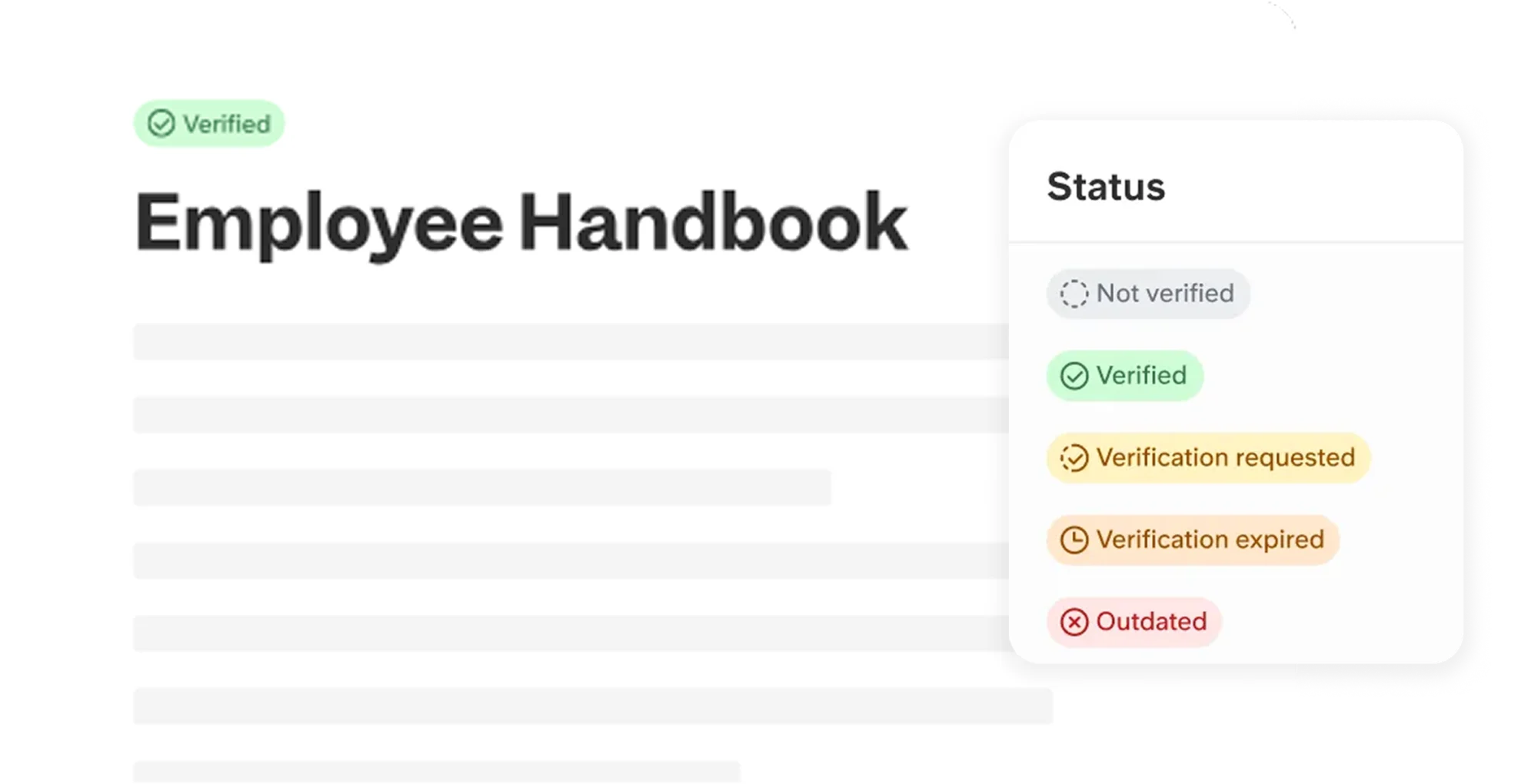
Slite’s answer is doc verification. Pages can be marked as verified, and Slite prompts owners to re-verify on a schedule. You can see which docs are verified and which have gone stale. For teams that care about the accuracy of their knowledge — support teams, HR, compliance-sensitive roles — this is genuinely important.
Beyond verification, Slite has a clean, fast editor and good organization through channels (think of them like folders). The Ask Slite AI feature lets you query your knowledge base in natural language and get cited answers — useful once your library gets large enough that search alone isn’t enough.
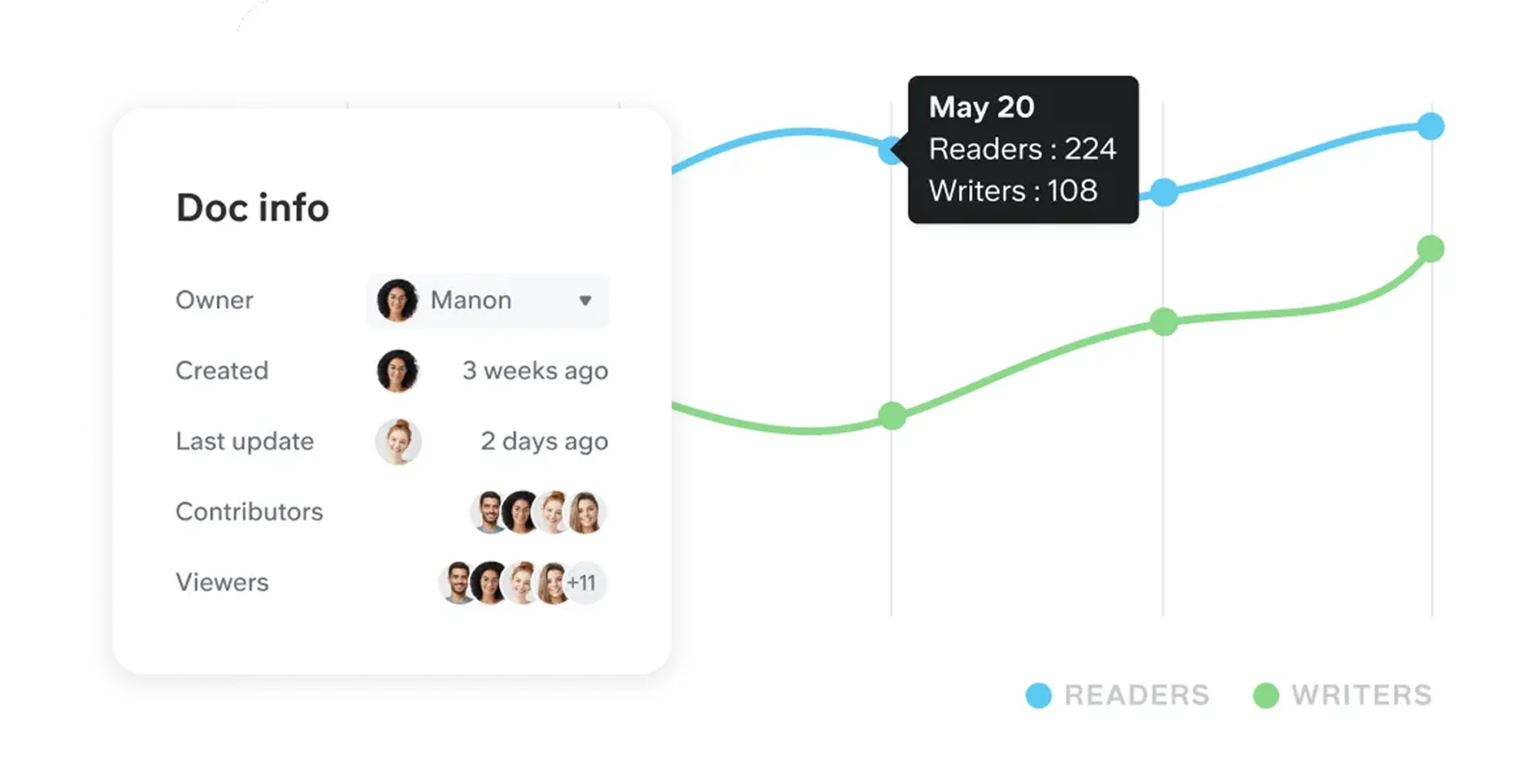
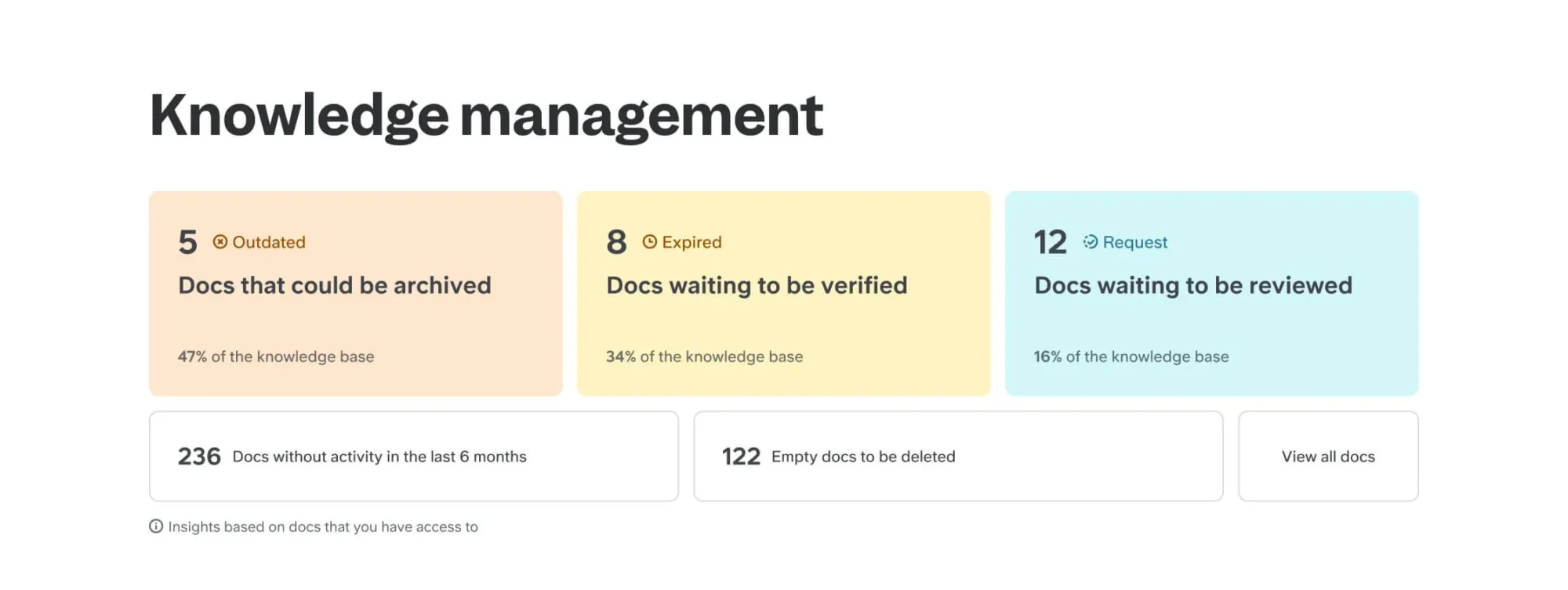
The analytics dashboard shows you what’s getting read, what isn’t, and which docs haven’t been touched in months. It’s the fastest way to identify knowledge gaps and zombie docs that should be archived or updated.
Where it falls short: Slite is purely a knowledge base — no project management, no databases, no task tracking. If you want an all-in-one workspace, look at Notion. Slite’s integrations are good but not exceptional, and the mobile experience has historically lagged the desktop.
Pricing (as of November 2026): Basic at $10/user/month billed annually, Pro at $20/user/month billed annually, Enterprise at custom pricing. See Slite’s current pricing here.
Verdict: Slite is the best pick for teams where knowledge accuracy is non-negotiable — support operations, HR, compliance, or any team that can’t afford to have people acting on outdated information.
4. Slab — Best for Clean, Distraction-Free Docs
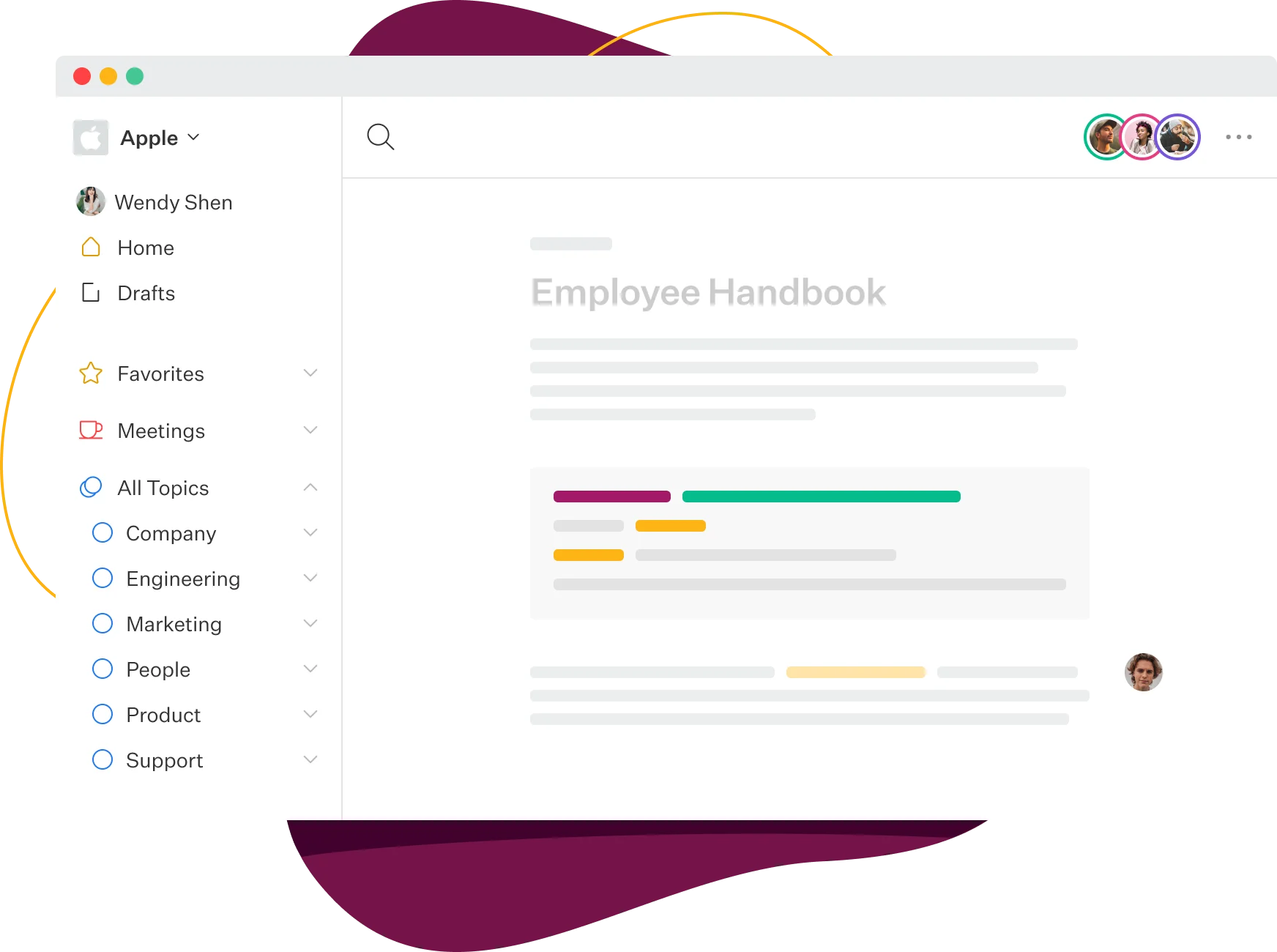
Slab is the minimalist’s knowledge base. If Notion is a Swiss Army knife and Confluence is a toolbox, Slab is a precision scalpel. One job. Done well.
The editor is genuinely pleasant to use. No bloat, no feature creep. You write, you organize with Topics (Slab’s version of categories), and you search. That’s mostly it — and for a lot of teams, that’s exactly what they need.
Slab’s biggest differentiator is its unified search. Rather than just searching Slab itself, it indexes content from connected tools — Google Drive, GitHub, Notion, Confluence, Dropbox. If you’re trying to centralize knowledge that lives in multiple places without migrating everything, Slab can be the search layer on top. Teams who juggle storage across services should also check our guide to screen recording tools for capturing institutional knowledge in video format.
Where it falls short: Slab’s simplicity is intentional, but it does mean limited customization. There are no databases, no wikis-within-wikis, no project tracking. If your team needs to do anything beyond straight documentation, Slab will feel constraining. Analytics are basic compared to Slite.
Pricing (as of November 2026): Approximately $6.67/user/month based on available data — verify current pricing at the official site as plans may have changed. See Slab’s current pricing here.
Verdict: Slab is the right call for teams who want dead-simple docs with a great search experience and zero friction for contributors. Especially strong if you need to surface knowledge that already lives in other tools.
5. Guru — Best for AI-Surfaced Answers in Slack and Email
Guru takes a different approach from every other tool on this list. Instead of making your team go to a knowledge base, Guru brings the knowledge to where your team already is — Slack, email, Chrome, wherever they’re working.
The core idea: You build Cards (Guru’s version of knowledge articles). Those Cards live in Guru’s knowledge base. But Guru’s browser extension watches what you’re doing and surfaces relevant Cards automatically. Answering a customer question in email? Guru suggests the relevant product spec. Responding to a Slack thread? Guru shows you the playbook for that situation.
Guru also has built-in verification — each Card has an owner and an expiration, after which it’s flagged for review. Combined with AI-powered Q&A that can answer questions from across your knowledge base, it’s one of the most sophisticated knowledge management platforms available.
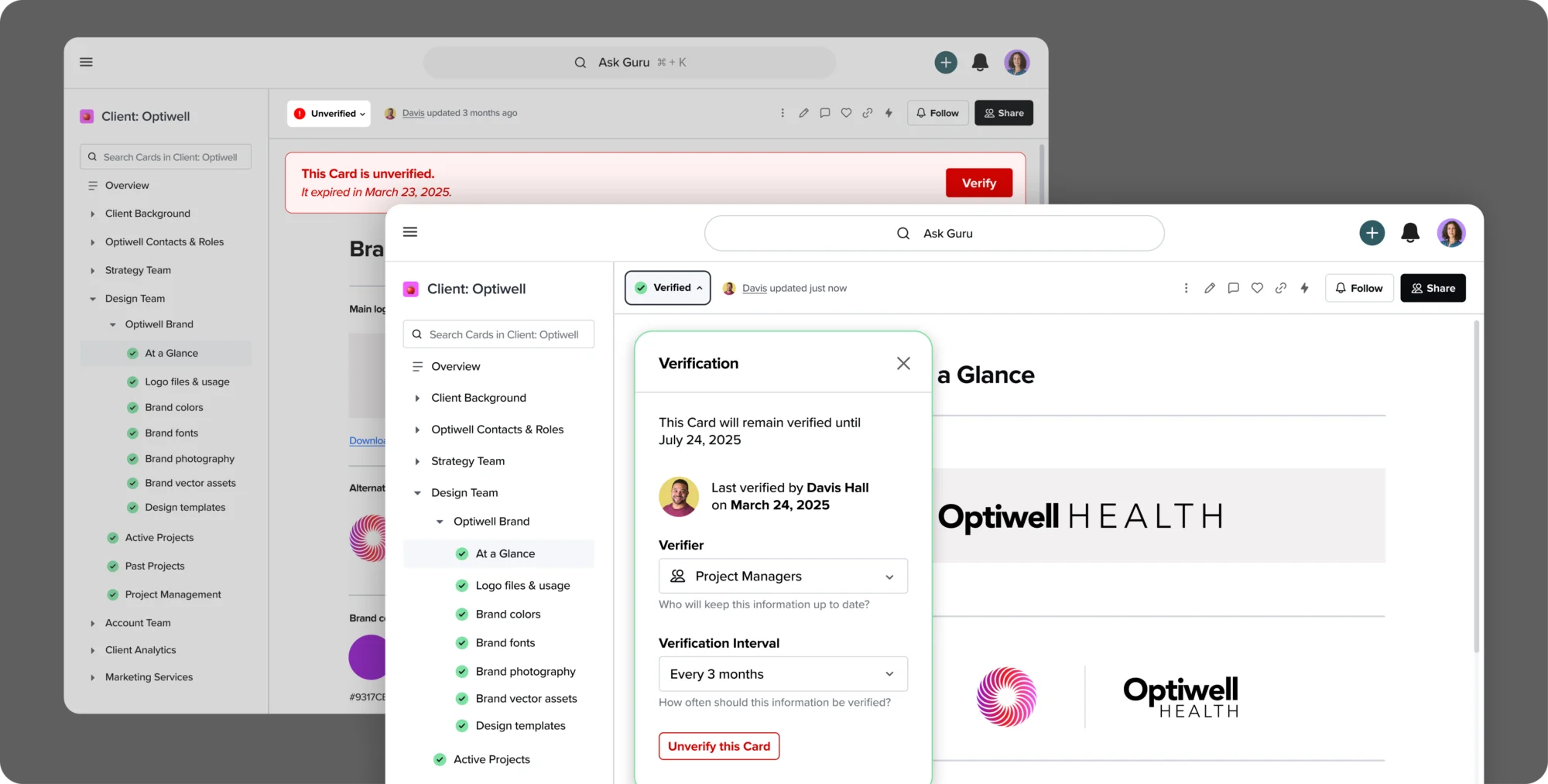
Who it’s actually for: Guru shines in customer-facing teams — support, sales, customer success — where agents need accurate answers fast without context-switching. If your team is primarily internal (engineering, HR, ops), the overhead of Guru’s setup may outweigh the benefits.
Pricing (as of November 2026): Guru has moved to custom/enterprise pricing only — per-seat tiers are no longer publicly listed. Contact their sales team for a quote. See Guru’s current pricing here.
Verdict: Guru is the premium pick for customer-facing teams who need knowledge surfaced in their workflow, not stored in a separate tab. Expect enterprise pricing to match.
6. Tettra — Best for Simple, Slack-Native Knowledge Management
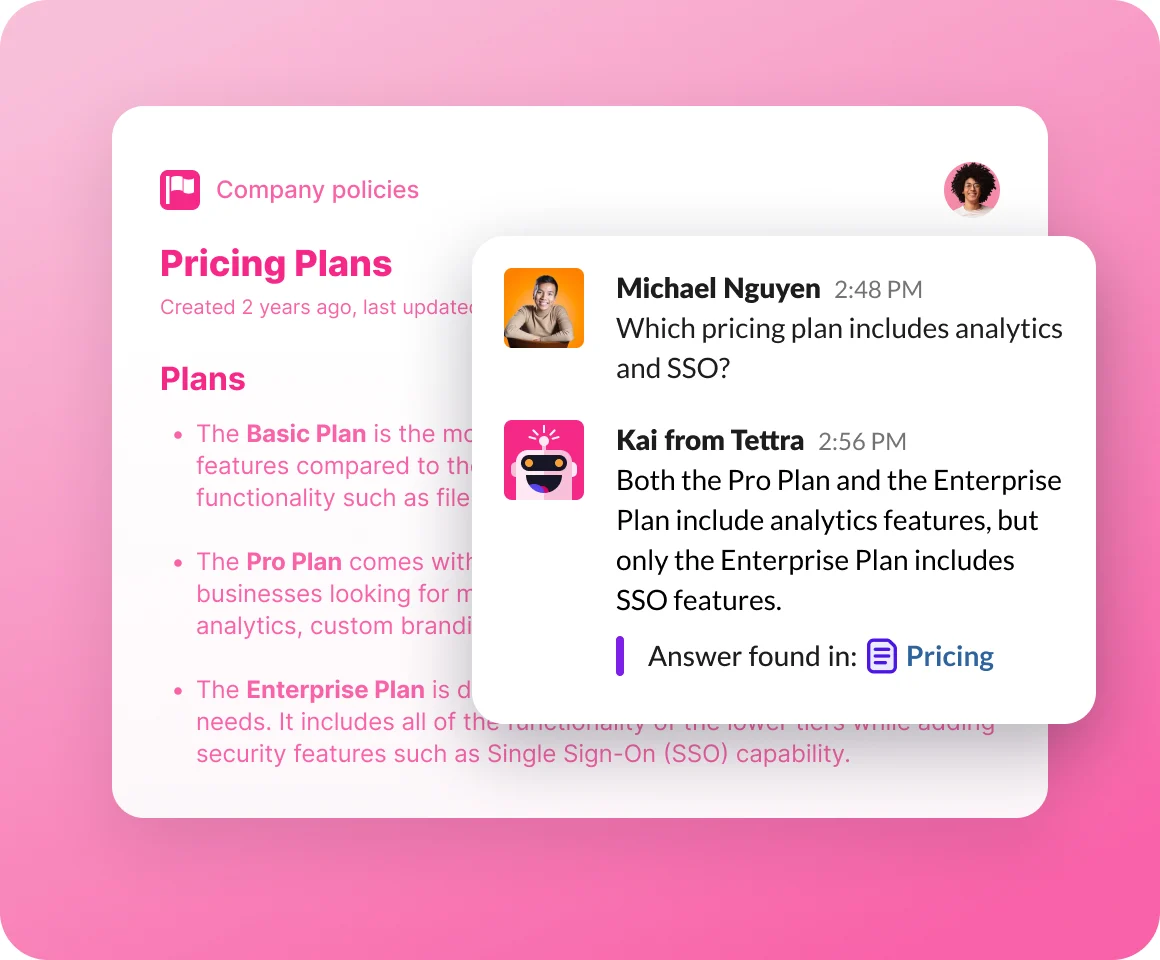
Tettra exists to solve one problem: stopping teams from answering the same Slack message twice.
The Kai AI assistant is Tettra’s centerpiece. When someone asks a question in Slack, Kai answers it automatically by pulling from your Tettra knowledge base. If Kai can’t answer, the question gets routed to the right expert, and once they answer, that answer can be saved back to Tettra with one click. Over time, your knowledge base fills itself.
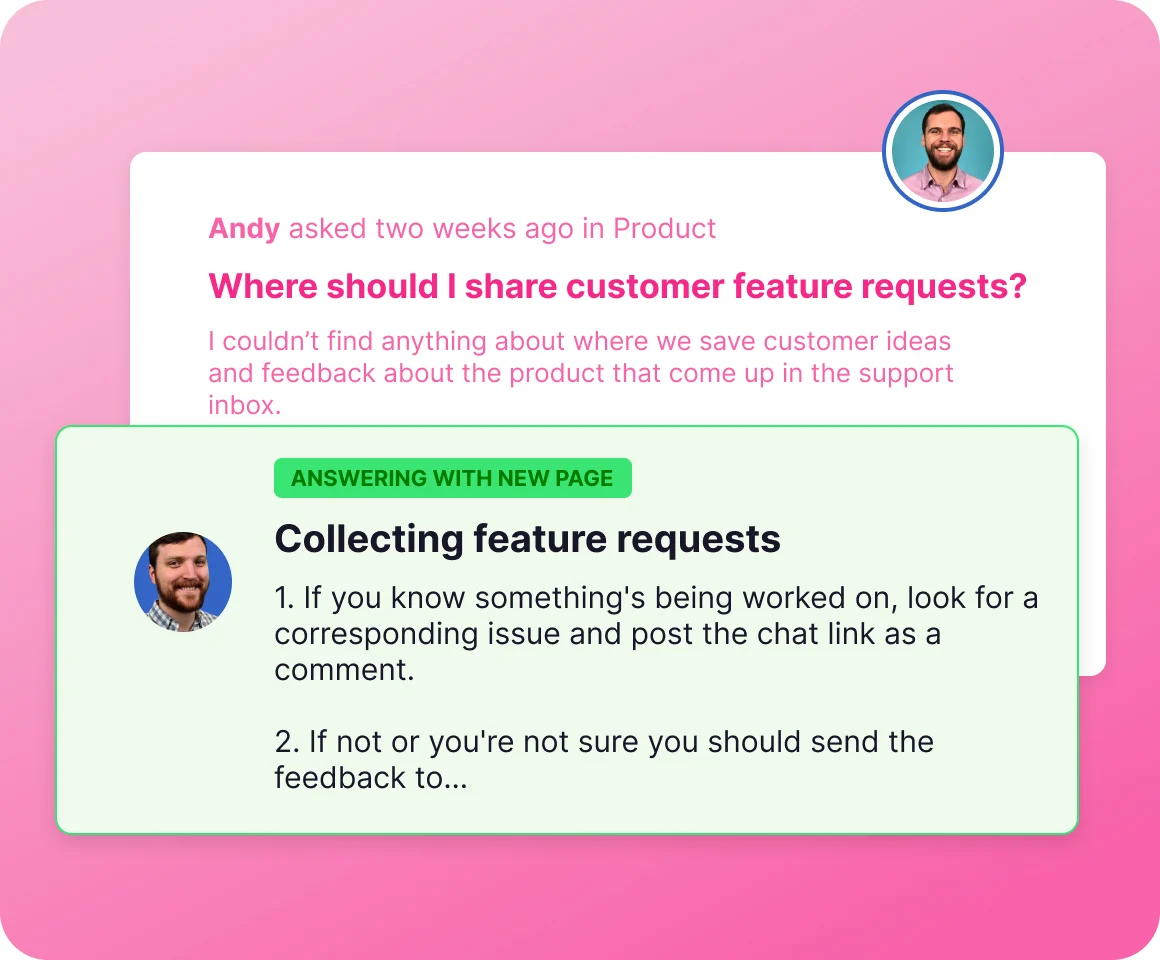
The knowledge base itself is intentionally simple. Pages are organized into categories, the editor is clean and fast, and there’s nothing in the interface that competes with the core job of writing and finding documentation. Small teams love Tettra for this reason — it’s approachable for contributors who would bounce off Confluence or Notion’s complexity.
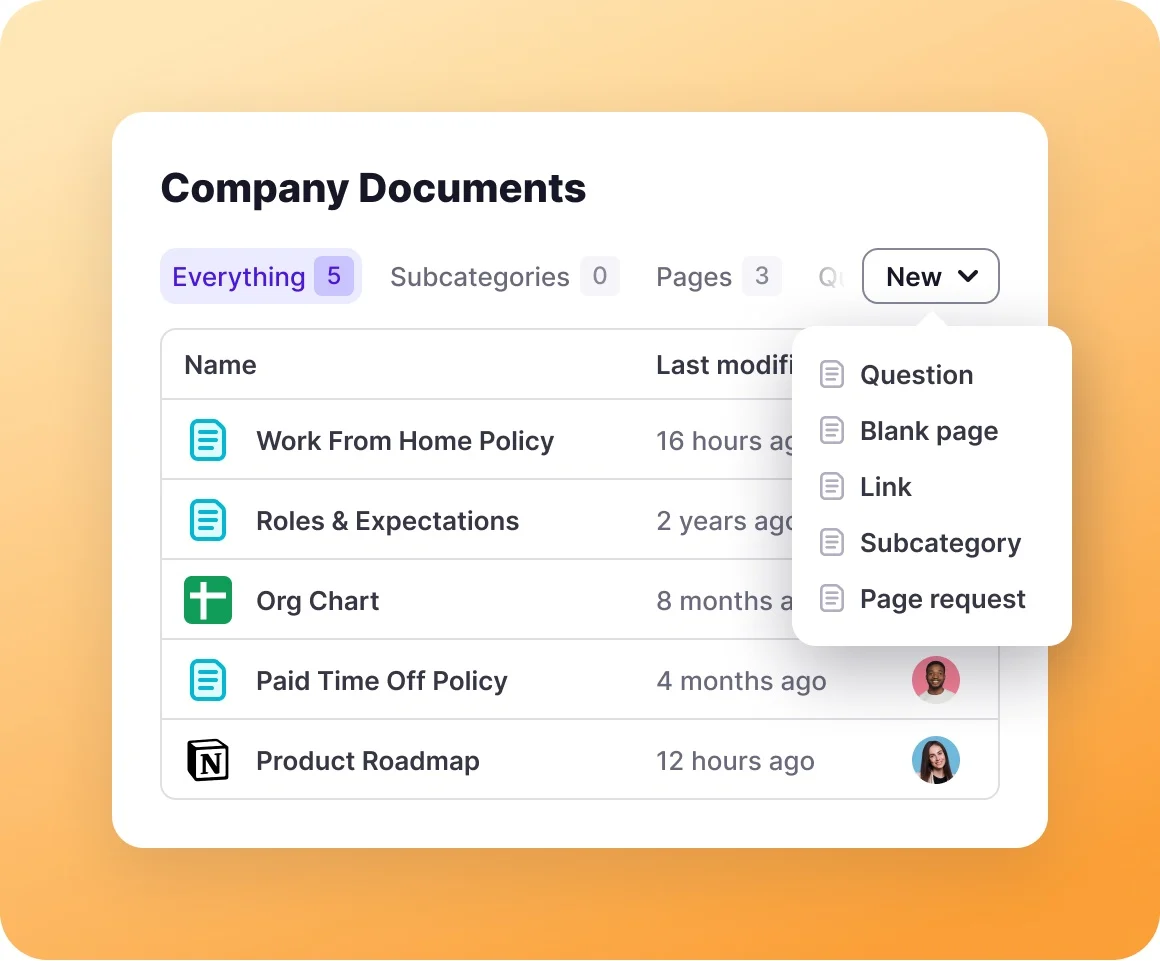

The search is fast and smart enough for most teams. Like Slite, Tettra includes verification features — you can set content to expire, and owners get nudged to review it. For a tool this simple, the quality control features are surprisingly mature.
Where it falls short: Tettra is Slack-first, which means if your team doesn’t live in Slack, you lose most of its value. The knowledge base UX is simple to the point of being limited — no databases, no embedded views, minimal customization. Scaling to a large organization’s worth of content is possible but not where Tettra shines.
Pricing (as of November 2026): Approximately $8/user/month based on available data — verify current pricing at the official site. See Tettra’s current pricing here.
Verdict: Tettra is the best pick for small, Slack-heavy teams who want a knowledge base that fills itself through natural conversation. Setup is fast, learning curve is low, and the ROI shows up quickly.
Side-by-Side Comparison
| Tool | Best For | Starting Price | AI Features | Doc Verification | Slack Integration | Free Tier |
|---|---|---|---|---|---|---|
| Notion | All-in-one workspace | Free / $10/user/mo | Yes (Notion AI) | No native system | Yes | Yes |
| Confluence | Dev & engineering teams | Free / $5.78/user/mo | Yes (Atlassian Intelligence) | Page expiry reminders | Yes | Yes (10 users) |
| Slite | Accuracy-focused teams | $10/user/mo | Yes (Ask Slite) | Yes (core feature) | Yes | No |
| Slab | Clean, simple docs | ~$6.67/user/mo | Yes | Basic | Yes | No |
| Guru | Customer-facing teams | Custom only | Yes (AI answers) | Yes (Card expiry) | Yes (core feature) | No |
| Tettra | Small, Slack-first teams | ~$8/user/mo | Yes (Kai AI) | Yes | Yes (core feature) | No |
How to Choose the Right Knowledge Base Software
Don’t optimize for features. Optimize for adoption.
The best knowledge base is the one your team actually contributes to. Here’s how to narrow it down:
Choose Notion if: You want one workspace that does docs, projects, and data. You have a team member who’s excited to set it up right. You need flexibility more than focus.
Choose Confluence if: Your engineering team already uses Jira. You’re in an Atlassian shop. You need formal spaces for different departments with proper permission controls.
Choose Slite if: Knowledge accuracy is critical to your operations. You need to know which docs are current and which are stale. You want AI-powered search without the Notion complexity.
Choose Slab if: You want the simplest possible experience. You need unified search across tools like Google Drive, GitHub, and Notion. Contributors are non-technical and need zero learning curve.
Choose Guru if: You run a customer-facing team (support, sales, CS). You need knowledge delivered in-workflow rather than in a separate app. Budget is not a constraint. If you’re also looking at tools for your support team, see our guide to the best help desk software for small teams.
Choose Tettra if: Your team lives in Slack and repeats the same questions weekly. You want a simple setup that self-populates through Q&A. You have under 50 people and don’t need enterprise complexity.
Also consider your team’s broader software stack. If you’re scaling up, you’ll want your knowledge base to fit alongside your project management software and HR tools — all of which benefit from having shared knowledge documented.
Our Verdict
For most teams, Notion is the default-correct answer. It’s flexible, has a genuinely useful free tier, and once set up properly, it scales. If your team won’t invest in setting it up well, the blank canvas becomes a liability.
If you’re in a Jira shop, skip the debate and go with Confluence. The native Atlassian integration saves you real time every week.
If knowledge accuracy is your top priority — especially in support, HR, or compliance contexts — Slite‘s verification system is the most sophisticated on this list.
And if your team is small, Slack-first, and you want the simplest path to stopping repeated questions, Tettra delivers fast results with minimal setup.
Frequently Asked Questions
What is knowledge base software?
Knowledge base software is a centralized platform where teams store, organize, and retrieve information — SOPs, onboarding guides, FAQs, technical documentation, and institutional know-how. It’s the alternative to knowledge living in people’s heads, buried in Slack, or scattered across email threads.
What’s the difference between a knowledge base and a wiki?
A wiki is a type of knowledge base where anyone can create and edit pages — Wikipedia is the most famous example. Knowledge base software is a broader category that includes wikis but also includes tools with access controls, verification systems, AI-powered search, and integrations with external tools. Most modern knowledge base tools work more like wikis with extra features layered on top.
Is Notion good as a knowledge base?
Yes, but with caveats. Notion’s flexibility makes it genuinely excellent for structured knowledge management when someone sets it up intentionally. The weakness is that without a defined structure, teams often create a complicated, unsearchable mess. If you’re going with Notion, designate one person to own the information architecture before you start adding content.
What’s the best free knowledge base software for teams?
Notion’s free tier allows unlimited pages and basic collaboration features — it’s the strongest free option for most teams. Confluence’s free tier covers up to 10 users with solid core functionality. Beyond 10 users, you’ll need a paid plan.
How is knowledge base software different from a project management tool?
Project management tools track tasks, timelines, and deliverables. Knowledge base tools store reference information — the “how we do things” rather than “what we’re doing right now.” They often work best together. If you’re evaluating both, see our guide to the best project management software for remote teams.
Does knowledge base software replace internal wikis?
For most teams, yes. Modern knowledge base software has all the functionality of an internal wiki plus better search, access controls, AI features, and integrations. Tools like Notion and Confluence are functionally wikis with much better UX and additional capabilities on top.
Pricing verified as of November 2026. Always check vendor websites for the latest pricing before purchasing.